Facebook Lead Ads for Lead Sellers: Form to Buyer
Facebook lead ads capture a contact in one tap. See how lead sellers map, consent, deliver and measure instant form leads so buyers accept them.

Rafael Hernandez
Founder & CEO
Ex-Microsoft SWE · $10M+ PPL ad spend
I hope you enjoy reading this blog post. If you want to try Lead Distro AI for free, click here.
Author: Rafael Hernandez | Founder & CEO of Lead Distro AI
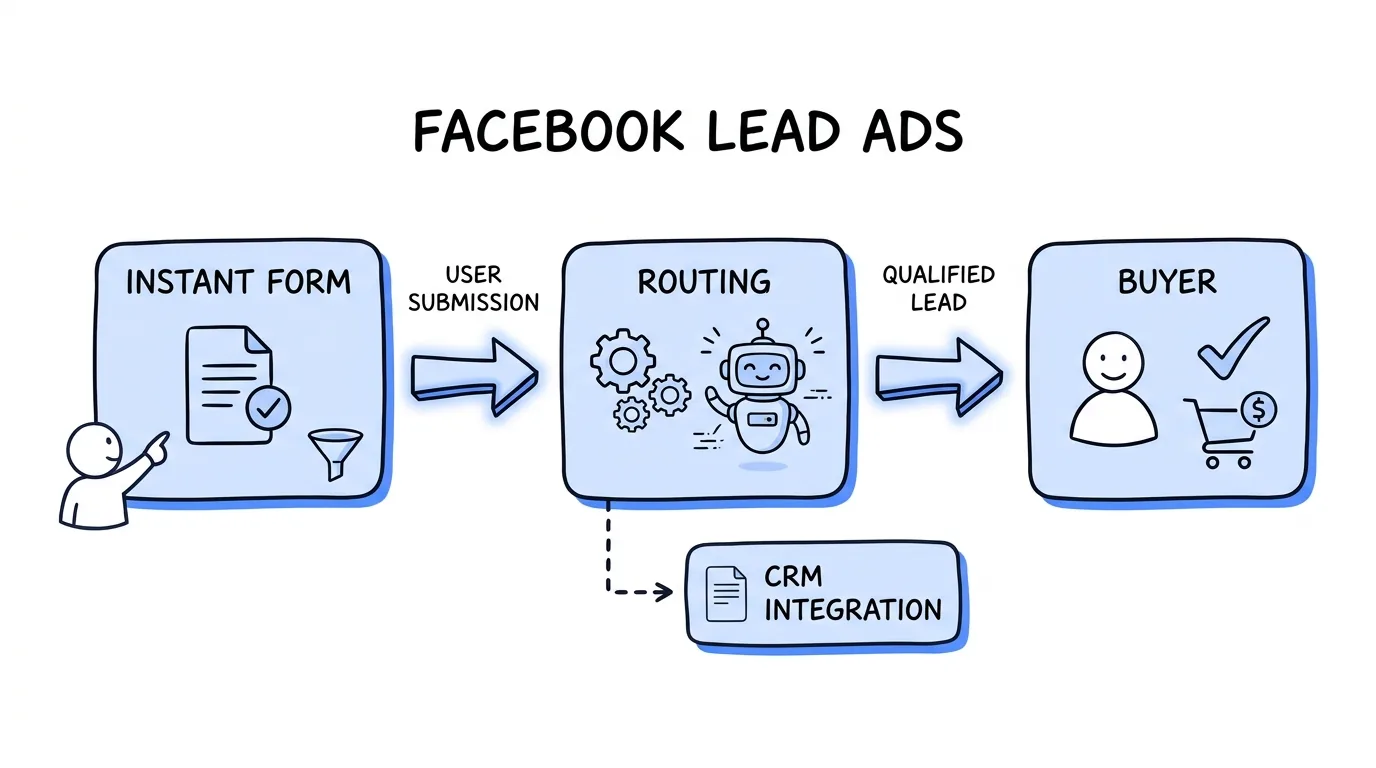
Facebook lead ads are Meta ads that open an instant form inside Facebook or Instagram, so a person can submit contact details without visiting your site. For a lead seller the submission is only the start. The lead earns money once it is mapped, consented, checked and delivered to a buyer.
Most guides explain how to build the ad. This one covers the next problem: what happens to a lead after the instant form, and how to measure the result. If you buy Meta traffic and sell the leads, these Meta lead ads choices decide how many leads a buyer accepts, not just how many you collect. The same applies whether you call them Facebook lead gen ads, a Facebook lead form or Meta instant forms.
Key Takeaways
- Facebook lead ads solve intake, not delivery. The instant form captures a contact; mapping, consent, checks and buyer delivery decide whether it earns revenue.
- Pick the form type for the buyer, not for volume. Meta's More volume form is built for speed on mobile; Higher intent adds a review screen. A landing page gives you the most control.
- Never rely on a manual download. Meta keeps lead data for 90 days and says slow follow-up can hurt lead quality, so connect a webhook or integration.
- A form needs a real phone or email field and clean field names, or the lead cannot be delivered to a buyer.
- Judge the campaign by cost per accepted lead, not cost per form fill, and send accepted-lead outcomes back to Meta.
Facebook lead ads vs a landing page: what each sends you
Meta offers three instant form types. According to the Meta Business Help Center, More volume (the default) is designed to generate a larger number of leads, Higher intent adds a review screen so people can confirm their information, and Rich creative lets you change colors, images and text. A landing page or funnel is the alternative, and your own page can run scripts such as consent certificate capture that an instant form inside Meta's app cannot.
| More volume | Higher intent | Landing page or funnel | |
|---|---|---|---|
| Meta's description | Quick to submit on mobile, more leads | Very intentional leads, review screen | Not a Meta form type |
| Contact fields | Prefilled from the person's profile | Prefilled, with a note that you may follow up | Typed by the person or autofilled by the browser |
| Where it is delivered | No limit stated | Facebook Feed and Instagram feed on mobile only | Wherever the ad links |
| What you control | Questions and disclaimer | Questions and disclaimer | Every field, validation rule, script and consent line |
Prefilled contact fields are the trade-off to understand. Meta says the form uses information people already shared with Facebook. Someone can submit without typing, so an old number or a shared email reaches you as easily as a correct one. That is a mechanism, not a measured rate, so test it on your own traffic. If you need more control, see Google Ads for lead generation for the landing page side and our lead generation funnel builder guide.
Form types and questions that raise lead quality
Choose the form type from what your buyer does after the lead lands. Meta's own guidance says that if follow-up or further qualification is required on each lead, a Higher intent form may make more sense. If the buyer calls within minutes and wants volume, More volume fits better. Treat the choice as a test, because only your accepted-lead data can settle it.
Questions do the rest of the qualifying. Meta lists example questions by goal, and its insurance quote example pairs prefilled fields (full name, email, phone, postcode) with custom questions such as whether the person currently has insurance and when they plan to switch (Meta Business Help Center). Copy that pattern for any vertical:
- Keep the prefilled contact fields you need to deliver, and nothing more.
- Add one or two custom questions that match the buyer's filters, such as a timeline or a service type.
- Use multiple choice, not free text, so the answer matches a value the buyer accepts.
- Skip questions the buyer never uses. Each extra field lowers completion.
A short example for a seller who delivers home services leads: prefill full name, phone and email, then ask "What service do you need?" (multiple choice), "What is your ZIP code?" and "When do you want the work done?" (multiple choice). Three custom questions give a buyer a service, a territory and a timeline to filter on, and the form stays short enough to finish on a phone.
The lead quality guide covers how to score and filter what comes in, and Facebook instant forms follow the same rule as any form: every field you ask for must earn its place.
Consent on an instant form
An instant form shows what you configure and nothing else. Meta's help center describes both the privacy policy link and the custom disclaimer as optional, and says a privacy policy URL cannot link directly to a PDF, image or download (Meta Business Help Center). If you add a custom disclaimer, people are required to agree to submit the form, and you can add checkboxes.
Two practical points follow for a seller. First, you cannot add a custom disclaimer to a form that is already running in an ad. Meta says to duplicate the form and add it there. A duplicate is a new form, so update your field mapping and any ads that point to it. Second, the wording is your decision, not Meta's.
This post does not give legal conclusions. Read one-to-one consent for the current state of the rule and TCPA compliance for lead generation for the wider picture, then ask your lawyer and your buyers what consent language they require on the form.
Get leads out of Meta fast, not in a daily download
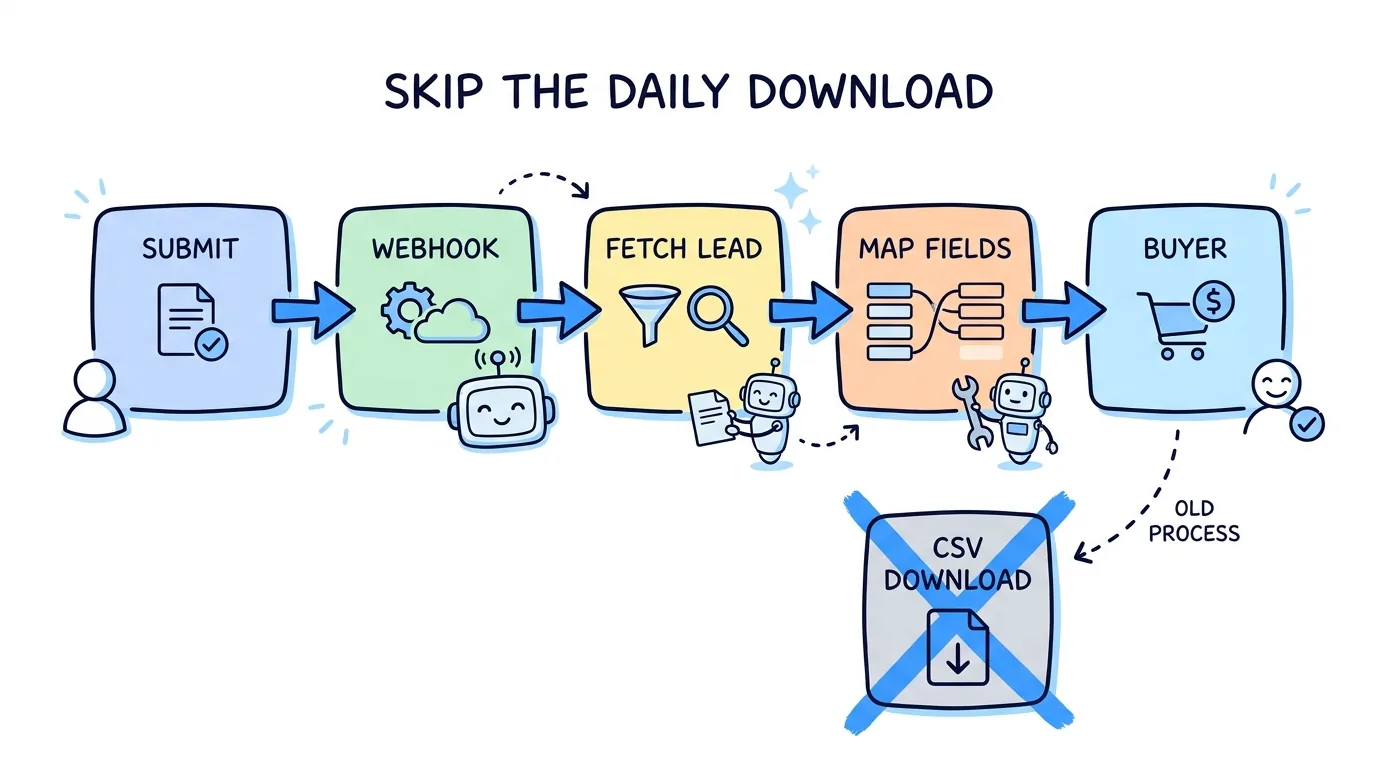
Meta recommends against slow handling. In its best practices to respond to leads it says to use an integrated CRM system or Leads Center to capture leads immediately, and that minimizing the time it takes to follow up can improve lead quality, while manual downloads take longer. Research in Harvard Business Review by James Oldroyd, Kristina McElheran and David Elkington reached a similar conclusion: most companies are not responding nearly fast enough. Our speed to lead guide covers the numbers.
The developer route is a webhook. Meta's lead retrieval documentation says the ping carries a leadgen_id, which you use to fetch the lead data, and that real-time pings arrive with a delay of up to a few minutes. Reading leads needs the leads_retrieval permission.
Building that yourself means handling permissions, retries and token expiry. Lead Distro AI connects a Facebook Page and ingests Lead Form leads without Zapier or a custom webhook, then routes them like any other lead. See the Meta integration page, and Lead Distro AI integrations for the full list.
Field mapping: the mistakes that drop leads silently
A lead can arrive and still be undeliverable. These are the checks to run before the first ad spends a dollar:
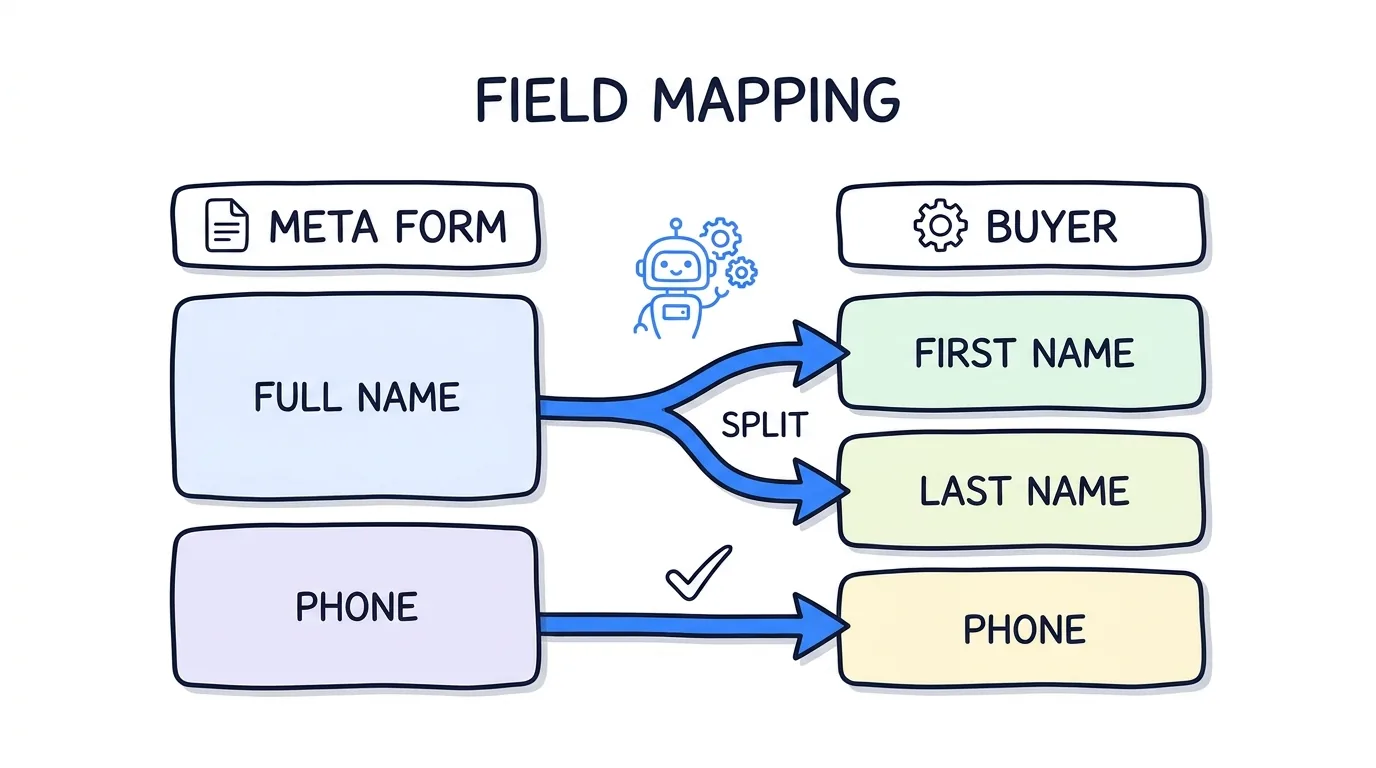
- Include a real phone or email field. Meta's question types include PHONE, EMAIL, FIRST_NAME, LAST_NAME, FULL_NAME and CUSTOM, according to the lead ad creation guide. A form with neither cannot reach a buyer who calls or emails.
- Match the name format. If the buyer needs a first name and a last name, use the two fields, or split FULL_NAME before delivery.
- Make answer choices match buyer values. A form that says "Yes" fails a buyer that expects "true".
- Match the form version. Running ads often point at a newer version of the form than the one you mapped.
- Reject junk early. Inbound filters, such as state allowlists and phone or email format checks, stop leads a buyer would return. The duplicate lead detection guide covers repeat submissions.
Meta's own requirements page adds that if you use a CRM, you might need specific questions or custom field names for each question (Meta Business Help Center). Treat the mapping as part of the form design, not a clean-up job.
Backfill, retention and test leads
Meta states that lead information is only available for 90 days, and that leads expire after 90 days. If a webhook was down for a weekend, you can download a CSV or XLS by date range from the Instant forms page in Meta Business Suite and import it. Do that inside the window.
Decide before importing whether a lead that is days old is still sellable under your buyer contracts. A backfilled lead is not the same product as a live one.
Test leads need the opposite care. Meta's Lead Ads Testing Tool lets you create one test lead per form, filled with dummy data by default, and its leads are organic leads not tied to any ad (Meta for Developers). The Track Status button shows whether the real-time update succeeded or failed. Flag these leads as tests in your system so they never reach a buyer or a bill.
Send outcomes back to Meta
The way in is only half of the loop. Meta optimizes toward the signal you give it, and an instant form submit looks the same for a lead a buyer accepts and one it rejects. Sending accepted and rejected outcomes back through the Conversions API lets Meta learn the difference.
This post stays on intake. For the events, the click ID and the setup, read Meta Conversions API for lead generation and the Lead Distro AI Meta CAPI integration guide. Wider attribution is in ad attribution for lead generation.
Measure cost per accepted lead
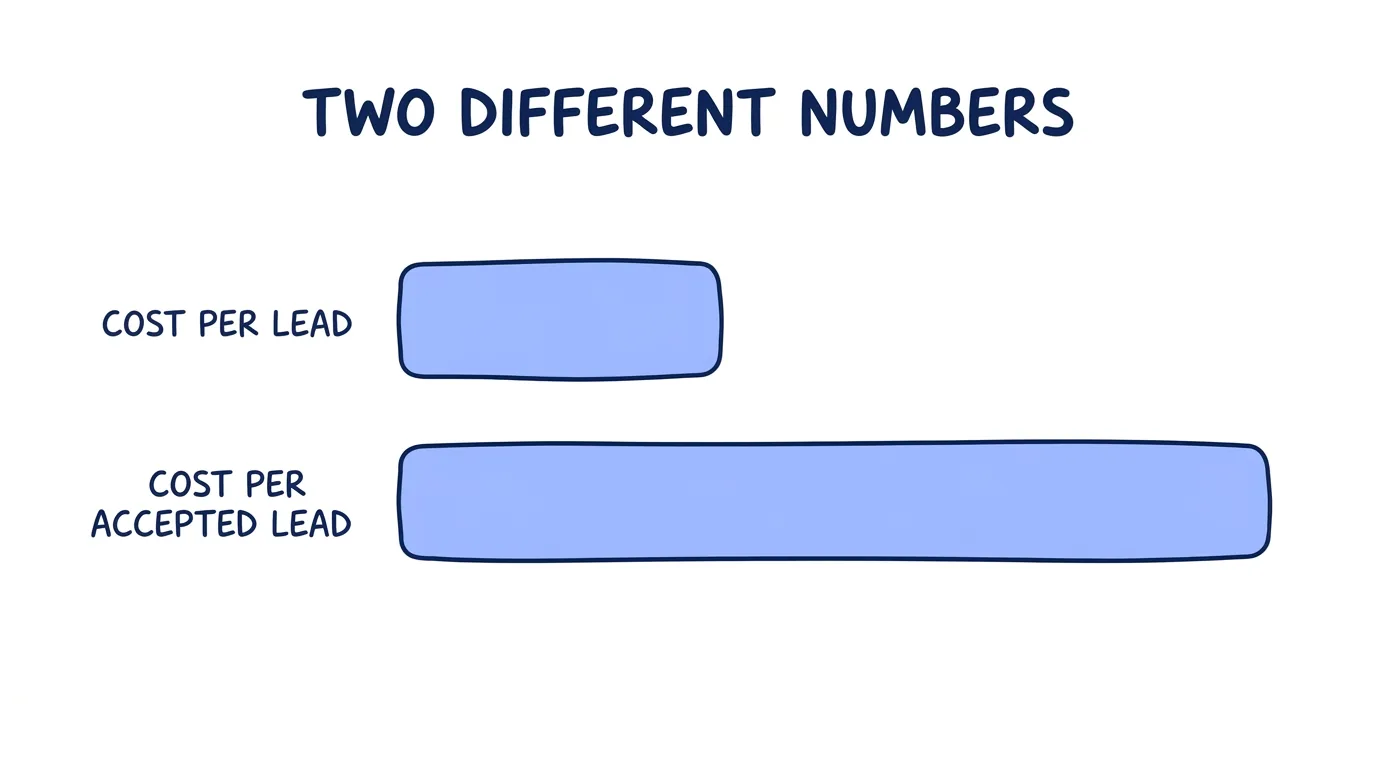
Cost per lead is the number Ads Manager shows. Cost per accepted lead is the number that pays you. Here is illustrative arithmetic, not a benchmark. Spend $1,000 on each source.
| Instant form | Landing page | |
|---|---|---|
| Leads | 100 | 40 |
| Cost per lead | $10.00 | $25.00 |
| Accepted by buyers | 30 | 32 |
| Cost per accepted lead | $33.33 | $31.25 |
The instant form looks 2.5 times cheaper per lead and costs more per accepted lead. Your numbers will differ; the method will not. Join Meta spend to buyer outcomes by source, form and creative. The lead generation KPIs guide shows the formulas. Lead Distro AI syncs Meta ad spend to campaigns so cost per accepted lead is a report, not a spreadsheet.
Start a 7-day trial (credit card required) and connect a Meta Page to see it on your own leads.
FAQ
Why are my Facebook lead ads leads not showing up?
Check three things in order. First, whether the lead exists in Meta's Instant forms page, because a test lead or a preview submit may not be tied to an ad. Second, whether your webhook or integration has permission and an unexpired token, since reading leads needs the leads_retrieval permission. Third, whether the form's fields still match your mapping, because a newer form version can break delivery without an error.
Do instant forms need a privacy policy link?
Meta's help center describes the privacy policy link as optional and recommends having a policy on your business site. If you add one, it cannot link directly to a PDF, image or download. Meta also recommends a reasonably prominent notice explaining why you collect contact details and how you will use them. What your form must say for your buyers and your lawyer is a separate question, so ask them before launch.
Should lead sellers use an instant form or a landing page?
Use an instant form when speed and volume matter and your buyer accepts the data it captures. Use a landing page when you need your own consent wording, scripts, validation and hidden tracking fields. Neither wins by default. Run both against the same buyer and compare cost per accepted lead, not cost per lead, because the cheaper form can cost more per accepted lead. Review the split every few weeks, since buyer filters and Meta delivery both change.
How long does Meta keep Facebook lead ads leads?
Meta says lead information is only available for 90 days, so older leads cannot be downloaded. It recommends exporting regularly. Webhook and API retrieval is the safer path because it moves each lead into your system within minutes of the submit. If delivery fails, download by date range from Meta Business Suite before the window closes and import the file. Check each imported lead against your buyer's maximum lead age first.
How do I send Facebook leads to a buyer in real time?
Connect the Page so Meta's webhook notifies your system, fetch the lead by its leadgen_id, map the fields to the buyer's format, apply your filters and deliver it. Meta says real-time pings can arrive up to a few minutes after the submit. Lead Distro AI does the Page connection and routing for you, so the lead goes to a buyer without Zapier or a custom script. Test it first with a Lead Ads Testing Tool lead, then flag it as a test.
What are Meta instant forms and how do they differ from lead ads?
Instant forms are the forms inside Facebook and Instagram lead ads. A Facebook lead ad is the ad; the instant form is what opens when someone taps it. Meta offers three form types: More volume, Higher intent and Rich creative. Higher intent adds a review screen and is delivered only to Facebook Feed and Instagram feed on mobile, so it will not show on desktop. Treat that as a placement limit when you compare it with the default form.
Conclusion
Facebook lead ads are a good intake tool and a poor business model on their own. The sellers who profit decide the form type from the buyer's needs, keep the consent wording on the form, move leads out of Meta by webhook, check the mapping, and judge every source by cost per accepted lead. Start your 7-day trial to connect a Page and route your first Meta lead to a buyer.
About the Author
Founder & CEO of Lead Distro AI & Great Marketing AI
UC Berkeley graduate and former software engineer at Microsoft. Rafael built Lead Distro AI after managing over $10M in ad spend for performance marketing agencies (pay-per-lead and pay-per-call), including running campaigns for Neil Patel. He combines deep software engineering expertise with hands-on performance marketing experience to build tools that help these agencies scale profitably.
About Lead Distro AI
Capture, Route, and Sell Every Lead, Call, and Appointment
Capture, route, and sell leads, calls, and appointments from one platform, with funnels, call tracking, ping-post, and billing built in. Set it all up in minutes by chatting with AI.
Funnels
Quiz, form, appointment, VSL, and webinar templates
Call Tracking
Tracking numbers, call recordings, and per-call billing
4 Distribution Methods
Priority/Waterfall, Round Robin, Weighted, Ping-Post
Ping-Post and Live Bidding
Sell each lead and call to the highest bid
Real-Time P&L
Revenue, cost, and profit per campaign
Partner Portal
Your Destinations see their own leads and results