Meta Conversions API for Lead Generation: PPL Agency Setup Guide (2026)
How pay-per-lead agencies use the Meta Conversions API to close the loop, cut CPL by 17.8%, and stop paying for junk form fills. 6-step setup.

Rafael Hernandez
Founder & CEO
Ex-Microsoft SWE · $10M+ PPL ad spend
I hope you enjoy reading this blog post. If you want to try Lead Distro AI for free, click here.
Author: Rafael Hernandez | Founder & CEO of Lead Distro AI
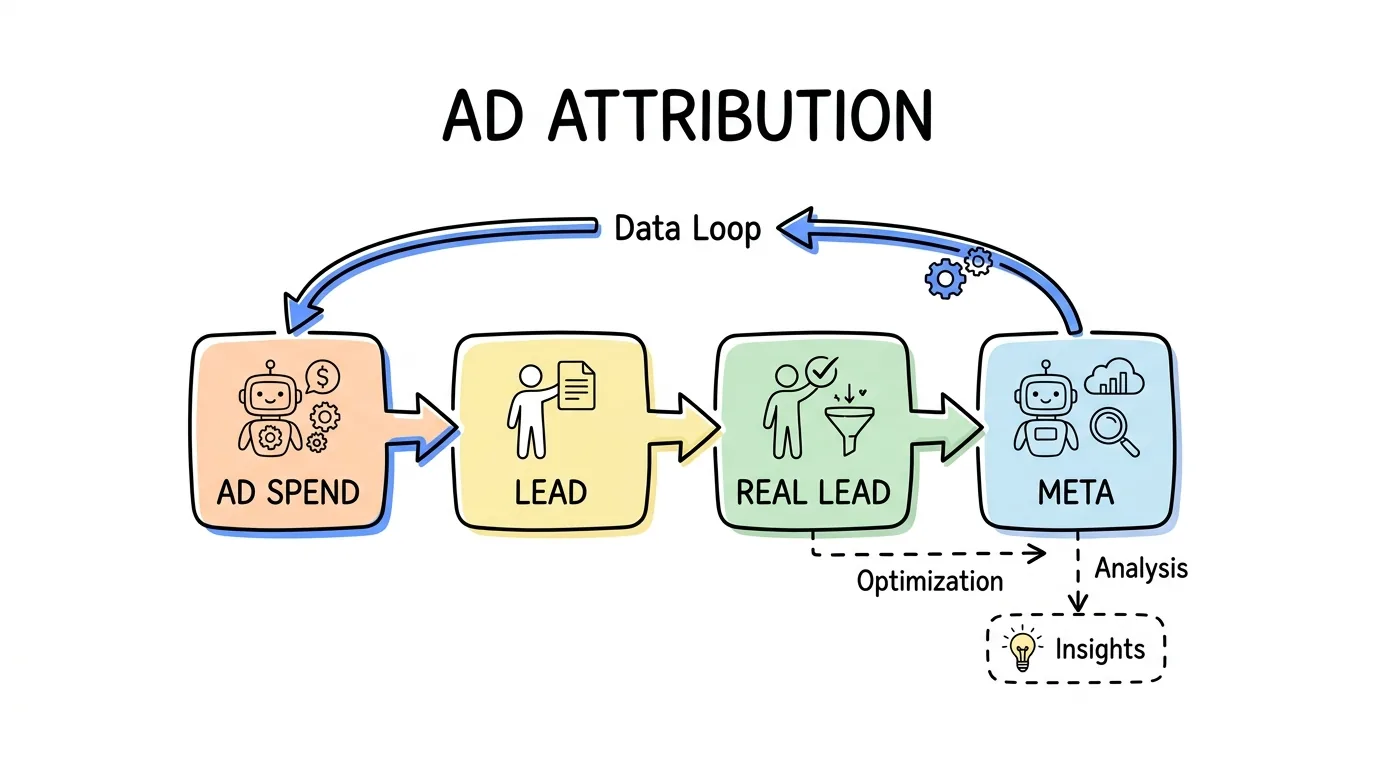
The Meta Conversions API (CAPI) is the server-side data pipeline that sends lead outcomes back to Meta so the algorithm learns what a real, qualified lead looks like instead of optimizing for whoever fills out a form. If your Facebook lead ads are producing low cost-per-lead numbers but the leads keep getting rejected by your buyers, Meta is the problem: it has no idea which of your form-fills are real and which are junk. The fix is a 6-step Meta CAPI feedback loop that captures the Facebook click ID, scores every inbound lead, lets your buyer mark outcomes, and fires server-side events for accepted and converted leads. Meta then retrains its bidding model on real revenue signals, not vanity submissions.
In April 2026, Meta reported that advertisers with a Conversions API setup for web events saw an average 17.8% lower cost per result than advertisers without one (MediaPost, 2026). For pay-per-lead agencies, that improvement runs even larger because the typical PPL operator is hemorrhaging spend on rejected leads. This guide walks through the full Meta CAPI feedback loop for lead generation, the events you should send, how to set it up with your CRM, and what changes when you finally close the loop. Start your free trial and you can wire up the entire system in an afternoon.
Key Takeaways
- Meta Conversions API is server-side tracking that complements the Pixel and sends lead outcomes back to Meta after the form fill, when the lead is accepted, qualified, or converted.
- The 6 steps are: capture the lead, score the lead, have buyers mark outcomes in a portal, fire CAPI events for accepted and converted leads, run AI insights on the patterns, and optimize campaigns on real cost per accepted lead.
- Saving the Facebook click ID (fbclid) at the moment of form submission is the single most important technical requirement; without it, Meta cannot match server events back to the user.
- Custom events like
LeadAcceptedandLeadConvertedtrain the algorithm to find people who actually become customers, not just form fillers. - Most PPL agencies have never wired this up, which is why low CPL agencies still lose buyers; once you close the loop, lead acceptance rates and buyer retention both rise.
Why Meta Doesn't Know What a Good Lead Looks Like
When someone fills out a Meta lead form, every submission looks identical to the algorithm. A 23-year-old filling out the form to win a giveaway looks the same as a 45-year-old commercial truck driver who actually needs a lawyer. Meta's optimization defaults to the cheapest possible form-fill because that is the only signal you give it. So the algorithm goes and finds more of the wrong people. The result is a low cost per lead and a buyer who fires you in 30 days. In 2026 the average Meta lead generation campaign runs a $27.66 cost per lead (AdAmigo Meta Ads Benchmarks, 2026), yet that number says nothing about whether those leads ever get accepted. Cheap CPL with a 40% acceptance rate is a losing business, and that is the exact blind spot the Meta Conversions API closes.
This is the gap the Meta Conversions API is designed to close. By sending real-world outcomes back to Meta after the form fill, you teach the algorithm which leads were valuable and which were not. The Pixel sees the form submission; the Meta CAPI sees what happened next.
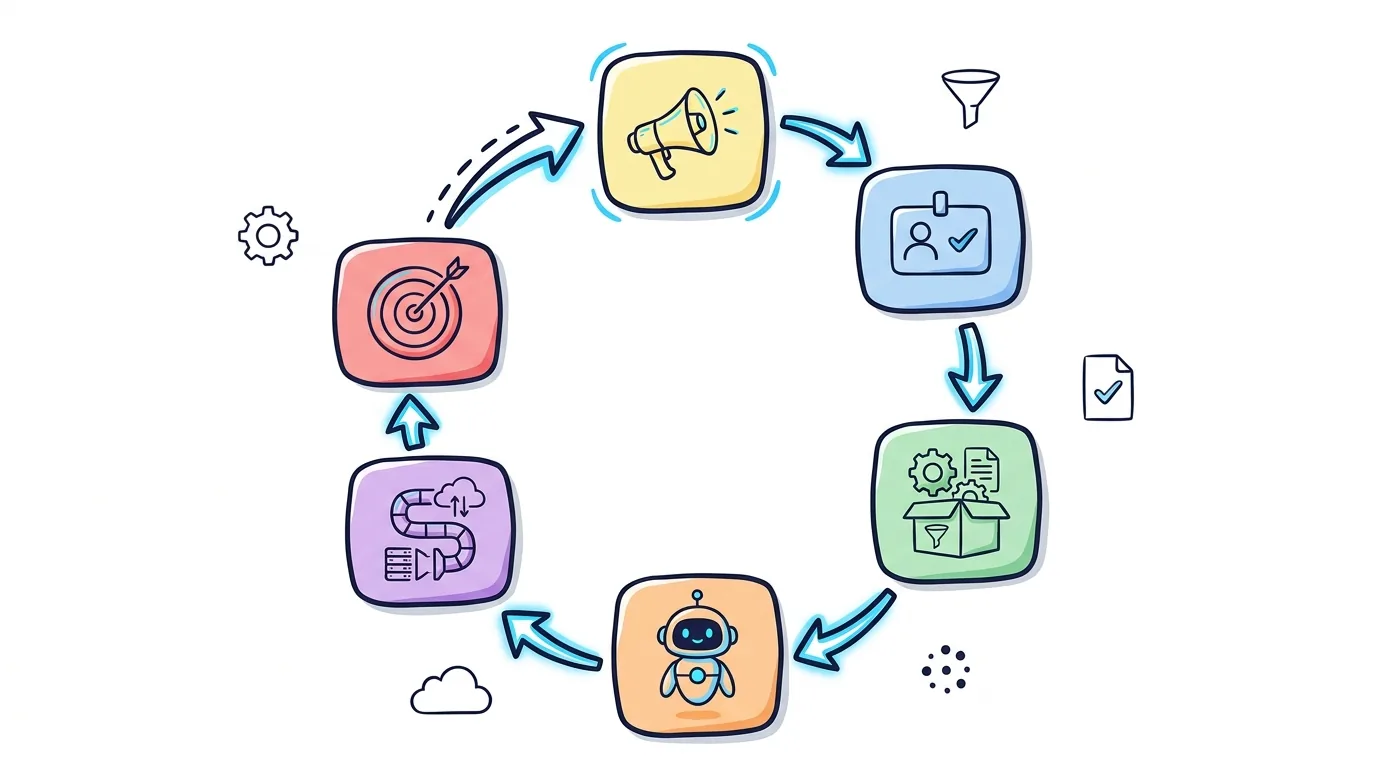
The 6-Step Meta CAPI Feedback Loop
The feedback loop has six stages, and skipping any one of them breaks the chain. Most agencies stop at step one or two and wonder why their lead quality is poor.
Step 1: Capture the Lead
Whether the lead comes from a Meta Instant Form, a landing page form, or a chatbot, you need to capture the lead and store the Facebook click ID (fbclid) with the contact record. The fbclid is what allows Meta to match a server-side event back to the original ad click. Without it, you are guessing.
Step 2: Score the Lead
Score every inbound lead in under a second using the data you have: phone validation, email validation, IP geolocation, form-field consistency, submission timing, and behavioral signals. Lead Distro AI runs lead scoring on every lead the moment it lands. Time-of-day matters more than people think; a lead that comes in at 3 a.m. local time is a red flag worth scoring lower. Read the lead scoring guide for the full scoring framework.
Step 3: Buyer Portal Outcomes
This step is where most agencies fail because it requires a human in the loop. Your buyer needs a place to mark each lead as contacted, qualified, sold, or rejected, and to leave notes when a lead is bad. A Google Sheet can work in week one, but it does not scale. A dedicated buyer portal removes friction and gives you the structured data you need for the next step.
Step 4: Fire CAPI Events
When a buyer marks a lead as accepted or converted, you fire a server-side event to Meta with the saved fbclid and a hashed email. The events you send define what Meta optimizes for: send LeadAccepted and the algorithm will find more buyers willing to pay; send LeadConverted and it will find people who actually close. The Lead Distro AI Meta CAPI integration fires these events automatically the moment a status changes in the buyer portal, with multi-pixel support and per-supplier wiring built in.
Step 5: AI Insights on the Patterns
Once you have a few hundred outcomes flowing through the loop, you have a dataset. Run AI pattern recognition on the data to surface why leads convert and why they do not. AI is unusually good at this kind of pattern-matching, and it will often flag a campaign, a creative, or a question on your form that is silently producing junk.
Step 6: Optimize on Cost Per Accepted Lead
The final step is the one that actually changes the business. Stop optimizing on cost per lead and start optimizing on cost per accepted lead and cost per converted lead. A campaign at $35 CPL that gets 40% accepted is worse than a campaign at $55 CPL that gets 85% accepted. The CAPI loop is what gives you the data to make that call.
Facebook Conversions API vs Meta Pixel: What's the Difference
The Pixel and the Meta Conversions API are complementary, not redundant. Use both, with deduplication. Meta's own documentation describes the Conversions API as the server-side connection that lets its systems "optimize ad targeting, decrease cost per result and measure outcomes" (Meta for Developers, Conversions API), which is why Meta now treats it as the primary signal path rather than a Pixel backup.
| Tracking Layer | Where It Runs | What It Sees | Reliability |
|---|---|---|---|
| Meta Pixel | Browser (client-side) | Page views, button clicks, form submissions in the browser | Blocked by ad blockers, iOS 14.5+ ATT, and Safari ITP |
| Meta Conversions API | Your server (server-side) | Any event you send: form submissions, accepted leads, converted leads, payments | Not blocked; fires from your backend |
The right setup runs the Pixel for top-of-funnel form submissions and Meta CAPI for the high-value downstream events (accepted, qualified, converted). Both events carry the same event_id so Meta deduplicates them automatically. In an analysis of 2,400+ managed Meta campaigns, marketing analytics firm Chartlex found that running the Pixel and Conversions API together produced roughly 30% more attributed conversions than Pixel-only setups (Chartlex, 2026).
How to Set Up Meta CAPI for Your CRM
The setup is straightforward if you break it into four pieces. In 2026 Meta also added a free, guided Conversions API setup inside Events Manager that removes most of the old technical barrier to getting basic web events flowing (MediaPost, 2026). It is a good starting point, but a purpose-built platform still wins on firing the downstream lead-outcome events (accepted, qualified, converted) automatically, which is where the lead-quality lift actually comes from.
1. Capture and store the fbclid on every form submission. Add a hidden field to your lead form, populate it from the URL query parameter, and save it on the contact record in your CRM. Most CRM platforms support custom hidden fields; if yours does not, switch tools.
2. Generate a Meta CAPI access token in Events Manager under Settings > Conversions API. Store it as an environment variable, never in client-side code.
3. Define your custom events. At minimum, define LeadAccepted, LeadConverted, and LeadRejected. Map each event to a status change in your buyer portal so the firing is automatic.
4. Send hashed user data. Email and phone must be SHA-256 hashed before transmission. Meta uses the hashed values to match the server event to the same user the Pixel saw in the browser. Meta scores this as Event Match Quality (EMQ), a rating out of 10 shown in Events Manager; aim for 7 or higher and pass every identifier you have (hashed email, phone, name, city, and the fbclid) to lift it (Meta Dataset Quality API, 2026). Once events are flowing, Meta's Additional Conversions Reported (ACR) metric quantifies exactly how many extra conversions the Conversions API captured beyond the Pixel alone, so you can prove the loop is working instead of guessing (Meta Dataset Quality API, 2026).
Lead Distro AI handles all four steps for you. You connect your Meta ad account, point the buyer portal at your campaigns, and the product tour shows exactly what gets fired on each status change. For agencies running multiple buyers, the platform also scopes events per supplier so reporting stays clean.
What Events to Send Back to Meta
Not every status change deserves a Meta event. Send the ones that actually represent buying signals; everything else is noise.
| Custom Event | Fires When | Why It Matters |
|---|---|---|
LeadAccepted | Buyer accepts the lead into their system | Teaches Meta what a deliverable lead looks like; biggest immediate lift |
LeadQualified | Buyer reaches the lead and confirms intent | Mid-funnel signal; useful for higher-ticket verticals like legal |
LeadConverted | Buyer closes the lead into a paying customer | The gold standard signal; train on this for lookalike audiences |
LeadRejected | Buyer rejects the lead as junk or duplicate | Negative signal; tells Meta to find less of this profile |
For pay-per-lead operators selling into legal vertical buyers, the LeadQualified and LeadConverted events are especially valuable because case acquisition values are high enough that Meta can build accurate lookalike audiences from the converters alone.
Real-World Results: What Changes When You Close the Loop
Closing the Meta CAPI feedback loop is not theoretical. The agencies running this system see three measurable changes within the first 30 days.
First, lead acceptance rates rise by 15 to 30%. The same ad spend produces leads that buyers keep, not return. Second, cost per accepted lead drops even when raw CPL stays flat, because Meta stops optimizing toward the cheap junk and starts optimizing toward the profile your buyers actually want. Third, buyer retention extends, often by 60 to 90 days, because complaints about lead quality disappear. According to a 2025 LeadsBridge benchmark, advertisers running both Pixel and Meta Conversions API saw a 19% improvement in ROAS compared to Pixel-only setups (LeadsBridge CAPI Benchmark, 2025).
For a full walkthrough of how Lead Distro AI implements this end-to-end, see our lead distribution platform for PPL agencies deep dive. For a high-level take on which lead gen business models benefit most from the feedback loop, the what is a lead broker guide covers the broker side, while the full-stack model is where the loop pays back fastest.
FAQ
What is the Meta Conversions API?
The Meta Conversions API (CAPI) is a server-side tracking method that lets advertisers send conversion events directly from their backend to Meta's ad platform. Unlike the Pixel, which fires from the browser and is blocked by ad blockers and iOS 14.5+ privacy settings, the Meta Conversions API runs server-side and is not blocked. CAPI is used to send high-value events like accepted leads, qualified leads, and converted sales back to Meta so the algorithm can optimize bidding for real outcomes, not just form fills.
How does Meta CAPI improve lead quality?
Meta CAPI improves lead quality by feeding the algorithm real downstream outcomes instead of just form submissions. When you fire a LeadAccepted or LeadConverted event back to Meta, the platform learns which audience profiles produce buyers, not just clickers. Over a few hundred events, the algorithm shifts spend toward people who match the converter profile and away from low-quality form fillers. The result is higher lead acceptance rates, lower cost per accepted lead, and longer buyer retention.
Is Meta CAPI the same as the Facebook Pixel?
Meta CAPI and the Facebook Pixel are different but complementary. The Pixel runs in the browser and fires on page views, clicks, and form submissions. The Meta Conversions API runs on your server and can fire any event you define, including events that happen long after the form submission, such as lead acceptance or sale. The recommended setup runs both with deduplication via a shared event_id, so Meta counts each event once and gets maximum match quality.
What is the Facebook click ID (fbclid) and why does it matter?
The Facebook click ID, or fbclid, is a unique parameter Meta appends to every ad-driven URL. It identifies the specific click that brought the user to your site. You must capture and store the fbclid with each lead so Meta can match server-side events back to the original ad click. Without the fbclid, the Meta Conversions API cannot attribute the event, match quality drops, and the optimization signal weakens significantly.
Do I need a developer to set up Meta CAPI?
You do not need a developer if you use a lead distribution platform that supports Meta CAPI natively. Lead Distro AI handles fbclid capture, event firing, hashing, and deduplication automatically once you connect your Meta ad account. If you are building from scratch, you need a backend that can store fbclid, hash email and phone with SHA-256, and POST to Meta's Conversions API endpoint when statuses change. Most CRMs require custom code to do this; purpose-built lead distribution platforms do not.
How long does Meta CAPI take to improve lead quality?
Meta CAPI is not an overnight switch. Once you start firing accepted and converted lead events, Meta's delivery system needs a few hundred outcome events before it can re-optimize bidding around the profile that actually becomes a buyer. Most agencies see acceptance rates and cost per accepted lead start to move within the first two to four weeks, and the signal compounds as more outcomes flow back. Keep the loop running continuously, because pausing it starves the algorithm of the fresh outcome data it learns from.
Does Meta CAPI work with Facebook lead form (Instant Form) ads?
Yes. Facebook lead form (Instant Form) leads flow into your CRM through Meta's lead retrieval, and you store the Facebook click ID and contact data on each record just as you would with a landing page form. From there the feedback loop is identical: score the lead, let the buyer mark the outcome, then fire LeadAccepted and LeadConverted events server-side. Instant Forms pair well with CAPI because the on-platform form keeps cost per lead low while the server events keep Meta optimizing for quality instead of cheap volume.
What is a good Event Match Quality (EMQ) score for Meta CAPI?
Event Match Quality (EMQ) is a score out of 10 that Meta shows in Events Manager to indicate how effectively the customer data you send can be matched to a Meta account (Meta Dataset Quality API, 2026). Aim for 7 or higher. The way to raise it is to send more hashed identifiers with every event: email, phone, first and last name, city, state, zip, and the Facebook click ID. A low EMQ means Meta cannot connect your server events to real users, so the optimization signal from LeadAccepted and LeadConverted gets diluted before the algorithm ever sees it.
Does Meta CAPI work for pay-per-call lead generation?
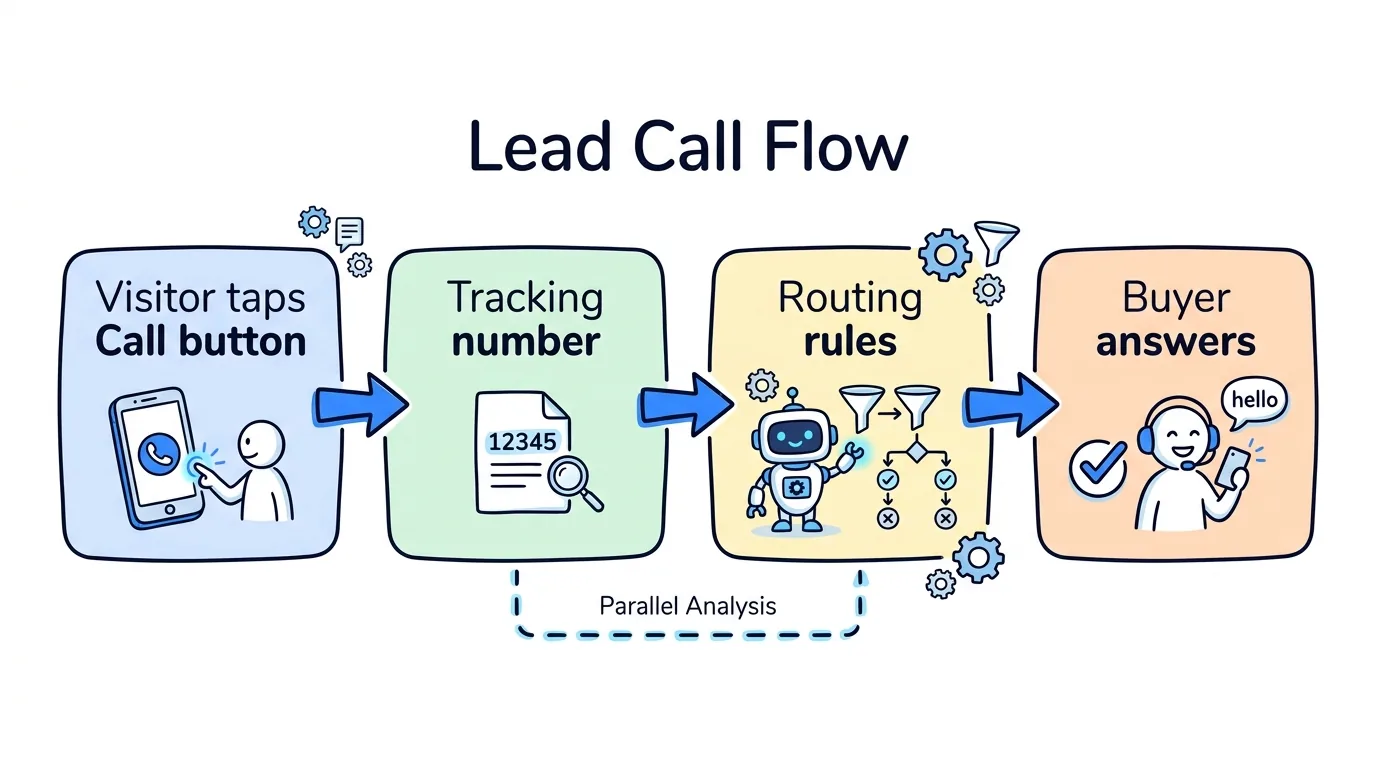
Yes. For pay-per-call campaigns, the feedback loop mirrors the pay-per-lead flow. Instead of firing LeadAccepted on a form submission outcome, you fire a CallConnected or QualifiedCall event server-side when the inbound call meets your buyer's minimum criteria: call duration, area code match, non-duplicate check. The Facebook click ID must be captured from the tracking URL attached to the phone number at the time of the ad click, since the caller never fills out a form. Once the fbclid is stored and outcome events fire, Meta's algorithm optimizes toward the caller profile that converts, not just anyone who dials.
How do I measure whether Meta CAPI is actually working?
Use Meta's Additional Conversions Reported (ACR) metric in Events Manager. ACR tells you how many extra conversions the Conversions API captured that the Pixel alone missed, so you can quantify the lift instead of guessing (Meta Dataset Quality API, 2026). Pair that with your own business numbers: track lead acceptance rate and cost per accepted lead before and after you turn on the loop. If ACR is climbing but acceptance is not, the problem is your event definitions, not your setup, and you should confirm that LeadAccepted and LeadConverted are firing on the right buyer-portal status changes.
Meta CAPI in 2026: Key Updates for Pay-Per-Lead Agencies
Meta has rolled out several changes to its Conversions API and attribution infrastructure in 2026 that directly affect pay-per-lead and pay-per-call operators. Here is what matters.
Guided setup is now free inside Events Manager. Meta added a step-by-step Conversions API setup wizard directly inside Events Manager that removes most of the old developer barrier for sending basic web events (MediaPost, 2026). This is a good starting point, but it still does not handle the lead-outcome events that produce quality lift. Those require your lead distribution platform to fire LeadAccepted and LeadConverted automatically based on buyer-portal status changes, which the wizard does not cover.
Attribution windows now sync further back. Delayed attribution and cron gaps were a consistent problem for agencies whose ad spend landed on days with zero leads, causing Cost, Profit, and ROI dashboards to overstate margin. Lead Distro AI now syncs Meta ad spend over the last 14 days on every run (previously 3 days), so attribution catches up even when the initial sync misfired.
Dataset Quality API is more actionable. The Dataset Quality API now returns per-event-type EMQ scores, not just an account-level composite, so you can diagnose which of your custom events (LeadAccepted, LeadConverted) has the weakest match quality and fix it without guessing. Check Events Manager regularly and target 7 or higher on every event type.
Multi-pixel support is table stakes in 2026. Agencies running leads across multiple verticals or buyers frequently need to fire events to different Meta pixels depending on the campaign source. A single-pixel setup throws all signals into one pot and corrupts optimization. Lead Distro AI supports per-supplier and per-campaign pixel routing so each advertiser's outcomes stay scoped to their own pixel.
Does Meta CAPI work for pay-per-call agencies?
Yes, and the setup is nearly identical to the pay-per-lead flow. Instead of LeadAccepted you fire a CallConnected or QualifiedCall event server-side when the inbound call meets your buyer's criteria (minimum duration, verified area code, non-duplicate). Meta uses those outcome events to optimize toward callers who match the buyer profile, not just anyone who dials. For call campaigns, capturing the click ID from the ad-click URL remains critical because the caller does not fill out a form, so you must pull the fbclid from the tracking URL attached to the phone number.
Conclusion
Meta cannot optimize for quality leads it has never seen, and the Pixel alone only shows it half the story. The Meta Conversions API closes the loop by sending accepted, qualified, and converted lead events back to the algorithm so it learns what a real buyer looks like. The 6-step feedback loop, capture, score, buyer portal, CAPI fire, AI insights, and optimization on cost per accepted lead, is the system pay-per-lead agencies use to charge more per lead, keep buyers longer, and stop bleeding ad spend on junk.
If you want this wired up without writing a single line of code, start your 7-day free trial and connect your Meta ad account.
Ready to close the Meta CAPI feedback loop on your own campaigns? Start your 7-day free trial and have lead scoring, buyer portal, and Meta Conversions API events firing inside an afternoon.
About the Author
Founder & CEO of Lead Distro AI & Great Marketing AI
UC Berkeley graduate and former software engineer at Microsoft. Rafael built Lead Distro AI after managing over $10M in ad spend for performance marketing agencies (pay-per-lead and pay-per-call), including running campaigns for Neil Patel. He combines deep software engineering expertise with hands-on performance marketing experience to build tools that help these agencies scale profitably.
About Lead Distro AI
Lead Distro AI: AI-Powered Lead Distribution & Call Tracking That Maximizes ROI
The modern platform for pay-per-lead and pay-per-call agencies. Route, score, and deliver leads with AI-powered automation and real-time P&L tracking. Built for performance marketing agencies and lead buyers across legal, insurance, mortgage, solar, and home services verticals.
4 Distribution Methods
Waterfall, Round Robin, Weighted, Ping-Post
Ping-Post Auctions
Real-time bidding with sub-second routing
Real-Time P&L Reporting
Track revenue, costs, and profit per campaign
Call Tracking
Assign tracking numbers, record calls, and attribute conversions
Lead Scoring
Score every lead before routing to maximize conversion
Partner Portal
Self-serve dashboard for buyers to track leads