
Dynamic Number Insertion for Pay-Per-Call
Install one script. Each visitor sees a tracking number tied to their Source, keyword, and click, and every call that follows carries that attribution into your reports and into Google Ads.



Why Pay-Per-Call Teams Use Dynamic Number Insertion
Credit the right click
A static number tells you a call came from a page. A number inserted per visitor tells you which Source, campaign, and keyword brought that visitor, so spend follows what produces calls.
One script, many Sources
Each Source or campaign gets its own pool of numbers. The same script serves them all, so a new publisher does not mean new page code.
Attribution in the same reports
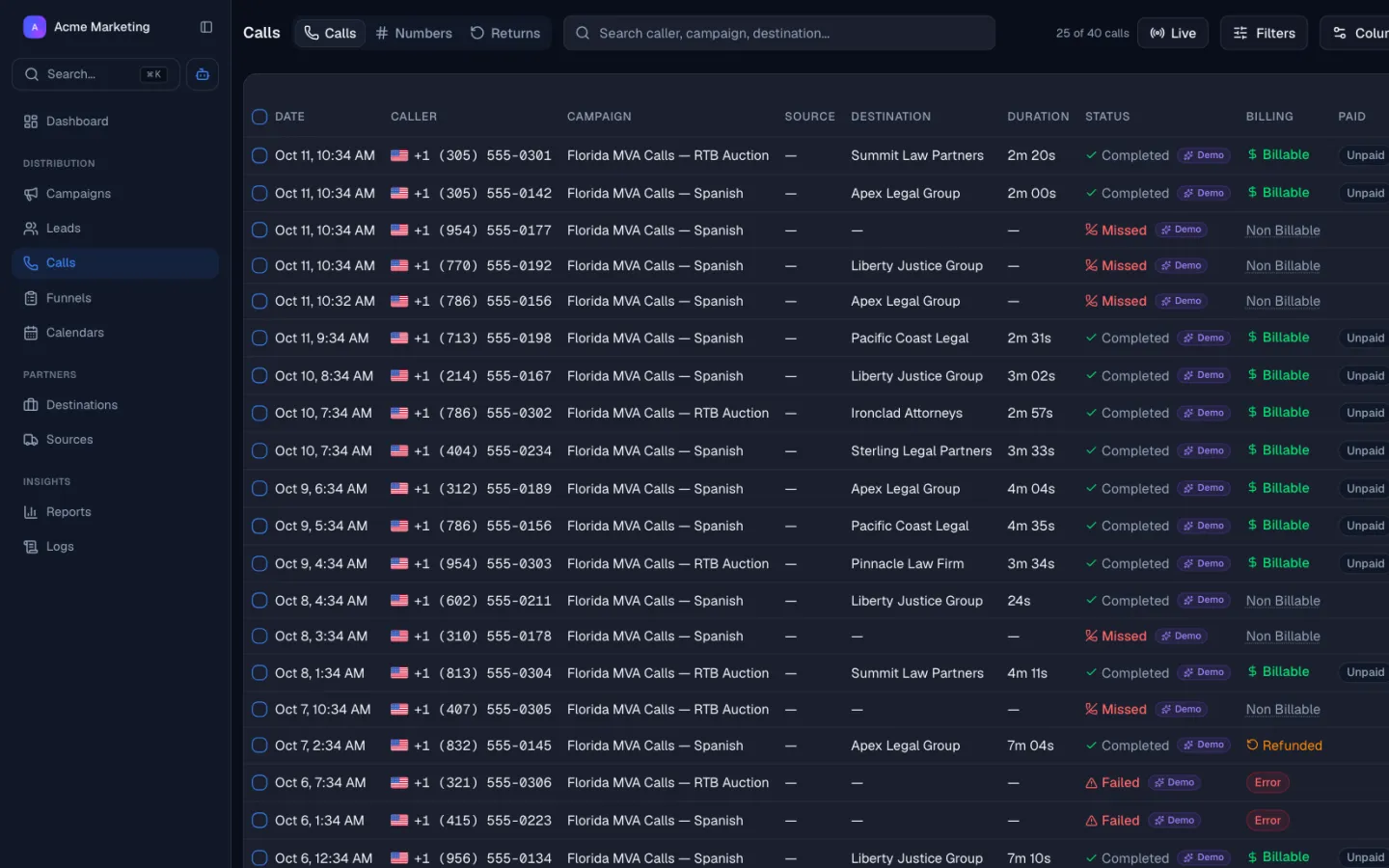
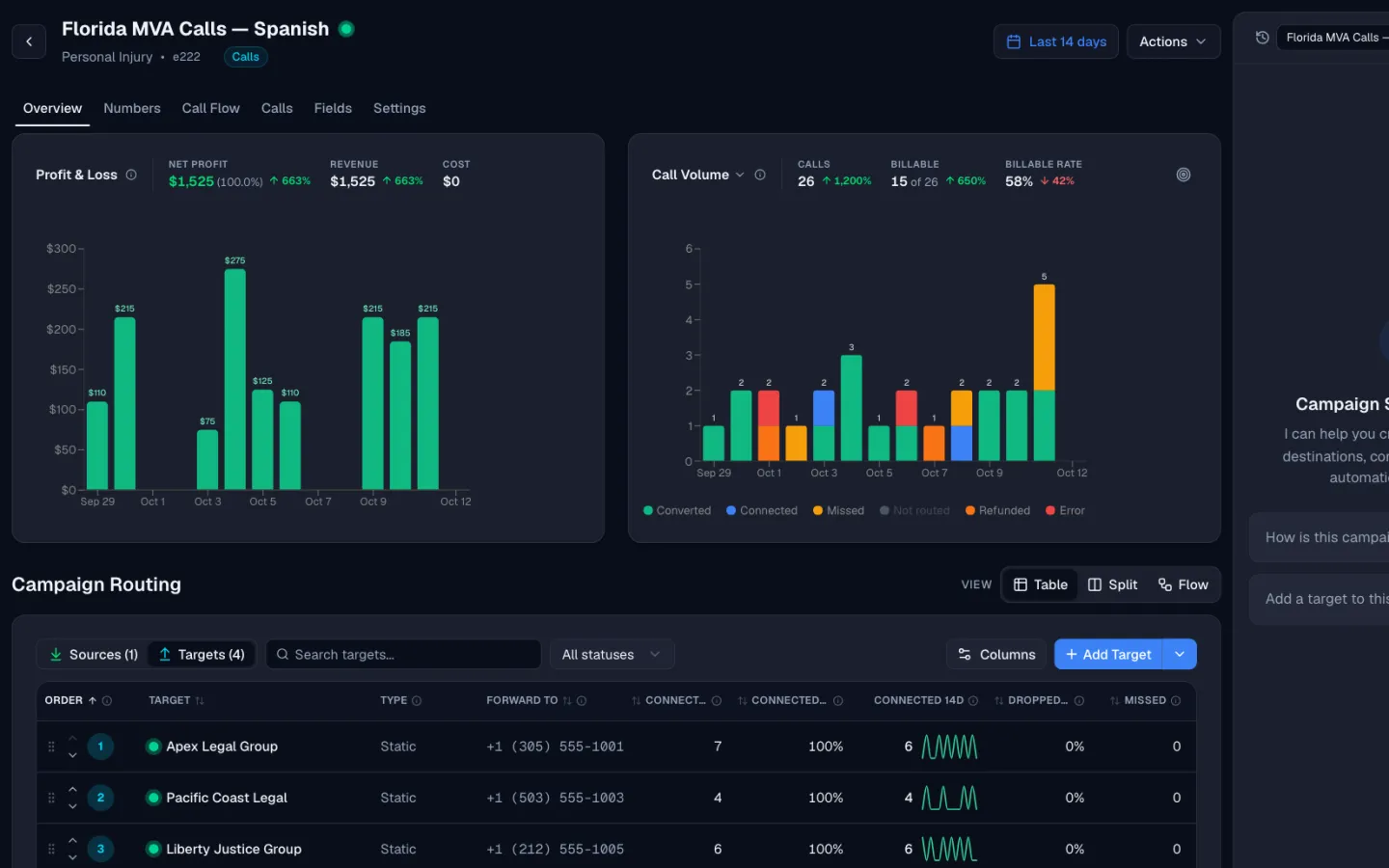
Attributed calls land in the same call log as billing and routing. Filter by keyword, campaign, or Source and see duration, outcome, and margin next to it.
Optimize ads on real calls
Send qualified calls back to Google Ads as offline conversions, so your bids learn from calls that pass your duration rule.
How Lead Distro AI works
How Dynamic Number Insertion Works in Lead Distro AI
From the page load to the attributed call in your reports.
INSTALL
Add the script to your pages
Paste the script on any landing page. Mark the phone numbers you want swapped, and set which Source or campaign the page belongs to.
Tracking Numbers
Active 6VISIT
Each visitor gets a number
When someone lands, the script picks a number from the Source's pool and shows it. It also records the click ID, UTM tags, and keyword for that session.
Inbound call rings
Matched to source by tracking number
Whisper and IVR screen
Press 1 for a new claim
Match buyer by rules
State, hours, and daily cap
Connect to the buyer
Call routed in 1.8 seconds
CALL
The call carries the click
When the visitor dials, Lead Distro AI matches the number to the session, routes the call, and writes the keyword and click data to the call record.
Live Calls
What Dynamic Number Insertion Captures
The number a visitor sees decides which click gets credit for the call. These are the pieces that make that attribution hold.
Install script
Add one script to your landing pages. It finds the phone numbers you mark and replaces them with a tracking number for that visit.
Number pool per Source or campaign
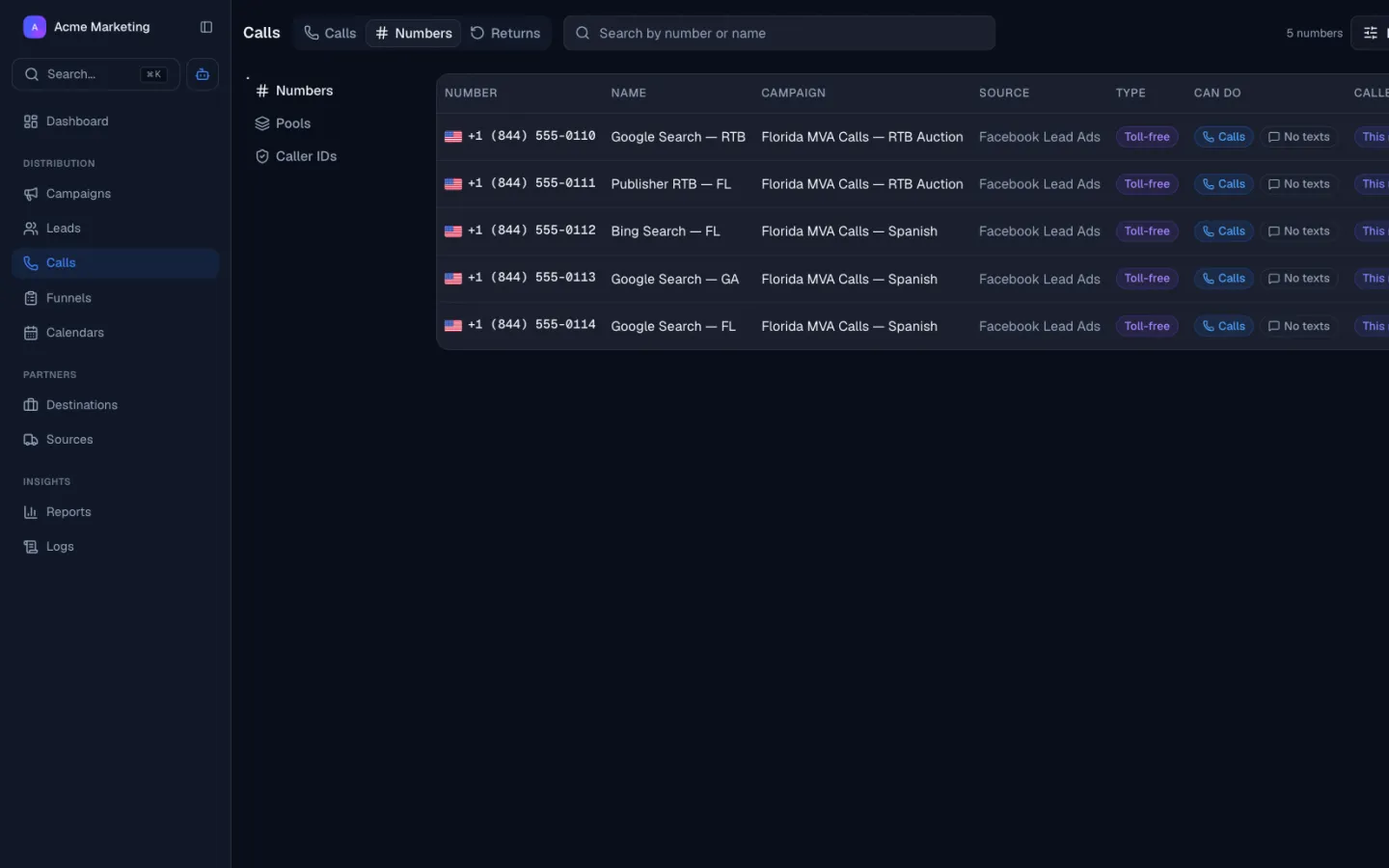
Provision local or toll-free US numbers and assign them to a Source. A pool gives each concurrent visitor a different number, so a call can be matched back to one session.
Keyword, gclid, and UTM capture
The script reads the Google click ID and UTM tags, including the utm_term keyword, and stores them with the call.
Google Ads call conversion upload
Qualified calls upload to Google Ads as offline call conversions, tied to the click that started the session.
Routing and billing on the same call
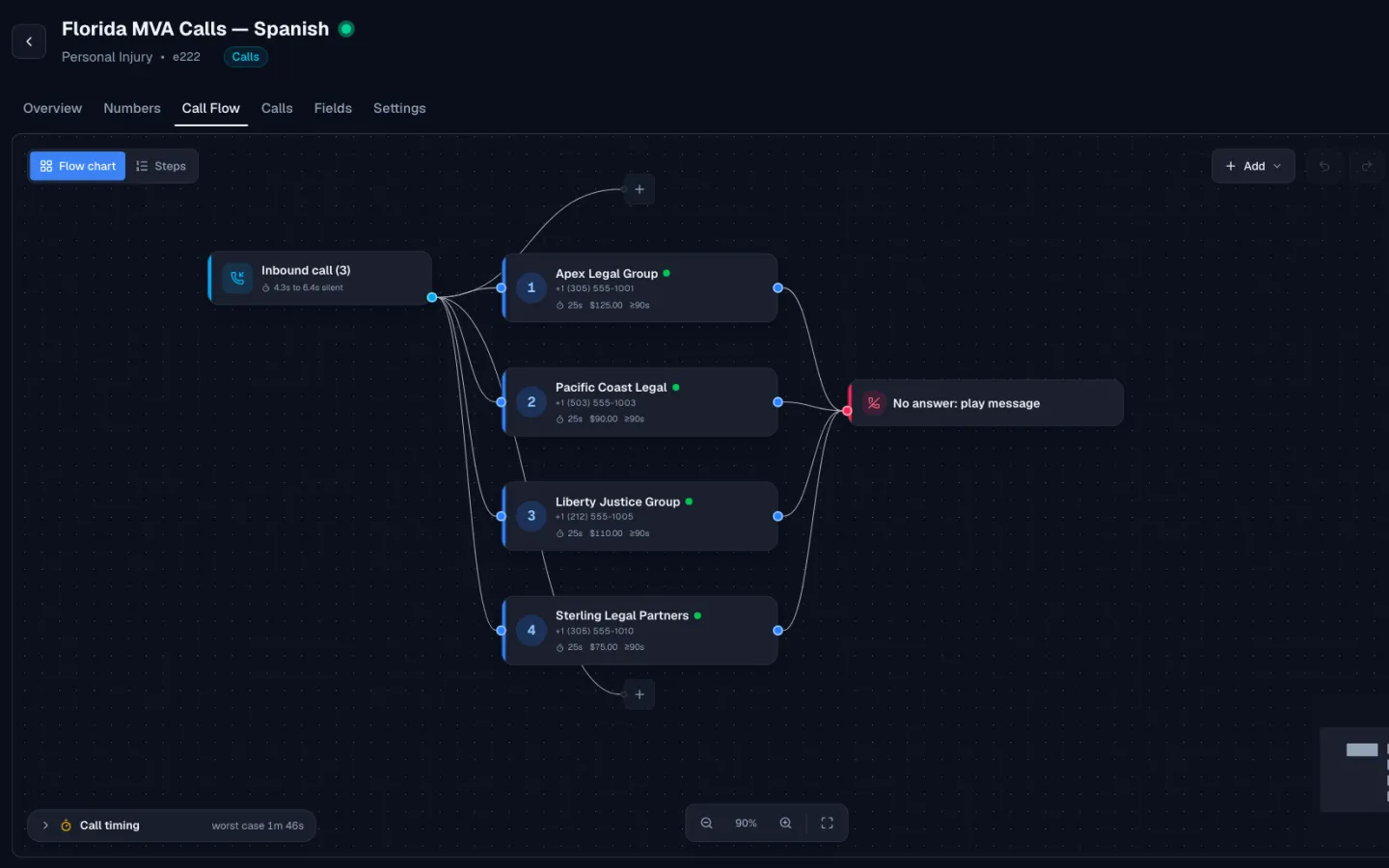
The tracked call is routed by ring tree, can be sold by live bid, and bills by your duration rule. Attribution is never a separate system.
Learn moreMargin per Source
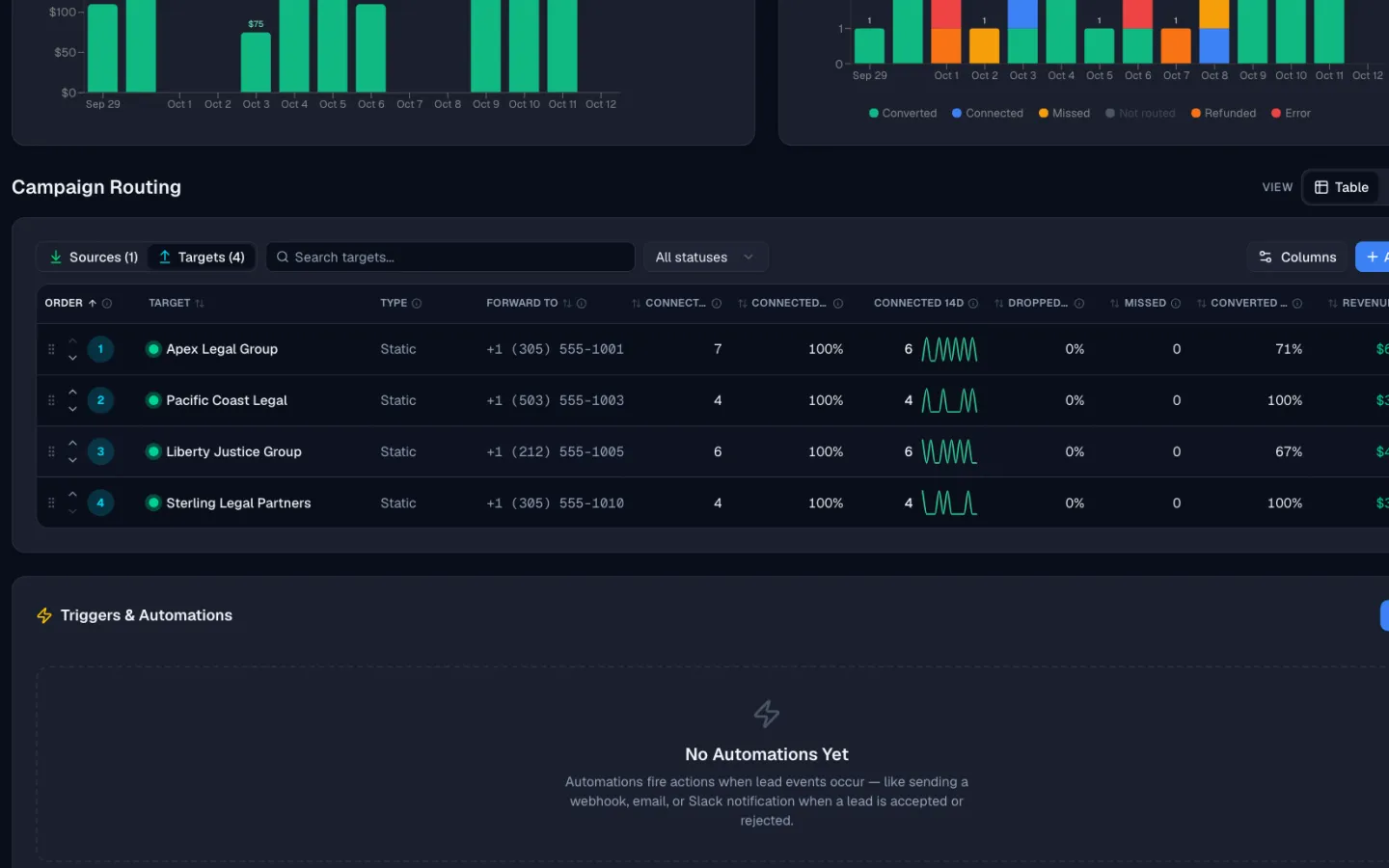
Because the call keeps its Source, you can see revenue, payout, and margin for each traffic Source.
Learn moreWhere Pay-Per-Call Teams Use It
Any page that gets paid or organic traffic and ends in a phone call.
Paid search
Tie each call to the ad group and keyword that earned it, and send qualified calls back to Google Ads.
Organic and content sites
Publishers with blog and comparison traffic see which pages produce calls, not just visits.
Publisher landing pages
Give every Source its own pool so a network can pay each publisher for exactly the calls they sent.
Social and display
UTM tags travel with the visitor, so a call from a social campaign is reported under that campaign.
Dynamic number insertion (DNI) swaps the phone number on your page for a tracking number chosen for each visitor, so every call can be traced back to the Source, keyword, and click that produced it. In Lead Distro AI it is part of our pay-per-call software, so the attributed call is also routed, bid, and billed in the same place.
How the Number Pool Works
You provision local or toll-free US numbers and assign them to a Source or campaign. The script picks a number from that Source's pool for each visit. A pool matters because two visitors on the page at the same time should see different numbers. When a call comes in, Lead Distro AI matches the dialed number to the session that was holding it.
What Gets Captured With Each Call
The script reads the Google click ID (gclid) and UTM tags, including the utm_term keyword, and stores them on the call record. You can filter calls by keyword, campaign, or Source and see duration, outcome, and margin in the same row. If you want the general definition of the technique, our guide to dynamic number insertion covers it; this page covers how it works in the product.
Sending Calls Back to Google Ads
Qualified calls upload to Google Ads as offline call conversions, tied to the click that started the session. Your campaigns can then optimize on calls that pass your duration rule, instead of treating every ring as a win. A call that is too short to bill does not have to count as a conversion.
Attribution That Feeds Routing and Billing
Because the tracked call keeps its Source, the rest of the pipeline can use it. The call routes down your ring tree, can be sold by real-time call bidding, and bills by the duration rule you set. Billing and payouts then work out what each Source is owed for the calls it sent, and report margin per Source.
Setting It Up
Setup takes four steps. Provision numbers for a Source, install the script on a landing page, mark the phone numbers on the page that should be swapped, and place a test call. The test call should appear in your call log with the Source, the number, and the click details you expect. Repeat for each Source, using a separate pool per Source so that attribution never mixes publishers. Check the call log after a few days of real traffic to confirm that keywords and campaigns are arriving on the call record.
Pricing
Tracking numbers are available on every plan. The Call Tracking plan is $147/mo for calls only, and Starter at $297/mo adds lead distribution. Call tracking usage is billed on top: a monthly fee per number and a per-minute rate. Every plan starts with a 7-day free trial and requires a credit card. Networks that run this at scale can read the pay-per-call network software page.
More Pay-Per-Call Features
What happens to the call after the number is swapped.
See it run on your stack
Book a 20-minute demo or start your 7-day free trial. Full access to every feature, cancel anytime.
Customer Reviews
Why Companies Switch
to Lead Distro AI
Don't take our word for it. Here's what companies say after switching.
Our customers talk about
See it run on your stack
Book a 20-minute demo or start your 7-day free trial. Full access to every feature, cancel anytime.
Get Started
Start Distributing Leads. Free for 7 Days.
Call tracking and routing are included on every plan. Higher tiers add lead volume, seats, destinations, and ping post.
Starter
For agencies and media buyers running live campaigns.
Start Free Trial- Call tracking and recordingGet a tracking number, ring your Targets, and keep the recording. Call minutes and numbers are billed by usage on top of your plan.
- Lead distribution2,500 / moTake leads in from any source and send them to the buyers who want them. Your allowance counts leads that come in through the API. Duplicates we block, and leads that fail your filters, do not count.
- Appointments trackedSell booked appointments instead of raw leads. Mark each one showed and qualified, bill your buyers only when it counts, and give them a portal to see what they got. Counts appointments as they are booked.
- Live funnels5Hosted lead forms you build and publish on your own page. Drafts are unlimited. Only funnels that are live count against the limit.
- Campaigns5A campaign is one flow of leads or calls, usually one per vertical. It is where your sources and destinations connect. Only active campaigns count, so drafts and paused ones are free.
- Sources / destinations20Sources are where your leads and calls come from. Destinations are the buyers you send them to. Only active ones count against the limit.
- Seats3How many people on your team can log in. Buyers using the Partner Portal do not use a seat.
- AI credits500 / moOne credit for each message you send the AI assistant. It is a safety limit, not something normal use runs into.
- Ping postAsk your buyers what they will pay for a lead before you send it, then sell it to the highest bidder.
- White-label domainPut the Partner Portal on your own domain with your own logo, so your buyers see your brand instead of ours.
- Run your own ring treeAnyone can bid on other networks' calls. This is the other side: take live bids from your own buyers on every inbound call and connect the caller to whoever bids highest.
- MCP accessConnect Lead Distro AI to your own AI tools so you can build campaigns and pull reports by chat.
Growth
Everything unlocks here: ping post, RTB, and white-label.
Start Free Trial- Call tracking and recordingGet a tracking number, ring your Targets, and keep the recording. Call minutes and numbers are billed by usage on top of your plan.
- Lead distribution5,000 / moTake leads in from any source and send them to the buyers who want them. Your allowance counts leads that come in through the API. Duplicates we block, and leads that fail your filters, do not count.
- Appointments tracked500 / moSell booked appointments instead of raw leads. Mark each one showed and qualified, bill your buyers only when it counts, and give them a portal to see what they got. Counts appointments as they are booked.
- Live funnels20Hosted lead forms you build and publish on your own page. Drafts are unlimited. Only funnels that are live count against the limit.
- Campaigns10A campaign is one flow of leads or calls, usually one per vertical. It is where your sources and destinations connect. Only active campaigns count, so drafts and paused ones are free.
- Sources / destinations50Sources are where your leads and calls come from. Destinations are the buyers you send them to. Only active ones count against the limit.
- Seats10How many people on your team can log in. Buyers using the Partner Portal do not use a seat.
- AI credits2,000 / moOne credit for each message you send the AI assistant. It is a safety limit, not something normal use runs into.
- Ping postAsk your buyers what they will pay for a lead before you send it, then sell it to the highest bidder.
- White-label domainPut the Partner Portal on your own domain with your own logo, so your buyers see your brand instead of ours.
- Run your own ring treeAnyone can bid on other networks' calls. This is the other side: take live bids from your own buyers on every inbound call and connect the caller to whoever bids highest.
- MCP accessConnect Lead Distro AI to your own AI tools so you can build campaigns and pull reports by chat.
Scale
Custom plans for networks and high-volume operators.
- Call tracking and recordingGet a tracking number, ring your Targets, and keep the recording. Call minutes and numbers are billed by usage on top of your plan.
- Lead distributionCustomTake leads in from any source and send them to the buyers who want them. Your allowance counts leads that come in through the API. Duplicates we block, and leads that fail your filters, do not count.
- Appointments trackedCustomSell booked appointments instead of raw leads. Mark each one showed and qualified, bill your buyers only when it counts, and give them a portal to see what they got. Counts appointments as they are booked.
- Live funnelsCustomHosted lead forms you build and publish on your own page. Drafts are unlimited. Only funnels that are live count against the limit.
- CampaignsCustomA campaign is one flow of leads or calls, usually one per vertical. It is where your sources and destinations connect. Only active campaigns count, so drafts and paused ones are free.
- Sources / destinationsCustomSources are where your leads and calls come from. Destinations are the buyers you send them to. Only active ones count against the limit.
- SeatsCustomHow many people on your team can log in. Buyers using the Partner Portal do not use a seat.
- AI creditsCustomOne credit for each message you send the AI assistant. It is a safety limit, not something normal use runs into.
- Ping postAsk your buyers what they will pay for a lead before you send it, then sell it to the highest bidder.
- White-label domainPut the Partner Portal on your own domain with your own logo, so your buyers see your brand instead of ours.
- Run your own ring treeAnyone can bid on other networks' calls. This is the other side: take live bids from your own buyers on every inbound call and connect the caller to whoever bids highest.
- MCP accessConnect Lead Distro AI to your own AI tools so you can build campaigns and pull reports by chat.
Only buying and selling calls?
Call Tracking Only
Call tracking, recording, and call routing, without lead distribution.
3 campaigns, 5 sources and destinations, 2 seats.
Call tracking and routing rates, billed as you use it
Call tracking is on every plan, not just this one. Numbers provision instantly from the dashboard, call recording included.
Talk with Our Team
See how Lead Distro AI fits your workflow. Pick a time and we'll walk you through it.
Dynamic Number Insertion FAQs
What is dynamic number insertion?
Which details does Lead Distro AI capture with the call?
Can I send calls back to Google Ads?
Which numbers can I use?
Is dynamic number insertion included in my plan?
Still have questions?
Book a 20-minute demo and we'll walk through your exact use case, or start your 7-day free trial and explore on your own.
Ready to Track Every Call Back to the Click?
Start your 7-day free trial, install the script on one landing page, and see your first attributed call inside an hour.