Lead Distro AI MCP Server: Connect Claude, Cursor, or Any AI Agent to Your Lead Account
Step-by-step guide to connecting Claude, Cursor, ChatGPT, or any MCP-compatible AI agent to Lead Distro AI. Covers one-time browser login, API keys for scripts, permissions, 70+ actions, and real-world use cases for PPL agencies.

Rafael Hernandez
Founder & CEO
Ex-Microsoft SWE · $10M+ PPL ad spend
I hope you enjoy reading this blog post. If you want to try Lead Distro AI for free, click here.
Author: Rafael Hernandez | Founder & CEO of Lead Distro AI
Last Updated: October 18, 2026
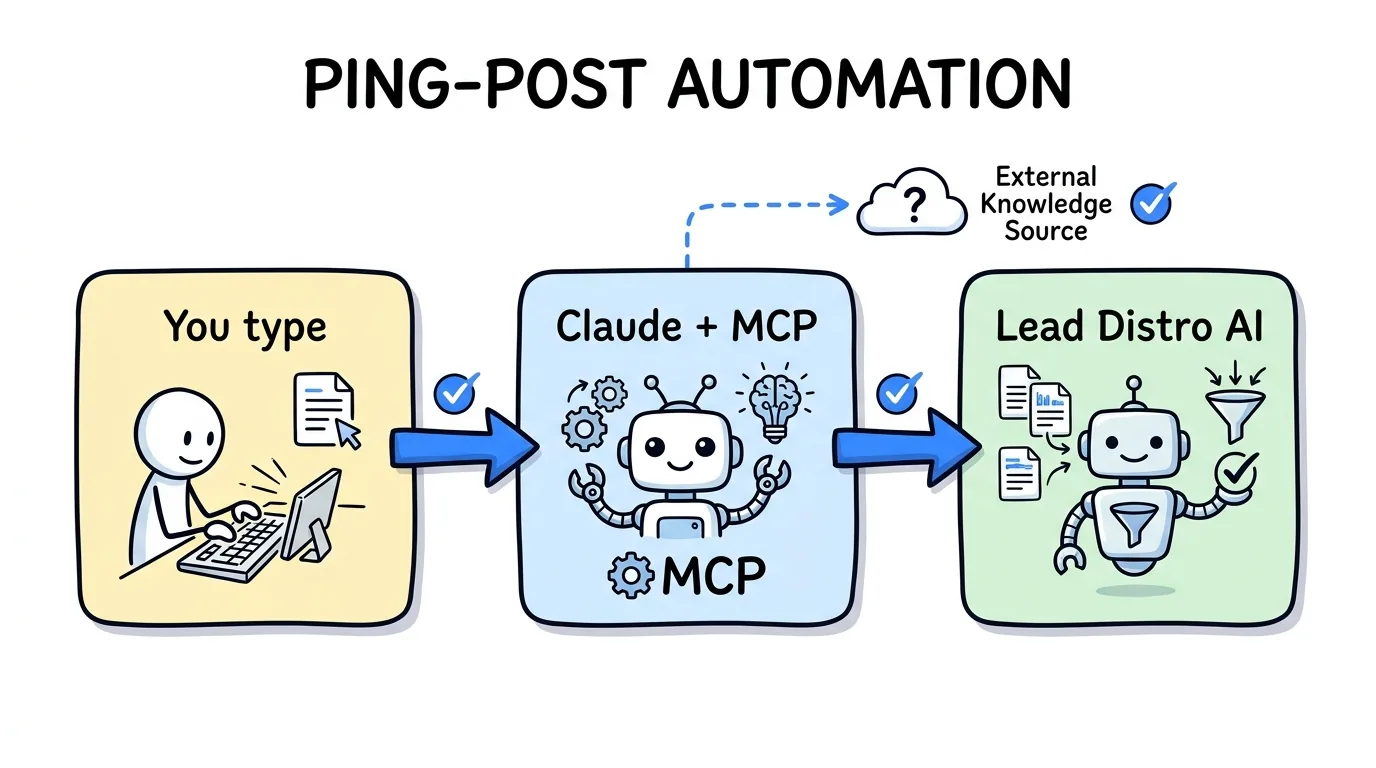
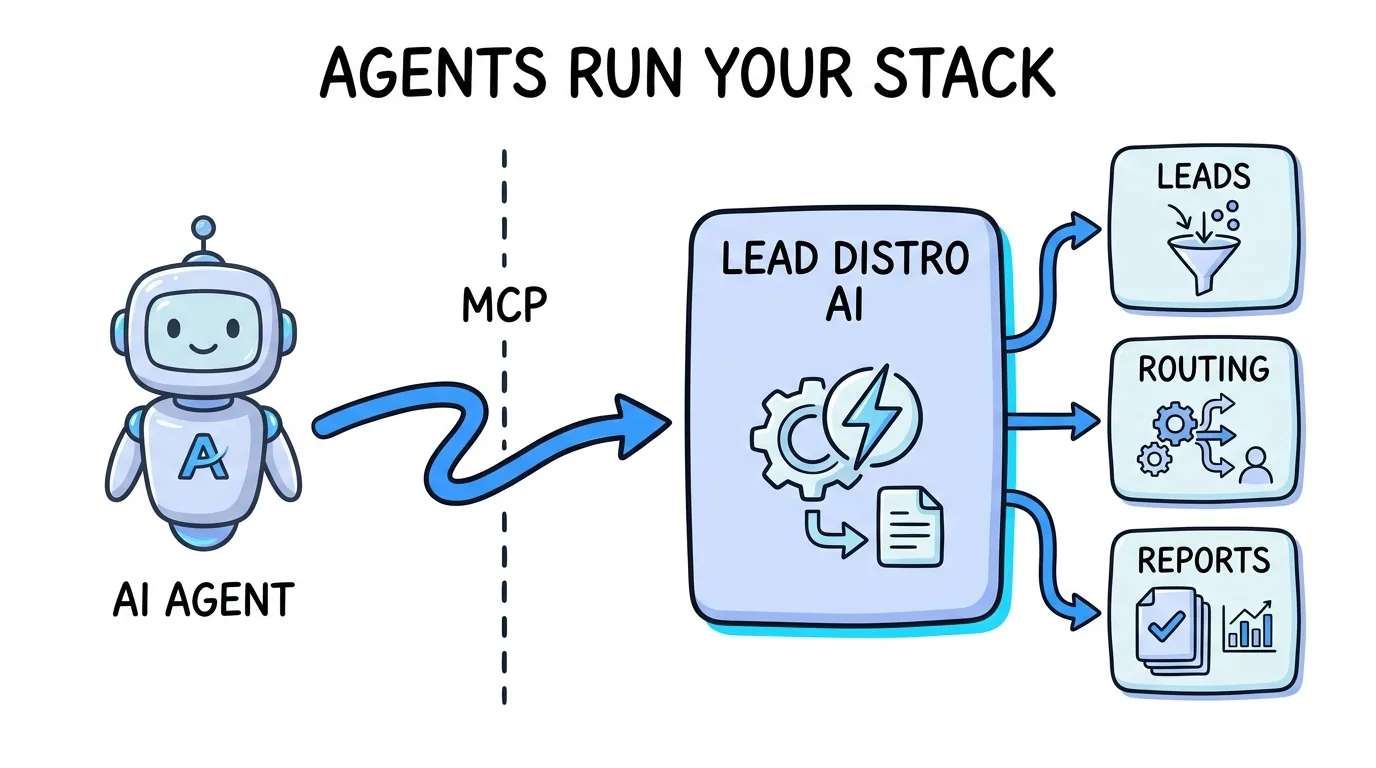
Lead Distro AI has an MCP server that lets Claude and other AI agents connect directly to your lead distribution account and manage it through natural language. Ask "What was my revenue and profit yesterday?" and get a structured answer in seconds. Say "Create a new campaign with round-robin routing across three buyers" and the agent builds the configuration for your review. No logging into a dashboard. No hunting through menus.
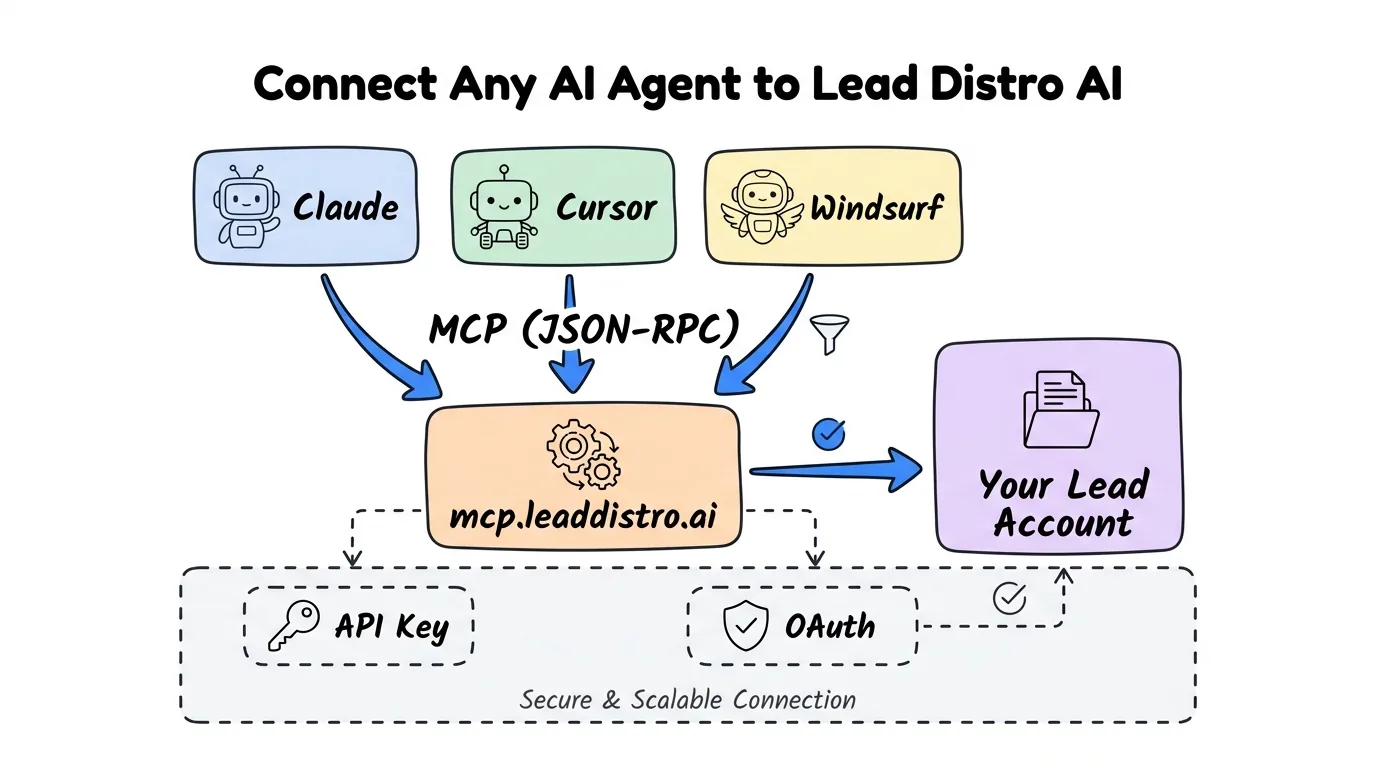
The server is hosted at mcp.leaddistro.ai/mcp, it is available to every Lead Distro AI account, and there is nothing to install. You connect with a one-time browser login, so there is no API key to copy. It works with Claude Code, Claude Desktop, ChatGPT, Cursor, Windsurf, and any client that implements the open Model Context Protocol standard. Scripts and tools that cannot open a browser connect with an API key instead.
According to Anthropic, which introduced the Model Context Protocol in November 2024, MCP-connected agents retrieve accurate, real-time data instead of relying on static training knowledge, which is the difference between an agent that tells you general facts about lead distribution and one that tells you your specific campaign's profit margin this morning. For a deeper look at how lead distribution platforms handle AI-native workflows, see our guide on what is lead distribution software.
Key Takeaways
- Lead Distro AI has a hosted MCP server at
mcp.leaddistro.ai/mcpthat lets any MCP-compatible AI agent read your analytics and manage your campaigns through natural language commands. - It is available to every account. There is no waitlist and no separate charge for MCP, and the 7-day free trial (credit card required) includes it.
- Connecting takes a few minutes. Sign in once in your browser and click Authorize. No API key to paste, no package to build, no Node.js required.
- More than 70 actions are available, covering campaigns, Destinations (buyers), Sources (suppliers), leads, funnels, reports, ping-post configuration, automations, and buyer portals.
- Permissions are set per area. Each connection holds read and/or write access to areas such as campaigns, destinations, sources, leads, funnels, and reports, and the server enforces them on every call.
- Your assistant also follows built-in playbooks. More than 20 step-by-step skills cover jobs like setting up a Destination from an insertion order or fixing a funnel step. Nothing to turn on.
- Billing and payment actions are not available over MCP, and destructive actions such as deleting data are blocked by design.
How the Lead Distro AI MCP Server Works
MCP stands for Model Context Protocol, an open standard that lets AI agents call software tools through a consistent interface. Think of it as a universal connector: instead of every AI client needing a custom integration for every piece of software, MCP lets any compliant client talk to any compliant server using the same handshake.
When Claude is connected to Lead Distro AI via MCP, the agent has access to a defined set of tools, each one backed by a real call to your account. When you ask "What's my campaign performance this week?", the agent calls get_campaign_performance, retrieves your actual P&L data, and answers from real numbers. When you say "Add a new buyer to my home services campaign," the agent calls create_buyer and add_buyer_to_campaign in sequence, and you approve each change before it is saved.
The key distinction from a general chatbot is that every response is grounded in your live account data, not a language model's training. For more context on how Lead Distro AI connects with external platforms, read our overview of Lead Distro AI integrations.
Option 1: Connect with a One-Time Browser Login (Recommended)
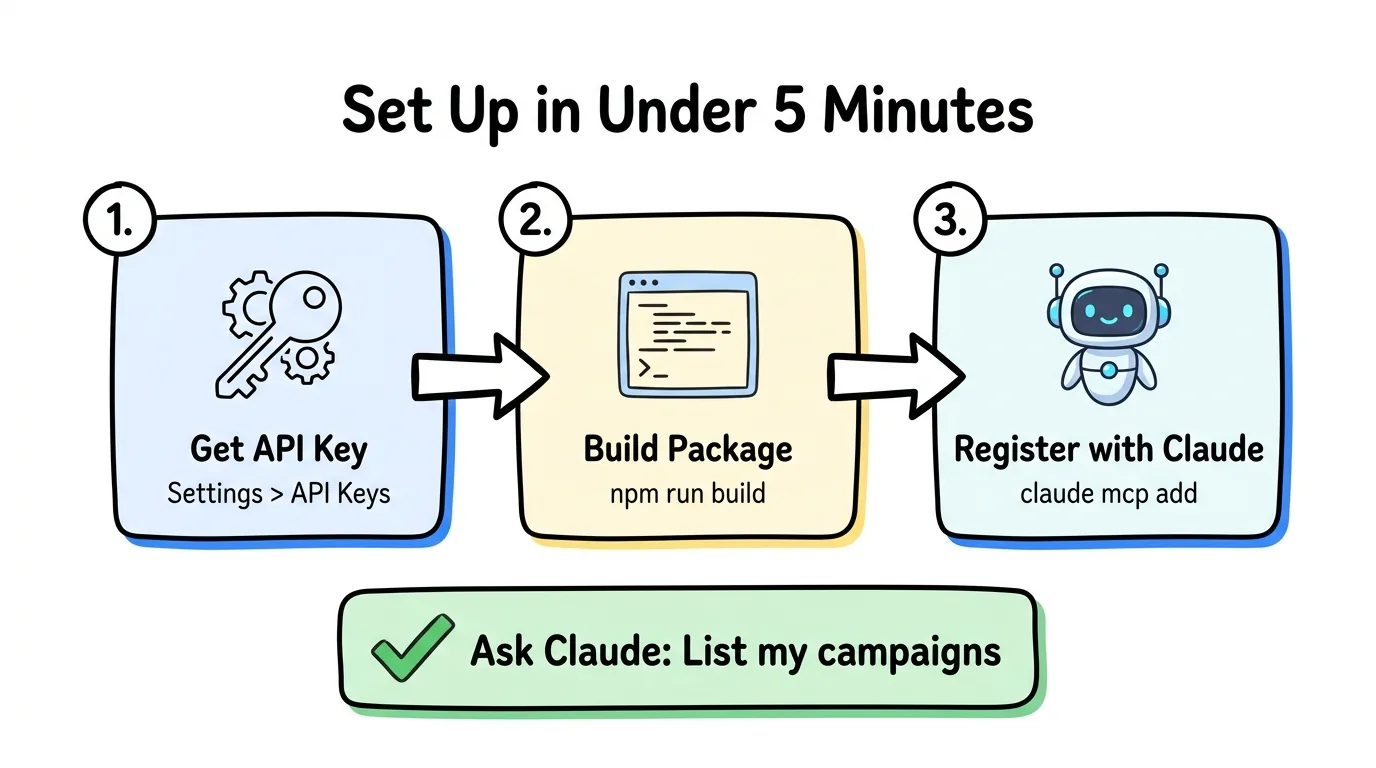
The hosted server removes the need to install or build anything locally. You add the server address to your AI client, sign in to Lead Distro AI when a browser tab opens, pick your organization if you have more than one, and click Authorize. The AI client never sees a password and you never handle a key.
Prerequisites
- A Lead Distro AI account (start your 7-day free trial if you don't have one yet, credit card required)
- An MCP-compatible AI client, such as Claude, ChatGPT, or Cursor
The in-app setup checklist also ends with a connect-Claude step, with a button that checks the connection for you. You can find the same instructions any time under Settings → MCP & API.
Claude Code
Run one command in your terminal, restart Claude Code so the tools load, and click Authorize when the browser opens:
claude mcp add --transport http leaddistro https://mcp.leaddistro.ai/mcpClaude Desktop and Claude on the Web
In Claude, open Settings, then Connectors, then Add custom connector. Paste https://mcp.leaddistro.ai/mcp, click Add, then sign in and click Authorize.
Cursor
Add this entry to ~/.cursor/mcp.json. Cursor runs the browser sign-in itself the first time it uses the server:
{
  "mcpServers": {
    "leaddistro": {
      "url": "https://mcp.leaddistro.ai/mcp"
    }
  }
}
ChatGPT
In ChatGPT on the web, open Plugins, add a custom MCP server, paste the same server link, choose sign-in (OAuth) for authentication, and click Authorize when Lead Distro AI asks. ChatGPT renames these menus often, and on a work account your ChatGPT admin may need to allow custom MCP servers first.
Test the Connection
Open a new conversation and ask: "List my campaigns." If the server is connected correctly, the assistant returns your live campaign list with status and settings pulled directly from your account.
For a technical reference on posting leads programmatically, see the Lead Distro AI API guide.
Option 2: Connect with an API Key (For Scripts and Tools Without a Browser)
Some tools cannot open a browser to sign in, such as scripts, automation platforms, and some remote MCP clients like Grok. For those, create an API key under Settings → MCP & API and pass it to the same hosted server as a bearer token. In Claude Code the command looks like this:
claude mcp add --transport http leaddistro https://mcp.leaddistro.ai/mcp --header "Authorization: Bearer YOUR_KEY"An API key is tied to one organization and carries only the permissions you choose when you create it. A new key starts read-only until you widen it. The key reaches the same tools as the browser login, with the same server-side permission checks, so the only difference is how the connection is authorized.
Built-In Playbooks (Skills) for Multi-Step Jobs
Many jobs take more than one tool call, so the connected assistant also follows built-in playbooks that Lead Distro AI calls skills. Each skill is a tested step-by-step procedure for one kind of job: which tools to call, in what order, and how to prove it worked. More than 20 are included, covering jobs like:
- Setting up a Destination (buyer) from an insertion order or contract
- Setting up a campaign, ping-post, or pay-per-call bidding
- Finding out why a Destination is not receiving leads
- Building, editing, or improving a funnel or form
- Importing old leads or moving over from LeadProsper
- Pulling numbers for a report or running an account audit
You can see every playbook in Settings → MCP & API → Skills. There is nothing to turn on: the assistant picks the one that matches your request.
MCP Tool Reference: What Your AI Agent Can Do
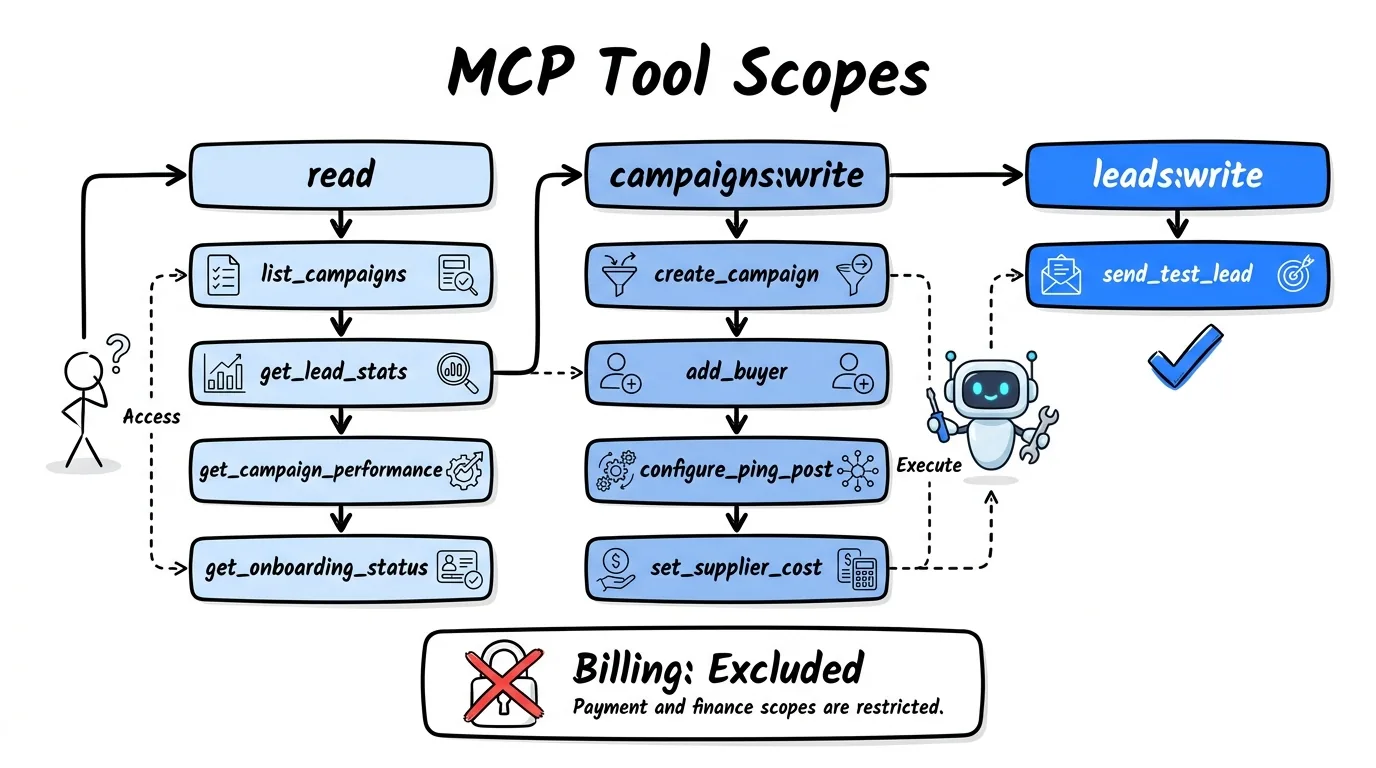
The server exposes more than 70 actions. The table below lists a representative set. Each tool requires one permission, named by area and access level (for example campaigns:read or destinations:write). Give a connection the minimum access your workflow needs. If you are only pulling reports, grant the read permissions. If you are managing campaigns, add the write permissions for the areas you work in.
| Tool | Permission | What It Does |
|---|---|---|
list_campaigns | campaigns:read | List all campaigns with status and settings |
get_campaign | campaigns:read | Full campaign details: buyers, suppliers, routing mode |
get_onboarding_status | campaigns:read | Buyer onboarding checklist: which steps are complete |
get_campaign_api_spec | campaigns:read | Integration spec for suppliers posting leads |
list_buyers | destinations:read | All buyers with cap, pricing, and delivery settings |
preview_destination_payload | destinations:read | Show the exact request a Destination would receive, without sending anything |
list_suppliers | sources:read | All suppliers with cost settings and lead specs |
get_lead | leads:read | One lead with its status, outcome, submitted fields, and recent notes |
get_lead_distribution_trail | leads:read | Why a lead went to a given buyer: who was considered, who passed or failed filters, and the final result |
get_lead_stats | reports:read | Lead volume, revenue, cost, and profit for any date range |
get_lead_breakdown | reports:read | Leads broken down by campaign, buyer, supplier, status, or state |
get_campaign_performance | reports:read | Full P&L with per-buyer and per-supplier breakdown |
get_portal_members | portal:read | List buyer portal members |
create_campaign | campaigns:write | Create a new campaign (direct post or ping-post routing) |
update_campaign | campaigns:write | Update name, status, routing mode, or cap settings |
configure_ping_post | campaigns:write | Enable ping-post routing on a campaign |
add_campaign_fields | campaigns:write | Add custom lead fields to a campaign |
update_field_mapping | campaigns:write | Map supplier field names to campaign field names |
update_inbound_filters | campaigns:write | Set rules for accepting or rejecting incoming leads |
create_buyer | destinations:write | Add buyer with delivery config |
update_buyer | destinations:write | Update buyer settings |
add_buyer_to_campaign | destinations:write | Link buyer to an existing campaign |
set_buyer_delivery | destinations:write | Configure how leads reach the buyer (webhook, email, Sheets, SMS, GoHighLevel) |
set_buyer_ping | destinations:write | Configure ping-post bidding behavior |
create_supplier | sources:write | Add supplier with cost mode |
update_supplier | sources:write | Update supplier settings |
add_supplier_to_campaign | sources:write | Link supplier to an existing campaign |
set_supplier_cost_mode | sources:write | Fixed CPL, variable, ad-spend, or revenue-share cost |
create_automation | automations:write | Trigger actions on lead events (delivered, returned, converted) or, on a pay-per-call campaign, call events (completed, qualified, billable, refunded) |
update_automation | automations:write | Change an automation's triggers, conditions or action, or pause and resume it |
enable_buyer_portal | portal:write | Create a self-serve buyer portal |
add_portal_member | portal:write | Invite buyer team members to a portal |
configure_portal_settings | portal:write | Set portal policies and visibility rules |
send_test_lead | leads:write | Send a test lead through a campaign to verify routing and delivery |
Beyond this list, the server also covers funnels (create, edit, publish, and A/B test), pay-per-call targets and tracking numbers, ad-account mapping, CSV history imports, and a migration tool for moving over from LeadProsper. Two helper tools, list_skills and get_skill, load the built-in playbooks described above.
What AI Agents Cannot Access
Transparency about limits builds trust, so here is what the MCP server intentionally excludes.
Billing and payment data are not accessible through any tool or permission. The agent cannot view invoices, payment methods, subscription tiers, or billing history, and it cannot move money. Those actions require logging into the dashboard directly.
Destructive actions are blocked. The server never serves a tool whose job is to delete, wipe, or reset data, even if a permission would otherwise allow it. To stop an automation from firing, for example, the agent pauses it instead of deleting it.
Contact details are redacted by default. Lead tools return names, emails, phone numbers, and IP addresses in redacted form unless the agent is explicitly asked for full details and the connection holds the lead-read permission.
Test sends are labeled and free. The send_test_lead tool verifies that a campaign's routing and delivery configuration works. The lead is tagged as a test, costs $0, and does not count toward billing.
This design means you can give a write-enabled connection to an AI agent workflow without handing it your financials. The agent manages distribution logic; you manage billing. Every call an assistant makes is also written to an audit log.
3 Real-World Use Cases for PPL Agencies
Morning Performance Brief
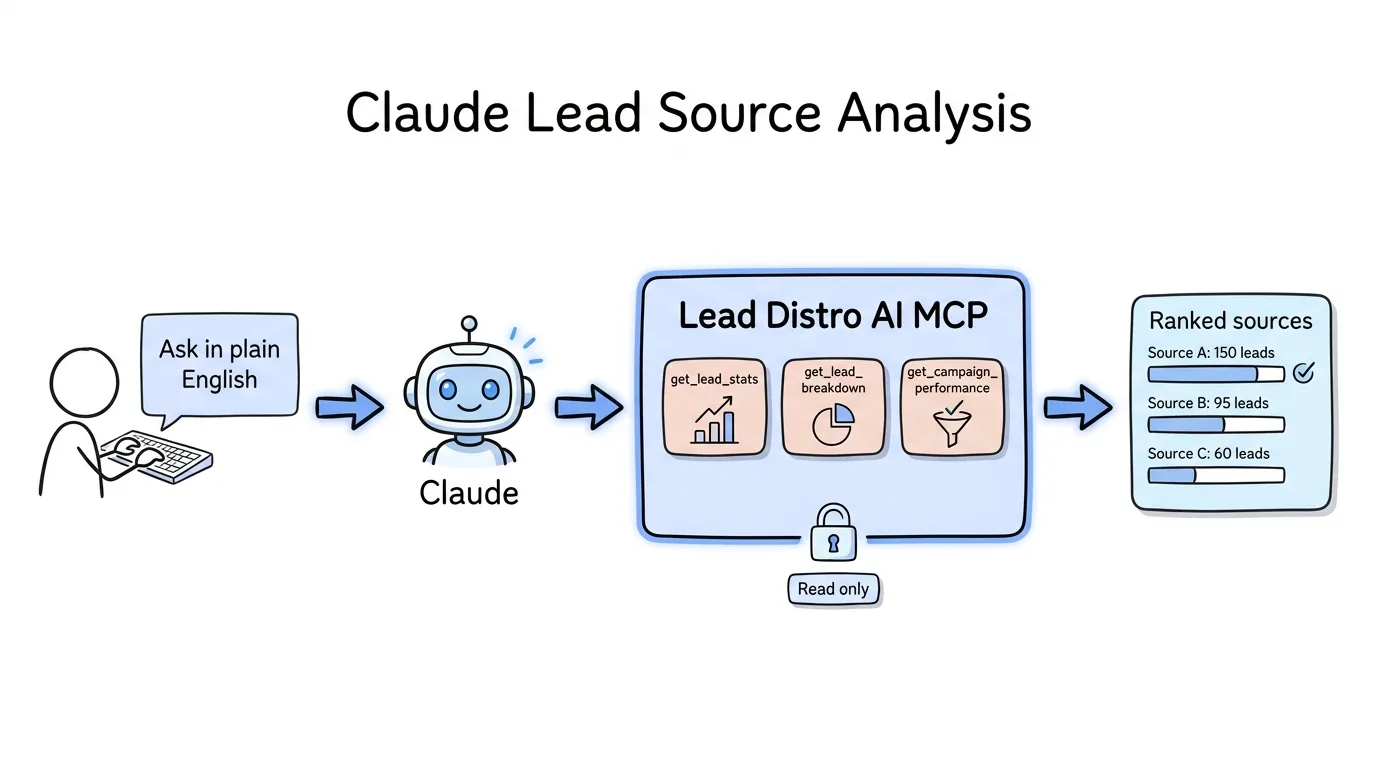
Connect Claude with read permissions and start every morning with a one-question briefing. Ask: "What was my total revenue, cost, and profit yesterday across all campaigns? Which buyer had the lowest accept rate?"
Claude calls get_lead_stats for the aggregate numbers and get_campaign_performance for per-buyer breakdowns, then returns a plain-language summary you can share with your team or act on immediately. No dashboard login required, no report to pull manually.
New Campaign Setup
When onboarding a new vertical or lead type, walk Claude through the configuration in plain language. Say: "Create a new home services campaign with round-robin routing, cap it at 50 leads per day, and add three buyers: Buyer A with a $25 CPL and webhook delivery, Buyer B with a $20 CPL and email delivery, and Buyer C with $30 CPL and GoHighLevel delivery."
Claude sequences the create_campaign, create_buyer, add_buyer_to_campaign, and set_buyer_delivery calls, shows you every step before executing, and finishes by running send_test_lead so you can confirm the routing before going live. What used to take 20 minutes of clicking through menus takes under three minutes of conversation. For a deeper look at how AI agents are reshaping lead distribution, see our full breakdown.
Buyer Onboarding Check
When a new buyer signs up, track their progress without logging in. Ask: "Which of my buyers are not fully onboarded? What steps are they missing?"
Claude calls get_onboarding_status for each buyer and returns a checklist of incomplete steps, whether that is a missing webhook URL, an unsigned agreement, or a delivery method not yet configured. You know exactly what to follow up on before the buyer's first lead is supposed to arrive. For reference on how different distribution models compare, read our guide on lead distribution software for AI agents.
Frequently Asked Questions
Is the MCP server available on all Lead Distro AI plans?
Yes. The hosted server at mcp.leaddistro.ai is available to every Lead Distro AI account, including accounts on the 7-day free trial (credit card required to start). There is no waitlist and nothing to request. There is no additional per-seat charge for MCP access; it is included in your plan subscription.
Do I need to install anything or paste an API key?
No. You add the server address to your AI client, sign in once in your browser, and click Authorize. There is no package to build and no Node.js requirement. An API key is only needed for scripts and tools that cannot open a browser, and you create one under Settings → MCP & API.
Does connecting an AI agent give it access to my leads' personal contact information?
Lead tools return contact details in redacted form by default. Full names, emails, phone numbers, and IP addresses come back only when the agent is explicitly asked for them and the connection holds the lead-read permission. Buyer configuration data such as delivery settings, cap limits, pricing, and onboarding status is readable with the destination and campaign read permissions. Billing and payment data are excluded by design. To restrict access further, grant read permissions only and the agent cannot modify any account settings.
What happens if the AI agent tries to do something outside its allowed permissions?
The MCP server enforces permissions on the server, not just in the tool definitions. If a connection holding only read permissions attempts to call create_campaign or any other write tool, the server returns a permission error and the agent reports the failure rather than silently skipping the step. Permission checks cannot be bypassed by the agent.
Can I use this with ChatGPT or other AI tools?
Yes. The Lead Distro AI MCP server works with any client that implements the Model Context Protocol standard, including Claude Code, Claude Desktop, ChatGPT, Cursor, and Windsurf. In ChatGPT, add the server as a custom MCP server and approve access in your browser. For Grok and other tools that cannot open a browser, pass an API key as a bearer token. If a tool can make web requests but does not support MCP, it can call the same actions through our REST API with an API key.
Is there a rate limit on MCP tool calls?
Yes. Each connection can make up to 120 tool calls per minute, and write tools are limited to 30 per minute. That is far more than normal conversational use needs. If you are running automated workflows that call tools in a tight loop (for example, a script that checks performance every few minutes), add pauses between calls.
Conclusion
MCP turns Lead Distro AI from a platform you log into into a platform you converse with. Instead of navigating dashboards to pull a report or configure a campaign, you describe what you need and the agent handles the execution, grounded in your live account data at every step.
The hosted server is available now. Add https://mcp.leaddistro.ai/mcp to Claude, ChatGPT, or Cursor, sign in once, and ask your first question in a few minutes. With more than 70 actions and more than 20 built-in playbooks behind it, the assistant can handle everything from a morning report to a full campaign setup. Start your 7-day free trial to connect your first agent.
Ready to connect your first AI agent to Lead Distro AI? Start your 7-day free trial, then follow the connect step in setup or open Settings → MCP & API. Credit card required.
About the Author
Founder & CEO of Lead Distro AI & Great Marketing AI
UC Berkeley graduate and former software engineer at Microsoft. Rafael built Lead Distro AI after managing over $10M in ad spend for performance marketing agencies (pay-per-lead and pay-per-call), including running campaigns for Neil Patel. He combines deep software engineering expertise with hands-on performance marketing experience to build tools that help these agencies scale profitably.
About Lead Distro AI
Capture, Route, and Sell Every Lead, Call, and Appointment
Capture, route, and sell leads, calls, and appointments from one platform, with funnels, call tracking, ping-post, and billing built in. Set it all up in minutes by chatting with AI.
Funnels
Quiz, form, appointment, VSL, and webinar templates
Call Tracking
Tracking numbers, call recordings, and per-call billing
4 Distribution Methods
Priority/Waterfall, Round Robin, Weighted, Ping-Post
Ping-Post and Live Bidding
Sell each lead and call to the highest bid
Real-Time P&L
Revenue, cost, and profit per campaign
Partner Portal
Your Destinations see their own leads and results