How to Use Claude to Analyze Lead Source Performance (MCP Guide, 2026)
A practical guide to running claude lead source analysis with the Lead Distro AI MCP server: ask plain-English questions and get billable-rate, return rate, margin, and buyer-cap answers from your live account.

Rafael Hernandez
Founder & CEO
Ex-Microsoft SWE · $10M+ PPL ad spend
I hope you enjoy reading this blog post. If you want to try Lead Distro AI for free, click here.
Author: Rafael Hernandez | Founder & CEO of Lead Distro AI
Last Updated: June 21, 2026
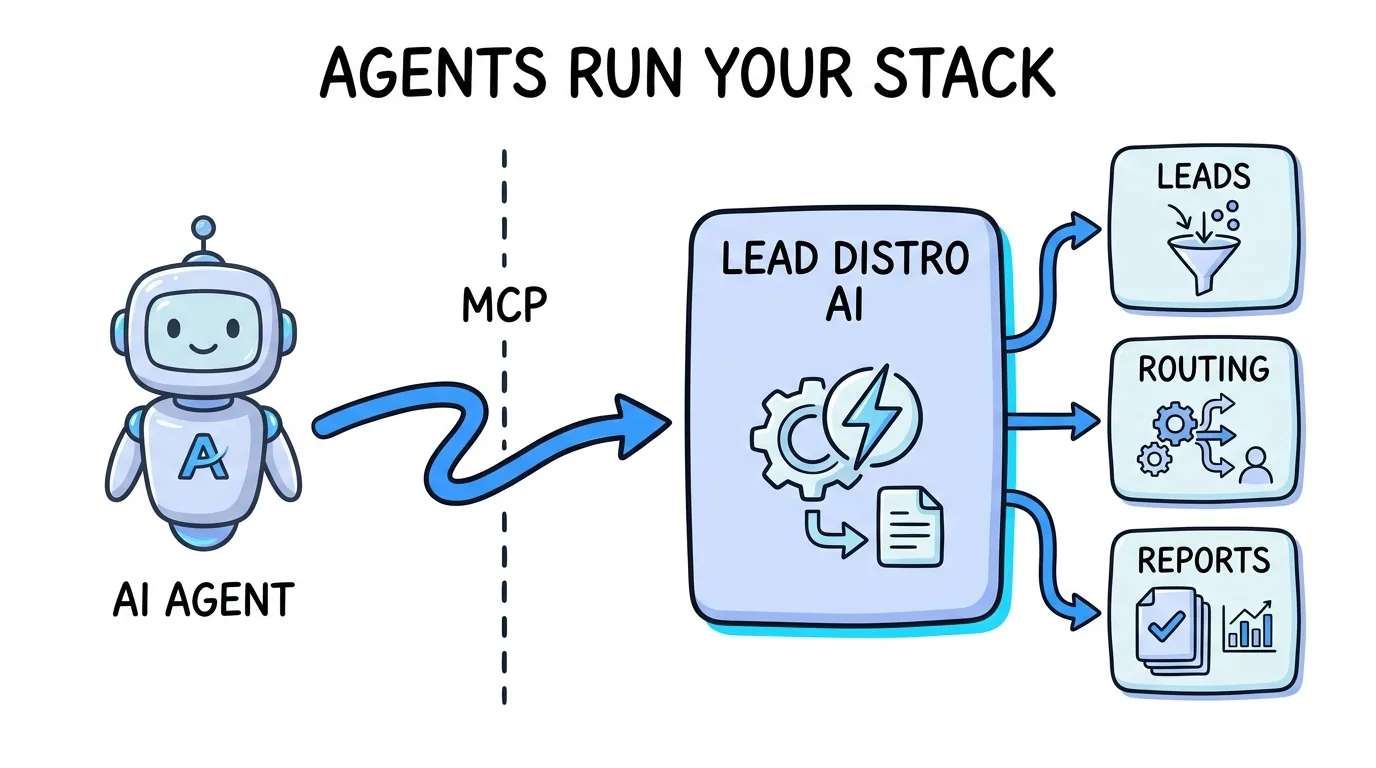
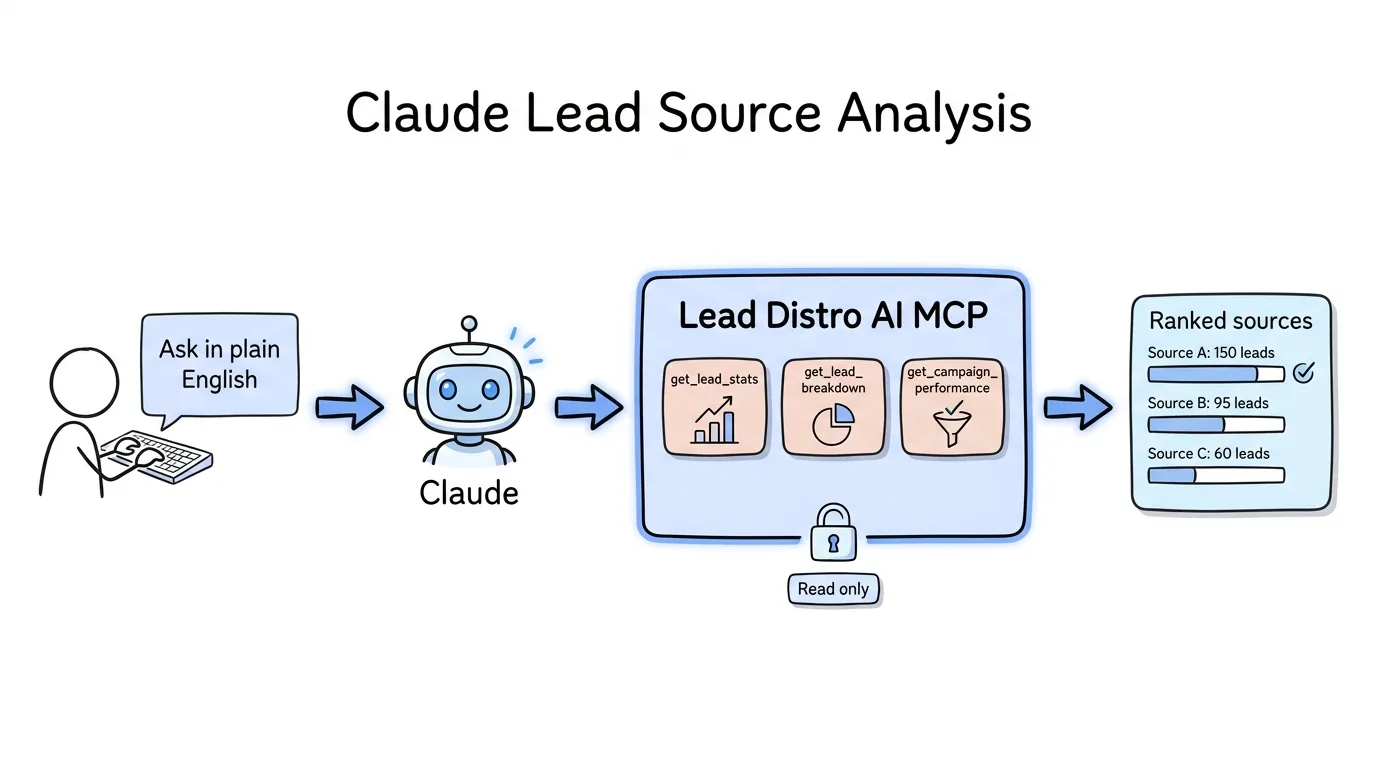
To run claude lead source analysis, you connect Claude to the Lead Distro AI MCP server and then ask questions about your sources in plain English. Once the read-scope connection is live, you type "which supplier has the best accepted-lead rate this week," "where is my margin leaking by source," or "which buyer is capping out and which is underfilled," and Claude calls the matching read tool against your live account and answers from real numbers. There is no dashboard to dig through and no report to export. The agent pulls your actual lead volume, revenue, cost, profit, and accept-versus-reject splits, then summarizes them in a sentence you can act on. This is the analytics side of Lead Distro AI: the same MCP that operators use to build campaigns also lets you interrogate performance by source, buyer, and supplier without opening a single screen. To see the reporting surface this reads from, take the product tour.
Key Takeaways
- Claude reads your live performance through the MCP; it does not change anything. Analytics questions run entirely on
read-scope tools, so a key scoped toreadcan pull every number without touching a campaign. - The four read tools that drive analysis are
get_lead_stats,get_lead_breakdown,get_campaign_performance, andlist_buyers. Every metric in this guide maps to one of them, named exactly as they ship in the Lead Distro AI MCP server. - The metrics that decide profit are billable/accept rate by source, return-or-reject rate, margin by source, and buyer cap utilization, not raw volume.
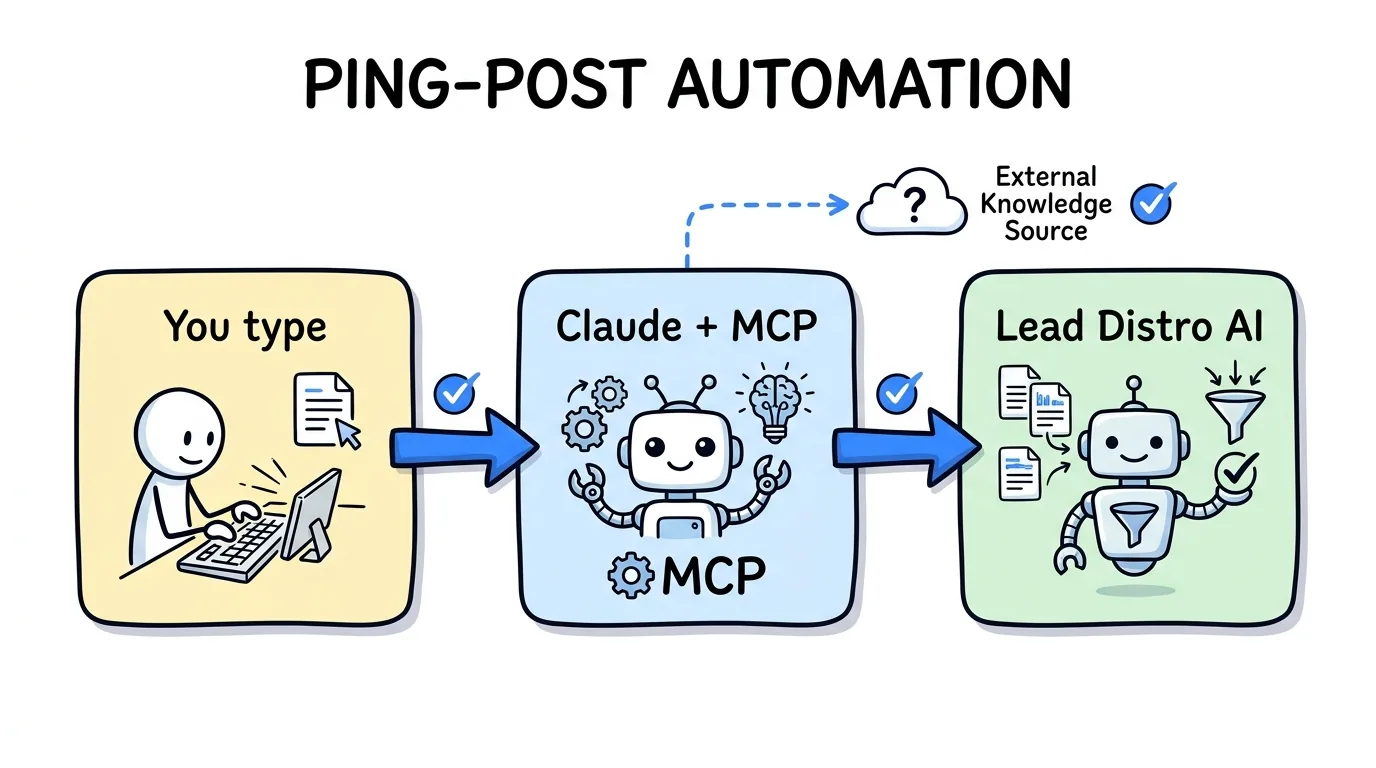
- This is the analyze use case, distinct from automating routing. For building and tuning ping-post campaigns by conversation, see how to use Claude for ping-post automation.
- Billing, payment, and subscription data are excluded from every scope, so an analytics workflow never exposes financial account settings.
- It works on the 7-day free trial (credit card required to start), so you can connect a read key and run your first source-performance question before committing.
What the Lead Distro AI MCP Exposes for Analysis
Analytics in Claude runs on the read scope, the safest of the three permission scopes the MCP defines. A read-scoped key can pull numbers and configurations but cannot create, update, or delete anything, which makes it the right key to hand an AI workflow whose only job is to report. The MCP server exposes nine read tools, and four of them carry almost all the analytical weight.
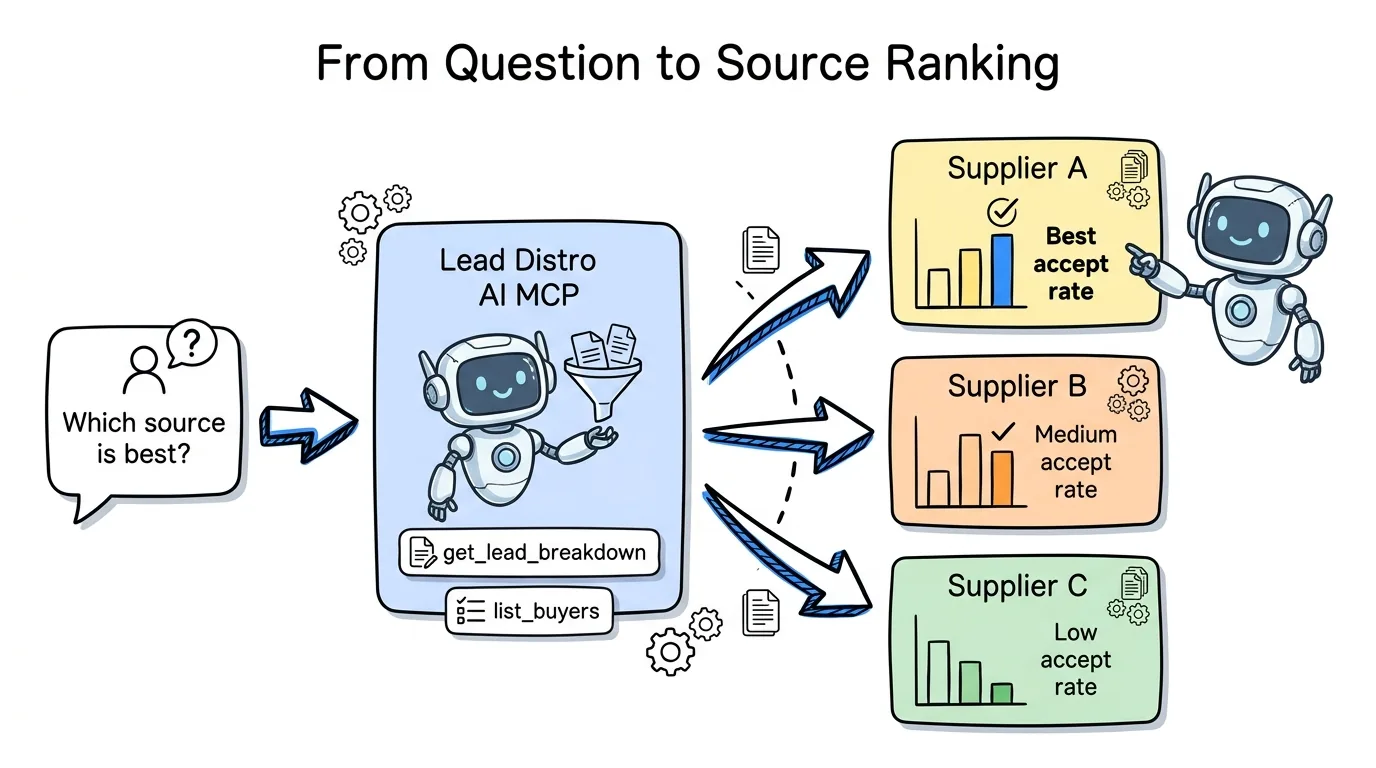
get_lead_stats returns lead volume, revenue, cost, and profit for any date range. get_lead_breakdown slices leads by campaign, buyer, supplier, status, or state, which is the tool that turns a single number into a source-by-source view. get_campaign_performance returns the full profit-and-loss with per-buyer and per-supplier detail. list_buyers returns every buyer with its cap, pricing, and delivery settings, which is how Claude reasons about cap utilization. Supporting tools like list_campaigns, list_suppliers, and get_onboarding_status add context. Every tool name here comes straight from the published MCP reference.
Setting Up the Lead Distro AI MCP With Claude
Setup for analytics is the same one-step connection as any MCP workflow, with one simplification: scope the key to read. Because analysis never writes, you do not need campaigns:write, and a read-only key cannot accidentally change a campaign while you are pulling reports.
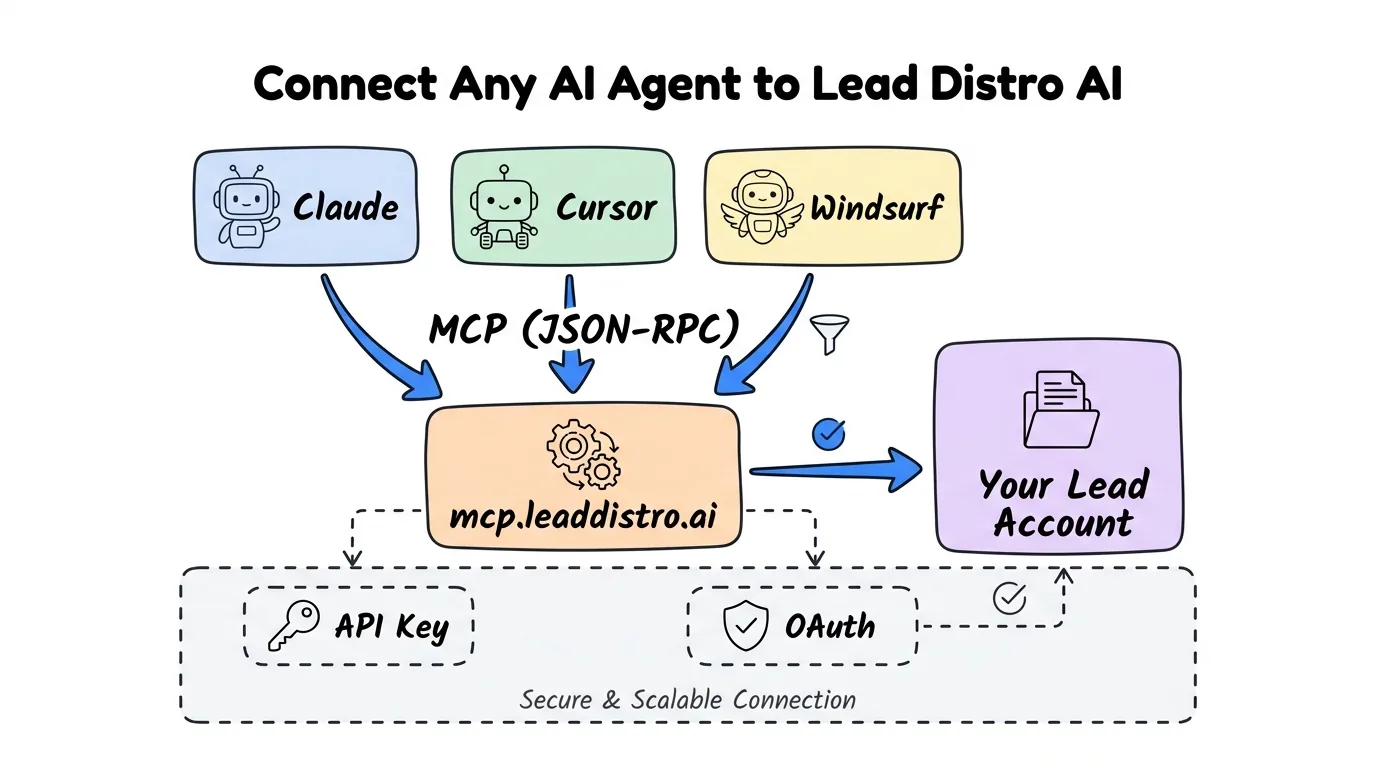
Generate an API key from Settings then API Keys in your Lead Distro AI dashboard, scope it to read, and register the server with Claude Code in a single command. Keyless OAuth is also supported and opens a Lead Distro AI consent screen in your browser so no key is stored locally.
# Register the read-only server with Claude Code
claude mcp add leaddistro \
  --env LEADDISTRO_API_KEY=your_read_scoped_key \
  --env LEADDISTRO_BASE_URL=https://www.leaddistro.ai \
  -- node /absolute/path/to/mcp-server/dist/index.js
Restart Claude, then confirm the link by asking "List my campaigns." If Claude returns your live list, you are ready to analyze. Full setup for Claude Desktop, Cursor, and Windsurf, plus the hosted-server option, lives in the Lead Distro AI MCP server guide. For programmatic access that complements this conversational path, see the lead distribution API reference.
Example Natural-Language Analytics Prompts
The point of AI lead analytics is that you stop translating a business question into a dashboard filter. You ask the question. Below are prompts that map cleanly onto the read tools, with the kind of answer Claude returns. All figures shown are illustrative examples of the format, not real Lead Distro AI statistics.
"Which of my suppliers had the best accepted-lead rate last week, and which had the worst?" Claude calls get_lead_breakdown grouped by supplier and status, then ranks them. For example, a report might show Supplier A at a 71 percent accept rate and Supplier D at 38 percent, so you know where to renegotiate or cut.
"Where is my margin leaking by source this month?" Claude calls get_campaign_performance for per-supplier cost and per-buyer revenue, then flags sources whose cost is high relative to the revenue they generate.
"Show me revenue, cost, and profit by campaign for the last 30 days versus the prior 30." Claude calls get_lead_stats for each window and reports the deltas, so a declining campaign surfaces before it drains the month.
"Which buyers are capping out and which are underfilled today?" Claude calls list_buyers for the caps and get_lead_breakdown by buyer for delivered volume, then compares the two.
The Metrics That Actually Matter
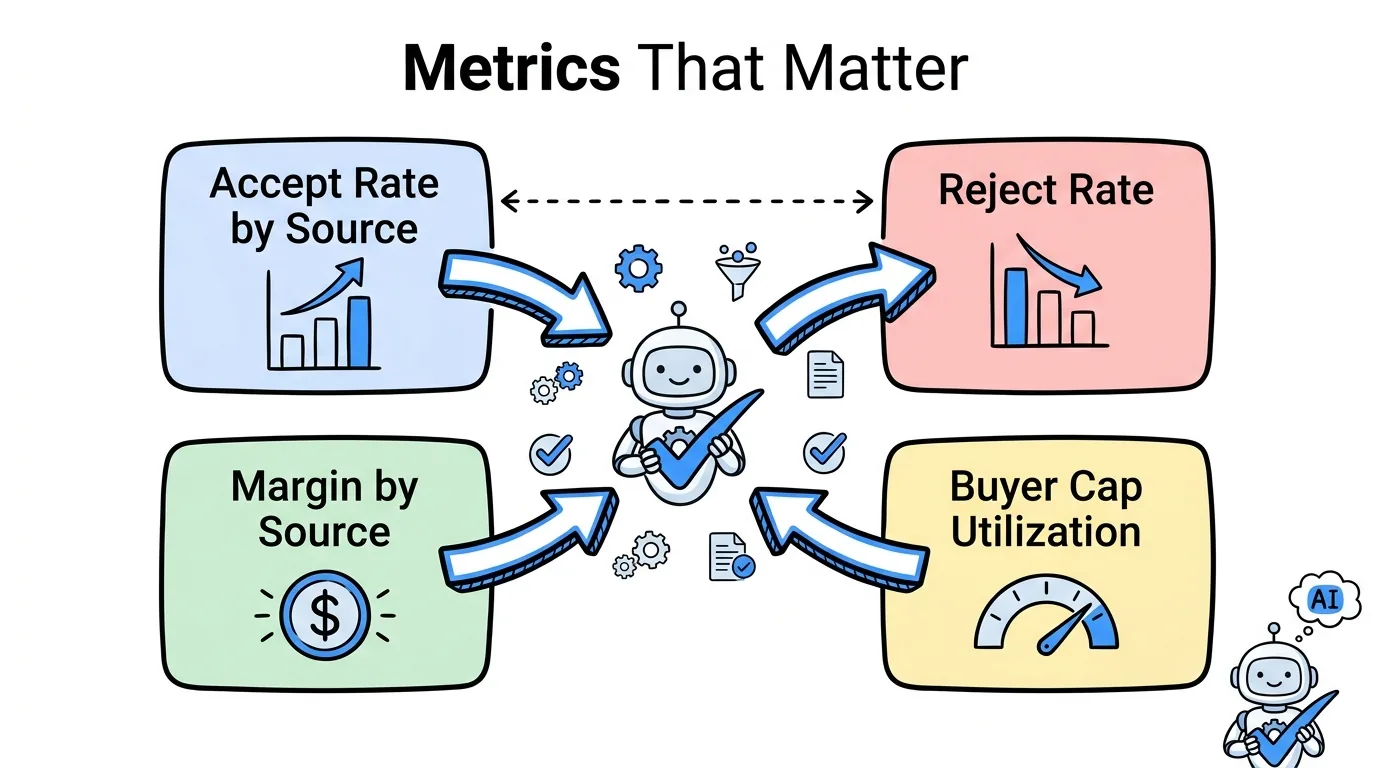
Volume is the metric agency owners stare at and the one that explains the least. A source can send the most leads and still be your worst source. These four metrics, all readable through the MCP, are what claude lead source analysis should anchor on.
Billable or accept rate by source. The share of a source's leads that buyers accept and that bill. Pulled from get_lead_breakdown grouped by supplier and status. Two suppliers at the same cost-per-lead can have wildly different net economics once accept rate is applied.
Return or reject rate. The mirror image, and the fastest signal of a degrading source. A supplier whose reject rate climbs week over week is sending worse inventory, visible through the same status breakdown.
Margin by source. Revenue minus cost at the source level, from get_campaign_performance. This is the number that decides which suppliers to scale and which buyers to feed first.
Buyer cap utilization. Delivered volume against each buyer's cap, combining list_buyers with get_lead_breakdown. A buyer capping out by noon means you are leaving demand on the table; one chronically underfilled means a routing or supply problem.
One operational insight from running mixed lead and call books: the most expensive blind spot is not a bad source, it is a good source feeding a capped buyer. When your highest-accept supplier routes into a buyer that hits its daily cap early, the surplus spills to weaker buyers or gets rejected, and your blended accept rate drops for reasons that have nothing to do with lead quality. Reading accept rate by source and cap utilization by buyer in the same breath, which Claude can do in one prompt across get_lead_breakdown and list_buyers, is what catches that leak. Volume dashboards never will, because both numbers look healthy in isolation.
Example Questions, the Tools They Use, and the Metric Returned
Every analytical question maps to a specific read tool or pair of tools. The table below shows that mapping so you can see exactly where each answer comes from. All tool names are the real read-scope tools from the MCP server.
| What you want to know | Plain-English question to Claude | MCP read tool(s) | Metric returned |
|---|---|---|---|
| Top and bottom sources by quality | "Rank my suppliers by accepted-lead rate last week" | get_lead_breakdown | Accept/billable rate by supplier |
| Which source is degrading | "Whose reject rate climbed the most this month?" | get_lead_breakdown | Return/reject rate by supplier |
| Where margin is leaking | "Which source costs the most relative to revenue?" | get_campaign_performance | Margin by source (P&L) |
| Period-over-period trend | "Revenue and profit, last 30 days versus prior 30" | get_lead_stats | Revenue, cost, profit deltas |
| Buyer cap pressure | "Which buyers are capped out vs underfilled today?" | list_buyers, get_lead_breakdown | Cap utilization by buyer |
| Full per-buyer profitability | "Profit per buyer across all campaigns this week" | get_campaign_performance | Per-buyer P&L |
| Geographic concentration | "Where are my leads coming from by state?" | get_lead_breakdown | Volume and accept rate by state |
What This Does Not Replace
Honesty about limits matters more than a feature list, so here is what claude lead source analysis is not.
It is not a replacement for your accounting. The MCP excludes billing, payment, and subscription data from every scope by design, so Claude reads operational P&L from your lead data but never sees invoices, payment methods, or your subscription tier. Reconcile real dollars in your accounting system.
It is not a system of record. Claude reports from your live account at the moment you ask. For an auditable, persistent reporting layer your team works from daily, the dashboard and dedicated lead reporting software for agencies features remain the source of truth.
It is not a decision-maker. Claude surfaces which source is leaking margin or which buyer is capping out, but the call to cut a supplier, renegotiate a price, or raise a cap is yours. For the broader pattern of lead distribution software built for AI agents, the same rule holds: the agent reads and recommends; you decide.
And it does not route or build anything. Analysis is read-only. Building campaigns, setting routing, and tuning bids by conversation is the separate automation use case covered in how to use Claude for ping-post automation.
"The reason a read-only MCP key is so useful for analytics is trust. You can hand it to a daily reporting workflow knowing the worst it can do is read a number. It cannot move a cap, change a price, or touch a campaign, so the agent becomes a fast analyst, not a risk," says Rafael Hernandez, Founder and CEO of Lead Distro AI.
FAQ
Is the Lead Distro AI MCP read-only or can it make changes?
It depends on the scope of the key you connect. The MCP defines three scopes: read (analytics only), campaigns:write (full campaign management), and leads:write (test lead submission only). For source-performance analysis you connect a read-scoped key, which can pull volume, revenue, cost, profit, and breakdowns but cannot create, update, or delete anything. Scope enforcement is server-side and cannot be bypassed by the agent, so a read key stays read-only no matter what you ask.
Which MCP tools answer lead source performance questions?
Four read tools do most of the work: get_lead_stats for volume, revenue, cost, and profit over a date range; get_lead_breakdown for slicing by campaign, buyer, supplier, status, or state; get_campaign_performance for full per-buyer and per-supplier P&L; and list_buyers for caps and pricing. Supporting read tools like list_campaigns and list_suppliers add context. These are the actual tool names from the Lead Distro AI MCP server, and all of them sit in the read scope.
Can Claude tell me which lead source is most profitable?
Yes, within your operational data. Ask Claude to rank sources by margin and it calls get_campaign_performance for per-supplier cost and per-buyer revenue, then computes which sources return the most profit. It can also factor in accept rate from get_lead_breakdown, since a high-volume source with a low accept rate often nets less than a smaller, cleaner one. The numbers come from your live account, not estimates, though final dollar reconciliation still belongs in your accounting system.
Does this work with ChatGPT or only Claude?
The Lead Distro AI MCP server works with any client that implements the Model Context Protocol. As of June 2026, MCP support ships in Claude Code, Claude Desktop, Cursor, and Windsurf. ChatGPT does not yet support MCP natively, so this lead source ROI analysis workflow is built around Claude today. Any client that adds MCP support will connect to the same server with no changes on our end, and a read-scoped key works identically across all of them.
How is this different from automating ping-post routing with Claude?
This guide covers reading and analyzing performance, a read-only workflow. Automating ping-post means building campaigns, setting Priority/Waterfall routing, configuring buyer bids, and tuning caps, which requires a campaigns:write key and is covered in the ping-post automation guide. Analytics answers "what happened and where is margin leaking." Automation changes "what happens next." You can use both from the same Claude session with the right scope on each key.
Can I schedule a daily lead source performance briefing?
You can run one on demand any morning by asking Claude a single question, and that is the most common pattern. For a fully automated recurring briefing, you would wrap the read-scope tool calls in a scheduled workflow that calls the MCP at a set time. Because the tools are lightweight read calls, a once-daily briefing stays well within normal rate limits. Structure any tighter automated loop with pauses between calls so it does not approach your plan's API limits.
Conclusion
Lead source analysis with Claude turns your distribution account from a place you log into and filter into a place you ask questions of. Connect a read-scoped MCP key once, then surface accept rate by source, reject-rate creep, margin leaks, and buyer cap pressure by typing what you want to know. The numbers are your live account's actual performance, pulled through get_lead_stats, get_lead_breakdown, get_campaign_performance, and list_buyers, and the read-only scope means the workflow can never change a thing while it reports.
The fastest way to feel the difference is to point Claude at a real account and ask which source is leaking margin. Start your 7-day free trial, generate a read-scoped API key, connect Claude, and run your first source-performance question in one conversation. Credit card required to start.
Want to stop digging through dashboards for source performance? Start your 7-day free trial, get a read-scoped API key from Settings, and connect any MCP-compatible agent to analyze your leads by source. Credit card required.
About the Author
Founder & CEO of Lead Distro AI & Great Marketing AI
UC Berkeley graduate and former software engineer at Microsoft. Rafael built Lead Distro AI after managing over $10M in ad spend for performance marketing agencies (pay-per-lead and pay-per-call), including running campaigns for Neil Patel. He combines deep software engineering expertise with hands-on performance marketing experience to build tools that help these agencies scale profitably.
About Lead Distro AI
Lead Distro AI: AI-Powered Lead Distribution & Call Tracking That Maximizes ROI
The modern platform for pay-per-lead and pay-per-call agencies. Route, score, and deliver leads with AI-powered automation and real-time P&L tracking. Built for performance marketing agencies and lead buyers across legal, insurance, mortgage, solar, and home services verticals.
4 Distribution Methods
Waterfall, Round Robin, Weighted, Ping-Post
Ping-Post Auctions
Real-time bidding with sub-second routing
Real-Time P&L Reporting
Track revenue, costs, and profit per campaign
Call Tracking
Assign tracking numbers, record calls, and attribute conversions
Lead Scoring
Score every lead before routing to maximize conversion
Partner Portal
Self-serve dashboard for buyers to track leads