AI-Native Lead Distribution: How AI Agents Are Automating the PPL Business
Lead Distro AI runs a live MCP server. See how AI agents automate campaigns, buyer management, and reporting.

Rafael Hernandez
Founder & CEO
Ex-Microsoft SWE · $10M+ PPL ad spend
I hope you enjoy reading this blog post. If you want to try Lead Distro AI for free, click here.
Author: Rafael Hernandez | Founder & CEO of Lead Distro AI
Last Updated: October 18, 2026
AI-native lead distribution means your platform responds to AI agent commands, not just human clicks through a dashboard. Lead Distro AI has a live MCP server, so AI agents running in Claude, Cursor, Windsurf, and other MCP-compatible clients can query your campaigns, build out buyer configurations, and pull P&L breakdowns through natural conversation. No developer needed. No dashboard login required.
The Model Context Protocol (MCP) was published by Anthropic in November 2024 as an open standard for connecting AI agents to software tools and data sources. In less than 18 months, thousands of MCP servers have appeared for platforms like Slack, GitHub, and databases. Lead Distro AI ships a production MCP server.
According to Salesforce's State of Sales 2025 report, companies using AI-guided selling report up to a 30% conversion lift. That same pattern is arriving in pay-per-lead and pay-per-call operations. Agencies that manage campaigns through AI agents rather than manual workflows gain a speed and visibility advantage that compounds over time.
This post explains what AI-native lead distribution actually means, what Lead Distro AI's MCP server enables today, how it compares to platforms agencies often evaluate, and how to get started.
Key Takeaways
- MCP is an open standard from Anthropic that lets AI agents connect to software and take multi-step actions through natural conversation, published in November 2024.
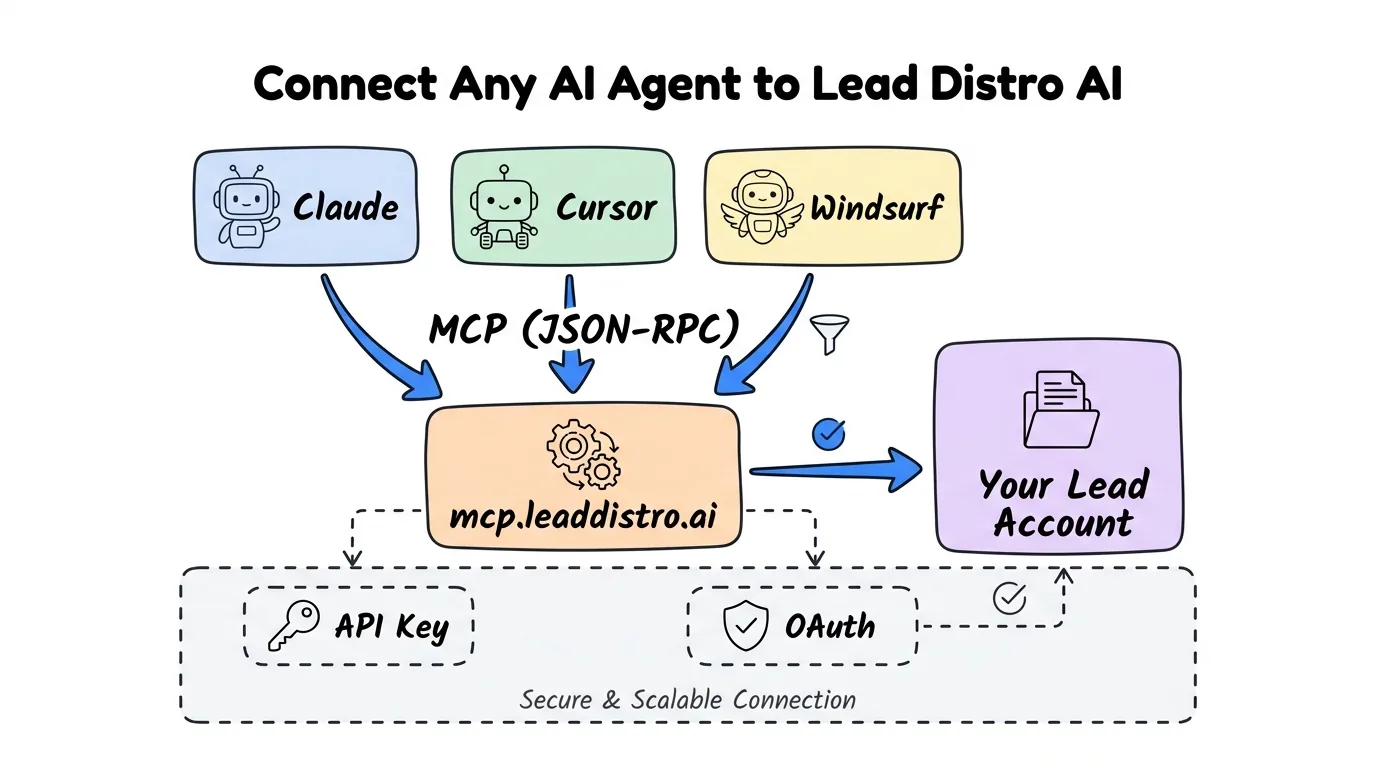
- Lead Distro AI runs a live MCP server, hosted at
mcp.leaddistro.aiand compatible with Claude, Cursor, Windsurf, and any MCP-capable client. - Reporting tools are available to every account: list campaigns, get lead stats, pull P&L breakdowns, check buyer onboarding status, and retrieve API specs, all without opening a dashboard.
- Campaign management tools are available too: create campaigns, configure buyers and suppliers, set lead caps, and build automations via agent conversation, with the plan shown for your approval before any changes are committed. More than 70 actions in all.
- Built-in playbooks guide multi-step jobs. More than 20 skills cover work like setting up a Destination from an insertion order or fixing a funnel step, and there is nothing to turn on.
- MCP access is built into Lead Distro AI, with no separate charge, so AI-native workflow automation runs on the same account you use for routing and reporting.
- The 7-day free trial includes MCP access: start at leaddistro.ai/sign-up and connect your first AI agent the same day (credit card required).
What "AI-Native" Means in Lead Distribution
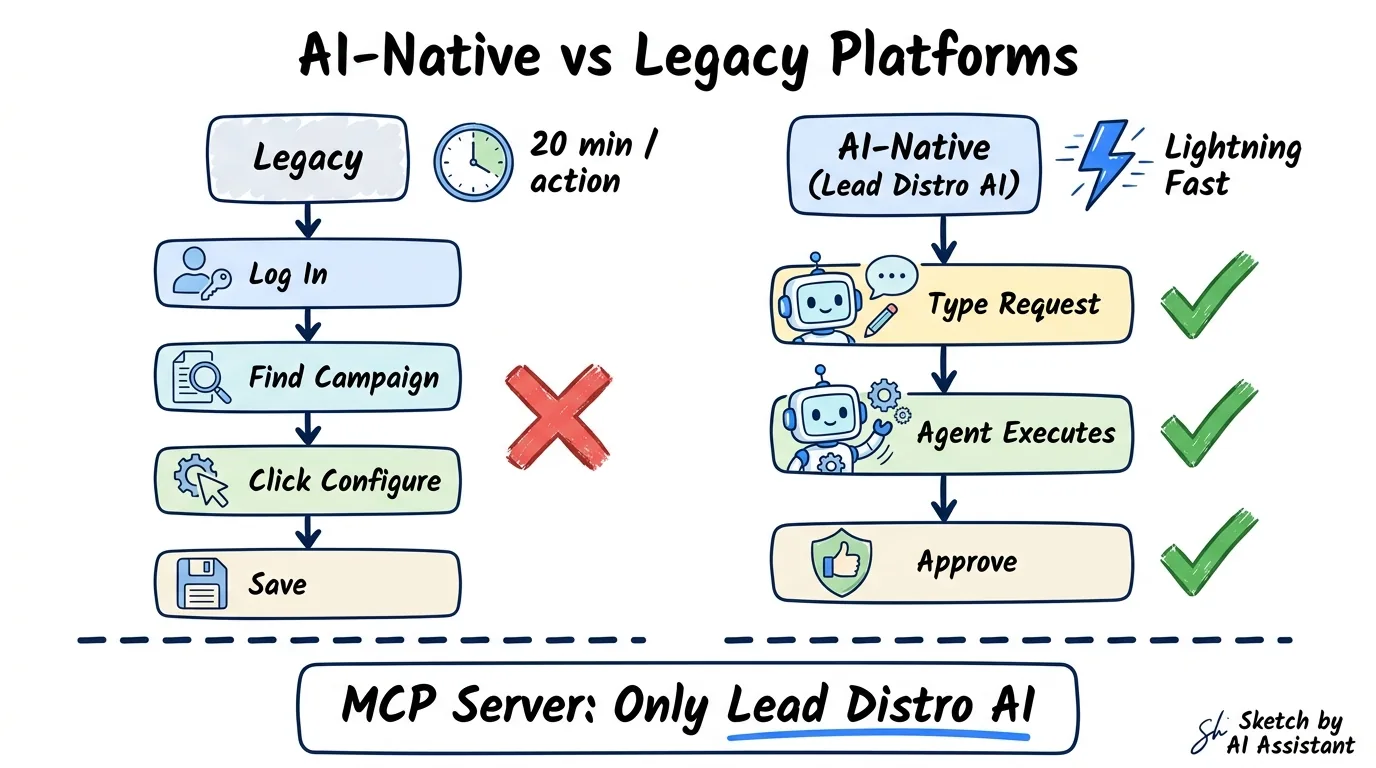
Legacy lead distribution platforms were built for humans clicking through dashboards. To set up a new campaign through a dashboard, you log in, navigate to campaigns, click through a multi-step wizard, configure buyers one at a time, set caps and routing rules, save, and then repeat for each buyer. A straightforward 3-buyer MVA campaign typically takes 15 to 20 minutes of focused dashboard work.
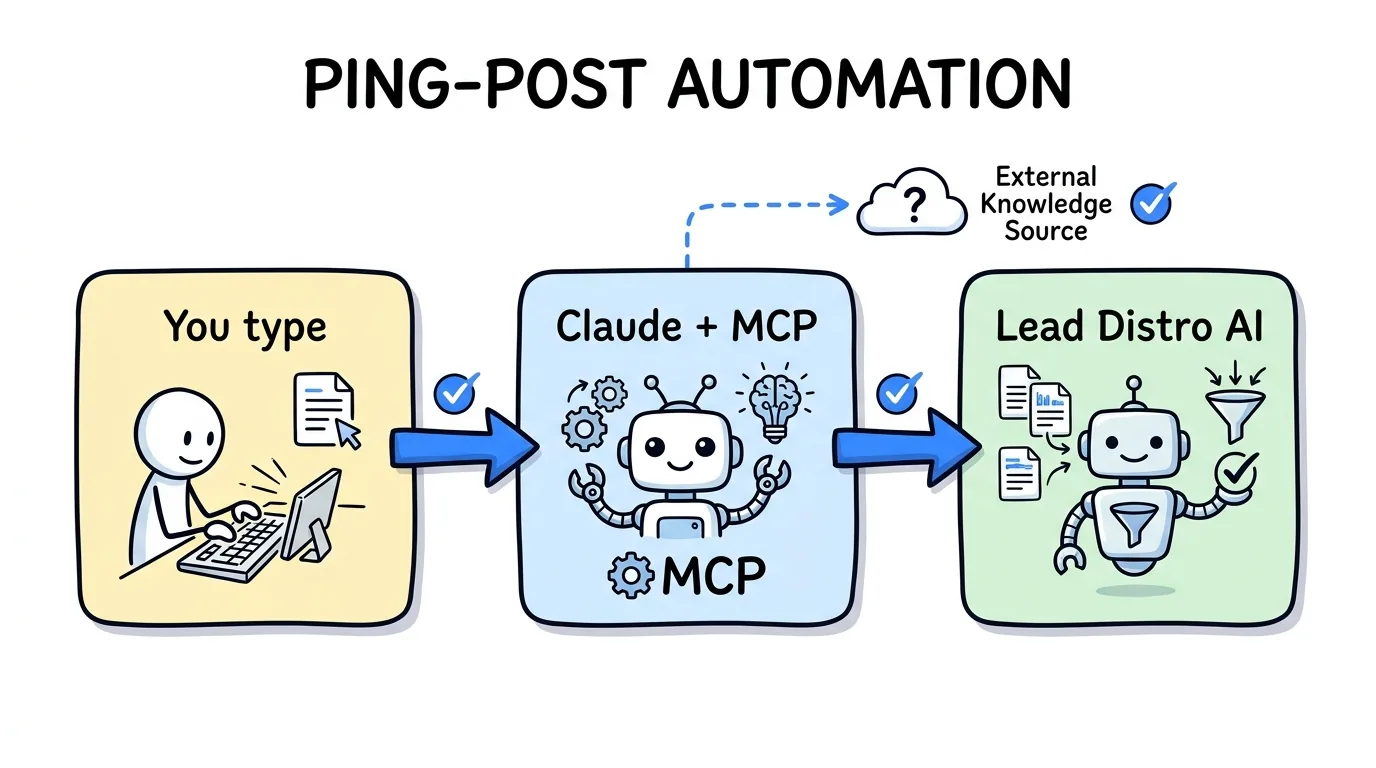
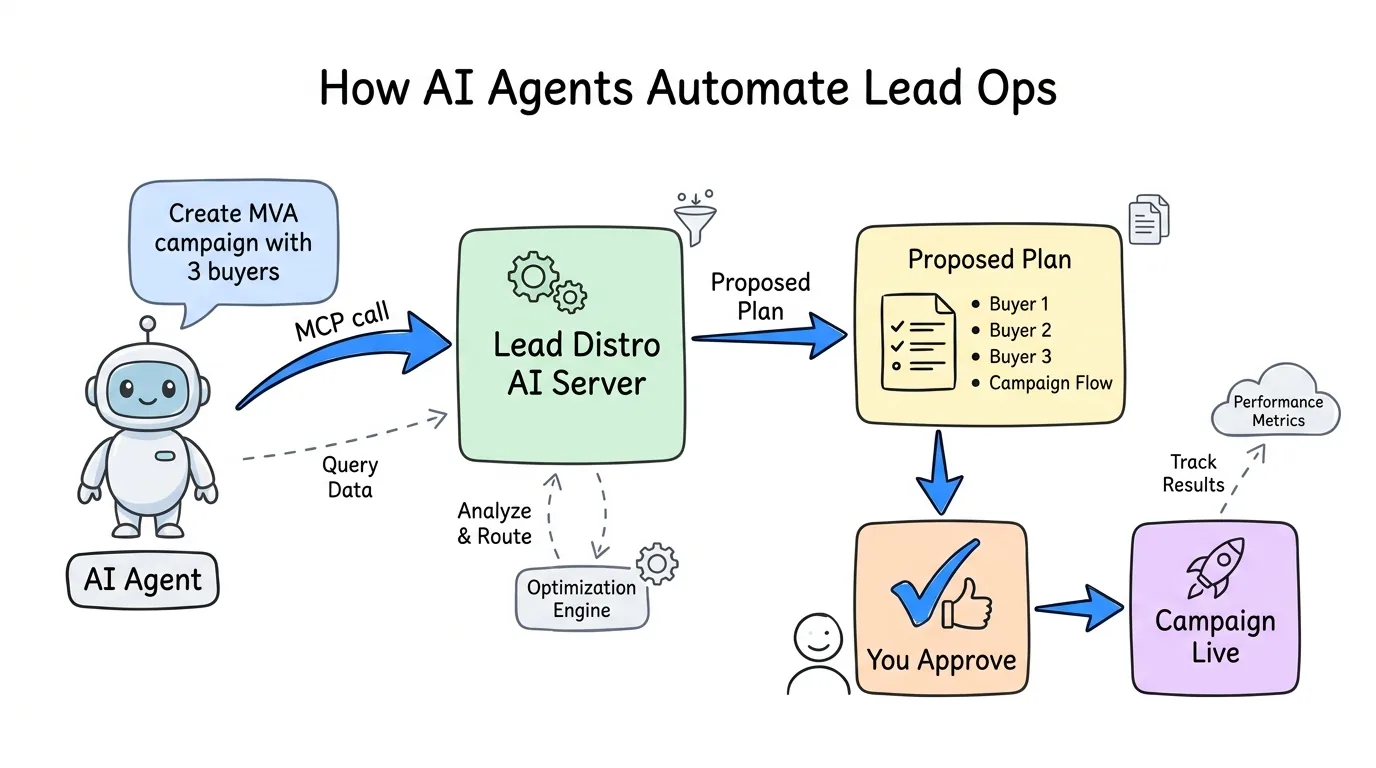
AI-native lead distribution replaces that workflow with conversation. Instead of clicking through forms, you tell an agent: "Set up a new MVA campaign with three buyers using round-robin routing, a $50 daily cap per buyer, and a 90-day exclusivity window." The agent reads your existing buyer configurations, proposes a complete campaign setup, and executes it after you approve, in under two minutes.
The difference is not just speed. It is the nature of the interface itself. A dashboard forces you to know where every setting lives and what every option means. An AI agent asks clarifying questions, surfaces relevant context from your existing campaigns, and warns you when a configuration choice conflicts with your goals.
This shift from "click-to-configure" to "describe-and-approve" is what separates AI-native platforms from legacy ones. Lead Distro AI is built for the AI-agent era from the ground up. Understanding what is lead distribution software is the foundation; AI-native operation is what that software becomes when it ships an MCP server.
What Is MCP and Why Agencies Should Care
MCP stands for Model Context Protocol. Think of it as a power-outlet standard for AI agents. Before MCP, every AI integration was custom: a developer wrote a one-off connector between an AI tool and a specific piece of software. With MCP, once a platform ships an MCP server, every MCP-compatible AI client can talk to it automatically.
Anthropic published the Model Context Protocol specification in November 2024. Since then, thousands of MCP servers have shipped for Slack, GitHub, PostgreSQL, Linear, and dozens of other tools. Lead Distro AI is on that list.
For a PPL or pay-per-call agency, MCP means your AI tools, whether that is Claude Desktop, Claude Code, Cursor, or Windsurf, can directly access your lead operations data and execute campaign changes. You sign in once in your browser, and from that point on the agent has a structured, permission-scoped connection to your Lead Distro AI account. There is no API key to paste.
The critical distinction from a REST API: MCP lets an AI agent take multi-step actions through conversation. A REST API requires a developer to write code for every action before an agent can use it. MCP exposes those actions as first-class tools the agent understands natively. For agencies without in-house engineers, that difference is enormous.
What AI Agents Can Do Inside Lead Distro AI
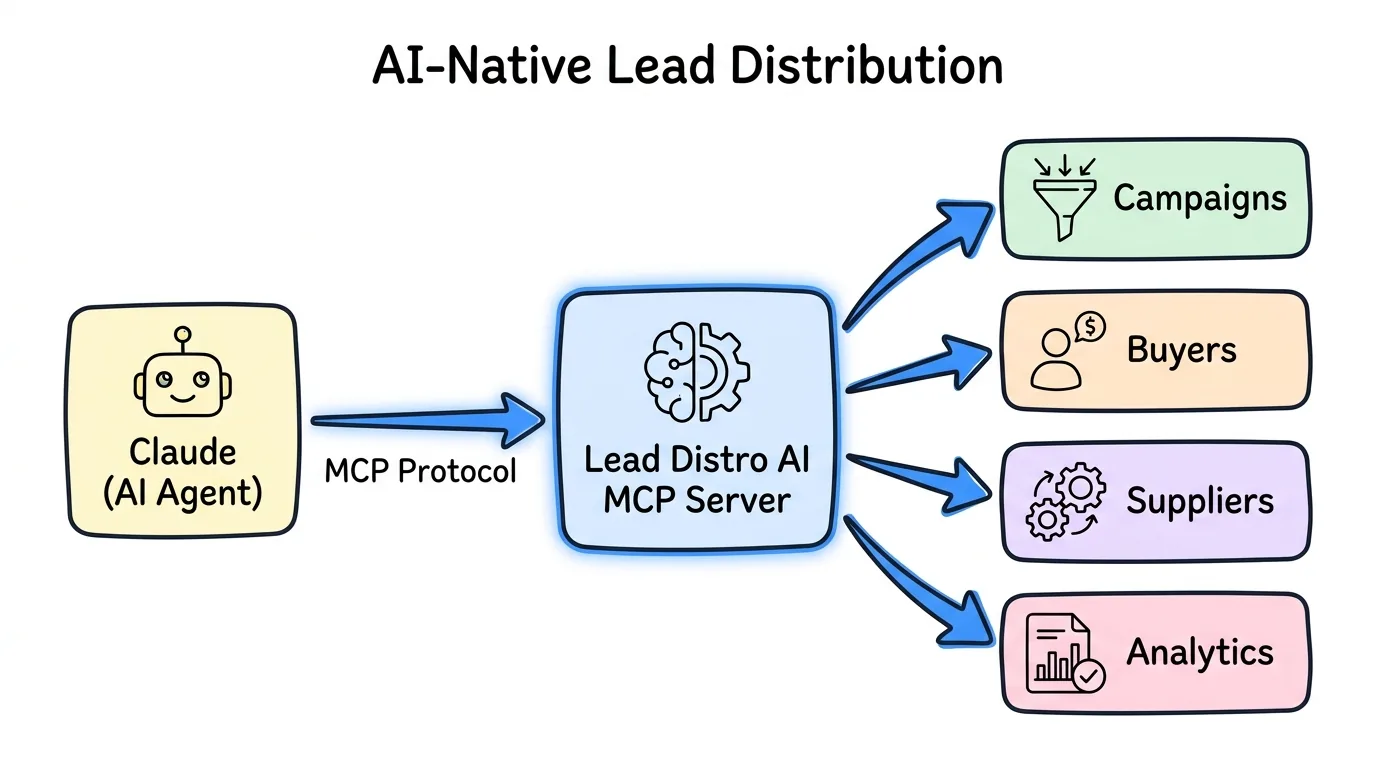
Lead Distro AI's MCP server exposes more than 70 actions, available to every account. You decide how much of that a connection may use: read-only for reporting, or read and write for the areas you want the agent to manage.
Reporting and Read Access
With read access, an AI agent connected to your Lead Distro AI account can:
- List all campaigns and retrieve detailed configuration including buyers, suppliers, and field mappings
- Get lead stats broken down by campaign, buyer, supplier, lead status, or state
- Pull campaign P&L with per-buyer and per-supplier revenue breakdowns
- Check onboarding status for any buyer
- Retrieve API integration specs for supplier configuration
In practice, this means you can ask: "How many leads did I receive last week broken down by campaign and what was the profit on each?" and get a structured, accurate answer in seconds, with no dashboard login and no report export.
For agencies managing multiple verticals and buyers, this eliminates the morning reporting ritual entirely. Connect your AI agent once, then query your lead business the same way you query a knowledgeable colleague.
Campaign Management Access
Write permissions on campaigns, Destinations (buyers), Sources (suppliers), and automations add the ability to create and modify your operation through the agent:
- Create direct-post and ping-post campaigns from scratch
- Create and update buyers with delivery via webhook, email, Google Sheets, SMS, or GoHighLevel
- Configure ping-post bidding behavior and supplier cost modes (fixed CPL, variable, ad-spend percentage, revenue-share)
- Set lead caps and budget limits at both campaign and buyer level
- Add campaign fields and update field mapping
- Configure inbound filters
- Create automations that trigger on lead events
- Enable buyer portals
The assistant previews each write action before it runs. It surfaces its configuration plan, you review, adjust if needed, and confirm. Only the permissions you granted can be used, and every action is written to an audit log.
For multi-step jobs, the assistant follows built-in playbooks (skills): tested step-by-step procedures for work like onboarding a Destination from an insertion order, diagnosing a delivery problem, or building a funnel. More than 20 are included. You can see them under Settings → MCP & API → Skills.
What Agents Cannot Do
By design, Lead Distro AI's MCP server excludes three categories: billing and payment data, destructive actions such as deleting data, and any action that moves money or triggers charges. Test leads are available via send_test_lead, tagged as tests and free of charge. These sensitive operations stay in human hands, full stop. The lead distribution API documentation covers the full permission model in detail.
Lead Distro AI vs Other Platforms: AI Readiness Comparison
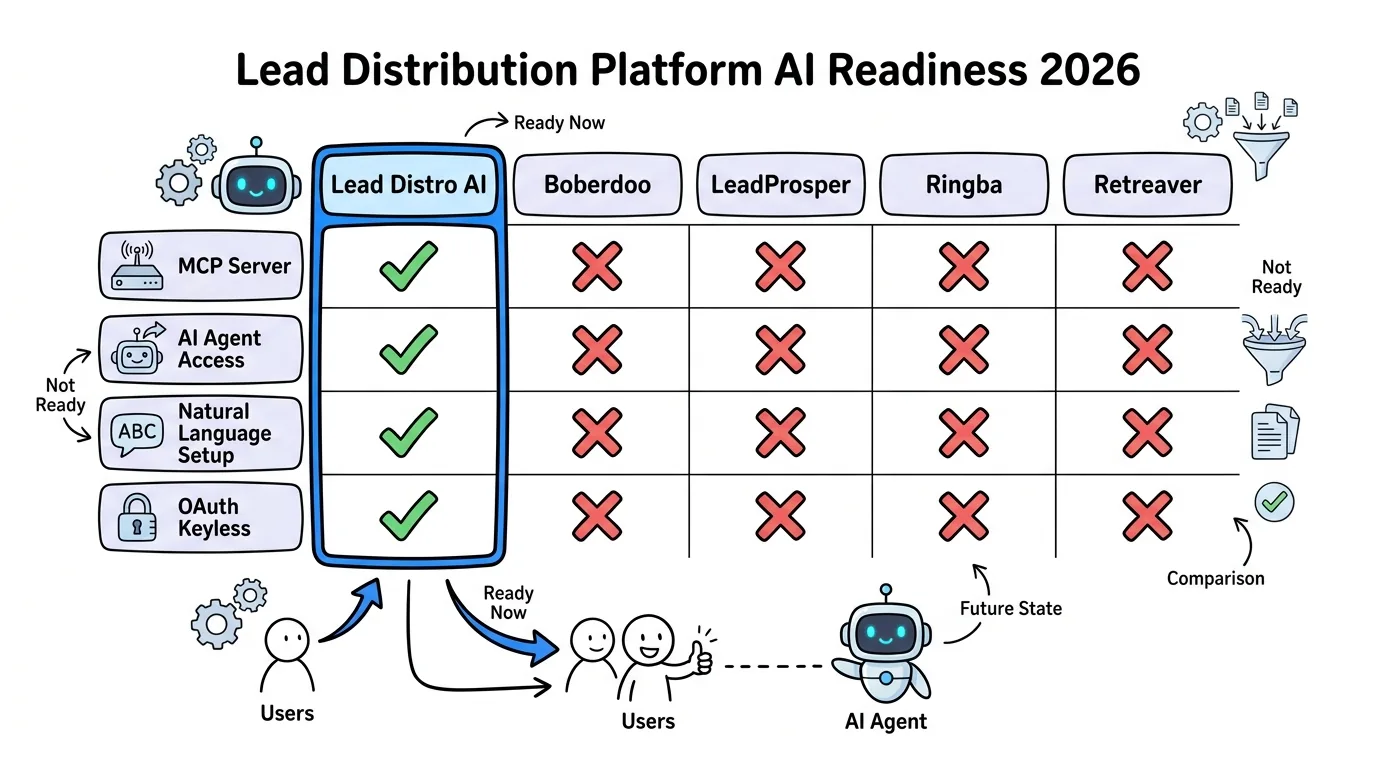
Lead Distro AI offers a REST API, webhooks, and an MCP server. This comparison covers the platforms agencies commonly evaluate alongside Lead Distro AI, and lists only what we could confirm on each vendor's own website.
| Capability | Lead Distro AI | Boberdoo | LeadProsper | Ringba | Retreaver |
|---|---|---|---|---|---|
| MCP server | Yes | Not verified | Not verified | Not verified | Yes |
| AI agent access | Yes | Not verified | Not verified | Not verified | Yes |
| Natural-language campaign setup | Yes | Not verified | Not verified | Not verified | Yes |
| OAuth keyless integration | Yes | Not verified | Not verified | Not verified | Yes (short-lived token) |
| Read-only AI queries | Yes | Not verified | Not verified | Not verified | Yes (read-only scope) |
| REST API | Yes | Yes (API) | Yes | Yes (API) | Yes |
| Zapier/n8n integration | Via webhook | Not verified | Yes (Zapier) | Zapier and Make integrations listed | Via webhook |
Not verified: we could not confirm this on the vendor's own website as of September 2026. Check with the vendor.
Lead Distro AI's MCP server exposes campaign setup, buyer configuration, and reporting as tools an agent can call, with every write action shown to you for approval before it runs.
For agencies comparing Lead Distro AI against call tracking platforms specifically, the lead distribution vs call tracking comparison explains why the distinction matters for pay-per-call operations. Lead Distro AI handles both PPL and pay-per-call campaigns, with call tracking as a billable add-on (usage-based per-number monthly fee plus per-minute rate for inbound calls), not a flat-fee feature.
The Business Case: Time Saved and Faster Decisions
Two categories of operational work compress most dramatically with AI agent access.
Campaign setup. A traditional 3-buyer campaign setup takes 15 to 20 minutes of dashboard work: creating the campaign, adding each buyer, configuring delivery, setting caps, and mapping fields. With Lead Distro AI's MCP server, the same setup takes roughly 2 minutes via an agent conversation. For an agency launching 5 new campaigns per month, that is 1.5 hours recovered every 30 days.
Performance reporting. Pulling a weekly performance breakdown for a client or internal stakeholder typically takes 10 to 15 minutes: log in, navigate to reports, filter by date range, export or screenshot, format for sharing. With read access, the same question takes seconds. At 3 reports per week, agencies running on AI-agent queries recover 3 or more hours per month on reporting alone.
These time savings compound at the decision layer. Salesforce's State of Sales research documents up to a 30% conversion lift for companies using AI-guided operations. Faster data access shortens the feedback loop between campaign performance and optimization decisions. An agency that can ask "which buyer has the highest rejection rate this week and why" in 10 seconds will iterate faster than one that pulls that answer from a 20-minute reporting workflow.
The business case is not just hours saved. It is the quality of decisions made when current data is always one question away.
How to Get Started With Lead Distro AI's MCP Server
Connecting takes a few minutes, and there is nothing to install.
Browser login (recommended). Add the hosted server at mcp.leaddistro.ai to your AI client, sign in to Lead Distro AI when a browser tab opens, pick your organization, and click Authorize. In Claude Code it is one command:
claude mcp add --transport http leaddistro https://mcp.leaddistro.ai/mcp
Claude Desktop, ChatGPT, and Cursor take the same server address through their connector or MCP settings. The full setup guide at /blog/lead-distro-ai-mcp-server walks through each client.
API key (for scripts). Tools that cannot open a browser connect to the same server with an API key, created under Settings → MCP & API and sent as a bearer token. New keys start read-only, and you widen them only as far as the workflow needs.
The 7-day free trial is the fastest path to connecting your first agent. Credit card required to activate the trial.
For a broader look at how Lead Distro AI connects to your existing stack, the integrations overview covers webhook delivery, GoHighLevel, Google Sheets, and the REST API alongside the MCP server.
Frequently Asked Questions
What is MCP and which AI clients support it?
MCP stands for Model Context Protocol, an open standard published by Anthropic in November 2024 that lets AI agents connect to external tools and data sources. MCP-compatible clients include Claude Desktop, Claude Code, Cursor, Windsurf, and any editor or agent framework that has added MCP support. The protocol is open, and adoption has grown rapidly since launch, with thousands of MCP servers now available across business software categories.
Is the MCP integration included in the Lead Distro AI free trial?
Yes. The 7-day free trial gives you full account access, which includes connecting an AI assistant to the hosted MCP server at mcp.leaddistro.ai, with both reporting and campaign management tools. MCP is included on every plan with no separate charge. Signing up starts your trial; credit card required to activate. You can cancel at any point during the 7 days and you will not be charged.
Can AI agents access my leads and buyer data?
AI agents with read access can query lead stats, campaign P&L, and buyer configurations. Lead contact details are redacted by default and come back in full only when the agent explicitly asks for them and the connection holds the lead-read permission. Agents cannot access billing or payment information, and tools that delete data or move money are not available. The MCP server is scoped intentionally: operational analytics and configuration data are accessible; financial data stays protected.
How do I connect, and do I need a developer?
No developer is needed. You add the hosted server address (https://mcp.leaddistro.ai/mcp) to your AI client, sign in once in your browser, and click Authorize. There is no package to build and no API key to paste. A non-technical agency owner can connect Claude Desktop to their Lead Distro AI account in under 10 minutes. Scripts and tools that cannot open a browser use an API key instead.
What are the built-in playbooks?
They are step-by-step procedures, called skills, that the connected assistant follows for multi-step jobs. More than 20 are included, covering work such as setting up a Destination from an insertion order, setting up a campaign, ping-post, or pay-per-call, fixing a delivery problem, and building or improving a funnel. See them under Settings → MCP & API → Skills. Nothing needs to be turned on.
Conclusion
The shift from dashboard-first to agent-first operations is the defining transition in business software right now. AI agents that can read your campaign data and execute configuration changes through natural conversation compress hours of operational work into minutes. For PPL and pay-per-call agencies, that means faster launches, better-informed optimization decisions, and less time spent on reporting mechanics.
Lead Distro AI is built for this environment. The MCP server is live and available to every account, with reporting and campaign management tools plus more than 20 built-in playbooks for agencies ready to move fast. Start your 7-day free trial at leaddistro.ai/sign-up and connect your first AI agent the same day.
Ready to run your lead business through an AI agent? Start your 7-day free trial and connect Lead Distro AI to Claude, Cursor, or Windsurf in minutes. Credit card required.
About the Author
Founder & CEO of Lead Distro AI & Great Marketing AI
UC Berkeley graduate and former software engineer at Microsoft. Rafael built Lead Distro AI after managing over $10M in ad spend for performance marketing agencies (pay-per-lead and pay-per-call), including running campaigns for Neil Patel. He combines deep software engineering expertise with hands-on performance marketing experience to build tools that help these agencies scale profitably.
About Lead Distro AI
Capture, Route, and Sell Every Lead, Call, and Appointment
Capture, route, and sell leads, calls, and appointments from one platform, with funnels, call tracking, ping-post, and billing built in. Set it all up in minutes by chatting with AI.
Funnels
Quiz, form, appointment, VSL, and webinar templates
Call Tracking
Tracking numbers, call recordings, and per-call billing
4 Distribution Methods
Priority/Waterfall, Round Robin, Weighted, Ping-Post
Ping-Post and Live Bidding
Sell each lead and call to the highest bid
Real-Time P&L
Revenue, cost, and profit per campaign
Partner Portal
Your Destinations see their own leads and results