How to Use Claude for Ping-Post Automation (with the Lead Distro AI MCP)
A step-by-step walkthrough of automating ping-post lead distribution with Claude using the Lead Distro AI MCP server: build campaigns, set routing, and monitor by typing plain English.

Rafael Hernandez
Founder & CEO
Ex-Microsoft SWE · $10M+ PPL ad spend
I hope you enjoy reading this blog post. If you want to try Lead Distro AI for free, click here.
Author: Rafael Hernandez | Founder & CEO of Lead Distro AI
Last Updated: June 20, 2026
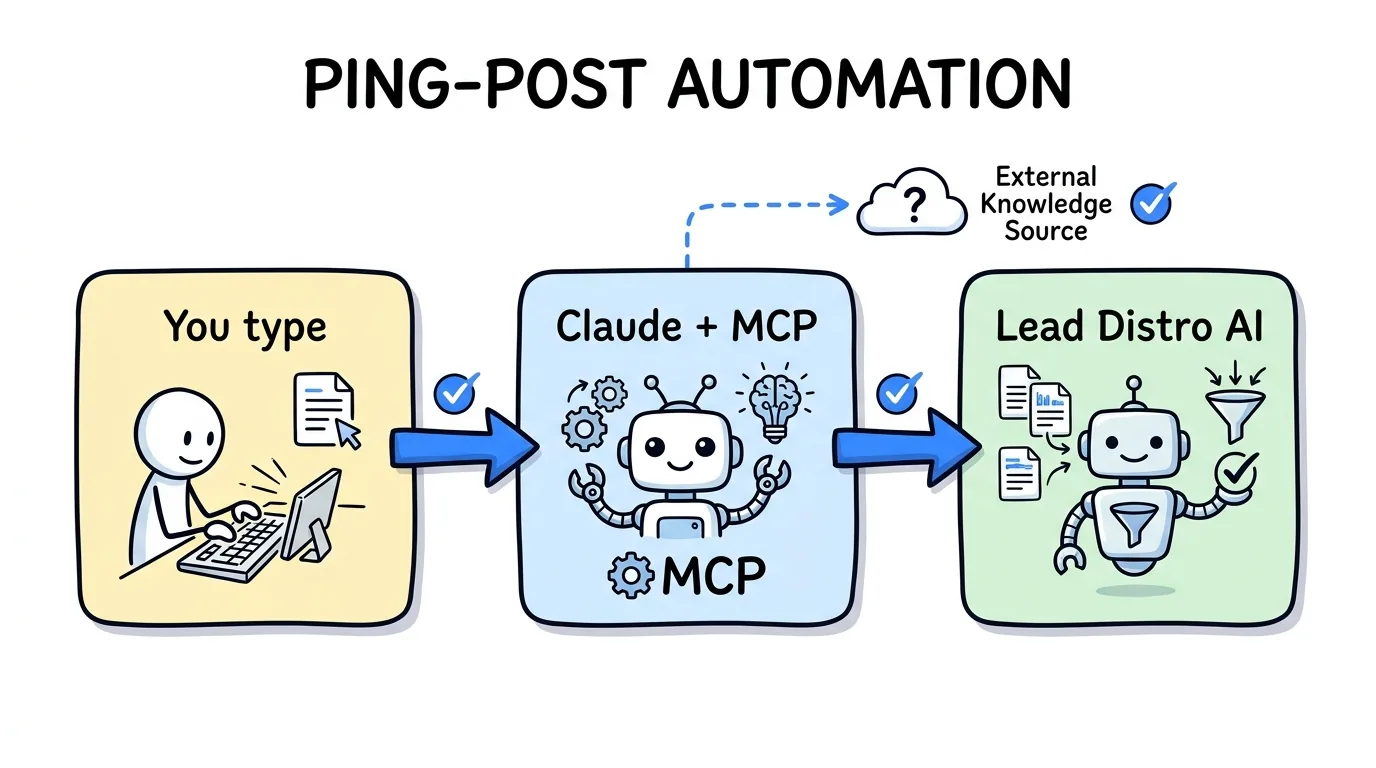
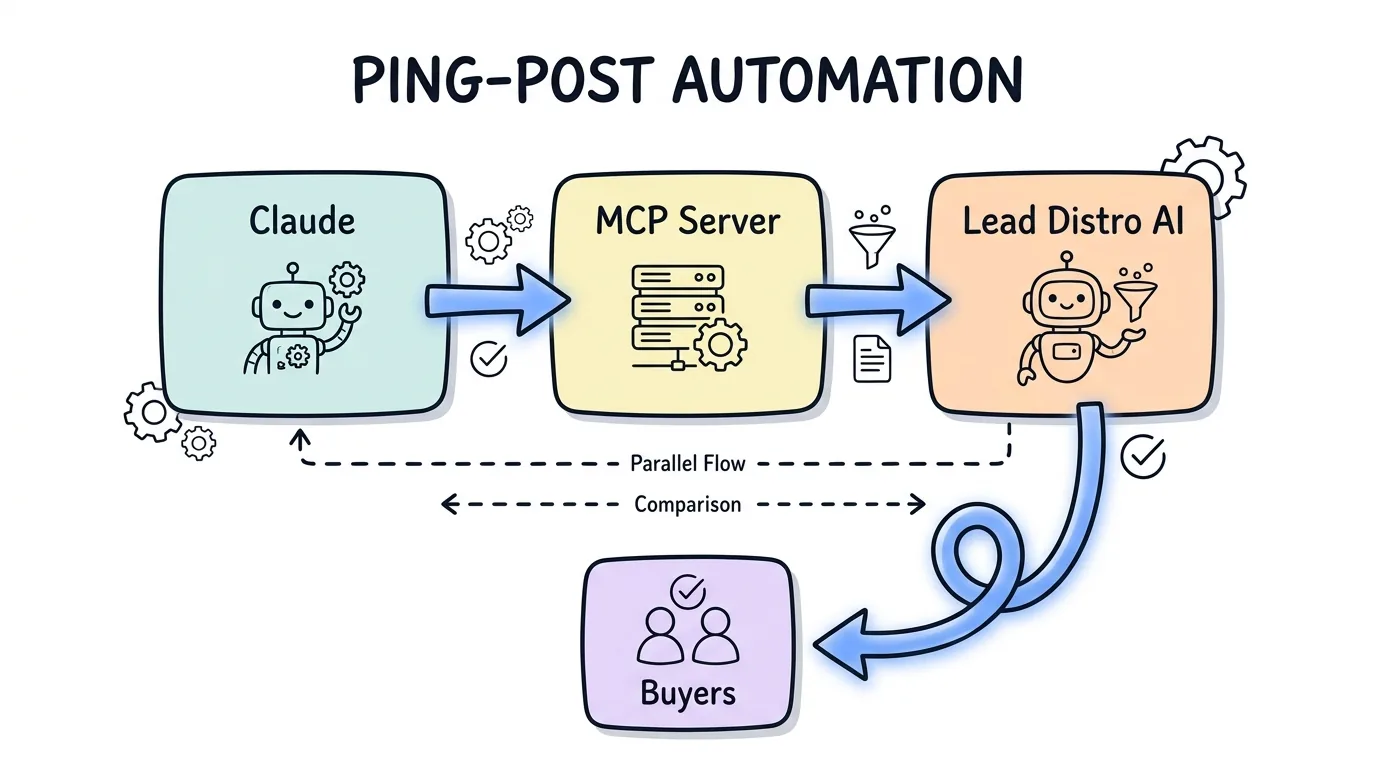
You can run claude ping post automation by connecting Claude to the Lead Distro AI MCP server and then typing what you want in plain English. Once the connection is live, you say "create a ping-post campaign," "set Priority/Waterfall routing across these three buyers," "cap each buyer at 200 leads a day," and "show me accepted versus rejected this morning," and Claude carries out each step by calling the matching MCP tool against your live account. There is no custom code to write and no dashboard to click through. The agent reads your real campaign data, builds the configuration, shows you what it created before anything saves, and reports back on performance from your actual numbers.
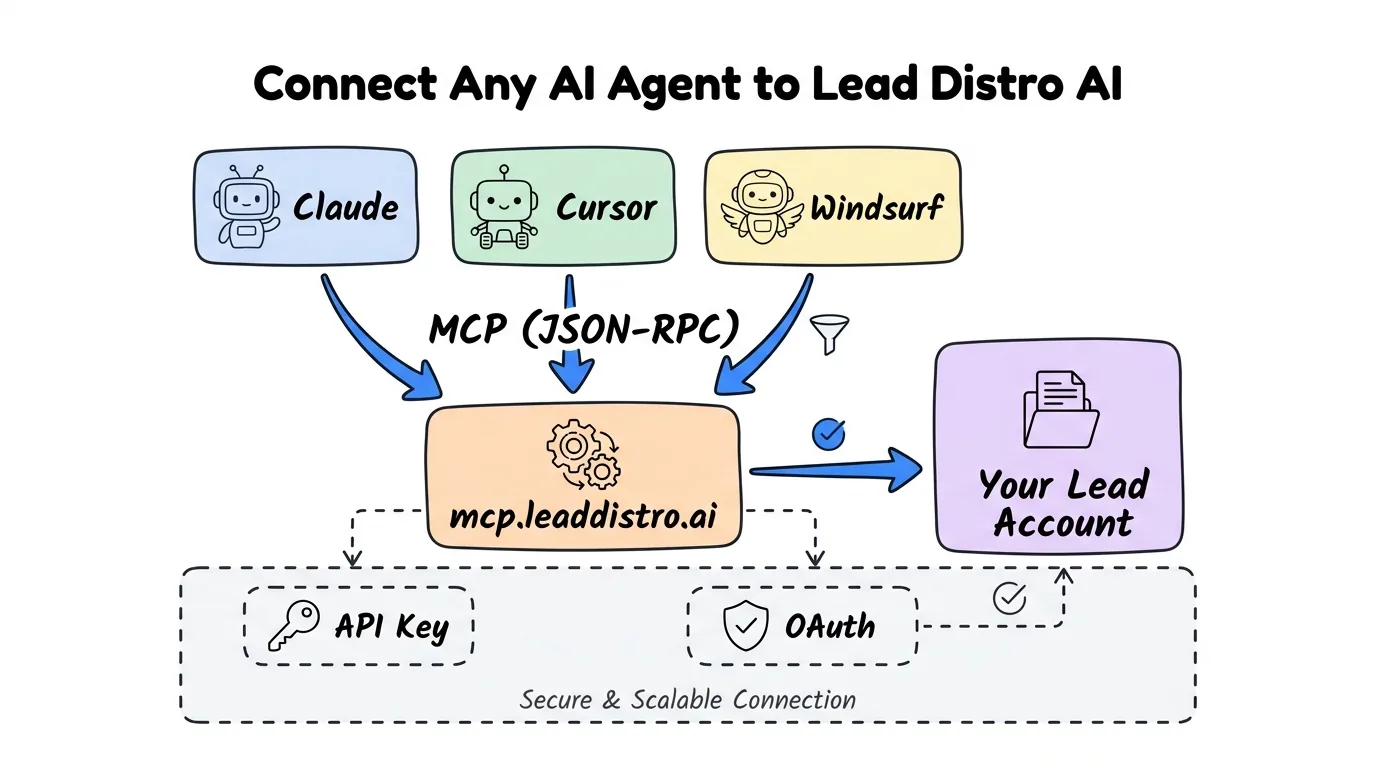
The Lead Distro AI MCP server exposes 31 tools that any MCP-compatible agent can call, and it works with Claude Code, Claude Desktop, Cursor, and Windsurf. This guide walks through a complete ping post automation workflow end to end: connect the server, build a ping-post campaign, configure Priority routing across buyers, set caps and inbound filters, run a test lead, then monitor and tune. Every tool and capability referenced here matches what the Lead Distro AI MCP server actually ships today.
Key Takeaways
- Claude does not run your ping-post engine; it operates the controls. You type instructions, Claude calls Lead Distro AI MCP tools, and the platform routes leads in real time.
- Setup is one connection step. Add the MCP server with an API key or keyless OAuth, then start issuing natural-language commands; no integration code is required.
- You can build and adjust whole campaigns by typing.
create_campaign,configure_ping_post,set_buyer_ping, andupdate_inbound_filtersare all reachable through conversation. - MCP is faster to iterate than a Zapier or webhook chain because the agent calls the platform directly instead of stringing together middleware steps you have to maintain.
- The agent cannot touch billing or submit real production leads. It manages distribution logic only;
send_test_leadfires synthetic leads to verify routing. - It works on the 7-day free trial (credit card required to start), so you can test the whole workflow before committing.
What You Can Automate with Claude and Lead Distro AI
Ping-post is a real-time auction: a lead vendor sends a stripped-down "ping" with non-identifying fields, eligible buyers bid, the winner is chosen, and only then does the full "post" with contact details go to that buyer. Automating it well means configuring the auction rules correctly and watching the accepted-versus-rejected numbers closely. With Claude connected to Lead Distro AI, every one of those control surfaces becomes a sentence you can type.
The table below maps common ping-post tasks to the MCP tool Claude calls. These are the real tool names from the server, grouped by permission scope.
| What you want to automate | Plain-English command to Claude | MCP tool called | Scope |
|---|---|---|---|
| Create a ping-post campaign | "Create a ping-post campaign for auto insurance leads" | create_campaign, configure_ping_post | campaigns:write |
| Add buyers to the auction | "Add Buyer A, B, and C to that campaign" | create_buyer, add_buyer_to_campaign | campaigns:write |
| Set each buyer's bid behavior | "Set Buyer A to bid up to 28 dollars" | set_buyer_ping | campaigns:write |
| Set daily caps | "Cap each buyer at 200 leads per day" | update_buyer, update_campaign | campaigns:write |
| Set acceptance rules | "Reject leads outside California, Texas, and Florida" | update_inbound_filters | campaigns:write |
| Verify routing before launch | "Send a test lead through this campaign" | send_test_lead | leads:write |
| Monitor accepted vs rejected | "Show me accepted versus rejected leads today" | get_lead_breakdown | read |
| Pull per-buyer profit | "What is my profit per buyer this week?" | get_campaign_performance | read |
Step 1: Connect Claude to the Lead Distro AI MCP Server
The Model Context Protocol (MCP) is an open standard that lets an AI client call software tools through one consistent interface. Anthropic introduced and open-sourced MCP in November 2024 as "a new standard for connecting AI assistants to the systems where data lives." The protocol is now supported across Claude, ChatGPT, VS Code, and Cursor, so a server built once works in every compliant client.
To connect, generate an API key from Settings then API Keys in your Lead Distro AI dashboard and scope it to campaigns:write so the agent can build and manage campaigns. Register the server with Claude Code in one command, or use keyless OAuth, which opens a Lead Distro AI consent screen in your browser so no key is stored on your machine.
# Keyless OAuth (recommended for Claude Code)
claude mcp add leaddistro --auth oauth
Restart Claude, then confirm the link by asking "List my campaigns." If Claude returns your live campaign list, you are ready to automate. Full setup details for Claude Desktop, Cursor, and Windsurf live in the Lead Distro AI MCP server guide and the platform documentation.
Step 2: Build a Ping-Post Campaign by Typing
With the connection live, describe the campaign you want. Say: "Create a ping-post campaign called Auto Insurance Q3, enable ping-post routing, and set the routing mode to Priority so the highest-tier buyer gets first refusal." Claude calls create_campaign to make the campaign, then configure_ping_post to turn on the real-time auction, and shows you the configuration before it saves.
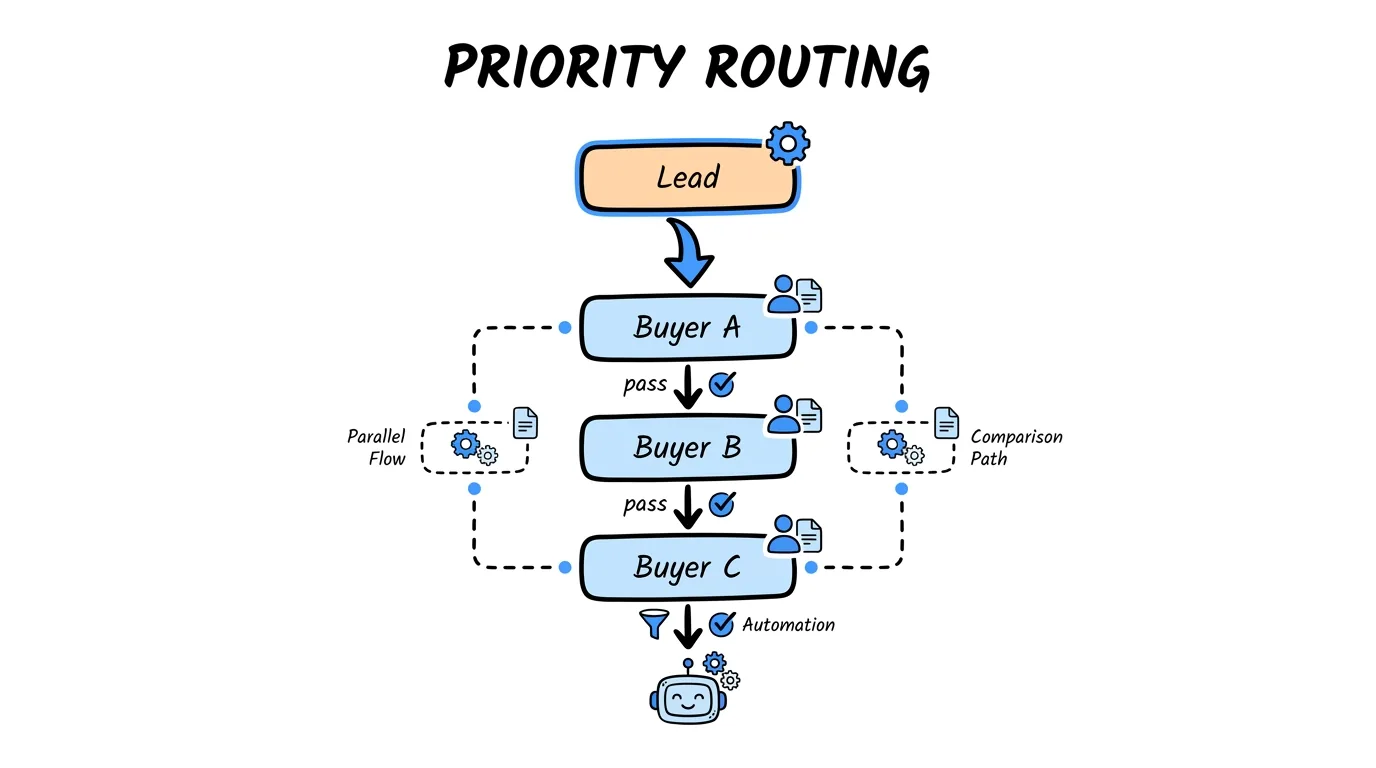
Priority routing, sometimes called Waterfall, offers each lead to your ranked buyers in order until one accepts. Lead Distro AI supports four distribution methods in total: Round Robin, Weighted, Priority/Waterfall, and Ping-Post. For ping-post specifically you are running a live bid, so the auction logic sits on top of whichever routing order you choose. If you want a refresher on the underlying engine before automating it, read how a ping post system works, see the ping-post feature overview, and browse our roundup of the best ping-post platforms. Once routing is automated, the next step is analysis: see how to use Claude to analyze lead source performance for the read-only reporting workflow, and call tracking for agencies for the call data that feeds it. Claude can reference the same concepts and configure them on command.
Step 3: Configure Routing, Buyers, and Bids
Now add the buyers and set the auction behavior. Tell Claude: "Add three buyers to Auto Insurance Q3. Buyer A bids up to 28 dollars with webhook delivery, Buyer B up to 24 dollars with email delivery, and Buyer C up to 20 dollars with GoHighLevel delivery. Rank them A, then B, then C for Priority routing."
Claude sequences the calls in order: create_buyer and add_buyer_to_campaign to attach each buyer, set_buyer_delivery to wire up how each one receives leads, and set_buyer_ping to set each buyer's bidding behavior in the auction. Because Priority routing is ranked, Buyer A sees every qualifying lead first and only passes it down the waterfall when it declines or is capped out.
You: Set Buyer A to bid up to 28 dollars and only on California, Texas,
     and Florida auto leads.
Claude: I'll call set_buyer_ping for Buyer A (max bid 28.00) and add a
     geo condition for CA, TX, FL. Here's the config before I save it...
This is the core of ping post automation: you express intent in one sentence, and the agent translates it into the exact sequence of tool calls. For the broader pattern of lead distribution software built for AI agents, the same conversational model extends across every routing type, not just ping-post.
Step 4: Set Caps, Inbound Filters, and a Test Lead
Caps and acceptance rules protect both your margins and your buyers. Tell Claude: "Cap each buyer at 200 accepted leads per day, and reject any lead outside California, Texas, or Florida." Claude calls update_buyer to set the per-buyer caps and update_inbound_filters to set the rules that accept or reject incoming leads before they ever hit the auction. Inbound filters are where you encode geography, duplicate detection, and lead-spec requirements so junk never reaches your buyers.
Before going live, always verify the wiring. Say: "Send a test lead through Auto Insurance Q3." Claude calls send_test_lead, which fires a synthetic lead through the full pipeline so you can confirm the routing, the winning bid, and the delivery method all behave correctly. The send_test_lead tool only sends synthetic leads; real production leads are submitted through the Lead Distro AI API, not the MCP server. Once the test confirms the path end to end, you can see Lead Distro AI in action on the product tour or flip the campaign live.
Step 5: Monitor Accepted vs Rejected and Adjust
Automation does not stop at launch. The highest-leverage use of Claude in ping-post is the daily tuning loop. Each morning, ask: "Show me accepted versus rejected leads across Auto Insurance Q3 yesterday, broken down by buyer, and which buyer had the lowest accept rate." Claude calls get_lead_breakdown for the accept-versus-reject split and get_campaign_performance for the per-buyer profit, then returns a plain-language summary you can act on in seconds.
If Buyer C is rejecting 60 percent of what it sees, you do not log in and dig through screens. You say "Lower Buyer C's daily cap to 100 and raise its minimum bid threshold," and Claude calls update_buyer and set_buyer_ping to make the change. This tight observe-then-adjust loop, run entirely in conversation, is what turns a static ping-post setup into a system you actively manage. As MCP's maintainers put it in the protocol architecture documentation, an MCP-connected agent operates on real, live data rather than static training knowledge, so every number Claude reports is your account's actual performance.
Claude MCP vs Manual vs Zapier for Ping-Post
Plenty of teams automate ping-post with webhook chains or a Zapier-style middleware tool. Those approaches work, but they add a layer you have to build and maintain. The comparison below shows where each method fits.
| Capability | Manual dashboard | Zapier / webhook chain | Claude + Lead Distro AI MCP |
|---|---|---|---|
| Setup effort | None, but slow per task | Build and maintain each Zap or endpoint | One connection, then plain English |
| Build a new campaign | Click through menus | Not designed for config changes | "Create a ping-post campaign..." |
| Adjust bids and caps live | Manual edits | Rebuild the automation | "Lower Buyer C's cap to 100" |
| Read live performance | Pull reports manually | Pipe data to a sheet, then read it | "Show accepted vs rejected today" |
| Who maintains the logic | You | You, plus the middleware | The platform; you just talk to it |
Manual control is fine for a single campaign you rarely touch. Webhook and Zapier flows are strong for fixed, repetitive event handling. MCP wins when you are constantly building, adjusting, and reading, which is exactly what active ping-post operations require. For technical teams that still want programmatic posting, the ping post API integration guide covers the REST path that complements this agent-driven one.
"The point of an MCP server is that the agent acts on your live system, not a stale snapshot. For ping-post operators, that means the same model that explains a concept can also reconfigure a buyer's bid and then read back the result," says Rafael Hernandez, Founder and CEO of Lead Distro AI.
You can run this entire workflow on the 7-day free trial. Start your free trial to connect Claude and build your first automated ping-post campaign; a credit card is required to start, and you can cancel anytime during the 7 days.
Frequently Asked Questions
Can I use ChatGPT for ping-post automation instead of Claude?
The Lead Distro AI MCP server works with any client that implements the Model Context Protocol. As of June 2026, MCP support ships in Claude Code, Claude Desktop, Cursor, and Windsurf. ChatGPT does not yet support MCP natively, so the workflow in this guide is built around Claude today. Any client that adds MCP support will work with the same server with no changes on our end.
Is MCP automation faster than building webhooks?
For iterating on campaigns, yes. A webhook or Zapier chain has to be built and maintained for each behavior you want, and changing the logic means rebuilding the flow. With MCP, the agent calls the platform directly, so creating a campaign, adjusting a bid, or reading performance is a single sentence. Webhooks remain the right tool for fixed, high-volume event handling that runs untouched.
Do I need to write code to automate ping-post with Claude?
No. After the one-time connection step, every action is a natural-language command that Claude translates into MCP tool calls. You do not write integration code, and you do not edit JSON configs by hand. Claude shows you the configuration it built before saving, so you review rather than author. Setup itself takes a single command using keyless OAuth.
How does Claude decide which buyer gets the lead?
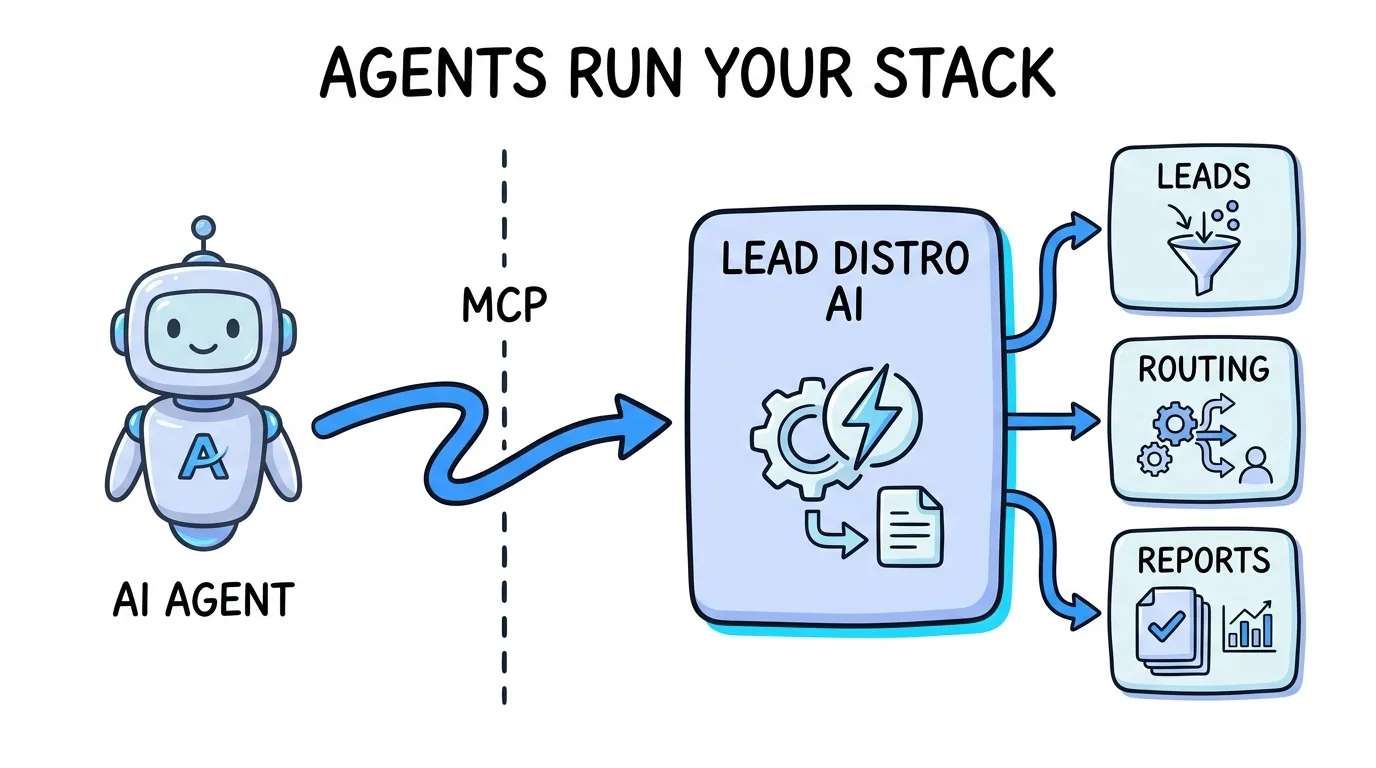
Claude does not decide the auction outcome; Lead Distro AI does. Claude configures the rules you describe, such as Priority/Waterfall order, per-buyer caps, bid limits, and inbound filters. At lead time the platform runs the real-time ping-post auction against those rules and routes to the winning buyer. Claude then reports the results back to you on request.
What does the Lead Distro AI MCP server actually do?
It exposes 31 tools, grouped into read, campaigns:write, and leads:write scopes, that let an MCP-compatible agent read your analytics and manage your campaigns through natural language. It connects via API key or keyless OAuth and works with Claude Code, Claude Desktop, Cursor, and Windsurf. Billing and payment data are excluded from every scope, and real production leads cannot be submitted through it.
Conclusion
Ping-post automation with Claude is not about replacing your distribution engine; it is about operating it by conversation. You connect the Lead Distro AI MCP server once, then build campaigns, set Priority routing across buyers, cap volume, encode acceptance rules, test the path, and tune the accept-versus-reject loop, all by typing what you want. The platform runs the real-time auction; Claude works the controls and reports from your live numbers.
The fastest way to feel the difference is to try it on a real campaign. Start your 7-day free trial, generate an API key, connect Claude, and automate your first ping-post campaign in a single conversation. Credit card required to start.
Ready to automate ping-post with Claude? Start your 7-day free trial, get your API key from Settings, and connect any MCP-compatible agent. Credit card required.
About the Author
Founder & CEO of Lead Distro AI & Great Marketing AI
UC Berkeley graduate and former software engineer at Microsoft. Rafael built Lead Distro AI after managing over $10M in ad spend for performance marketing agencies (pay-per-lead and pay-per-call), including running campaigns for Neil Patel. He combines deep software engineering expertise with hands-on performance marketing experience to build tools that help these agencies scale profitably.
About Lead Distro AI
Lead Distro AI: AI-Powered Lead Distribution & Call Tracking That Maximizes ROI
The modern platform for pay-per-lead and pay-per-call agencies. Route, score, and deliver leads with AI-powered automation and real-time P&L tracking. Built for performance marketing agencies and lead buyers across legal, insurance, mortgage, solar, and home services verticals.
4 Distribution Methods
Waterfall, Round Robin, Weighted, Ping-Post
Ping-Post Auctions
Real-time bidding with sub-second routing
Real-Time P&L Reporting
Track revenue, costs, and profit per campaign
Call Tracking
Assign tracking numbers, record calls, and attribute conversions
AI Lead Scoring
Score every lead before routing to maximize conversion
Partner Portal
Self-serve dashboard for buyers to track leads