Call Capping for Pay-Per-Call: Cap Types and Setup Guide
Call capping for pay-per-call explained: daily, weekly, monthly, total and concurrency caps, what happens to a call over cap, and how to size each one.

Rafael Hernandez
Founder & CEO
Ex-Microsoft SWE · $10M+ PPL ad spend
I hope you enjoy reading this blog post. If you want to try Lead Distro AI for free, click here.
Author: Rafael Hernandez | Founder & CEO of Lead Distro AI
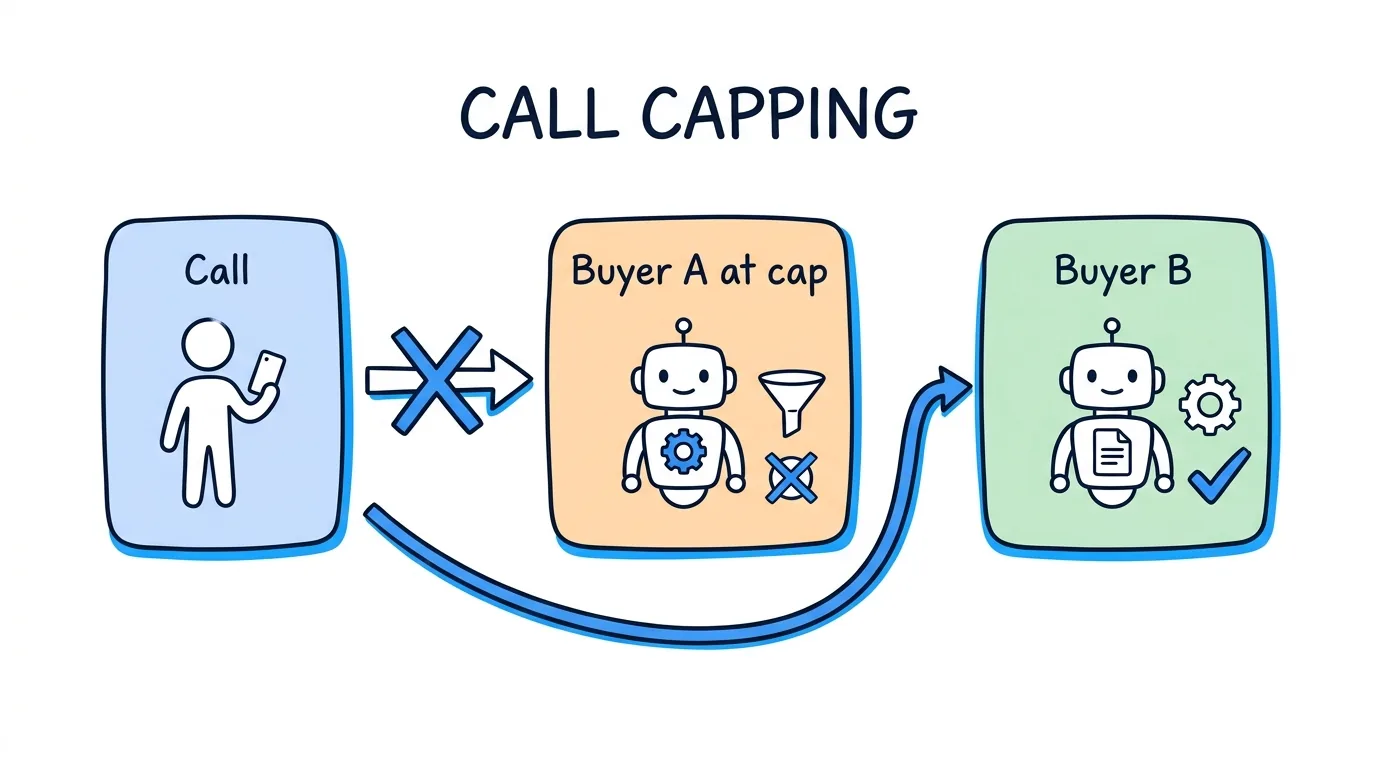
Call capping in pay-per-call is a limit on how many calls a buyer receives in a set window: a day, a week, a month, a lifetime total, or the same moment. When a buyer reaches a cap, the routing platform stops sending that buyer calls and moves to the next eligible buyer instead.
This guide is written for pay-per-call operators and call-tracking users who sell calls to buyers. It is not about medical "cold capping." If you are new to the model, start with what pay-per-call is, then come back here to set limits that protect your buyers and your margin. Each call cap below is one setting on one buyer. The right number depends on how many people answer the phone and what the buyer contracted to purchase.
Key Takeaways
- A call cap limits how many calls one buyer receives. It is set per buyer, so each buyer's real capacity decides the number.
- There are five common cap types. Daily, weekly, monthly, total (lifetime) and concurrency (calls at the same time).
- In Lead Distro AI, a buyer at cap is skipped. The call goes to the next eligible buyer. If none is left, the caller reaches voicemail or a fallback message.
- Size caps from staffing and contract, not guesses. Concurrency should match the people answering. Period caps should match what the buyer agreed to purchase.
- Static caps strain in seasonal verticals. Review them before demand surges, and see the HVAC and roofing guides for the detail.
What Call Capping Is and the Five Cap Types
Call capping is the capacity control of pay-per-call. Ringba, a pay-per-call platform, defines it this way: "Capping or Caps, short for 'Capacity', is the amount of call traffic a buyer is willing to accept." Ringba adds that buyers often limit purchases daily, weekly or monthly, and that calls sent past that limit go unpaid. That last point is why call caps matter to the seller: a call over a buyer's limit is a call you may not get paid for.
Nimbata, another call-tracking vendor, describes the same idea on its call capping page: limits can apply to each phone number, buyer or location, and once the cap is reached, extra calls are paused or redirected.
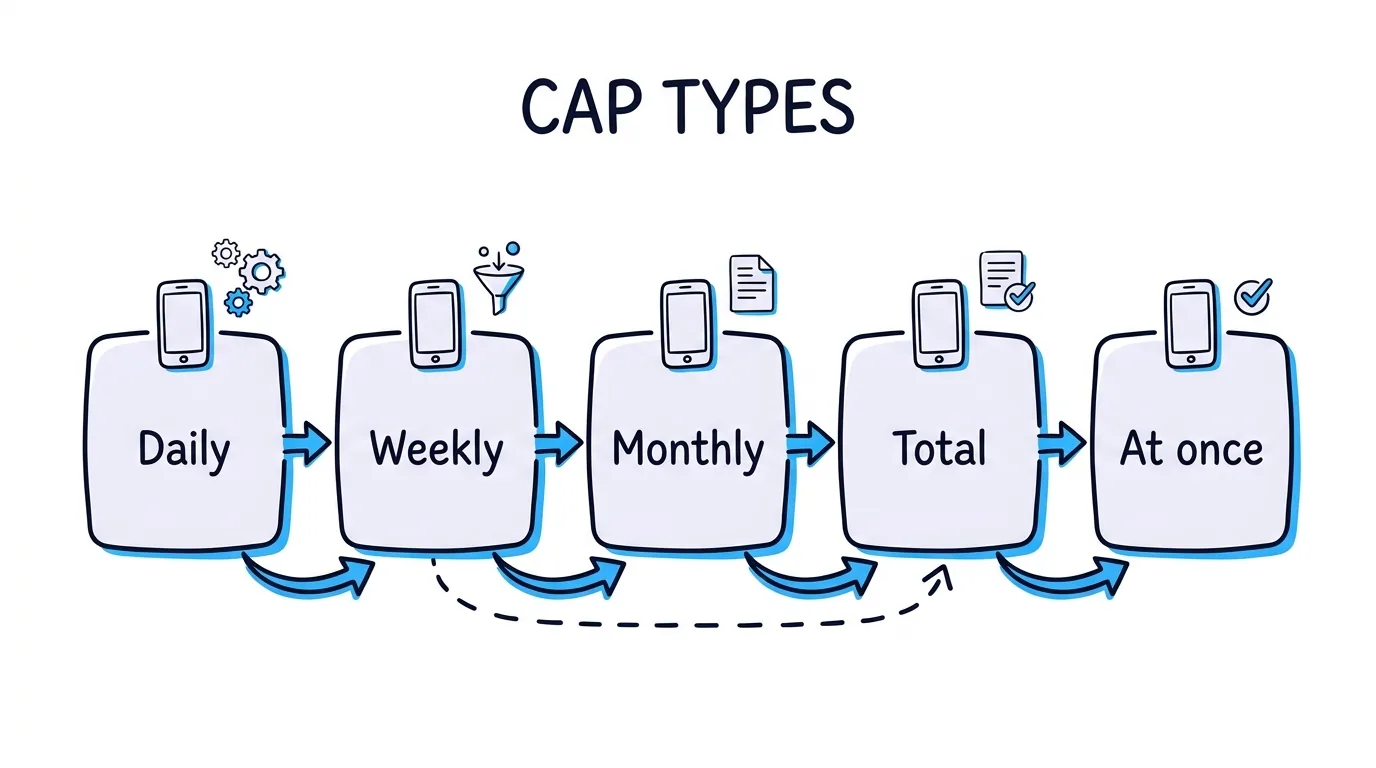
Most platforms offer the same five types. Retreaver's buyer caps guide lists concurrency, hard (total), daily and monthly caps, plus an hourly cap. In Lead Distro AI, each buyer on a call campaign can carry these:
| Cap type | What it limits | Best used for | Resets |
|---|---|---|---|
| Daily | Calls in one day | Matching a buyer's daily staffing | Each day |
| Weekly | Calls in one week | Smoothing a weekly allotment | Each week |
| Monthly | Calls in one month | Enforcing a monthly purchase order | Each month |
| Total | Lifetime calls | Trials, test orders, fixed-volume deals | Does not reset on its own |
| Concurrency | Calls live at the same moment | Matching the number of people answering | Frees up when a call ends |
You can stack them on one buyer. A buyer might take at most 40 calls a day and 600 a month, and never more than four calls at once. Whichever limit is hit first takes that buyer out of the running for the call. Some platforms also offer an hourly cap, but this guide covers only the five above.
What Happens to a Call When the Buyer Is at Cap
When a buyer is at cap, Lead Distro AI leaves that buyer out of the ring tree for the call. The platform checks every buyer's limits before it decides who to ring, so an over-cap buyer's phone never rings. The call goes to the next eligible buyer, in the order your routing method sets: priority, weighted or round robin.
Retreaver describes the same behavior: once a cap is reached, "the Buyer is automatically skipped during call routing until the cap resets or is manually cleared." Skipping a capped buyer keeps a full call center from being flooded.
Three outcomes are possible for each inbound call:
- Another buyer is eligible. The call rings that buyer. This is the normal overflow path that makes call routing software useful.
- No buyer is eligible, and voicemail is on. The caller can leave a message, and the call is logged as non-billable.
- No buyer is eligible, and voicemail is off. The caller hears the campaign's fallback message, and the call is logged as non-billable with a reason such as every buyer being at cap or at their concurrency limit.
Two details help when you debug. The total cap is a live count of billable calls, so a refunded call frees a slot. And the concurrency cap counts calls that are ringing or in progress for that buyer, so the slot opens the moment a call ends. For the full setup screens, the call tracking feature page shows where buyers, ring trees and limits live.
How to Size Call Caps: Staffing, Contract, Concurrency
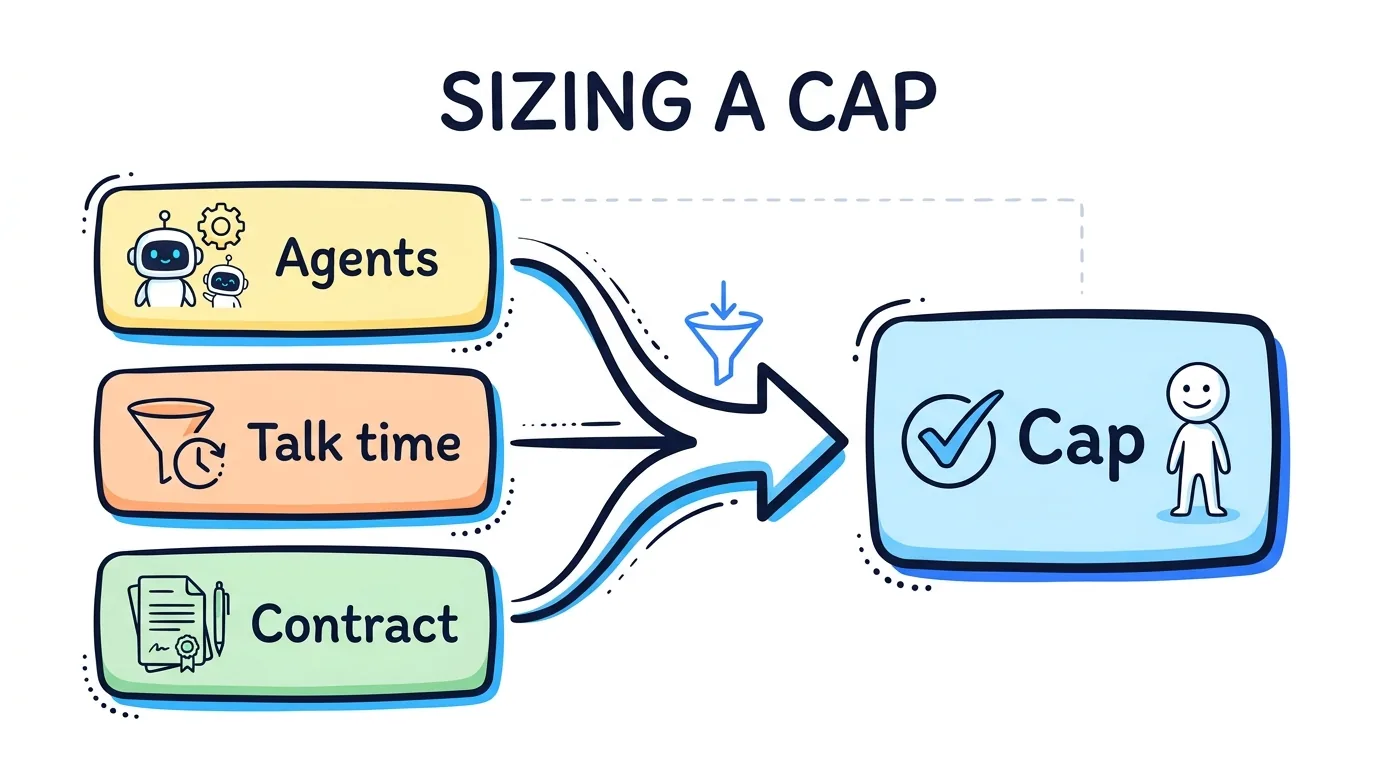
Set each cap from the buyer's real constraint. Three inputs cover almost every deal: how many people answer, how long they stay on a call, and what the buyer agreed to purchase.
Concurrency follows headcount. If a buyer has five intake agents on the phones, a concurrency cap of five is the ceiling. Ringba explains that concurrency caps let routing detect when all agents in a buyer's call center are busy and reroute calls to a buyer who can take them. A sixth simultaneous call to a five-agent team is a lost call and an angry buyer.
Daily caps follow talk time. Here is a simple planning formula, with illustrative numbers. Take agents on the phones, multiply by productive talk minutes per agent per day, and divide by average minutes per call. Five agents with 300 productive minutes each is 1,500 minutes. At six minutes per call, that is about 250 calls a day at most. Cap below that, because no team runs at full utilization all day.
Monthly and total caps follow the contract. If a buyer purchased 3,000 calls for the month, set a monthly cap of 3,000. Add a weekly cap near a quarter of that so the buyer does not burn the whole order in the first week. Use a total cap for a trial or a fixed test order.
Why Static Call Caps Fail in Seasonal Verticals
A cap you set once and forget works only when demand is flat. In verticals with sharp peaks, a fixed call cap either strands good calls or sends a buyer more than the team can handle. The detail depends on the trade, so each vertical has its own guide: see pay-per-call for HVAC for heat and cold snaps, and pay-per-call for roofing for storm-driven surges.
The rule is the same everywhere. Review caps before a known peak and ask the buyer how many agents they will staff.
Call Capping Setup Checklist
Use this list when you add a buyer to a pay-per-call campaign. Lead Distro AI offers a guided product tour if you want to see the buyer settings first.
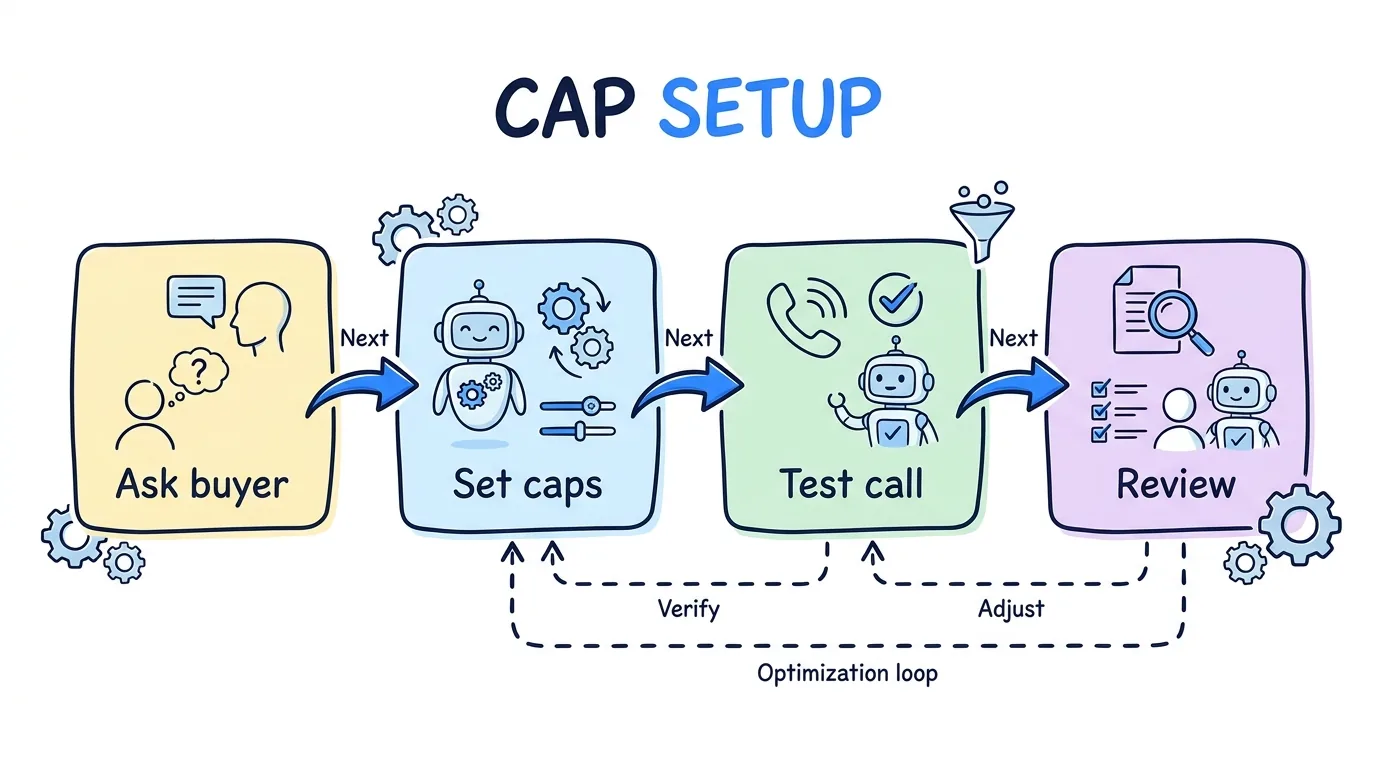
- Ask the buyer how many agents answer at once. Set the concurrency cap to that number or one lower.
- Estimate daily capacity with the talk-time formula above, then cap below the result.
- Copy the contract into the monthly cap. Add a weekly cap to pace a large order.
- Use a total cap for trials and test orders. The buyer cannot exceed the agreed volume.
- Check the routing order, so overflow lands on the buyer you prefer.
- Turn on voicemail or write a fallback message. A caller should never hear silence when every buyer is full.
- Place a test call and check the call log to confirm which buyer was skipped and why.
- Review caps every month, and before any seasonal peak.
FAQ
What is call capping in pay-per-call?
Call capping is a limit on how many calls a buyer receives in a set window, such as per day, week or month, or at the same time. When a buyer reaches the limit, the routing platform stops sending calls to that buyer and sends them to the next eligible buyer. It protects buyers from being flooded, and it protects sellers from sending calls that nobody will pay for. Caps are set per buyer, so each buyer's own staffing and purchase order decide the numbers.
What is the difference between a call cap and a concurrency cap?
A call cap counts how many calls a buyer gets over a period, such as a day or a month. A concurrency cap counts how many calls a buyer can have live at the same moment. A buyer with five agents might take 250 calls a day but only five at once. You usually set both, because a team can be well under its daily number and still have every agent on a call right now. The daily cap controls volume over time. The concurrency cap controls the moment.
What happens to a call when the buyer is at cap?
In Lead Distro AI, a buyer at cap is left out of the ring tree for that call, so their phone does not ring. The call goes to the next eligible buyer in your routing order. If no buyer is eligible, the caller reaches voicemail if it is on, or a fallback message if it is not, and the call is logged as non-billable. The call log records why the buyer was skipped, so you can see whether it was a daily, weekly, monthly, total or concurrency limit.
How do I set a daily call cap for a buyer?
Start with the buyer's staffing. Multiply the agents on the phones by productive talk minutes per agent, divide by average minutes per call, and cap below that result. Then confirm the number with the buyer. If the buyer purchased a monthly volume, divide it by the days they take calls. Adjust after the first week using real call logs, and raise the cap only when the buyer confirms they can take more.
Does a total cap ever reset?
A total cap is a lifetime limit, so it does not reset on a schedule the way daily, weekly and monthly caps do. Retreaver's guide describes its hard cap the same way: it does not reset automatically and must be cleared by hand. In Lead Distro AI the total cap is a live count of billable calls, so a refunded call frees a slot. Use it for trials, test orders and fixed-volume deals where the buyer should never exceed the agreed amount.
Should I use call caps if I only have one buyer?
Yes, the concurrency cap and the daily cap still help. With one buyer there is no overflow target, so a call over the limit reaches voicemail or a fallback message instead of another buyer. A cap that matches the buyer's staffing keeps their team from missing calls, which protects acceptance rates and the account. Add a second buyer later and the same caps start routing overflow to that buyer with no other changes.
Conclusion
Call capping is how a pay-per-call operator matches supply to what each buyer can actually answer and has actually purchased. Set concurrency from headcount, daily caps from talk time, and monthly and total caps from the contract. Then check the call log to see which buyer was skipped and why. Pair this guide with call tracking software for pay-per-call agencies when you compare platforms.
Ready to set caps on your own buyers? Start your 7-day free trial. A credit card is required, and you can cancel any time during the 7 days without being charged. Call tracking is usage-based, with plans from $147 per month for Call Tracking Only, plus per-number and per-minute fees.
About the Author
Founder & CEO of Lead Distro AI & Great Marketing AI
UC Berkeley graduate and former software engineer at Microsoft. Rafael built Lead Distro AI after managing over $10M in ad spend for performance marketing agencies (pay-per-lead and pay-per-call), including running campaigns for Neil Patel. He combines deep software engineering expertise with hands-on performance marketing experience to build tools that help these agencies scale profitably.
About Lead Distro AI
Capture, Route, and Sell Every Lead, Call, and Appointment
Capture, route, and sell leads, calls, and appointments from one platform, with funnels, call tracking, ping-post, and billing built in. Set it all up in minutes by chatting with AI.
Funnels
Quiz, form, appointment, VSL, and webinar templates
Call Tracking
Tracking numbers, call recordings, and per-call billing
4 Distribution Methods
Priority/Waterfall, Round Robin, Weighted, Ping-Post
Ping-Post and Live Bidding
Sell each lead and call to the highest bid
Real-Time P&L
Revenue, cost, and profit per campaign
Partner Portal
Your Destinations see their own leads and results