Quiz Funnel: How to Build a Lead Capture Quiz That Sells
A quiz funnel turns a few qualifying questions into a lead buyers will pay for. Learn how to build a lead capture quiz funnel step by step, with real examples.

Rafael Hernandez
Founder & CEO
Ex-Microsoft SWE · $10M+ PPL ad spend
I hope you enjoy reading this blog post. If you want to try Lead Distro AI for free, click here.
Author: Rafael Hernandez | Founder & CEO of Lead Distro AI
To build a lead capture quiz funnel, write 4 to 7 qualifying questions shown one per screen, branch away visitors who do not qualify, ask for contact details last, verify the phone number, and send every finished lead straight to a buyer or your CRM. It works because each answer qualifies the visitor before you pay to deliver them.
Most guides on this topic assume the lead is for you: collect an email, show a personality result, start a nurture sequence. That is fine for a course creator. If you sell leads to law firms, insurance agents, or lenders, the quiz has a second job. Every answer has to become a lead field your buyer filters on, and every lead has to be clean enough that the buyer does not return it. This guide covers both jobs, with quiz funnel examples from the insurance, legal, and financial verticals our customers run most.
Key Takeaways
- A quiz funnel is a multi-step form that feels like a quiz. It asks one question per screen, qualifies the visitor as they go, and collects contact details at the end.
- Keep it to 4 to 7 questions. Each question should either qualify the lead or set its price. Anything else is drop-off with no payoff.
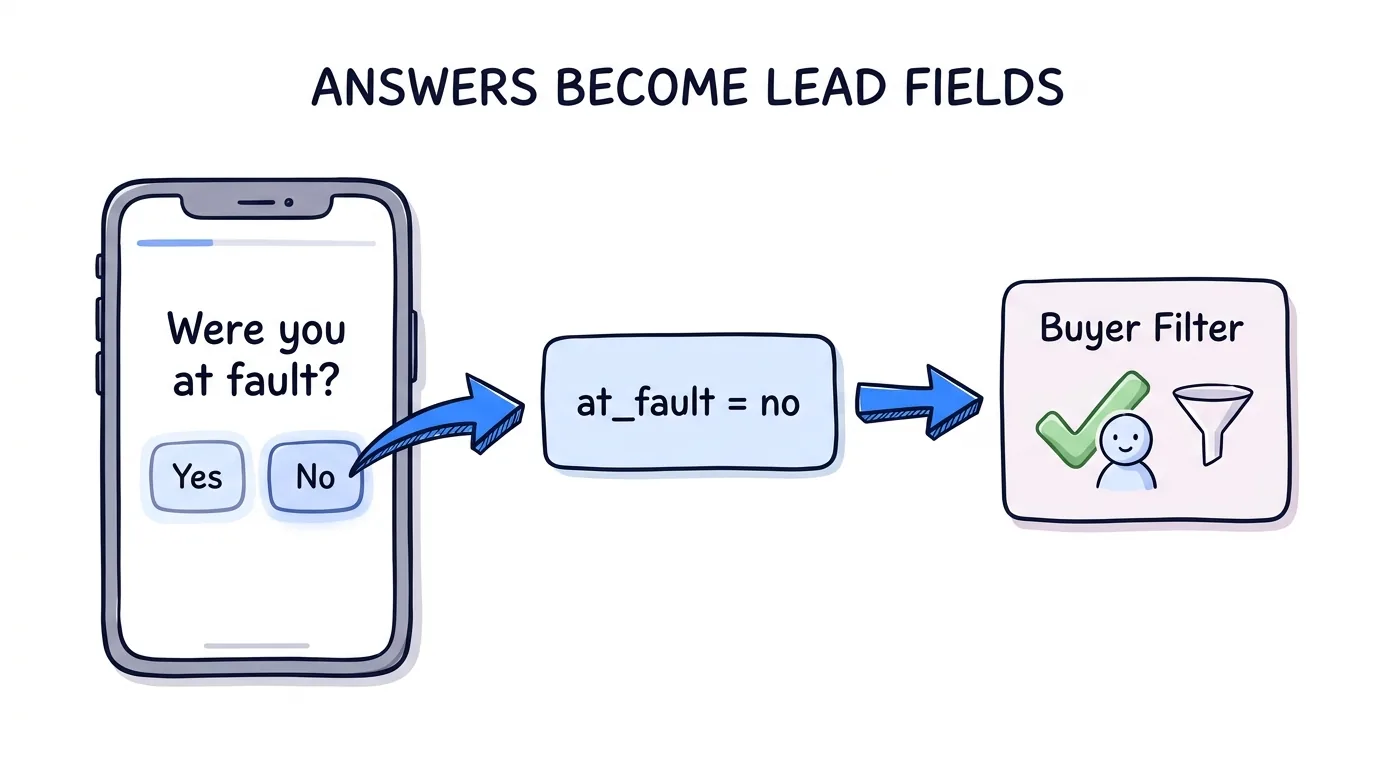
- Map every answer to a lead field. When a buyer filters on "at fault: no" or "has an attorney: no", the quiz answer is what makes that filter work.
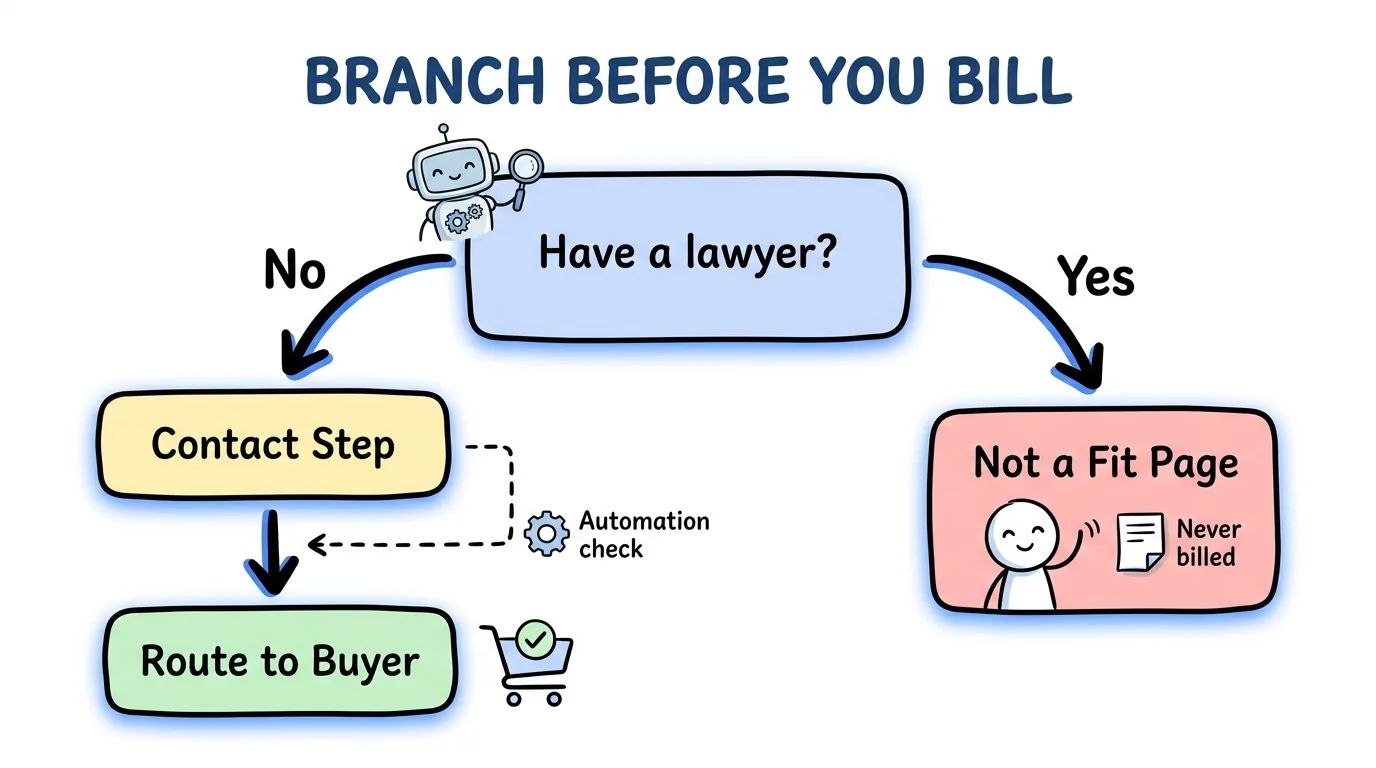
- Disqualify on the page, not after delivery. Branching logic sends wrong-fit visitors to a polite dead end, so they are never billed or returned.
- Verify before you sell. Phone verification by text and a TrustedForm certificate on the submit protect both the buyer and your margin.
What Is a Quiz Funnel?
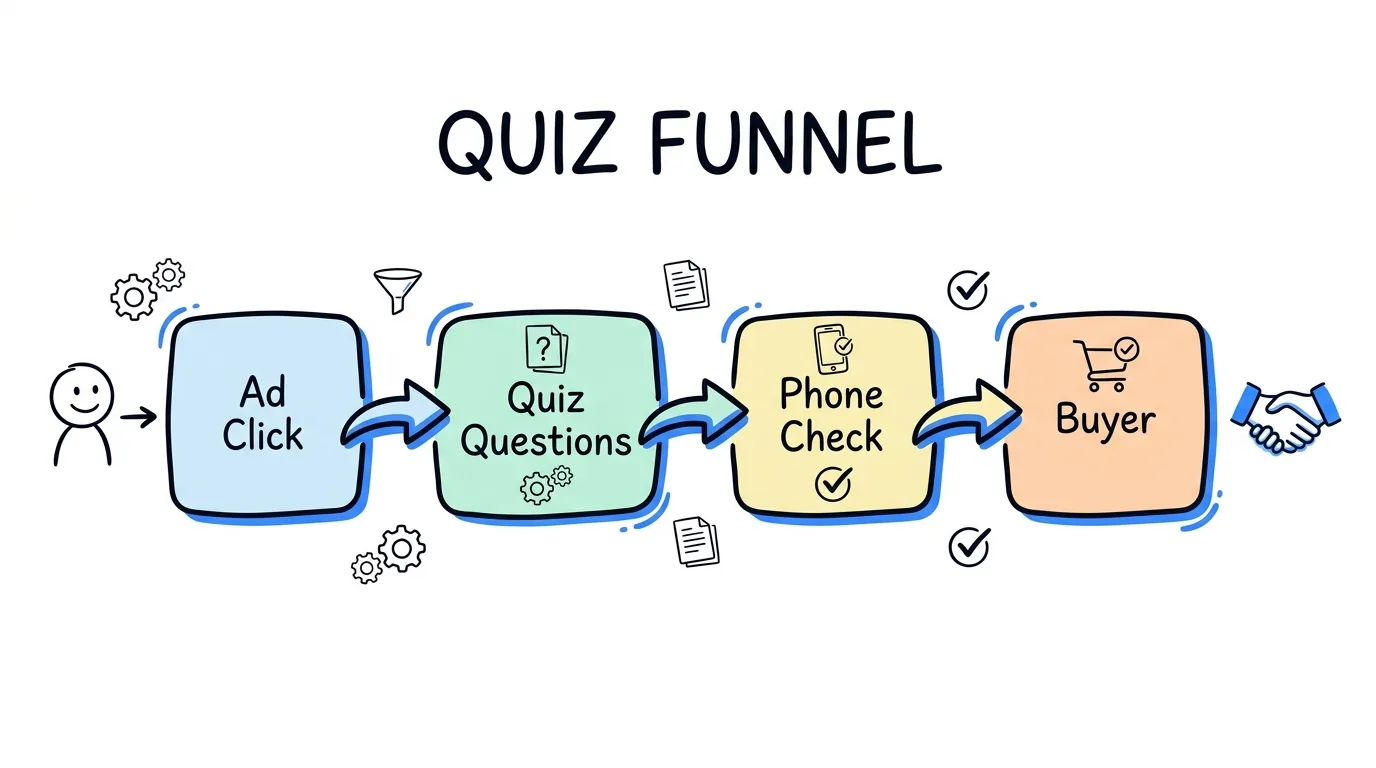
A quiz funnel is a lead capture flow that presents qualifying questions as a short, interactive quiz instead of a long form. The visitor answers one question at a time, sees a progress bar move, and gives their name and phone number only after they have invested a few clicks. A survey funnel is the same idea with a research framing ("help us understand your situation") rather than a quiz framing ("see if you qualify").
The format is a version of what UX researchers call a wizard. The Nielsen Norman Group defines a wizard as a step-by-step process in which later steps may depend on information entered in earlier ones. That dependency is the whole point. A personal injury quiz can skip the injury questions for someone who was at fault, and a Medicare quiz can end early for someone who is not yet eligible.
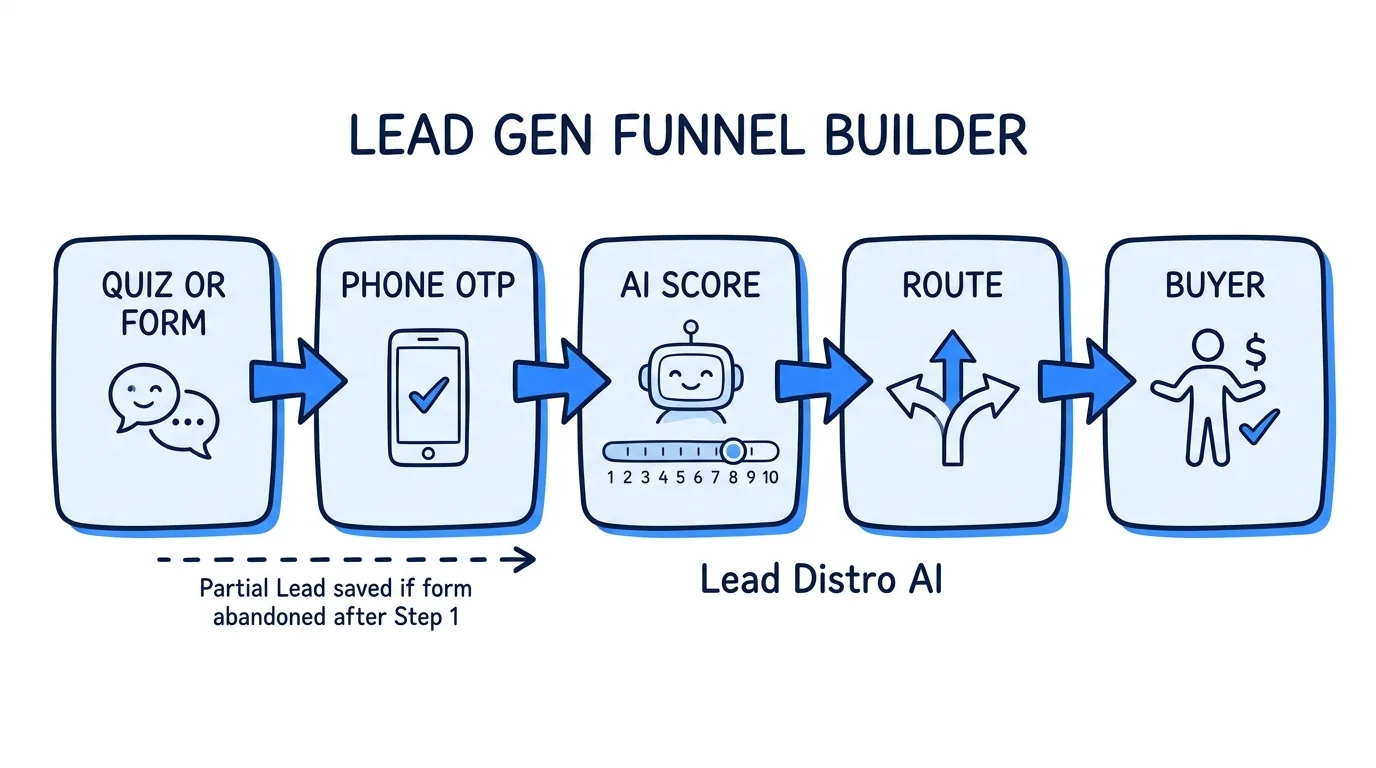
For a lead seller, the quiz is the front door of the business. It decides who becomes inventory, what that inventory is worth, and which buyer can accept it. Our lead generation funnel builder guide covers the wider category of forms, chat funnels, and quizzes; this post goes deep on the quiz format.
Why Quiz Funnels Outperform a Single Long Form
A long form shows the visitor every field at once, and the visitor judges the effort before typing anything. The Baymard Institute, after more than ten years of checkout research, found that what matters most is the number of form fields users must consider, not the number of pages they are split across. A quiz lowers the fields a visitor considers at any moment to one.
The same principle shows up in the Nielsen Norman Group's work on progressive disclosure: show the important options first and defer the rest. In lead generation that means asking the easy, engaging question first ("What type of accident were you in?") and the sensitive one last (your phone number).
There is also a qualification benefit that a long form cannot match. A visitor who answers five questions about their situation has self-selected. When the answers say they are a fit, the lead is warmer, and when they say otherwise, you find out before you pay to deliver it.
The Anatomy of a Quiz Funnel That Sells Leads
A quiz funnel built for selling leads has five parts, and every question earns its place by doing one of two jobs: qualifying the visitor or setting the lead's price.
- The hook question. Low effort, high relevance, no personal data. "What type of accident were you in?" or "What kind of coverage are you shopping for?"
- Qualifying questions. The answers your buyers filter on: fault, injury, treatment, age, homeownership, state. These decide whether the lead is sellable at all.
- Pricing questions. Answers that change what a buyer will pay, such as coverage amount, loan size, or how recently the accident happened.
- The contact step. Name, phone, email, and zip, with consent language written next to the submit button.
- The result or thank-you page. Tells the visitor what happens next, which reduces the "who is calling me?" confusion that leads to returns.
The step most quiz guides skip is the mapping. If your buyer's integration expects a field called at_fault with the values yes or no, your quiz question has to write exactly that. Wording the answer "No, the other driver hit me" for the visitor is fine, as long as the stored value stays no.
How to Build a Lead Capture Quiz Funnel, Step by Step
Step 1: Start from your buyer's requirements
Before writing a single question, list what your buyers filter on and what they refuse. That list lives in your insertion orders and in the lead acceptance criteria your buyers set. Each filter becomes a question, and each refusal becomes a disqualifying branch.
Step 2: Write 4 to 7 questions, one per screen
Order them from easiest to most personal. Use buttons instead of typed answers wherever you can, since a tap is faster than typing, especially for visitors arriving from a Meta or TikTok ad on their phone. Put the zip code early if your buyers serve specific areas, so you can gate on it before asking anything else.
Step 3: Add branching and a polite dead end
Branching logic decides what comes next from each answer. A visitor who already has an attorney, lives outside every buyer's service area, or does not meet an age rule should land on a friendly "not a fit" page rather than the contact step. You avoid paying for a phone verification and you never deliver a lead you would have to refund.
Step 4: Ask for contact details last, then verify
The contact step comes after the visitor is invested. Add phone verification by text so a fake number never reaches a buyer, and capture a consent certificate. ActiveProspect, the company behind TrustedForm, reports more than 5 billion certified leads issued per year, which tells you how standard that proof of consent has become. Our guide on what TrustedForm is explains how buyers use the certificate.
Step 5: Route the lead the moment it submits
Speed decides whether the lead converts. Harvard Business Review found that firms contacting a lead within an hour were nearly seven times as likely to qualify it as firms that waited even one hour longer. A funnel that drops leads into a spreadsheet for a morning export throws that window away.
Step 6: Watch step-level drop-off
Track completion at every question, not just the final submit. One confusing question can quietly cut your conversion rate, and only a step-by-step view shows you which one it is.
Quiz Funnel Examples by Vertical
These quiz funnel examples reflect how buyers in each vertical actually filter. The questions shown are the qualifying core; a real funnel adds a hook question and the contact step.
| Vertical | Quiz framing | Qualifying questions | Common disqualifier |
|---|---|---|---|
| Personal injury (legal) | "Free case review" | Accident type, at fault, medical treatment, when it happened, have a lawyer | Already represented |
| Final expense insurance | "See your rate" | Age range, coverage amount, health questions, state | Outside the buyer's age band |
| Medicare | "Compare plans" | Age or eligibility, current coverage, zip code | Not yet eligible |
| Debt relief or personal loans | "Check your options" | Debt amount or loan size, income range, state | Below the buyer's minimum |
| Home services (roofing, solar) | "Free inspection" or "savings estimate" | Homeowner, roof age or bill size, zip code | Renter or outside the service area |
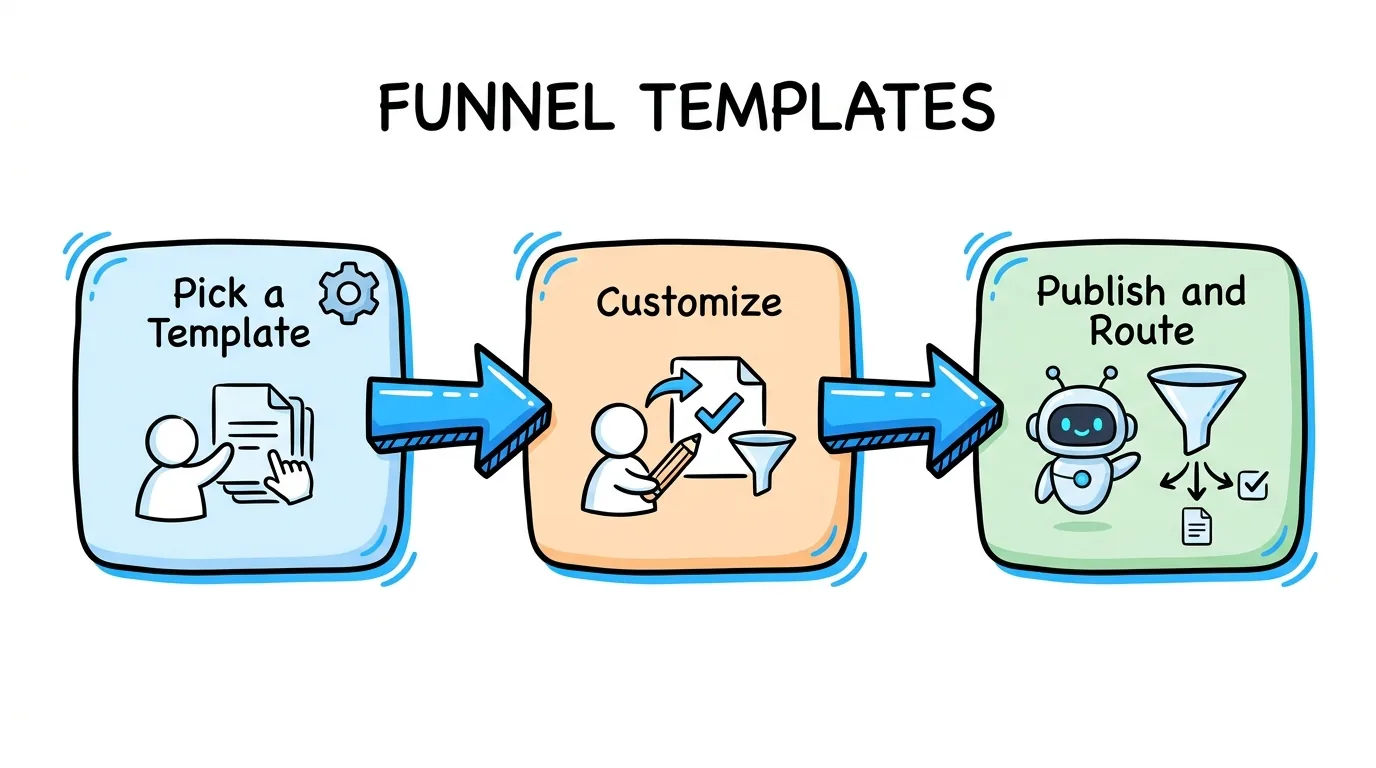
The legal row mirrors the Free Case Review template inside Lead Distro AI, which asks accident type, fault, medical treatment, accident date, and whether the visitor already has a lawyer, and ends on a separate "already represented" page for visitors who should not be sold. The insurance, Medicare, personal loan, and roofing rows match other ready-made funnel templates you can start from instead of a blank canvas.
Quiz Funnel Software: Standalone Tool vs. Built Into Distribution
There are two ways to run one. You can use standalone quiz funnel software such as Typeform, Heyflow, Perspective, Interact, or involve.me, then connect it to wherever the lead goes next. Or you can use a builder that lives inside the platform that sells the lead.
| What you need | Standalone quiz tool | Built into a lead distribution platform |
|---|---|---|
| Quiz design and branching | Strong; this is their core product | Built in, focused on lead-gen funnels |
| Phone verification and consent certificates | Available on some tools (Heyflow offers both) | Built in, enforced at submit |
| Lead reaches a paying buyer | Webhook or integration you maintain | Automatic on submit |
| Answers match buyer fields | Mapped downstream by you | Each question maps to a campaign field |
| Duplicate checks and buyer filters | In a separate tool | Same rules as every other lead source |
| Revenue and margin per funnel | Reconciled in a spreadsheet | Attributed back to the funnel |
If your leads go to your own sales team, a standalone tool is usually the simpler choice. If you sell the lead, the fair comparison is a quiz tool plus a separate distribution tool. Our Lead Distro AI vs Heyflow page walks through that trade-off honestly, including where Heyflow is the better pick.
How Lead Distro AI Handles the Quiz Funnel
The quiz funnel builder inside Lead Distro AI is drag-and-drop, with visual branching logic, service-area gating by zip, state, county, or radius, phone verification by text that is checked on our servers at submit, and TrustedForm and Jornaya certificate capture. You can publish on a hosted page, embed on your own site, or run the funnel in Spanish. Each question writes to a campaign field, and answer values stay locked even if you reword the label a visitor sees, so a copy change never breaks a buyer integration.
On submit, the lead enters the same pipeline as every other source: it is deduped, scored with your lead scoring rules, filtered against buyer criteria, priced, and delivered. Partial capture saves visitors who gave contact details and then abandoned the quiz.
"A quiz funnel is only as good as the buyer who accepts the lead," says Rafael Hernandez, Founder & CEO of Lead Distro AI. "Most of the returns I have seen in pay-per-lead trace back to a question that was never asked or an answer that never reached the buyer's filter. Build the quiz backward from the insertion order and the returns mostly go away."
Funnels are included on the Starter plan ($297/mo, 5 live funnels) and Growth ($497/mo, 20 live funnels). You can start a 7-day trial to build your first quiz; a credit card is required, and you can cancel anytime during the trial without being charged.
FAQ
How do I build a lead capture quiz funnel?
Start from what your buyer filters on, then write 4 to 7 questions shown one per screen, easiest first. Add branching so visitors who do not qualify land on a polite "not a fit" page. Ask for name and phone last, verify the phone by text, capture a consent certificate, and route the lead to a buyer or CRM the moment it submits. Watch completion at every step for the first few hundred visitors and rewrite whichever question loses the most people.
What is a quiz funnel?
A quiz funnel is a lead capture flow that asks qualifying questions as a short interactive quiz instead of one long form. Visitors answer one question at a time and give contact details at the end. For lead sellers, the answers also become the lead fields buyers filter on, so the quiz qualifies and prices each lead before it is delivered anywhere. That is what separates it from a personality quiz built only to grow an email list.
How many questions should a quiz funnel have?
Most lead-gen quiz funnels work best with 4 to 7 questions before the contact step. Every question should either qualify the visitor or change what a buyer will pay for the lead. If a question does neither, cut it, because each extra screen is another place a visitor can drop off without giving you anything in return. Short is not the goal on its own: a missing question your buyer filters on costs more in returns than one extra screen costs in drop-off.
What is the difference between a quiz funnel and a survey funnel?
They work the same way: multi-step questions, one per screen, contact details at the end. The difference is framing. A quiz funnel promises a result ("see if you qualify"), while a survey funnel asks for input ("tell us about your situation"). Quiz framing tends to suit eligibility offers such as insurance quotes or case reviews; survey framing suits research-style or feedback offers. Behind the scenes both need the same thing: answers stored as clean lead fields.
Do I need separate quiz funnel software if I sell leads?
Not necessarily. Standalone tools like Typeform and Heyflow build excellent quizzes, but you then connect them to a separate system that dedupes, filters, prices, and delivers each lead. A quiz funnel builder inside your distribution platform removes that connection, so the answers map to buyer fields and the lead routes on submit without a webhook you maintain. If your leads go to your own sales team instead, a standalone tool is usually simpler.
Can a quiz funnel disqualify leads before they reach a buyer?
Yes, and it should. Branching logic can send any answer, such as already having an attorney or living outside every buyer's service area, to a page that ends without delivery. In Lead Distro AI those visitors are still saved and labeled so you can see what your traffic is made of, but they are never routed to a buyer or billed. That protects your margin and keeps buyers from returning leads they could never have accepted.
Conclusion
A quiz funnel is the cheapest qualification you will ever buy: the visitor does the screening for you, one tap at a time. The difference between a quiz that collects emails and a quiz that sells leads is the mapping behind it. Start from your buyer's filters, write the fewest questions that cover them, branch out the wrong fits, verify the phone, and get the lead to a buyer within minutes. If you want the quiz and the routing in one place, start a 7-day trial and build your first one from a template.
About the Author
Founder & CEO of Lead Distro AI & Great Marketing AI
UC Berkeley graduate and former software engineer at Microsoft. Rafael built Lead Distro AI after managing over $10M in ad spend for performance marketing agencies (pay-per-lead and pay-per-call), including running campaigns for Neil Patel. He combines deep software engineering expertise with hands-on performance marketing experience to build tools that help these agencies scale profitably.
About Lead Distro AI
Lead Distro AI: AI-Powered Routing for Your Leads, Calls, and Appointments
The modern platform for pay-per-lead and pay-per-call agencies. Route, score, and deliver leads with AI-powered automation and real-time P&L tracking. Built for performance marketing agencies and lead buyers across legal, insurance, mortgage, solar, and home services verticals.
4 Distribution Methods
Waterfall, Round Robin, Weighted, Ping-Post
Ping-Post Auctions
Real-time bidding with sub-second routing
Real-Time P&L Reporting
Track revenue, costs, and profit per campaign
Call Tracking
Assign tracking numbers, record calls, and attribute conversions
Lead Scoring
Score every lead before routing to maximize conversion
Partner Portal
Self-serve dashboard for buyers to track leads