Multi-Step Forms for Lead Generation: Why They Outperform Single-Step Forms
Multi-step forms for lead generation explained: why they convert better than single-step forms, how to structure them, and how to route the leads they produce.

Rafael Hernandez
Founder & CEO
Ex-Microsoft SWE · $10M+ PPL ad spend
I hope you enjoy reading this blog post. If you want to try Lead Distro AI for free, click here.
Author: Rafael Hernandez | Founder & CEO of Lead Distro AI
Last Updated: October 16, 2026
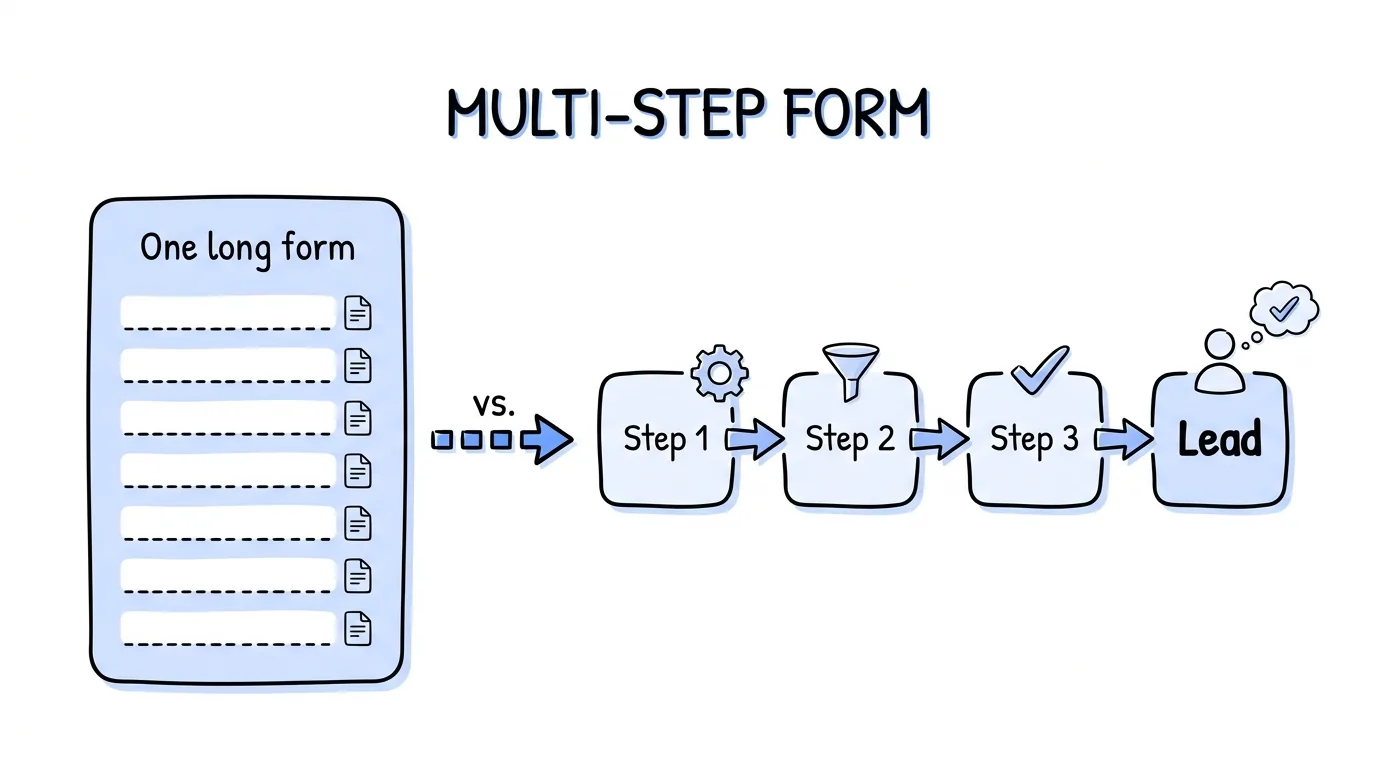
A multi-step form breaks a single long form into a sequence of shorter screens, asking one to three questions per step before advancing to the next. For lead generation, this structure usually completes more often than a single-step form with the same fields, because it shows less work at each moment and people who answer the first question tend to keep going. UX researchers call this progressive disclosure: show only what the user needs at each step. For a pay-per-lead or pay-per-call agency, a better-converting capture form means more leads at the same traffic cost, and better lead quality, because progressive questions filter out low-intent visitors before the form completes.
A well-structured multi-step form is only the first half. The second half is distributing the leads it produces: routing each submission in real time to the buyer who matches that lead's vertical, geography, and score. Below, we cover how to structure a multi-step lead generation form, why the sequence of questions matters, and how to connect form output to a lead distribution platform.
Key Takeaways
- Multi-step forms convert more than single-step forms. Splitting a form into steps reduces the visible work at each stage and creates commitment momentum.
- The first question is the most important. Ask something easy and non-personal first. Commitment to the first answer dramatically reduces drop-off on later, harder questions.
- Progressive disclosure filters low-intent visitors. Someone who fills three steps is far more likely to convert for a buyer than someone who submitted a pre-filled single-field form. More steps mean higher-quality completed submissions.
- Question order affects data quality. Put qualifying questions (geography, incident type, coverage status) early; put personal contact details last. People are more willing to share contact info after they have already invested in answering qualifying questions.
- The form is the top of your distribution funnel. A multi-step form that collects the right fields makes downstream routing automatic: Lead Distro AI can route on any field the form captures.
- Speed from form completion to buyer matters. According to HBR's lead-response research, a lead contacted within five minutes is far more likely to convert. API-based form-to-platform delivery keeps that window tight.
Why Multi-Step Forms Convert Better
The core mechanism is commitment and consistency: once someone answers the first question, they feel a small psychological pull to finish what they started. The Zeigarnik effect reinforces this: incomplete tasks feel more salient than completed ones. The user who reaches step 2 of 3 is more likely to complete the form than to abandon, even if the total number of questions is identical to a single long form they could have scrolled through.
A secondary mechanism is perceived effort. A form asking "Name, Email, Phone, Address, Insurance Status, Vehicle Year, Accident Date, Description" looks like a lot of work from the outside. The same eight questions split as: Step 1: "Were you in an accident? (Yes / No)" → Step 2: "What type of accident? (Vehicle / Other)" → Step 3: "Tell us a bit about yourself", appears to require less effort at each individual moment, even though the total effort is the same.
A third mechanism is personalization. Multi-step forms can conditionally show or skip steps based on earlier answers, so a user who answers "No" to "Do you have insurance?" sees a different next question than one who answers "Yes." This branching makes each user's path feel relevant, which reduces drop-off because people do not feel like they are answering generic questions that do not apply to them.
For lead generation specifically, these mechanisms compound: a visitor who completes step 1 of a 3-step form is not randomly filtering; they are self-selecting as a person with the intent and patience to complete the process. That self-selection is exactly what makes completed multi-step form leads higher quality for buyers.
How to Structure a Multi-Step Lead Generation Form
The sequence of questions in a multi-step form is not arbitrary. Here is a structure that works across most pay-per-lead verticals:
Step 1: Qualifying intent (easy, non-personal). Ask one or two questions that a person with real intent can answer in seconds, and that would stop someone with no intent from bothering. "Were you in an accident in the last 3 years?" or "Are you looking to buy health insurance?" These are easy for the right person and natural filters for everyone else. No personal data at this step.
Step 2: Qualifying fit (medium detail). Ask the questions buyers need to decide whether to accept this lead: geography, incident date, coverage type, prior attorney representation, or whatever your vertical's buyer filters use. This step is where the lead distribution platform's field mapping lives: everything collected here maps to routing rules.
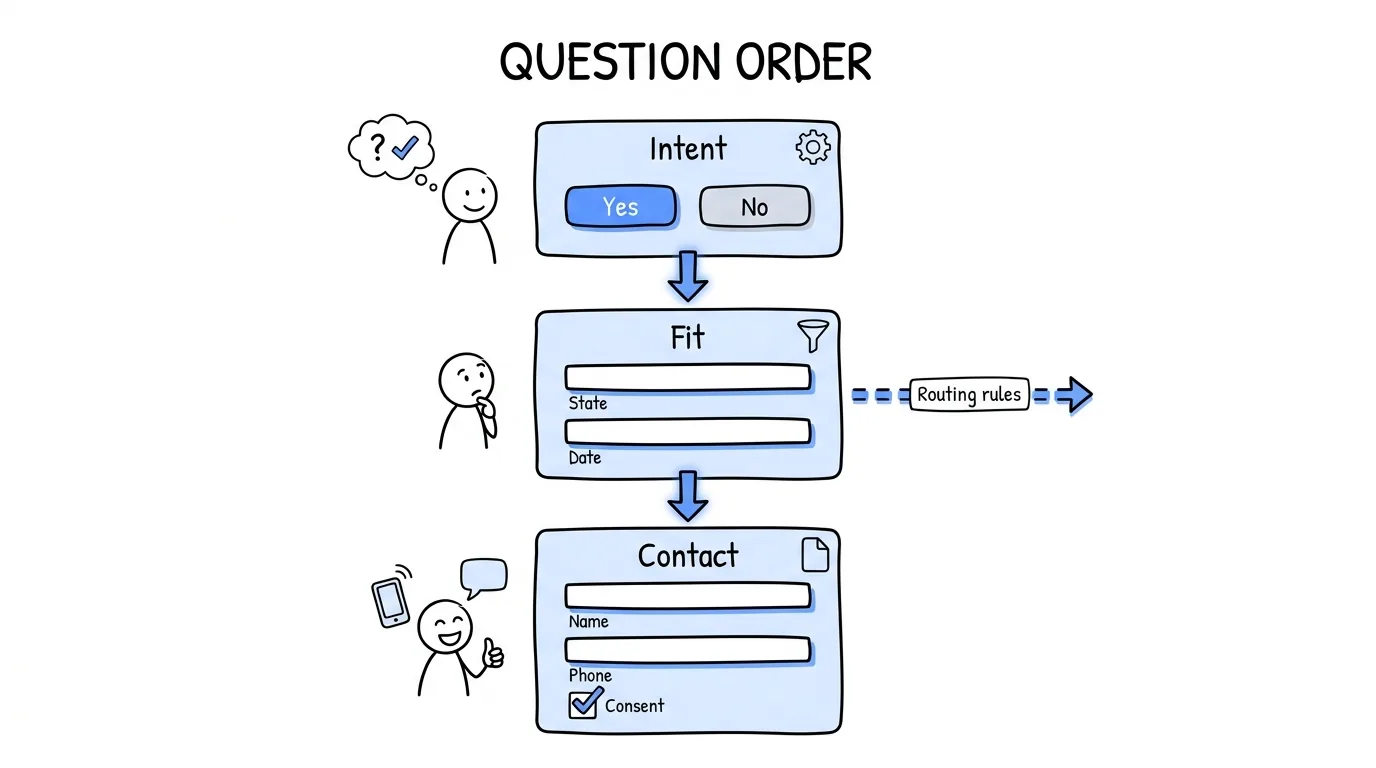
Step 3: Contact information (last, after investment). Ask for name, phone, and email last. People are significantly more willing to share contact information after they have already invested in answering qualifying questions than they are at the start of an unknown form. Putting contact fields first is the most common multi-step form mistake.
Step 4 (optional): Confirmation and expectation-setting. A final screen that tells the person what happens next: "A licensed agent will call you within minutes" or "We're matching your case to an attorney in your area." This step reduces buyer no-shows on calls and sets the right expectation about who will contact them.
| Step | Question type | Purpose |
|---|---|---|
| 1 | Intent qualification | Self-select out low-intent visitors |
| 2 | Buyer-fit fields | Populate routing rules |
| 3 | Contact information | Collect after investment, not before |
| 4 (optional) | Confirmation + expectation | Reduce buyer no-shows |
The Fields That Matter for Lead Distribution
A multi-step form's value to a lead distribution platform depends on the fields it captures. Forms that collect only name, email, and phone give the distribution platform almost nothing to route on: every lead looks the same, so routing defaults to round robin. Forms that capture qualifying fields let the platform route by geography, intent score, buyer filters, and lead caps.
For most pay-per-lead verticals, the fields worth capturing in the form's qualifying steps are:
- State or zip code: the most common buyer filter, because most buyers are licensed or operate in specific states
- Incident or trigger date: recent incidents are more valuable than old ones in legal and insurance verticals
- Vertical-specific intent field: "type of accident", "coverage status", "homeowner status", or whatever your buyers' filters key on
- Consent timestamp: required for TCPA compliance in any vertical where the lead will be sold and contacted by phone; the form must capture and store this with the submission
These fields map directly to Lead Distro AI campaign fields and buyer routing rules. When a form submits via the platform's API, every captured field is available as a routing criterion on the same submission. For the technical setup, read about lead distribution platform routing. To pick the tool that builds the form itself, see our comparison of the best lead generation form builders.
Connecting Multi-Step Form Output to a Lead Distribution Platform
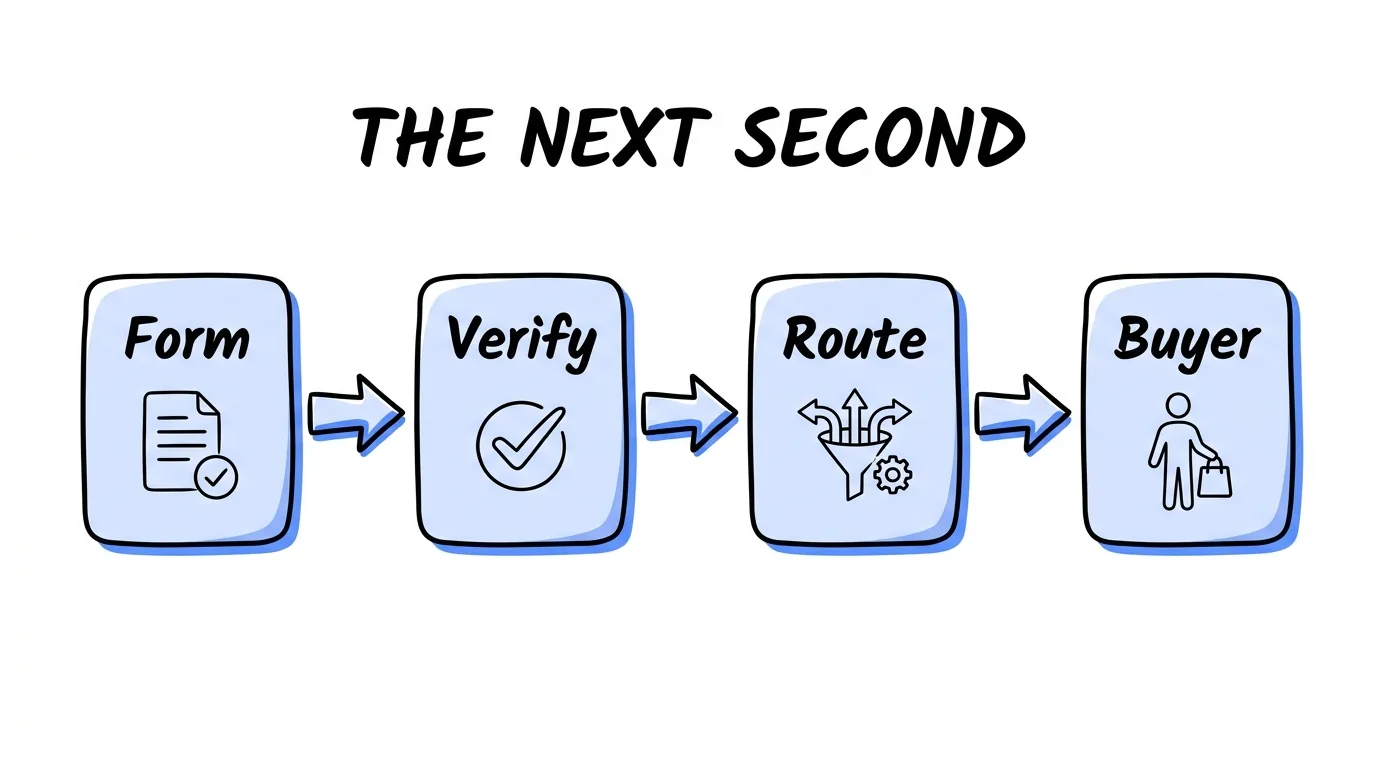
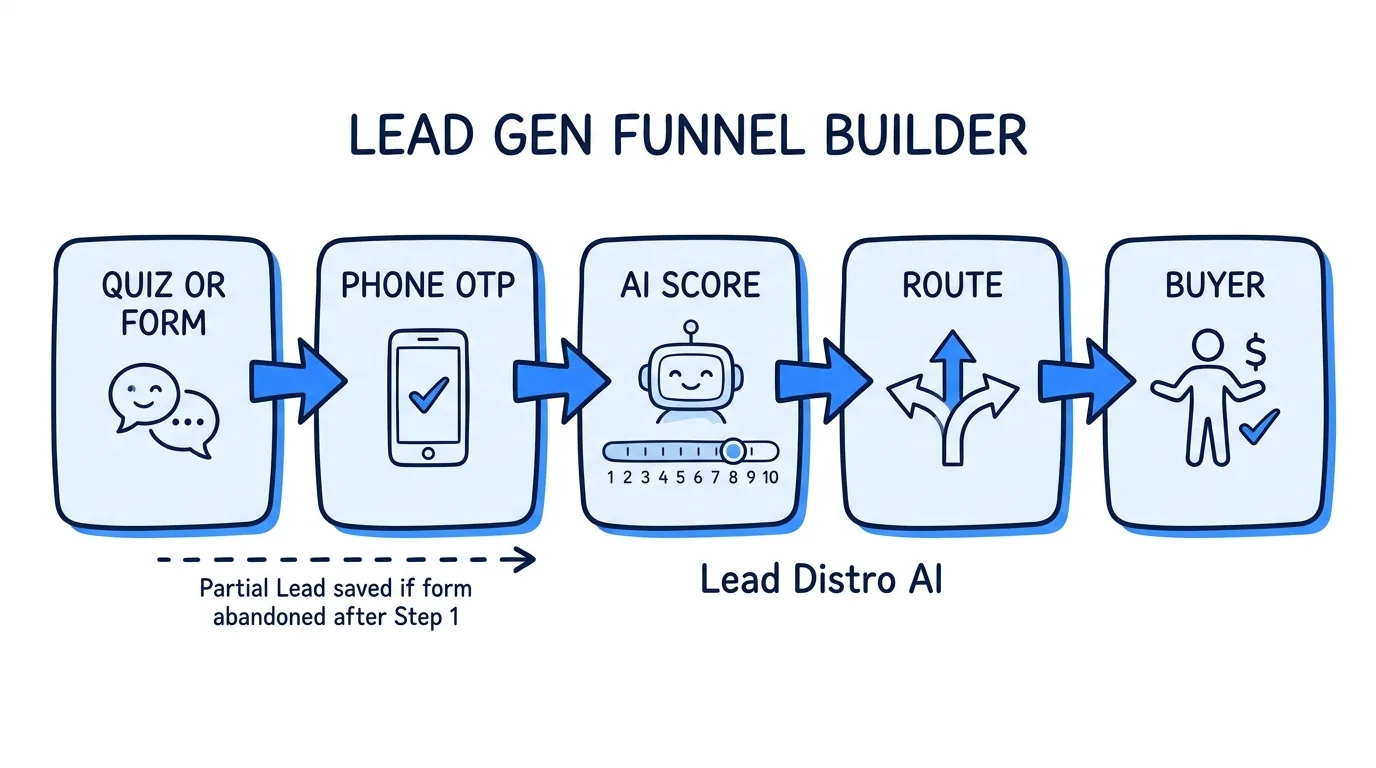
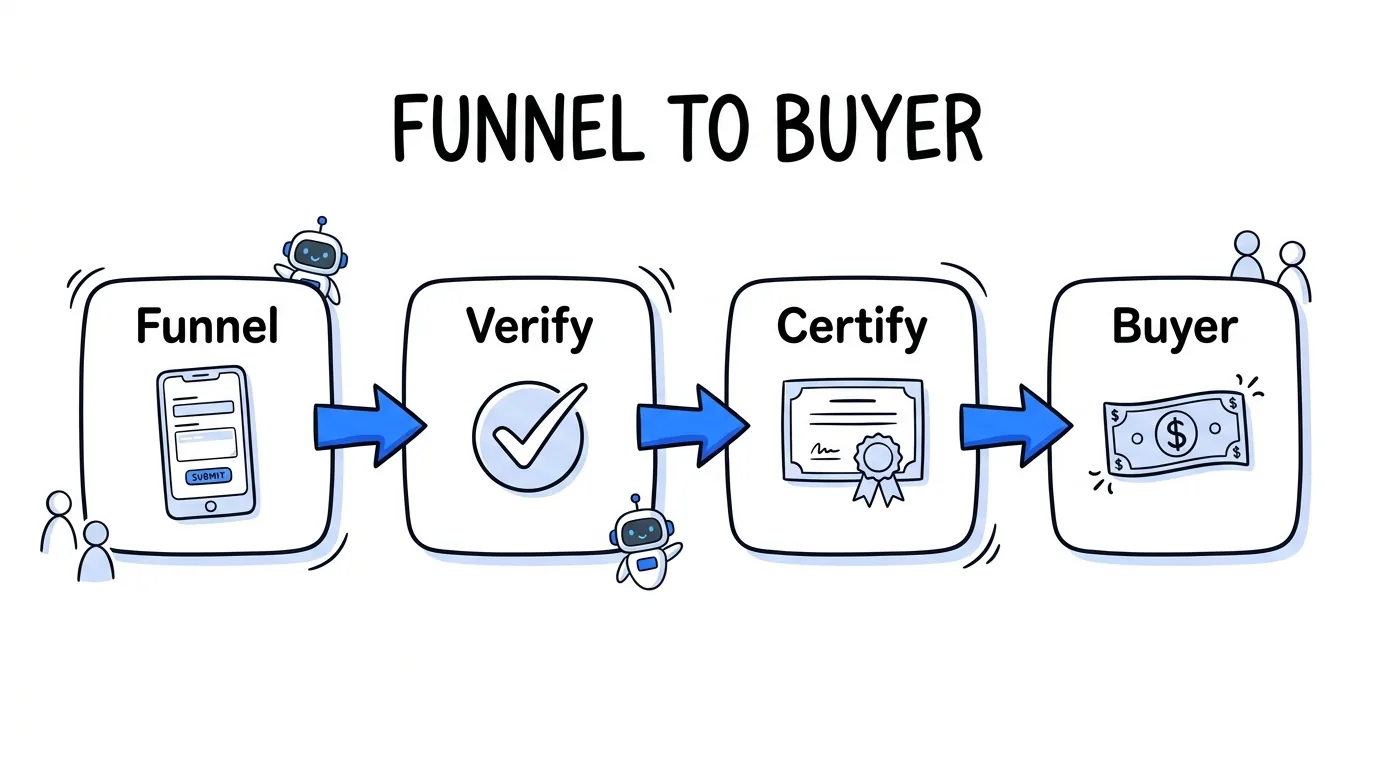
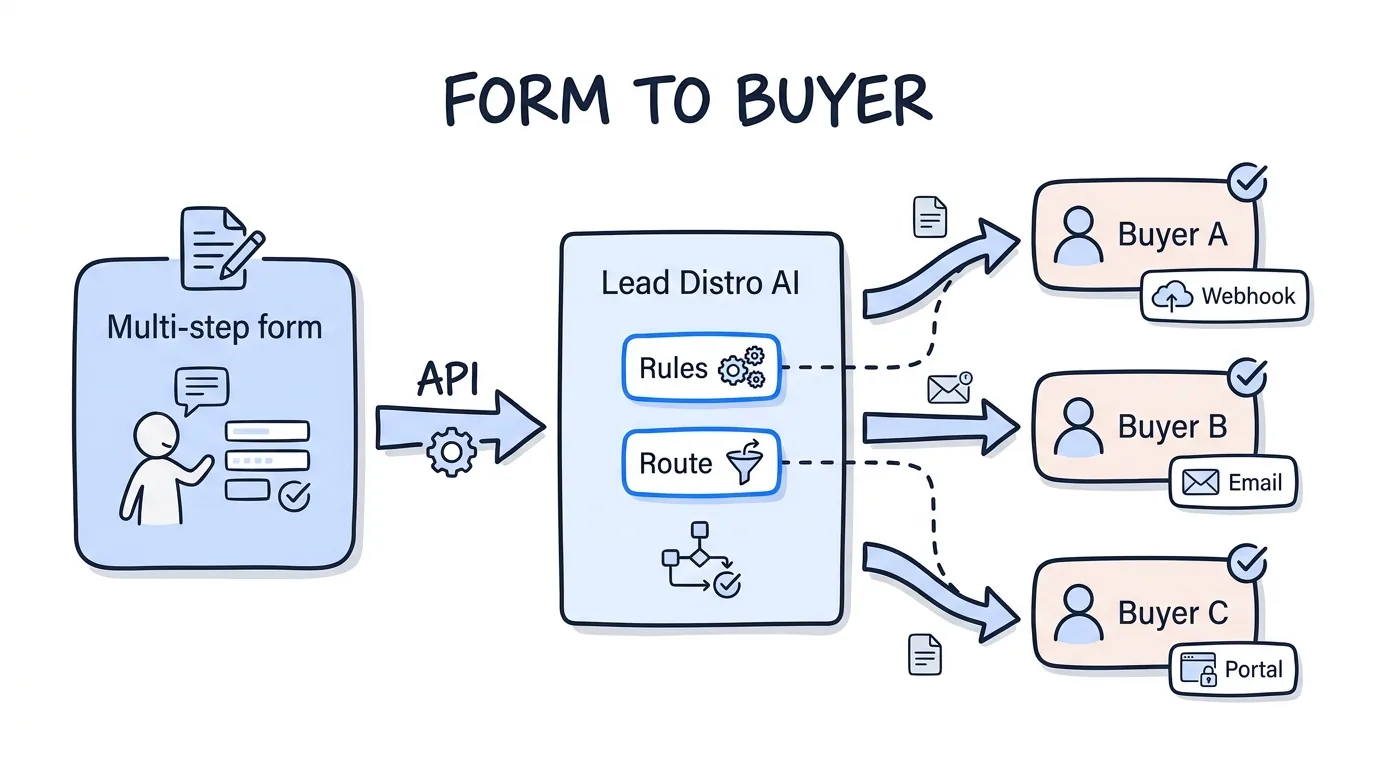
Once a multi-step form captures a qualified lead, the lead needs to reach the right buyer as fast as possible. The standard integration method is a server-to-server POST from the form platform to the lead distribution platform's API, triggered on form completion. This approach keeps delivery times under two seconds from form submit to buyer receipt, which is the threshold for real-time lead distribution.
Most form tools (Typeform, Gravity Forms, Jotform, and custom-built forms) support webhook or API delivery on completion. The lead distribution platform receives each submission, applies scoring rules, and routes the lead to the matching buyer's delivery endpoint in real time. The form tool handles the user experience; the distribution platform handles the routing, caps, duplicates, and revenue tracking.
If you are building a form and distribution workflow for a pay-per-lead campaign, Lead Distro AI accepts inbound lead submissions via its campaign API on every plan. The API spec is available per-campaign in the app. Routing is configured by campaign; buyers set their own delivery endpoints. You can review how it works in the product tour, and the 7-day free trial lets you test the full inbound-to-distribution flow before paying. Start at Lead Distro AI; credit card required, cancel anytime within seven days.
Multi-Step Forms for Pay-Per-Call Lead Generation
For pay-per-call campaigns, the multi-step form either ends in a phone call (click-to-call on the confirmation screen) or ends in a form submission that triggers an outbound call. Both flows benefit from the same multi-step structure, but the qualifying questions and the form-to-platform integration work differently:
Click-to-call flow. The final step of the form is a "Call Now" button that dials a tracking number. The caller is connected directly to the buyer. The form's qualifying steps pre-screen the caller before they connect, so buyers receive callers who have already confirmed their intent and fit. The distribution platform routes the call by vertical and geography in real time.
Form-to-call flow. The form captures lead data including phone number and submits to the distribution platform, which triggers an immediate outbound call to the consumer and bridges them to the buyer. This flow requires the platform to manage the call connection, so it works only with platforms that include call routing. Lead Distro AI's call tracking is usage-based (per-number monthly fee and per-minute rate for inbound calls) and available on every plan.
For both flows, the qualifying steps are identical: geography, intent, vertical-specific fit. Contact information (phone number) is still collected last, after the qualifying steps, for the same psychological reasons that apply to form leads.
Common Multi-Step Form Mistakes
Asking for contact details first. Putting name, email, and phone on step 1 is the most common multi-step form mistake. People are more guarded at the start of a form than after they have already invested in answering questions. Put contact fields last.
Too many steps. Three to four steps is the range where the commitment benefit outweighs the additional clicks. More than five steps in most verticals increases drop-off faster than it increases quality. The exception is high-value verticals (legal, insurance, mortgage) where even a six-step form can outperform a single-page form because the intent signal from completing it is so strong.
No progress indicator. Showing "Step 2 of 3" dramatically reduces drop-off compared to a form with no indication of how much is left. Completeness estimates reduce the sunk-cost anxiety of not knowing how long the form will take.
Not mapping form fields to buyer routing rules. Collecting fields the distribution platform cannot act on wastes both the form step and the buyer's filter capacity. Before building the form, confirm which fields your buyers' routing rules check, and capture those fields in step 2.
Delivering leads by email instead of API. Email delivery introduces delays of minutes to hours between form completion and buyer receipt. API delivery keeps the window under two seconds. At scale, the difference in contact rates is large enough to matter for return rates and renewal.
FAQ
What is a multi-step form?
A multi-step form breaks a single form into a sequence of shorter screens, showing one to three questions per step. The user advances through steps rather than scrolling a single long page. Multi-step forms are used in lead generation because the progressive structure increases completion rates by reducing the perceived effort at each stage and creating psychological commitment once the first step is answered.
Why do multi-step forms convert better?
Multi-step forms convert better than single-step forms for three reasons. First, answering the first question creates a commitment that pulls the user toward completing the process. Second, showing one to three questions per screen feels like less work than seeing all questions at once, even when the total number is identical. Third, conditional branching allows the form to show only questions relevant to each user's answers, making the experience feel more personal and relevant.
What questions should be in a lead generation form?
For a pay-per-lead form, use this sequence: Step 1 asks one intent-qualification question the target audience can answer immediately (easy, no personal data). Step 2 collects the qualifying fields buyers use for routing (geography, incident type, coverage status, or vertical-specific criteria). Step 3 collects contact information (name, phone, email) after the user has invested in qualifying steps. An optional Step 4 confirms submission and sets expectations. This sequence maximizes both completion rates and lead quality for buyers.
How do I connect a form to a lead distribution platform?
Connect your form to a lead distribution platform using a server-to-server API POST triggered on form completion. The form tool (Typeform, Gravity Forms, Jotform, or a custom form) sends a webhook to the distribution platform's inbound API endpoint on each completed submission. The platform receives the submission, scores it against your routing rules, and delivers it to the matching buyer in real time. Most form platforms support webhook delivery natively. Lead Distro AI's campaign API accepts inbound submissions on every plan.
How many steps should a lead generation form have?
Three to four steps is the range that maximizes the completion benefit of multi-step forms while keeping friction low. Fewer than three steps provides little conversion lift over a single-page form. More than five steps increases drop-off in most verticals unless the vertical is high-value (legal, insurance, mortgage) and the intent signal from completing the form is strong enough to justify the friction. Always include a progress indicator (for example "Step 2 of 3") to reduce drop-off from not knowing how long the form will take.
Can multi-step forms work for pay-per-call lead generation?
Yes, in two configurations. In a click-to-call flow, the form's final step is a call button; the qualifying steps pre-screen the caller before they connect, so buyers receive higher-intent callers. In a form-to-call flow, the form captures the phone number and submits to a distribution platform that triggers an immediate outbound call to the consumer. Both flows benefit from the same multi-step structure: easy intent question first, qualifying fields second, contact details last.
Conclusion
Multi-step forms outperform single-step forms in lead generation because the progressive structure creates commitment, reduces perceived effort, and filters out low-intent visitors before the form completes. The result is not just more leads at the same traffic cost: it is higher-quality leads, because the buyers who receive them are reaching people who invested enough to complete a multi-step process.
The form is the top of your distribution funnel. What happens to each lead after it submits, how fast it reaches a buyer, which buyer gets it, and how the routing tracks revenue, is where Lead Distro AI fits. The Starter plan is $297 per month. The 7-day free trial includes the inbound API and full routing configuration. Credit card required; cancel anytime within seven days.
Building a lead generation funnel with multi-step forms? Start your 7-day free trial of Lead Distro AI and connect your form to real-time lead routing in minutes. Credit card required; cancel anytime within seven days.
About the Author
Founder & CEO of Lead Distro AI & Great Marketing AI
UC Berkeley graduate and former software engineer at Microsoft. Rafael built Lead Distro AI after managing over $10M in ad spend for performance marketing agencies (pay-per-lead and pay-per-call), including running campaigns for Neil Patel. He combines deep software engineering expertise with hands-on performance marketing experience to build tools that help these agencies scale profitably.
About Lead Distro AI
Lead Distro AI: Capture, Route, and Sell Every Lead, Call, and Appointment
The modern platform for pay-per-lead and pay-per-call agencies. Route, score, and deliver leads with AI-powered automation and real-time P&L tracking. Built for performance marketing agencies and lead buyers across legal, insurance, mortgage, solar, and home services verticals.
4 Distribution Methods
Waterfall, Round Robin, Weighted, Ping-Post
Ping-Post Auctions
Real-time bidding with sub-second routing
Real-Time P&L Reporting
Track revenue, costs, and profit per campaign
Call Tracking
Assign tracking numbers, record calls, and attribute conversions
Lead Scoring
Score every lead before routing to maximize conversion
Partner Portal
Self-serve dashboard for buyers to track leads