Lead Distro AI Media Buy: Track Ad Spend vs Revenue
How the Lead Distro AI Media Buy feature ties ad spend to lead revenue so you see true margin per source: pacing, funnel cost, CPL, and lead quality in one view.

Rafael Hernandez
Founder & CEO
Ex-Microsoft SWE · $10M+ PPL ad spend
I hope you enjoy reading this blog post. If you want to try Lead Distro AI for free, click here.
Author: Rafael Hernandez | Founder & CEO of Lead Distro AI
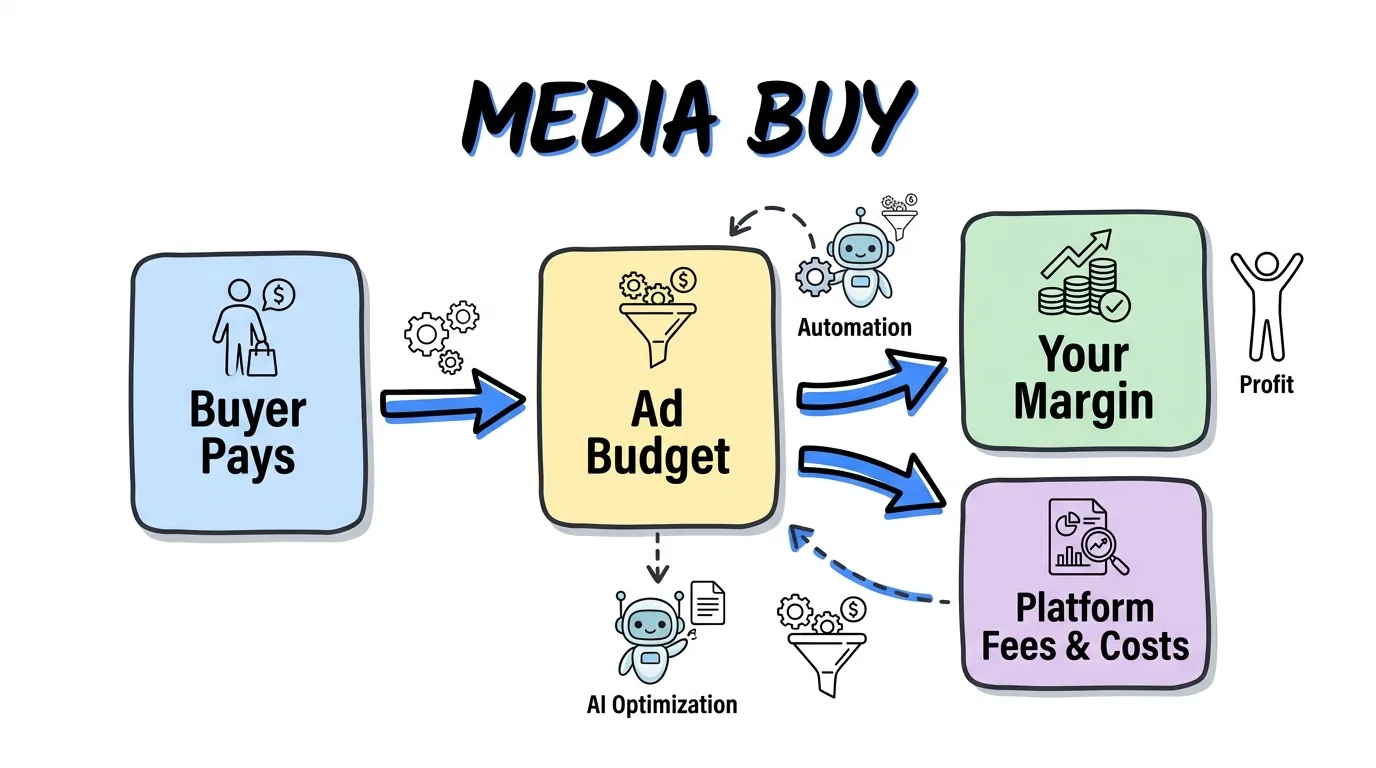
The Lead Distro AI Media Buy feature tracks what a buyer pays against what your ad campaign actually costs, so you see the true margin on every source in one place. You create a media buy as a single record: a buyer pays a lump sum for a period, you set the target margin you want to keep, and the platform derives the ad budget as the rest. Map the buy to a Meta ad campaign and it pulls that campaign's daily spend automatically, then pairs it with the leads the source generated. The Media Buy tab shows current profit and margin percent measured against your full funnel cost, not just the Meta ad spend, so the number matches what you really paid. It shows cost per lead on accepted and total leads, a pacing view that flags whether you are underpacing or overpacing your budget by day, projected leads, and where every lead ended up. If you run more than one buy for the same buyer, you can keep them side by side and compare. This is media buy tracking built for lead sellers who need to know the real spread between ad spend and lead revenue before a period closes, not after.
Key Takeaways
- A media buy is one record: a buyer pays a lump sum (revenue), you set a target margin to keep, and Lead Distro AI derives the ad budget as revenue minus that margin.
- True margin uses full funnel cost: current profit and margin percent subtract the total cost of every lead the source generated, any status, not only the Meta ad spend on the mapped campaign.
- Pacing keeps you on budget: the tracker compares actual spend to where spend should be by now and flags underpacing, on pace, or overpacing inside a tolerance band.
- Lead quality lives inside the margin: cost per lead after removing disqualified leads, an average quality score, plus disqualified and duplicate percentages all sit on the same table.
- Run buys concurrently: start a new media buy for the same buyer when the last ends, kept separate so you can compare, with past buys tucked into an expandable history row.
What the Media Buy Feature Does
A media buy in Lead Distro AI is a single record that answers one question: did this ad spend to lead revenue trade actually make money. A buyer pays a lump sum for the period, you enter the target margin you want to protect, and the platform treats the remainder as your ad budget. Because the record carries the buyer, the budget, the dates, and the mapped ad campaign together, every downstream number is tied back to real money in and real money out.
That structure matters because a buyer relationship is not a single event. A buyer runs many media buys over time on the same campaign, so each one is its own record rather than a value you overwrite. Finished buys stay as history you can compare against, which is how you learn whether this month's source beat last month's.
How True Margin per Source Is Calculated
The headline number in the Media Buy feature is margin, and Lead Distro AI is deliberate about which spend it uses. The ad budget is derived as revenue times one minus your target margin, so a buyer paying $5,000 with a 30 percent target leaves a $3,500 budget and a $1,500 target profit. That target profit is a fixed goal post: it does not move when actual spend moves.
Current profit and margin percent, though, are measured against your full funnel cost. That is the total cost of every lead the mapped source generated in the window, including duplicates, filtered, and rejected leads, not just the Meta ad spend on the campaign. If Meta reports $3,500 spent but the source actually cost $3,800 once every lead is counted, your real margin is 24 percent, not the 30 percent the ad account alone implies. Surfacing that gap is the entire point: junk still costs money, and true source attribution has to include it.
| Metric | What it measures | Why it matters |
|---|---|---|
| Revenue | The lump sum the buyer paid for the period | The top line every margin is measured against |
| Ad budget | Revenue minus target margin | The spend ceiling you set for the buy |
| Target profit | Revenue times target margin | The fixed profit goal, independent of actual spend |
| Total spend | Full funnel cost of every lead the source generated | The true cost, always at or above Meta ad spend |
| Current margin | Revenue minus total spend, as a percent | Whether the buy is actually hitting your goal |
Setting Up a Media Buy
Tracking a media buy opens a single popup where you pick the buyer and set the budget, dates, and Meta campaign all in one place. You can map more than one Meta campaign to a buy, and the platform reads each mapped campaign's daily spend from your connected ad account rather than asking you to type numbers in by hand. That connection is what makes the spend side of the ledger trustworthy and current.
You can also set a target number of leads for the period. When you do, the pacing target is derived from that goal from day one, before any leads arrive, so you can see whether you are on pace to hit volume even on an empty first day. Without a goal, the tracker paces against your live cost per lead instead. Either way, the buy accrues real spend and leads until you mark it complete, at which point the numbers freeze so a closed buy stays a clean historical record.
Pacing: Staying on Budget Day by Day
Pacing is where the Media Buy feature earns its keep during a live period. The tracker builds a day-by-day view that compares your actual spend to where spend should be by now, given the budget spread evenly across the period. Each day carries a target, an actual, and the running variance, so overspend or underspend is visible the moment it starts rather than at the end.
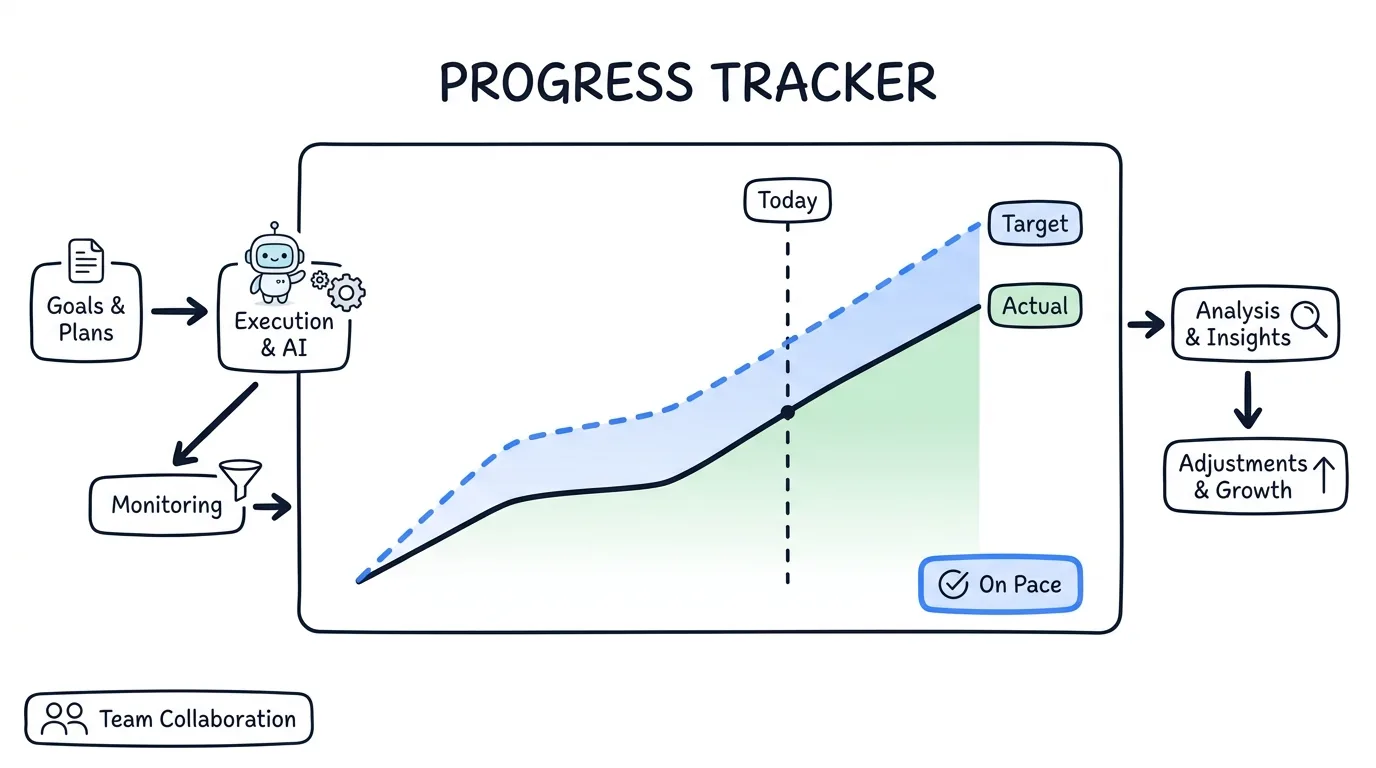
From that comparison the platform assigns a status: underpacing when you are well below the expected curve, on pace when you are inside the tolerance band, and overpacing when spend is running hot. Because an active buy keeps accruing spend even after its deadline passes, right up until you mark it complete, the Spent total always matches your ad account instead of stopping short. That protects you from the classic mistake of thinking a buy closed on budget when it actually kept spending.
Lead Quality Inside the Margin
A margin number is only honest if it accounts for lead quality, so the Media Buy table folds quality straight into the economics. It shows total leads next to accepted leads and an acceptance rate, plus cost per lead on both accepted and total leads, so you see your true blended cost rather than a flattering accepted-only figure. There is a CPL column that removes disqualified leads, so junk does not hide your real cost per good lead.
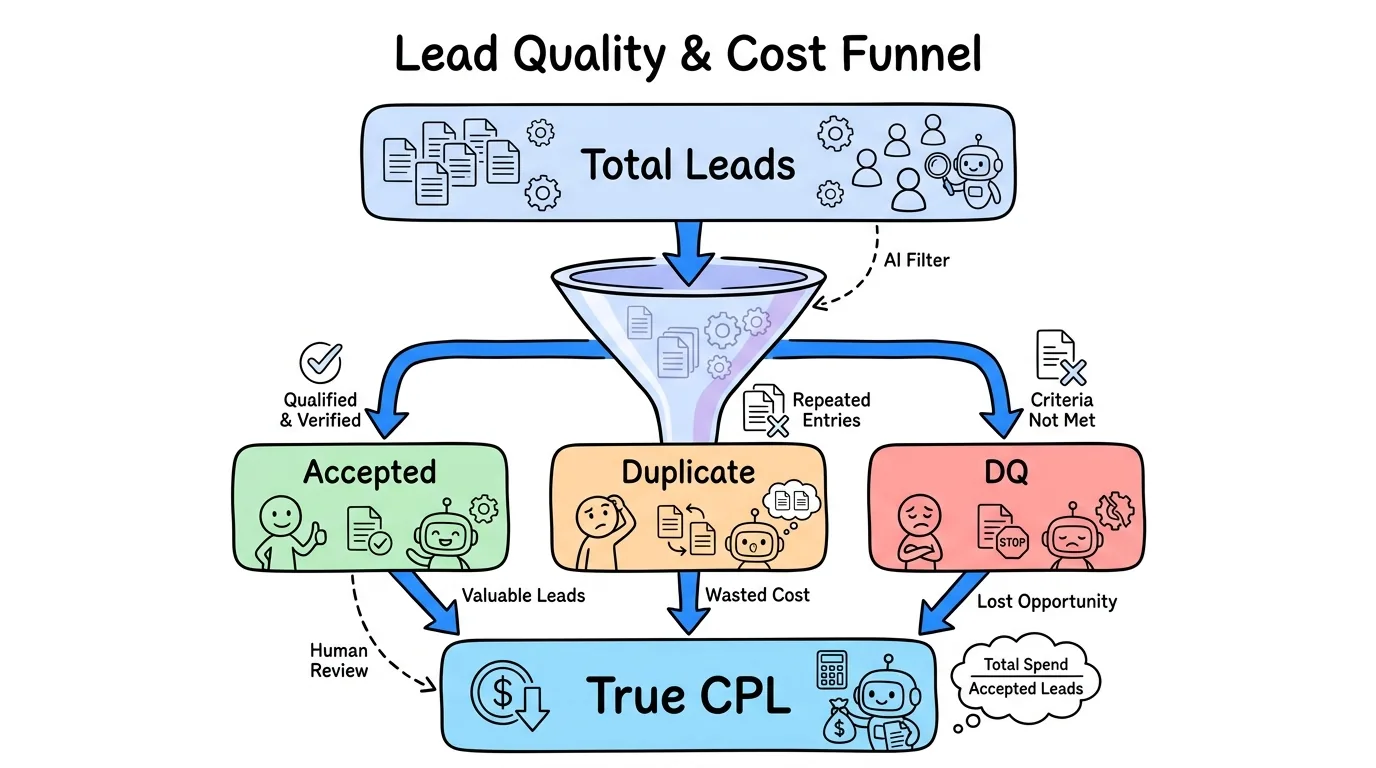
The table also carries disqualified and duplicate columns with percentages, an average quality score you can hover to see the count in each score band, and a Why Leads DQ'd section that lists the top disqualification reasons so you can fix targeting upstream. Open a buy and a Where the Leads Went table shows every destination its leads reached, including overflow to other buyers, duplicates, and errors, with the spend attached to each. That is source attribution and buyer billing reconciled in one view. Lead scoring feeds all of this, using the rules you configure; our lead scoring guide covers how the scores are produced.
Running Concurrent Media Buys
Buyers do not stop at one order, so the feature is built for concurrency. You can start a new media buy for the same buyer as soon as the last one ends, kept separate so you can compare them rather than blending them into a single lifetime average. Each buyer's past buys are tucked into a history row you expand when you want the back catalog, which keeps the active view clean.
When several media buys run at once, pacing shows the full spend and lead totals for every buy, instead of under-counting all but the most recent one. That accuracy is what lets you treat each buy as a real P&L line. Charts back the tables up with a cost per lead trend, a leads chart, and a spend chart, and a Columns button lets you show only the numbers you care about. To see how routing and billing connect to all of this, take the product tour or read our guide on how much to charge for leads.
Frequently Asked Questions
What is the Lead Distro AI Media Buy feature?
It is a tool that tracks a single media buy as one record: a buyer pays a lump sum, you set the margin you want to keep, and Lead Distro AI derives the ad budget and measures your true profit against real ad spend and lead cost. It ties ad spend to lead revenue so you can see the margin on each source while the buy is still live, not only after it closes.
Does Media Buy use my real ad spend?
Yes. When you map a Meta ad campaign to a media buy, the platform reads that campaign's daily spend from your connected ad account automatically. It does not ask you to type spend in by hand, and an active buy keeps accruing spend until you mark it complete, so the Spent total stays matched to your ad account even if the campaign runs past its deadline.
Why is my margin lower than my ad spend suggests?
Current profit and margin percent are measured against your full funnel cost, meaning the total cost of every lead the source generated, including duplicates and rejected leads, not just the Meta ad spend. Because junk leads still cost money, your true margin is usually below what the ad account alone implies. Surfacing that real spread is the reason the feature exists.
Can I run more than one media buy per buyer?
Yes. You can start a new media buy for the same buyer when the last one ends, and each is kept separate so you can compare them. Past buys collapse into a history row you expand on demand. When multiple buys run at once, pacing reports full spend and lead totals for every buy rather than under-counting all but the latest.
How does pacing tell me if I am on budget?
The tracker spreads your budget across the period and compares actual spend to where spend should be by now. It then flags the buy as underpacing, on pace, or overpacing inside a tolerance band. If you also set a target number of leads, the pacing target shows from day one so you can judge volume before any leads arrive.
Bringing Ad Spend and Lead Revenue Together
The Lead Distro AI Media Buy feature exists to close the gap between what an ad account says you spent and what a source actually cost you. By deriving the budget from the buyer's payment and your target margin, reading real Meta spend, folding in the full funnel cost, and pacing the whole thing day by day, it turns a media buy into an honest P&L line you can trust before the period closes. Pair it with scoring and routing and you have a clear picture of margin per source across your whole book. To put it to work on your own campaigns, start your free Lead Distro AI trial, 7 days of full access (credit card required, cancel anytime), and see how it fits alongside the best lead distribution software and pay-per-call network workflows you already run.
About the Author
Founder & CEO of Lead Distro AI & Great Marketing AI
UC Berkeley graduate and former software engineer at Microsoft. Rafael built Lead Distro AI after managing over $10M in ad spend for performance marketing agencies (pay-per-lead and pay-per-call), including running campaigns for Neil Patel. He combines deep software engineering expertise with hands-on performance marketing experience to build tools that help these agencies scale profitably.
About Lead Distro AI
Lead Distro AI: AI-Powered Lead Distribution & Call Tracking That Maximizes ROI
The modern platform for pay-per-lead and pay-per-call agencies. Route, score, and deliver leads with AI-powered automation and real-time P&L tracking. Built for performance marketing agencies and lead buyers across legal, insurance, mortgage, solar, and home services verticals.
4 Distribution Methods
Waterfall, Round Robin, Weighted, Ping-Post
Ping-Post Auctions
Real-time bidding with sub-second routing
Real-Time P&L Reporting
Track revenue, costs, and profit per campaign
Call Tracking
Assign tracking numbers, record calls, and attribute conversions
Lead Scoring
Score every lead before routing to maximize conversion
Partner Portal
Self-serve dashboard for buyers to track leads