How to Reduce No-Show Appointments: A Seller's Guide
How to reduce no-show appointments when you sell them: calculate your no-show rate, cut the sources that miss, qualify first, book sooner and bill on shows.

Rafael Hernandez
Founder & CEO
Ex-Microsoft SWE · $10M+ PPL ad spend
I hope you enjoy reading this blog post. If you want to try Lead Distro AI for free, click here.
Author: Rafael Hernandez | Founder & CEO of Lead Distro AI
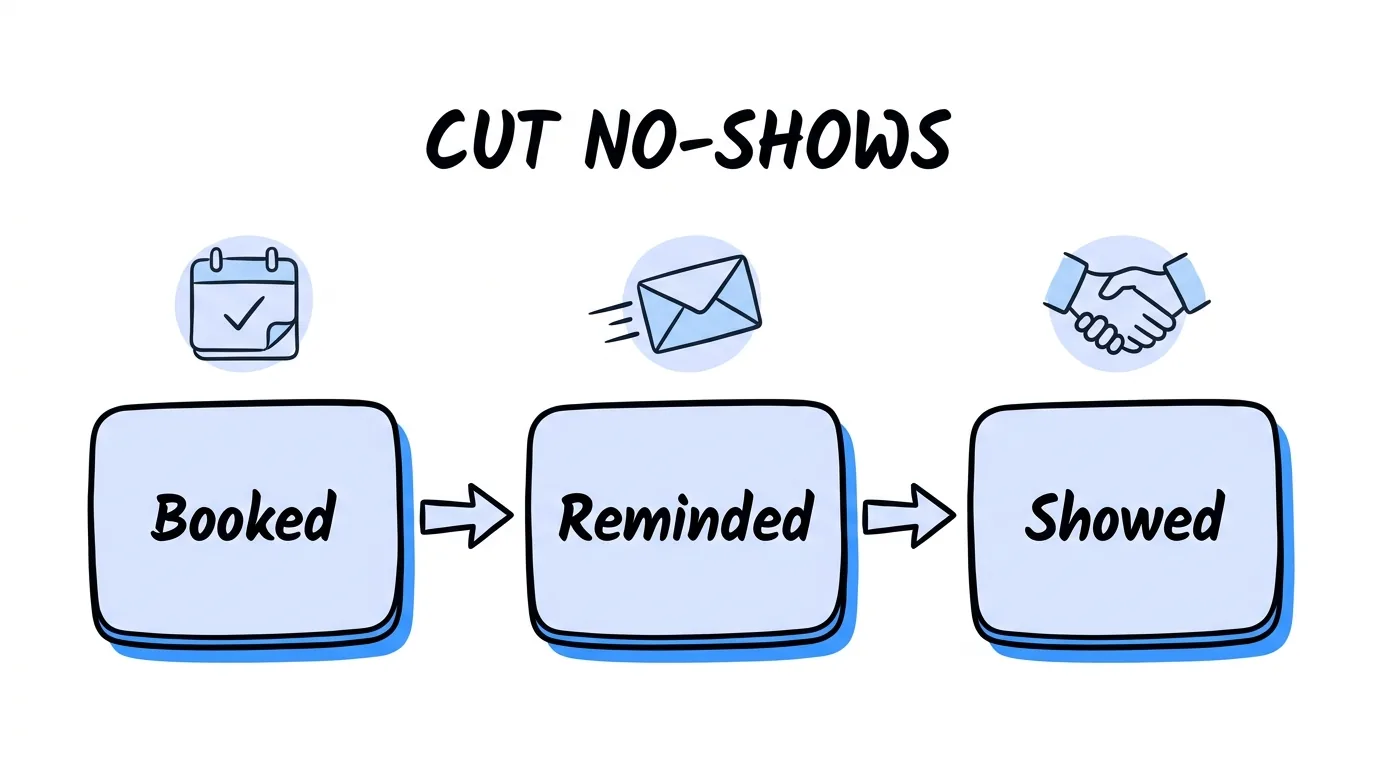
Here is how to reduce no-show appointments when you sell them: measure your no-show rate by traffic source, cut the sources that miss, qualify leads before they book, offer times in the next few days, make the lead commit to the time, and send reminders that say what is at stake.
Most guides stop at "send reminders" because they are written for clinics. This one is written for pay-per-lead, pay-per-call and appointment-setting agencies that sell booked appointments to buyers in solar, insurance, home services, legal and B2B. For you, a no-show is media you already paid for and an appointment you may not be able to invoice. The fixes that matter most are commercial: which sources you keep, how you qualify, and who carries the no-show risk in your billing terms. If you sell to several buyers, the setup behind this guide is on our page for appointment sellers.
In short: your appointment show rate is a margin number, not a courtesy metric. Fix it at the source, before the booking and in the contract, then use reminders to protect what is left.
Key Takeaways
- No-show rate equals no-shows divided by showed plus no-shows. Leave booked and canceled appointments out, or the number moves every time you book a future meeting.
- Show rate decides your cost per show. At a 60% show rate, a $160 booking costs you $267 per show. At 75%, it costs $213.
- Your sources are not equal. Two sources can book the same number of meetings and be worth very different amounts, so read show rate per source and cut the worst.
- Shorter waits help. In a study of 71,178 neurology appointments, every extra day of lead time raised the odds of a no-show.
- Billing terms move the risk. Bill per booking and the buyer carries no-shows. Bill per show and you carry them, so price for it.
What Is a No-Show Rate and How Do You Calculate It?
A no-show rate is the share of resolved appointments where nobody turned up. The formula is no-shows divided by the total of showed plus no-shows. Your appointment show rate is the mirror image: showed divided by showed plus no-shows.
Two exclusions keep the number honest. Appointments still sitting at Booked have not happened, so they stay out until they resolve. Canceled appointments stay out too, because nobody was expected to attend. A campaign with 9 showed, 5 no-shows and 4 still booked has a 36% no-show rate (5 of 14), not 28% (5 of 18).
For a benchmark, healthcare has the deepest data. A retrospective review of neurology clinics published in Healthcare by Hussam Elkhider and colleagues found 11,166 no-shows across 71,178 appointments, a 16% no-show rate. The no-show rate for sales appointments varies far more by vertical and traffic source, so your own history is the only benchmark that sets your prices. It is also where any plan to reduce no-show appointments has to start.
Why No-Shows Cost a Seller More Than a Clinic
A clinic loses a slot. An appointment seller loses the media that produced the booking, and often the invoice too. Work it through as a chain:
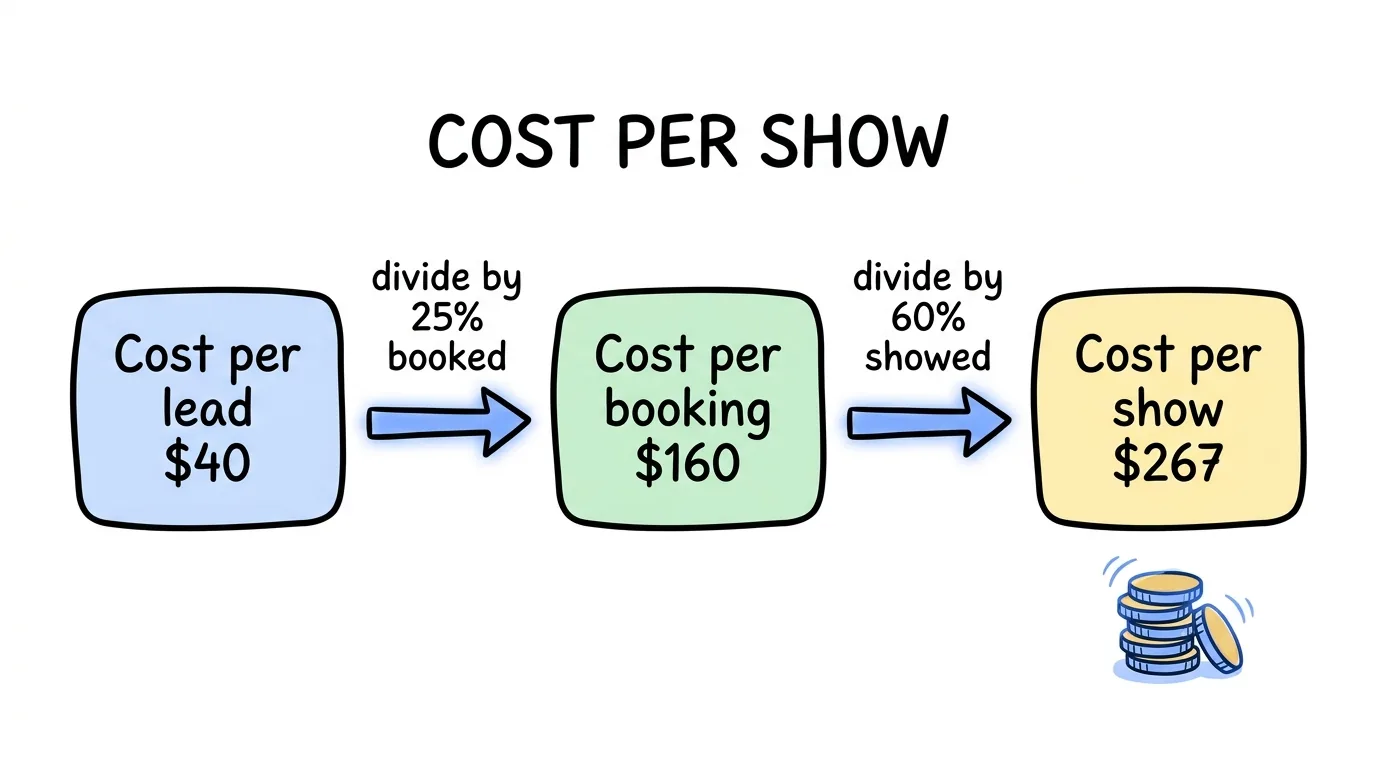
- Cost per booking equals cost per lead divided by the share of leads who book. A $40 lead with a 25% booking rate costs $160 per booking.
- Cost per show equals cost per booking divided by your show rate. At 60%, that $160 booking costs about $267 per show.
- Cost per qualified show divides again by the share of shows that qualify.
Now lift the show rate from 60% to 75%. Cost per show falls from about $267 to about $213, a 20% drop, with no change in media spend or lead price. That is why learning how to reduce no-show appointments usually pays back faster than buying cheaper traffic. Our guide to pay per appointment lead generation uses the same chain to set a price floor.
How to Reduce No-Show Appointments: 7 Fixes for Sellers
The fixes below are ordered by impact for a seller, starting with the ones that change which bookings you take, not just how you remind them.
1. Read show rate per traffic source, then cut
To reduce no-show appointments, read show rate per source before you touch reminders. One source that books curious clickers can sink a campaign's numbers while the rest perform. Pause it, renegotiate its price per booking, or require it to qualify harder. The worked example below shows how to read the split.
2. Qualify before the booking, not after
Every question you ask before the calendar removes a booking that would have missed. Ask what the buyer needs to know (state, homeowner status, budget, timeline) and send people who do not fit to a disqualify page instead of a calendar. Fewer, better bookings beat a full calendar of no-shows.
3. Shorten the booking window
Offer times in the next few days. The Healthcare neurology study found the odds of a no-show rose with each extra day of lead time, and listed long lead time among the main predictors. Intent fades while a lead waits.
4. Make the lead commit to the time
Small commitments work. In NHS Bedfordshire, Steve Martin, Suraj Bassi and Rupert Dunbar-Rees had patients write down their own appointment time and date, which cut missed appointments by 18%, according to The Decision Lab's summary of their Journal of the Royal Society of Medicine paper. Combined with two other changes, missed appointments fell 31.7%. For sellers, that means a confirmation page that repeats the time and a calendar invite the lead actively accepts.
5. Send reminders that say what is at stake
Wording matters as much as timing. In two randomized trials with nearly 20,000 patients, published in PLOS ONE, a reminder that stated the cost of a missed appointment cut the no-show rate from 11.1% to 8.4%. "We conclude that missed appointments can be reduced, for no additional cost, by introducing persuasive messages to appointment reminders," wrote Michael Hallsworth and colleagues from the Behavioural Insights Team and Imperial College London. Tell your lead what the call is for and that a rep has held the time for them.
6. Make rescheduling one click
A lead with a conflict who cannot move the time simply does not show. A reschedule link in every confirmation turns a no-show into a moved meeting.
7. Watch the rep side too
Some no-shows are the buyer's rep, not the lead. Read show rate per buyer as well, and raise it with any buyer whose reps miss meetings.
Reading Show Rate by Traffic Source: A Worked Example
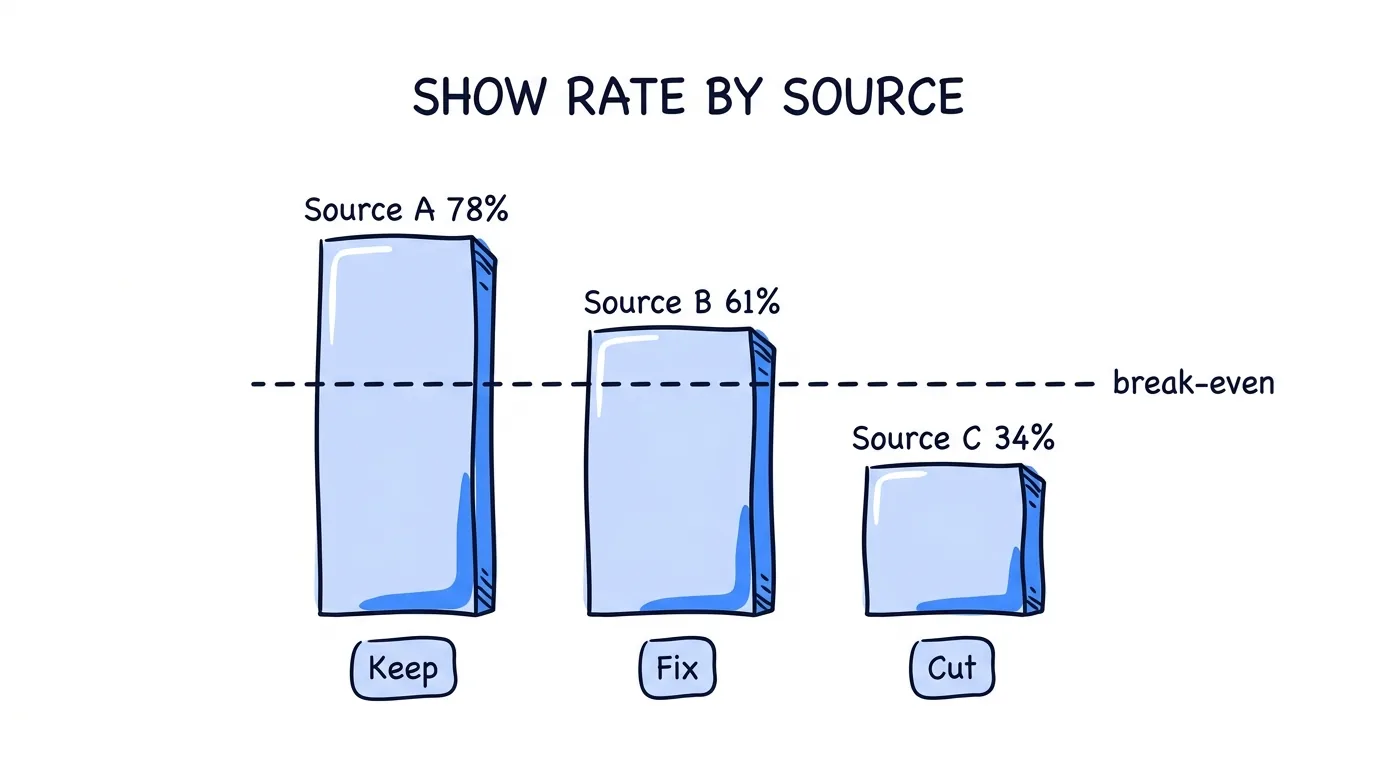
The table below is an illustration of the math, not client data. Three sources each booked 100 appointments at the same $160 cost per booking.
| Source | Booked | Showed | No-shows | Show rate | Cost per show | Action |
|---|---|---|---|---|---|---|
| Source A | 100 | 78 | 22 | 78% | $205 | Keep and scale |
| Source B | 100 | 61 | 39 | 61% | $262 | Add qualifying questions |
| Source C | 100 | 34 | 66 | 34% | $471 | Cut or reprice |
Source C costs more than twice as much per show as Source A, even though all three sent the same number of bookings at the same price. A blended show rate of 58% would hide that completely. If you sell at $300 per show, Source A earns margin, Source B barely does, and Source C loses money on every appointment. Cutting it is the fastest way to reduce no-show appointments across the whole campaign.
Who Carries the No-Show Risk: Billing per Booking vs per Show
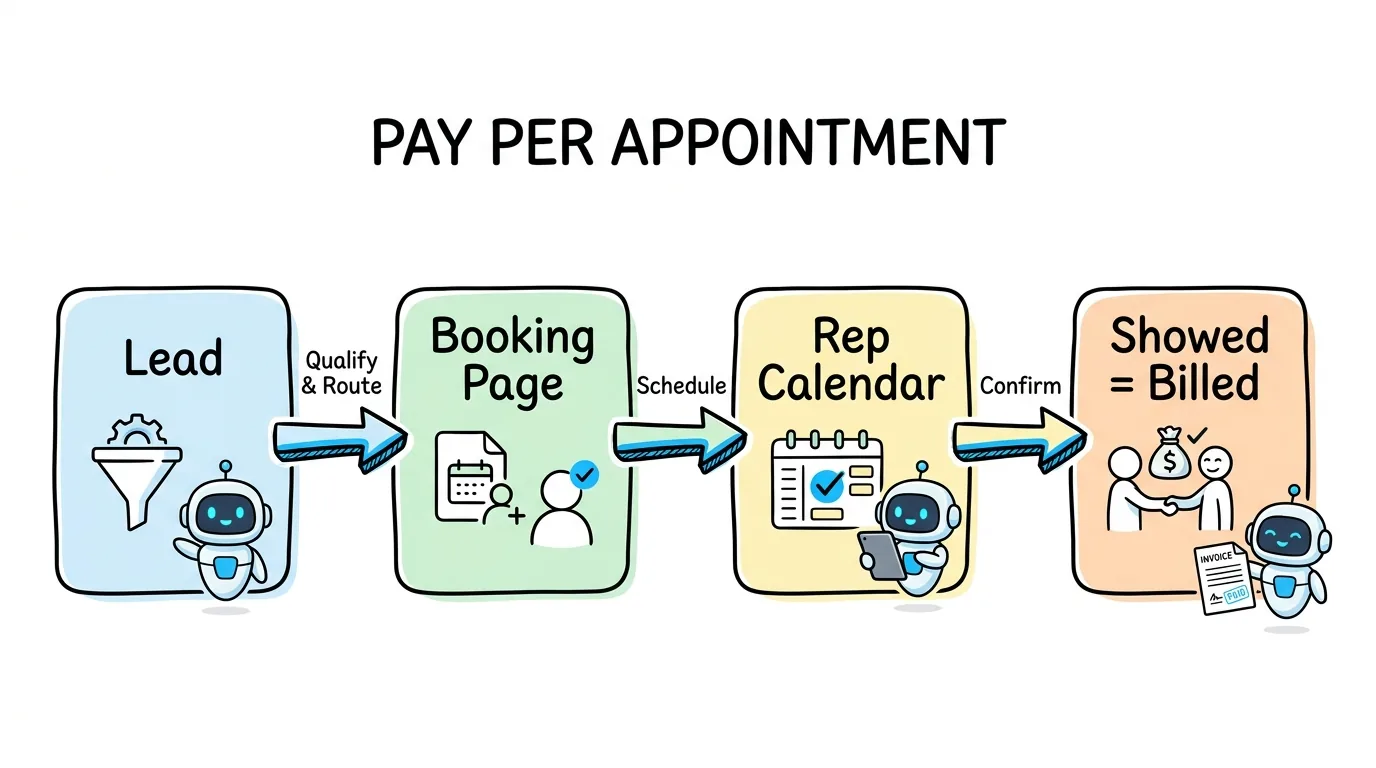
Your contract decides who pays for a no-show. Pick the trigger before you price, because the effort it takes to reduce no-show appointments only pays you back when you carry the risk.
| Bill on | Who carries no-show risk | Price per unit | Best when |
|---|---|---|---|
| Booked | The buyer | Lowest | The buyer trusts your traffic and wants volume |
| Showed | You, the seller | Higher | You can prove attendance and keep show rate high |
| Showed and qualified | You, the seller | Highest | You and the buyer agree written qualification criteria |
Billing on shows earns more per unit, but every no-show is your loss, so the price has to cover the bookings that never happen. Write a dispute window into the agreement too: how many days the buyer has to mark a no-show or unqualified meeting before the status stands. The same logic runs through a good lead return policy, and it keeps month-end invoices from turning into arguments.
How Lead Distro AI Helps You Reduce No-Show Appointments
Lead Distro AI tracks every appointment as Booked, Showed, No-show or Canceled. Show rate and qualified show rate are reported per campaign, and broken out per Destination (a buyer) and per source, so the source table above comes straight from your own data.
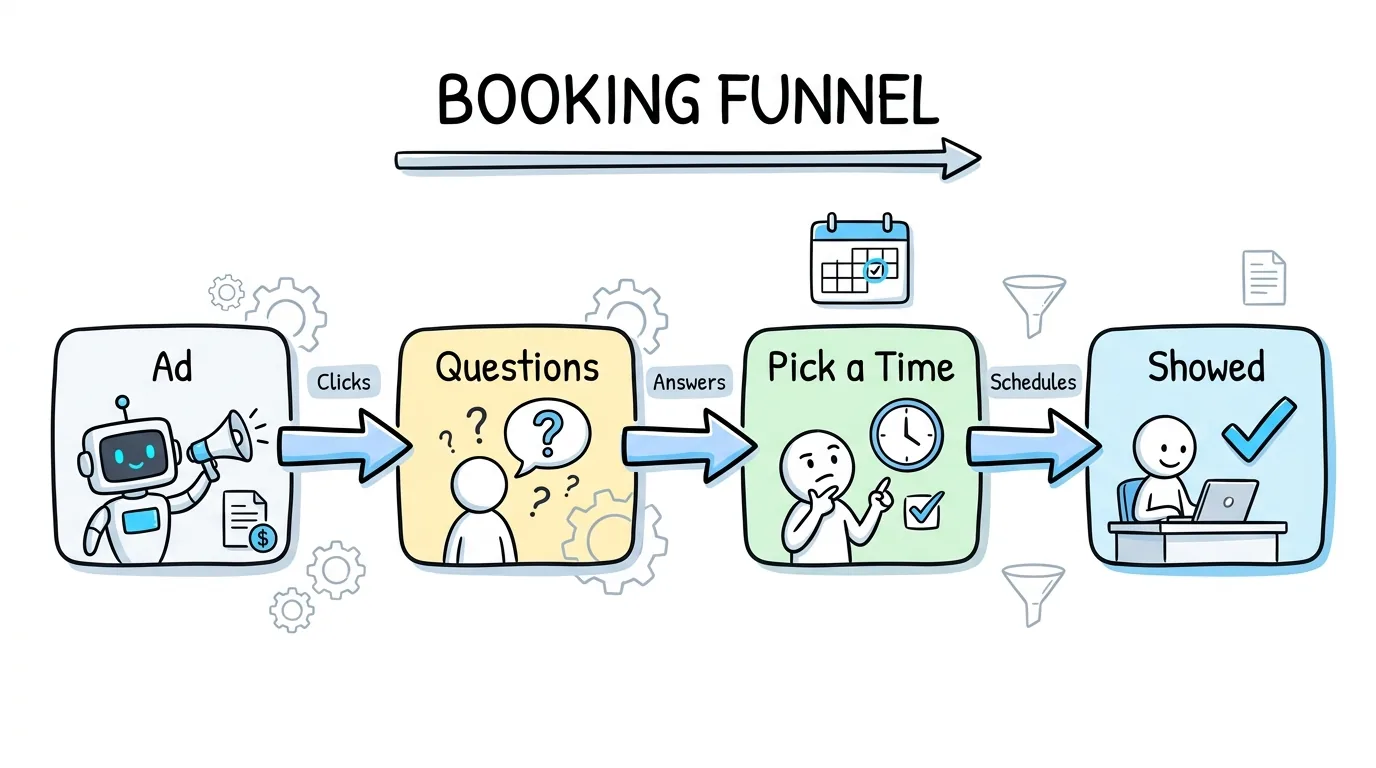
The booking calendar is a funnel, so it can ask qualifying questions and send poor fits to a disqualify page. You set meeting length, minimum notice and how many days ahead times are offered on each campaign. Reps connect their Google Calendar, and the person who booked gets email reminders a day and an hour before, while the rep gets one 15 minutes before. Every confirmation carries a link to reschedule or cancel. Each Destination is billed on booked, showed, or showed and qualified, and a charge reverses on its own if a status moves back.
Appointments are on the Growth plan ($497/mo) and above, with 500 tracked appointments a month on Growth; see pricing. The feature is in beta, so book a demo and we will switch it on. To build the page that brings the bookings, read our appointment booking funnel guide.
FAQ
How do you calculate a no-show rate?
Divide the number of no-shows by the total of showed plus no-shows, then multiply by 100. Leave out appointments still marked Booked, because they have not happened yet, and canceled appointments, because nobody was expected to attend. With 9 showed, 5 no-shows and 4 still booked, the no-show rate is 36%. Your appointment show rate is the other side of the same number: 64% in that example. Recalculate it weekly, per source and per buyer.
What is a good no-show rate for sales appointments?
There is no single benchmark, because the no-show rate for sales appointments swings by vertical, offer and traffic source. Healthcare data gives a reference point: one review of 71,178 neurology appointments found a 16% no-show rate. Treat your own history as the benchmark. Read it per source and per buyer, because a blended number hides the source that is costing you money. Then set your price per show from that history.
How do you reduce no-show appointments for booked sales calls?
Start before the booking. Qualify leads with a few questions, offer times in the next few days, and ask the lead to confirm the time themselves. Then remind the lead a day and an hour before, remind the rep before the meeting, and include a one-click reschedule link. Finally, read show rate per traffic source and cut or reprice the sources that miss most often, since one weak source can drag down the whole campaign.
Do reminders actually reduce no-shows?
Yes, and wording matters. A systematic review in the Journal of Telemedicine and Telecare by Per Hasvold and Richard Wootton found reminders cut non-attendance by about 34% of the baseline rate. Two UK trials found that a reminder stating the cost of a missed appointment cut the no-show rate from 11.1% to 8.4%. Sales calls are not clinic visits, so treat those figures as direction, then test your own wording.
Should I bill buyers per booking or per show?
It depends on who should carry the no-show risk. Billing per booking puts it on the buyer and earns the lowest price per unit. Billing per show puts it on you, the seller, and earns more, so your price must cover the bookings that never show. Billing per qualified show earns the most but needs written criteria. Whichever trigger you pick, charges should reverse if a status moves back, and the dispute window should be in writing.
Conclusion
Learning how to reduce no-show appointments as a seller starts with the math, not the reminder template. Measure your no-show rate correctly, read it per source and per buyer, and cut the sources that drag your cost per show up. Qualify before the calendar, keep the booking window short, ask the lead to commit, and send reminders that explain what is at stake. Then match your billing trigger to the risk you are willing to carry.
Lead Distro AI puts the booking page, routing, reminders, show tracking and per-show billing in one place. Start your 7-day free trial (a credit card is required, and you can cancel anytime during the trial) or book a demo to switch on appointments.
Selling booked appointments to several buyers? Start your 7-day free trial and see show rate per source and per Destination in one report.
About the Author
Founder & CEO of Lead Distro AI & Great Marketing AI
UC Berkeley graduate and former software engineer at Microsoft. Rafael built Lead Distro AI after managing over $10M in ad spend for performance marketing agencies (pay-per-lead and pay-per-call), including running campaigns for Neil Patel. He combines deep software engineering expertise with hands-on performance marketing experience to build tools that help these agencies scale profitably.
About Lead Distro AI
Lead Distro AI: Capture, Route, and Sell Every Lead, Call, and Appointment
The modern platform for pay-per-lead and pay-per-call agencies. Route, score, and deliver leads with AI-powered automation and real-time P&L tracking. Built for performance marketing agencies and lead buyers across legal, insurance, mortgage, solar, and home services verticals.
4 Distribution Methods
Waterfall, Round Robin, Weighted, Ping-Post
Ping-Post Auctions
Real-time bidding with sub-second routing
Real-Time P&L Reporting
Track revenue, costs, and profit per campaign
Call Tracking
Assign tracking numbers, record calls, and attribute conversions
Lead Scoring
Score every lead before routing to maximize conversion
Partner Portal
Self-serve dashboard for buyers to track leads