Booking Funnel: How to Build One That Sells Appointments
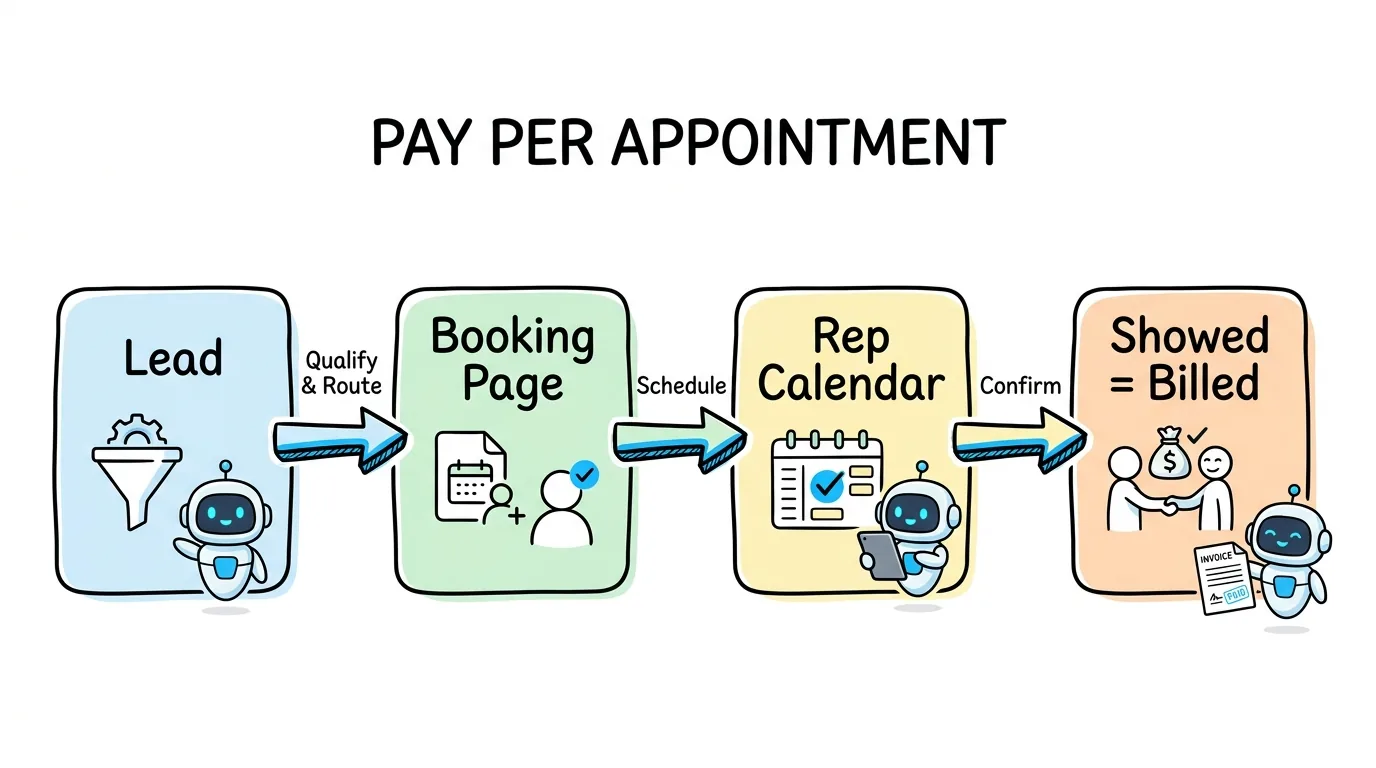
How to build a booking funnel that sells appointments: qualify the lead, book a real open time, route it to a buyer's rep, remind both sides and bill per show.

Rafael Hernandez
Founder & CEO
Ex-Microsoft SWE · $10M+ PPL ad spend
I hope you enjoy reading this blog post. If you want to try Lead Distro AI for free, click here.
Author: Rafael Hernandez | Founder & CEO of Lead Distro AI
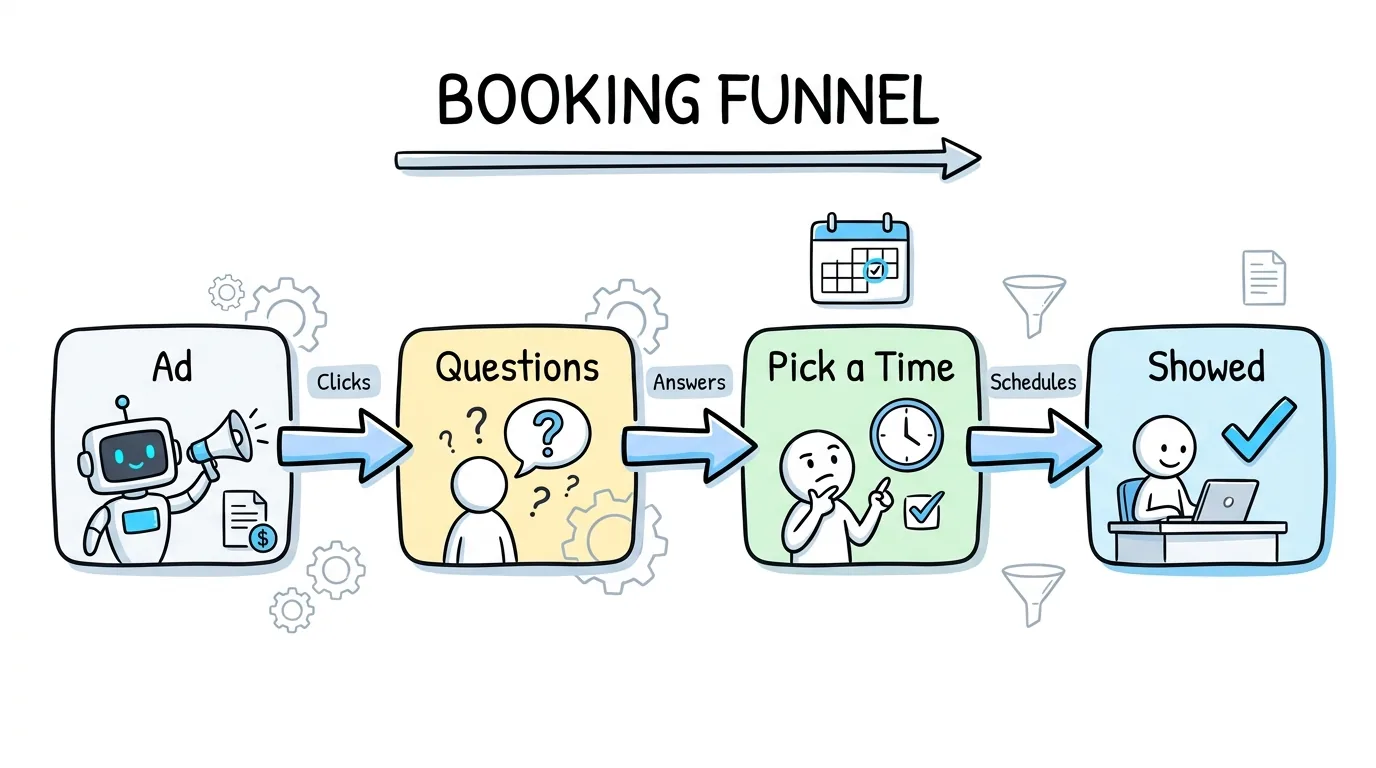
A booking funnel is a short series of pages that qualifies a visitor and ends with them picking a time on a calendar, so the result is a scheduled appointment instead of a form fill. For an agency that sells appointments, the funnel only pays when that booking reaches the right rep and the prospect shows up.
Most guides stop at the calendar widget. This one is written for pay-per-lead, pay-per-call and appointment-setting agencies that sell booked appointments to buyers in solar, insurance, home services, legal and B2B. It covers the build and the part most guides skip: what happens after the booking, from routing and reminders to show tracking and billing. If you are still deciding whether to sell appointments at all, start with our guide to pay per appointment lead generation.
In short: build the booking funnel around the unit you bill, put real open times inside the funnel, and let the show status, not the booking, drive the invoice.
Key Takeaways
- The funnel ends in a calendar, not a form. The visitor answers a few questions, then books a time while intent is still high.
- The money is made after the booking. Routing, reminders and show tracking decide whether a booking turns into a billable appointment.
- Pool open times across buyers so one booking page can serve many buyers without double-booking a rep.
- Reminders are cheap insurance. A systematic review of 29 studies found reminders cut non-attendance by about a third of the baseline rate.
- Bill on the event you can prove: booked, showed, or showed and qualified, with charges that reverse when a status changes.
What Is a Booking Funnel?
It replaces the last step of a lead funnel. Instead of "submit and wait for a call," the visitor sees open times and books one. The unit you deliver changes from a contact record to a meeting on someone's calendar.
That sounds like a small change, but it moves the whole job. A lead seller is done when the buyer accepts the record. An appointment seller is done when the meeting happens, so the funnel has to keep working after the visitor leaves the page.
Speed is the reason the model works. In Harvard Business Review, James B. Oldroyd, Kristina McElheran and David Elkington reported that most companies are not responding to web leads nearly fast enough. A call booking funnel removes the wait: the prospect commits to a time in the same session, before a competitor calls first.
Buyers pay more for that commitment, and they also expect more. They want the right prospect, at a time their rep can take, who actually shows up.
Booking Funnel vs Lead Funnel vs Call Funnel
The three funnels share the same front half. They differ in what happens at the end and in who carries the risk that nothing happens next.
| Funnel type | Ends with | What the buyer pays for | Main risk for the seller | What you must track |
|---|---|---|---|---|
| Lead funnel | A form submission | A contact record with consent | Returns and duplicates | Acceptance, returns, contact rate |
| Call funnel | A live inbound call | A call that meets a duration rule | Calls that hang up too early | Call duration, answer rate |
| Booking funnel | A booked time on a rep's calendar | A booked, showed or qualified appointment | No-shows, when you bill on shows | Show rate, qualified show rate, rep availability |
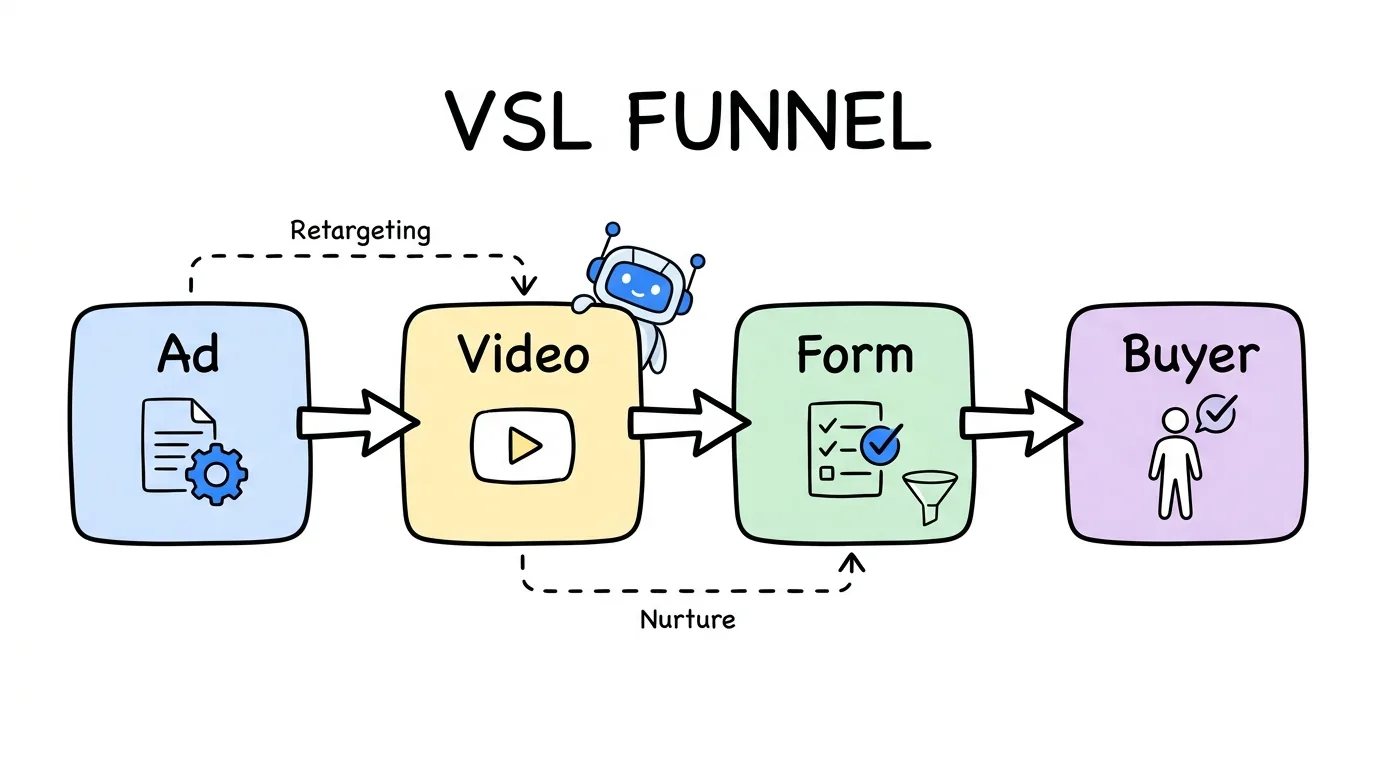
An appointment funnel fits buyers with high-ticket, consultative offers: a solar installer, a personal injury firm with an intake team, or a B2B sales team. A lead funnel fits buyers who already run fast outbound calling. Many agencies run both with the same buyers, and the same front half of the funnel can feed either one. A call booking funnel is the middle ground for buyers who want a scheduled phone call rather than a video meeting or a site visit.
Step 1: Decide What You Sell and When It Bills
Every later step in an appointment booking funnel depends on one decision you make before you build a page: the event that triggers the charge.
- Booked. The buyer pays when the time is scheduled and carries the no-show risk. Easy to prove, lowest price.
- Showed. The buyer pays when the prospect attends. You carry the no-show risk, so the price has to cover the bookings that never show.
- Showed and qualified. The buyer pays when the prospect attends and meets written criteria. Highest price, clearest rules needed.
Write the trigger, the show definition (for example, the prospect joins within a grace period) and the dispute window into the buyer agreement first. Then collect each buyer's reps, their working hours, days off and a daily maximum, plus the buyer's total cap. Without that list, the funnel cannot know which times are real.
Consent belongs here too. Under the FCC's TCPA rule, 47 CFR 64.1200, autodialed or prerecorded telemarketing calls to a mobile number generally need prior express written consent. Put the consent language in the funnel and have counsel review it.
Step 2: Build Questions That Qualify Before the Calendar
The questions in front of the calendar do two jobs: they filter out people the buyer would not pay for, and they give the rep context for the meeting.
Keep the question list short and specific to the buyer's criteria. If you would rather not start from a blank page, our guide to Lead Distro AI funnel templates shows ready-made funnels by vertical. A solar funnel might ask about home ownership, the monthly power bill and the zip code. An insurance funnel might ask about coverage type and age band. Lead Distro AI's funnel builder handles this with branching logic. Ask one question per screen, and send visitors who fail a rule to a polite dead end instead of the calendar.
Check service area before you show times. A homeowner outside every installer's territory should never see a calendar, because any booking they make is one no buyer will pay for.
Set a realistic baseline for conversion. The Unbounce Conversion Benchmark Report found a median landing page conversion rate of 6.6% across all industries, based on more than 41,000 landing pages and 57 million conversions. A booking step adds one more decision, so measure the drop at each step rather than guessing.
Step 3: Put Real Open Times Inside the Funnel
The calendar should be a step of the funnel, not a link to a separate scheduler. When the booking happens on another page, you lose the visitor's answers, your tracking and often the visitor.
Three rules keep the calendar honest, and they are the rules the Lead Distro AI booking calendar is built on:
- Show only times someone can take. Pull each rep's busy times from their calendar and respect their hours, buffers and daily limit.
- Pool times across buyers. One grid of open times, drawn from every rep at every buyer who can take this lead, beats a separate calendar per buyer. The prospect picks a time, not a company.
- Offer near-term slots. Times in the next few days keep intent fresh. A slot three weeks out is a no-show waiting to happen.
Show times in the visitor's own time zone, and include a reschedule and cancel link in the confirmation. A moved meeting is far cheaper than a missed one. A standalone scheduling link is built for one company booking its own team. A seller needs the reverse: one page feeding many buyers, with each buyer's caps respected on every slot.
Step 4: Route Each Booking to the Right Buyer and Rep
This is the step most booking funnel guides skip, and it is where an appointment seller earns or loses margin.
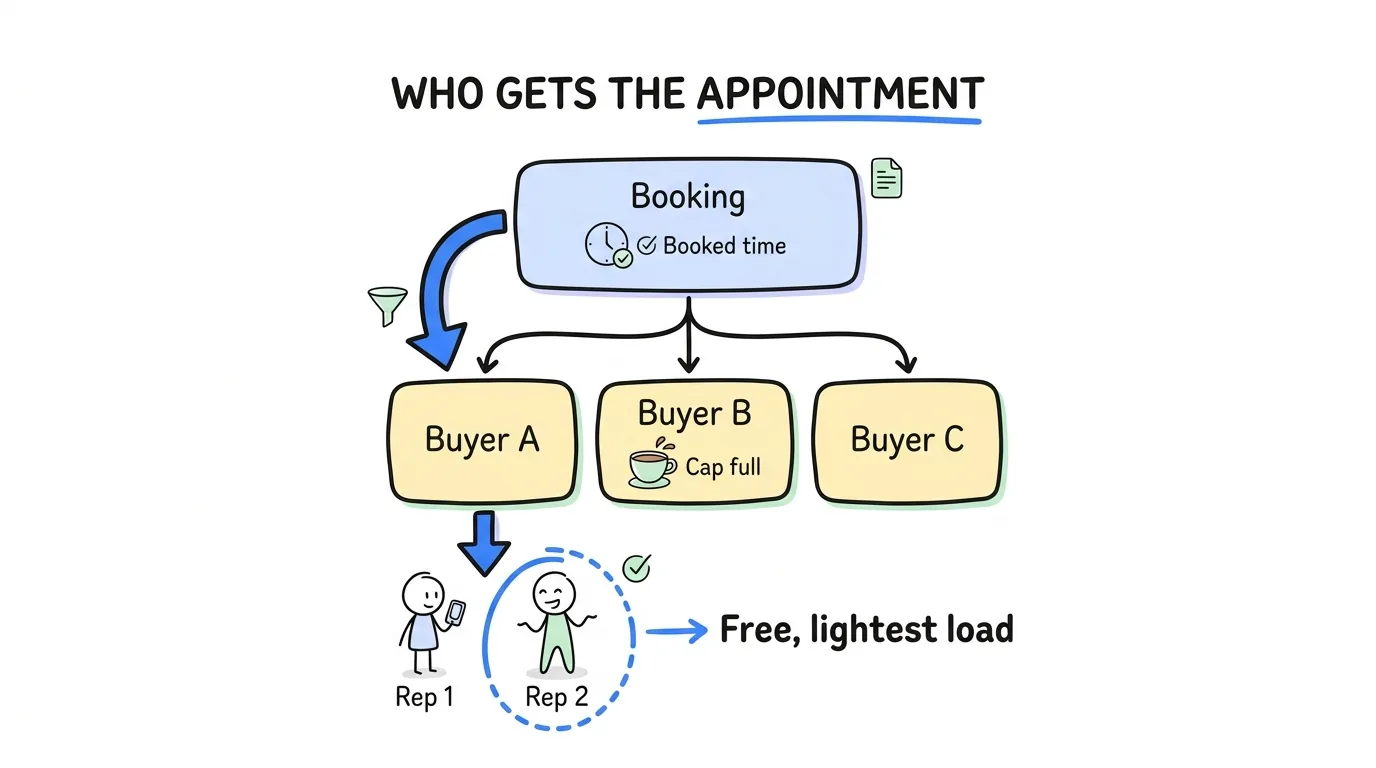
Routing a booking works on two levels:
- Pick the buyer. Caps and filters decide which buyers are eligible for this prospect. Your distribution order (priority, round robin, weighted or best price) picks one of them at the booked time.
- Pick the rep. Inside that buyer, the free rep with the lightest recent load gets the meeting, so one rep does not take every booking.
Caps must hold at both levels, which is why the Lead Distro AI setup for appointment sellers gives every rep a daily maximum and every buyer its own cap. A rep at their daily limit should stop offering times, and a buyer at its cap should drop out of the pool until it has room.
Two details save real money. First, holding a lead while the visitor picks a time should not spend the buyer's cap, because nothing has been sold yet. Second, a visitor who never books should never be delivered or charged. Both rules keep your invoices clean and your buyers trusting the numbers.
Step 5: Remind Both Sides Before the Meeting
Reminders are the cheapest margin protection in any appointment setting funnel. The strongest evidence comes from healthcare, which has studied missed appointments for decades.
A systematic review in the Journal of Telemedicine and Telecare by Per Hasvold and Richard Wootton covered 29 studies and found that reminders reduced non-attendance by a weighted mean of 34% of the baseline rate. Manual phone calls (39%) beat automated reminders (29%), and sending the reminder the day before or the week before made no clear difference. The authors concluded that "all hospitals should consider using automated reminders to reduce non-attendance at appointments." A Cochrane review of seven studies with 5,841 participants also found text reminders improved attendance compared with no reminder.
Sales meetings are not hospital visits, so treat those figures as direction, not a forecast. The pattern that works:
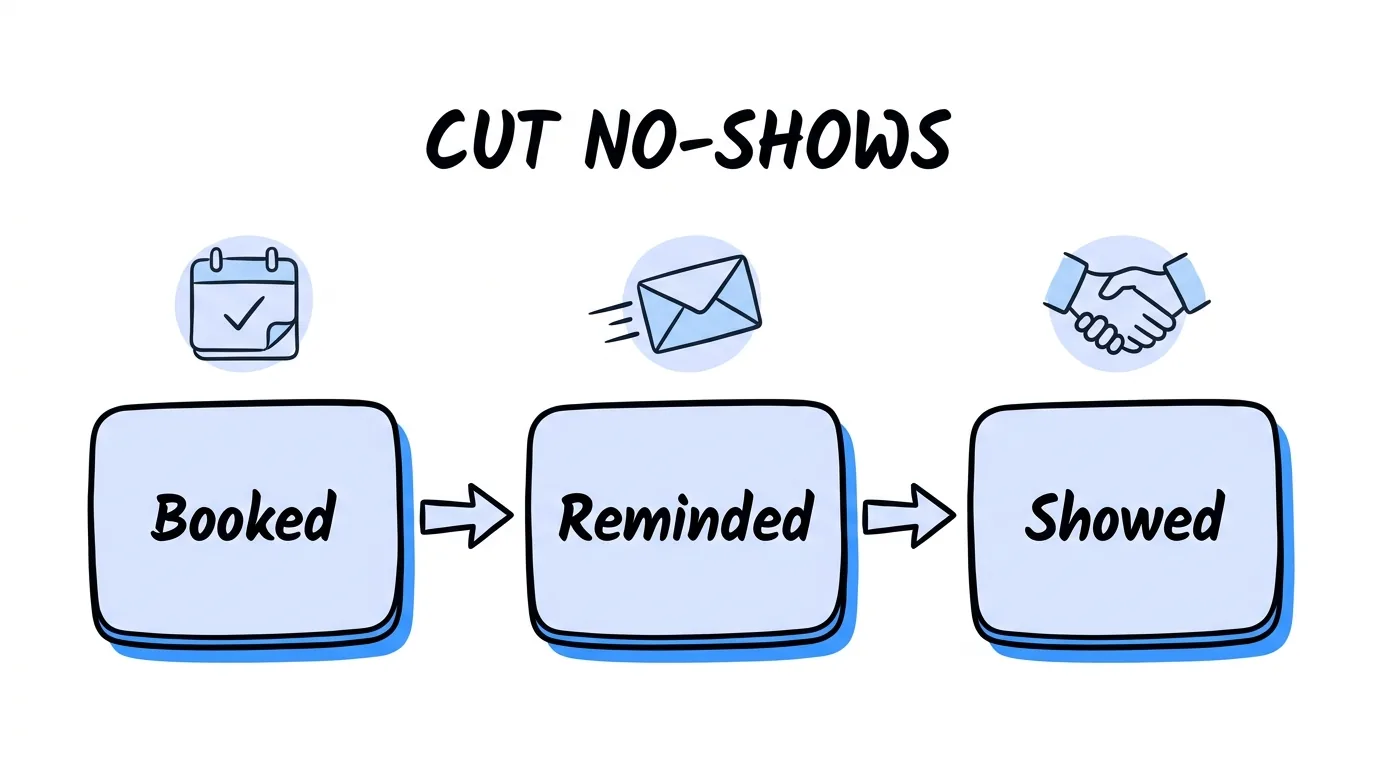
- Remind the prospect twice, a day before and an hour before.
- Remind the rep shortly before the meeting, so the buyer's side shows up too.
- Make rescheduling one click, so a conflict becomes a new time instead of a no-show.
Step 6: Track Shows and Bill per Show
A booking is a promise. The show is the product, so the status of every appointment needs a clear owner and a clear record.
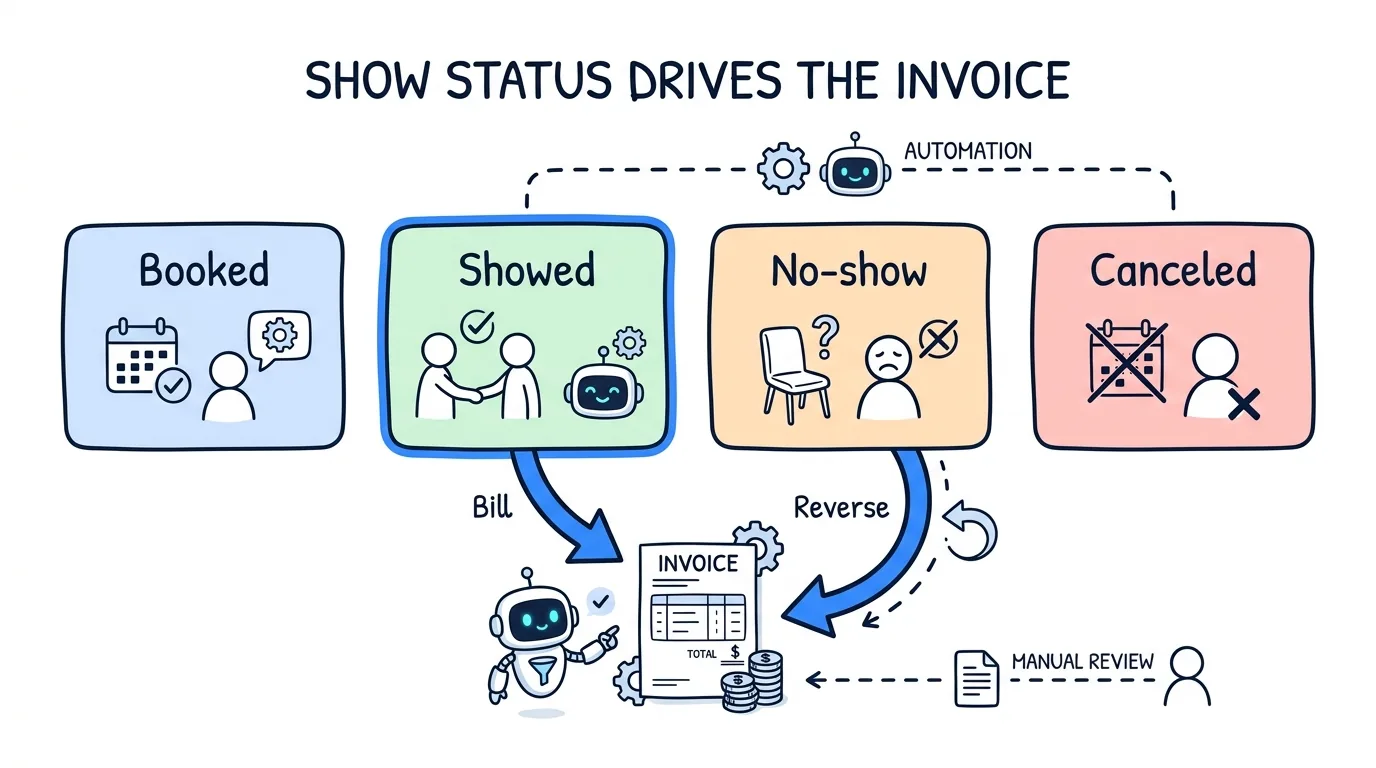
Use four statuses: Booked, Showed, No-show and Canceled. Let the buyer mark outcomes in a portal, or have their CRM post the status back, because the buyer is the one who knows who attended.
Calculate show rate as showed divided by showed plus no-shows. Leave booked appointments out until they resolve. With 9 showed, 5 no-shows and 4 still booked, the show rate is 64%, not 45%.
Then let the status drive the invoice. A buyer billed per show is charged when the appointment is marked Showed. If that status later moves to No-show, the charge reverses on its own, and moving it back bills it again. Track show rate by source and by buyer as well: two sources can send the same number of bookings and be worth very different amounts, which is the first thing to check when you want to reduce no-show appointments.
Step 7: Send Booked Appointments Back to Your Ads
Your ad platform learns from the events you send it. If the only event is a form fill, it optimizes for people who fill forms, not people who book.
Meta's Pixel has a standard event for this. Its standard events reference defines Schedule as the event fired "when a person books an appointment to visit one of your locations," next to Lead for a completed sign up. Fire a scheduling event once per real booking, not once per page view, so a refresh of the confirmation page does not double count.
Take a worked example with round numbers. 1,000 ad clicks at a 6.6% funnel conversion rate give 66 leads. If half book, that is 33 appointments. At a 64% show rate, about 21 meetings happen. If your ads only see the 66 leads, they cannot tell the leads that book and show from the ones that never pick a time. Sending the booking event closes that gap.
Booking Funnel Metrics to Watch
This funnel has more stages than a lead funnel, so track each one separately instead of one blended conversion rate.
| Metric | How to calculate it | What it tells you |
|---|---|---|
| Funnel conversion rate | Leads divided by visitors | Whether the offer and questions work |
| Booking rate | Booked appointments divided by leads | Whether the calendar step loses people |
| Show rate | Showed divided by (showed plus no-shows) | Whether reminders and lead times work |
| Qualified show rate | Qualified shows divided by all shows | Whether the questions screen the right people |
| Cost per showed appointment | Media spend divided by shows | Your real unit cost and price floor |
Read every appointment funnel metric per source and per buyer. A drop in booking rate points at the calendar step. A drop in show rate with the same booking rate points at reminders, lead times or one buyer's reps missing meetings.
How to Build a Booking Funnel in Lead Distro AI
Lead Distro AI puts the funnel, the calendar, the routing and the billing in one account. You build the questions with branching logic, service-area gating and phone verification by text. The booking page is itself a funnel, so it asks questions and holds each lead until it books.
Open times are pooled across every Destination (a buyer) whose caps and filters fit the lead. Your distribution order picks the Destination, then its free rep with the lightest load gets the appointment. Reps connect their Google Calendar, and a change made there updates the booking. The prospect gets email reminders a day and an hour before, and the rep gets one 15 minutes before.
Destinations mark Showed or No-show in the Partner Portal, or their CRM posts it by webhook. Show rate is reported per source and per Destination, and each Destination is billed on booked, showed, or showed and qualified, with charges that reverse if the status moves back. Bookings made on a GoHighLevel calendar can also come in through the API.
Appointments are on the Growth plan ($497/mo) and above, with 500 tracked appointments a month on Growth; see pricing. The feature is in beta, so book a demo and we will switch it on.
Frequently Asked Questions
What is a booking funnel?
A booking funnel is a set of pages that qualifies a visitor with a few questions and ends with the visitor picking a time on a calendar. The output is a scheduled appointment instead of a form submission. Agencies that sell appointments use booking funnels to deliver meetings to buyers' reps, then track whether each meeting showed so they can bill on the agreed event.
What is the difference between an appointment booking funnel and a lead funnel?
A lead funnel ends with a form submission and delivers a contact record that the buyer must call. An appointment booking funnel ends with a booked time on a rep's calendar, so the prospect has already agreed to a conversation. The booking version adds work after the page: routing the time to a free rep, sending reminders, tracking shows and billing on the status.
How do I reduce no-shows from a booking funnel?
Offer times in the next few days rather than weeks out, remind the prospect a day before and an hour before, remind the rep before the meeting, and include a one-click reschedule link. A systematic review of 29 healthcare studies found reminders cut non-attendance by about 34% of the baseline rate. Then track show rate per source and per buyer to find where no-shows come from.
Can one booking page serve several buyers?
Yes, if open times are pooled across every buyer who can take the lead. The prospect sees one grid of times instead of choosing a company. Caps and filters decide which buyers are eligible, your distribution order picks the buyer at the booked time, and the buyer's free rep gets the meeting. A rep or buyer at their cap drops out of the pool until there is room again.
What should an appointment setting funnel bill on?
Bill on the event you can prove and the buyer agrees to in writing. Billing on booked appointments puts the no-show risk on the buyer and earns the lowest price. Billing on showed appointments puts the risk on you and earns more. Billing on showed and qualified appointments earns the most but needs written criteria. Whichever you pick, charges should reverse when a status moves back.
Which Lead Distro AI plan includes the booking calendar?
Appointments, including the booking calendar and per-appointment billing, are on the Growth plan at $497 a month and higher plans. Growth includes 500 tracked appointments a month. They are not on Starter or the Call Tracking plan. The feature is in beta, so book a demo and the team will switch it on and help you set up your first booking page.
The Bottom Line
A booking funnel is only as good as what happens after the visitor picks a time. Decide what you bill on before you build, qualify before the calendar, show only real open times, and route every booking to a buyer and rep with room. Then remind both sides, let the buyer mark the show, and let that status drive the invoice. Build it that way and you sell meetings your buyers trust, not bookings they dispute.
Ready to sell booked appointments instead of raw leads? Start a 7-day free trial to explore the funnel builder and routing, or book a demo and we will set up your first booking page with you.
About the Author
Founder & CEO of Lead Distro AI & Great Marketing AI
UC Berkeley graduate and former software engineer at Microsoft. Rafael built Lead Distro AI after managing over $10M in ad spend for performance marketing agencies (pay-per-lead and pay-per-call), including running campaigns for Neil Patel. He combines deep software engineering expertise with hands-on performance marketing experience to build tools that help these agencies scale profitably.
About Lead Distro AI
Lead Distro AI: Capture, Route, and Sell Every Lead, Call, and Appointment
The modern platform for pay-per-lead and pay-per-call agencies. Route, score, and deliver leads with AI-powered automation and real-time P&L tracking. Built for performance marketing agencies and lead buyers across legal, insurance, mortgage, solar, and home services verticals.
4 Distribution Methods
Waterfall, Round Robin, Weighted, Ping-Post
Ping-Post Auctions
Real-time bidding with sub-second routing
Real-Time P&L Reporting
Track revenue, costs, and profit per campaign
Call Tracking
Assign tracking numbers, record calls, and attribute conversions
Lead Scoring
Score every lead before routing to maximize conversion
Partner Portal
Self-serve dashboard for buyers to track leads