What Is a Call Whisper? How It Works and How to Set One Up
A call whisper is a short message played to the agent or buyer before a caller connects, identifying the source. Here is how it works and how to set one up.

Rafael Hernandez
Founder & CEO
Ex-Microsoft SWE · $10M+ PPL ad spend
I hope you enjoy reading this blog post. If you want to try Lead Distro AI for free, click here.
Author: Rafael Hernandez | Founder & CEO of Lead Distro AI
Last Updated: June 21, 2026
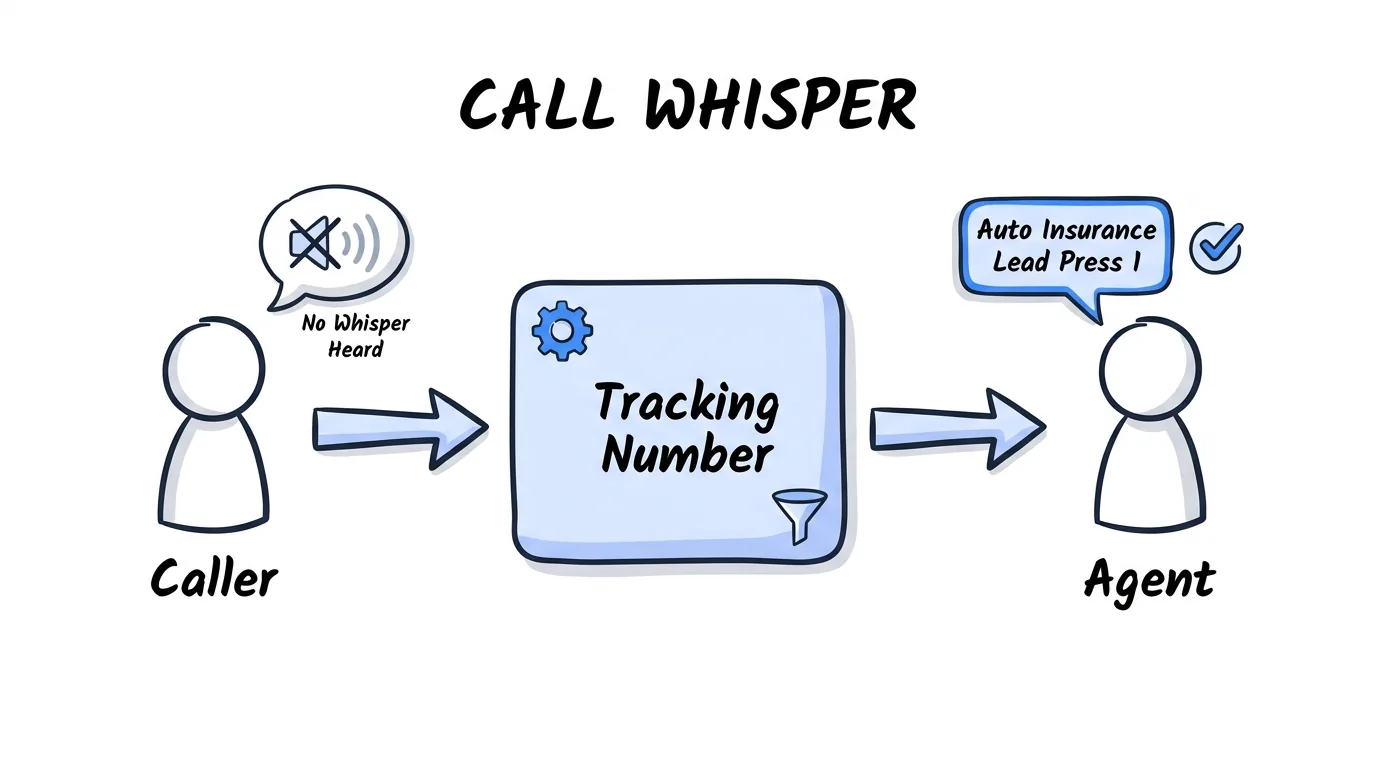
A call whisper is a short automated message played only to the person answering an inbound call, the agent or buyer, in the brief moment before the live caller is connected. The caller never hears it. The whisper tells the answering party where the call came from, what campaign or buyer it belongs to, and how to greet the caller, so a call center agent picking up a transferred lead knows to say "Thanks for calling about auto insurance" instead of a generic hello. For pay-per-call agencies, the call whisper is the handoff cue that turns a routed call into a billable, well-handled transfer. The platform answers the call, qualifies the caller, runs its buyer waterfall, then plays the whisper to the winning buyer, who presses 1 to accept and is bridged to the caller in under a second.
Why it matters: the whisper protects both call quality and billing. According to Invoca's call tracking research, whisper messages let agents prepare for each call and confirm acceptance before the meter starts, which reduces misattributed and disputed calls. When inbound calls convert at 25.56% versus 9.38% for cold outreach per Focus Digital's 2025 report, a confused agent who fumbles the first three seconds is throwing away a call worth $40 to $200. Lead Distro AI plays a configurable call whisper on every routed and ping-post call so your buyers always know which campaign a call belongs to before they say a word.
Key Takeaways
- A call whisper is a private message played to the agent or buyer only, never to the caller, in the second before the two parties are connected on an inbound call.
- The whisper message identifies the call source, such as the campaign, keyword, buyer, or lead type, so the answering party greets the caller correctly and handles the call in context.
- Whisper messages double as an accept-or-decline gate, prompting the buyer to press 1 to take the call, which confirms acceptance before billing starts and cuts disputed calls.
- Pay-per-call agencies and lead buyers rely on call whispers to route a single tracking number to many buyers while keeping every transfer labeled and billable.
- Lead Distro AI plays a configurable call whisper on routed and ping-post calls, with usage-based call tracking layered on a $297/month platform that includes a 7-day free trial requiring a credit card.
What a Call Whisper Is
A call whisper, also called a call whisper message or whisper announcement, is audio that plays to the call recipient only. The caller hears ringing or hold music while the answering agent hears a short prompt like "Solar lead from Google Ads, press 1 to accept." This one-sided audio is what separates a whisper from an IVR (Interactive Voice Response) greeting, which the caller does hear. CallRail defines a whisper message as a recording played to the call recipient before they are connected, distinct from the caller-facing greeting.
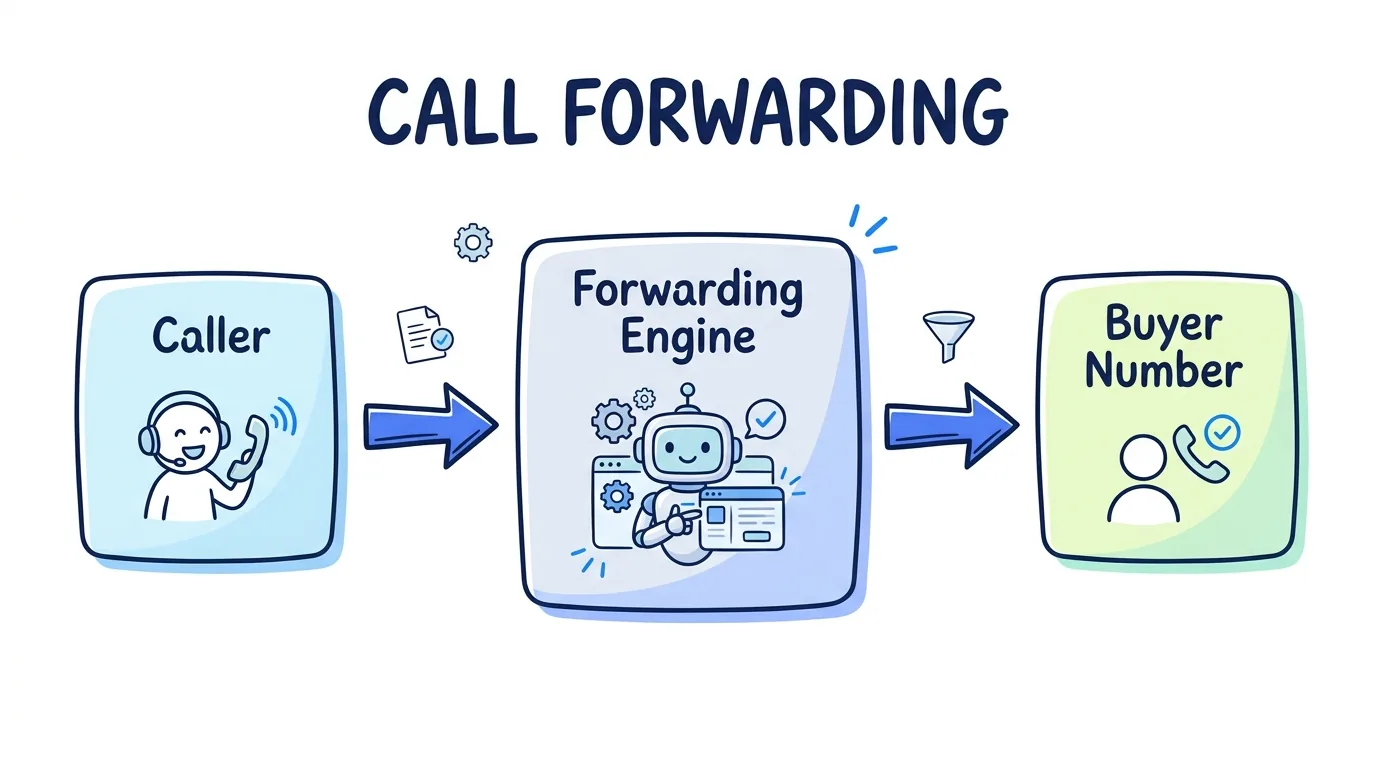
The mechanics are simple. The routing platform answers the inbound call, decides who should receive it, dials that destination, and plays the recorded whisper to the destination before bridging the two legs of the call together. Because the legs are separate until the whisper finishes, the caller is never exposed to the internal label. This is the same two-leg call model that powers whisper message call tracking across platforms like Ringba, Invoca, and CallTrackingMetrics.
How a Call Whisper Works Step by Step
The call whisper fires at a precise point in the call flow: after routing decides the destination but before the caller and recipient can hear each other. Here is the sequence for a typical pay-per-call transfer.
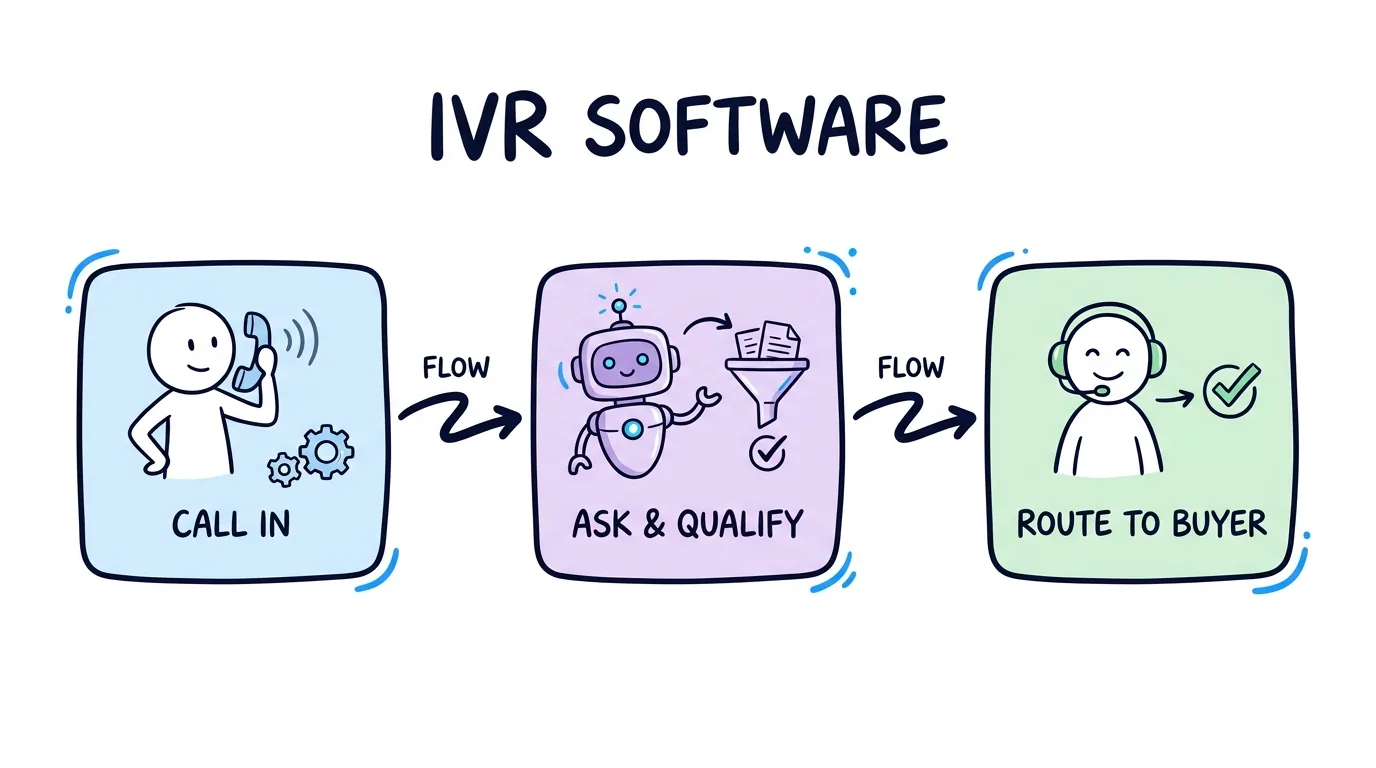
First, the caller dials a tracking number tied to a campaign. The platform answers and may run an IVR to qualify the caller, asking a question like "Were you in an accident in the last two years?" Second, the routing engine checks which buyers want that call type, in that region, at that price, and selects a winner using a buyer waterfall. Third, the platform dials the winning buyer and plays the call whisper to that buyer only, announcing the source and prompting acceptance. Fourth, the buyer presses 1, the two legs bridge, and billing begins.
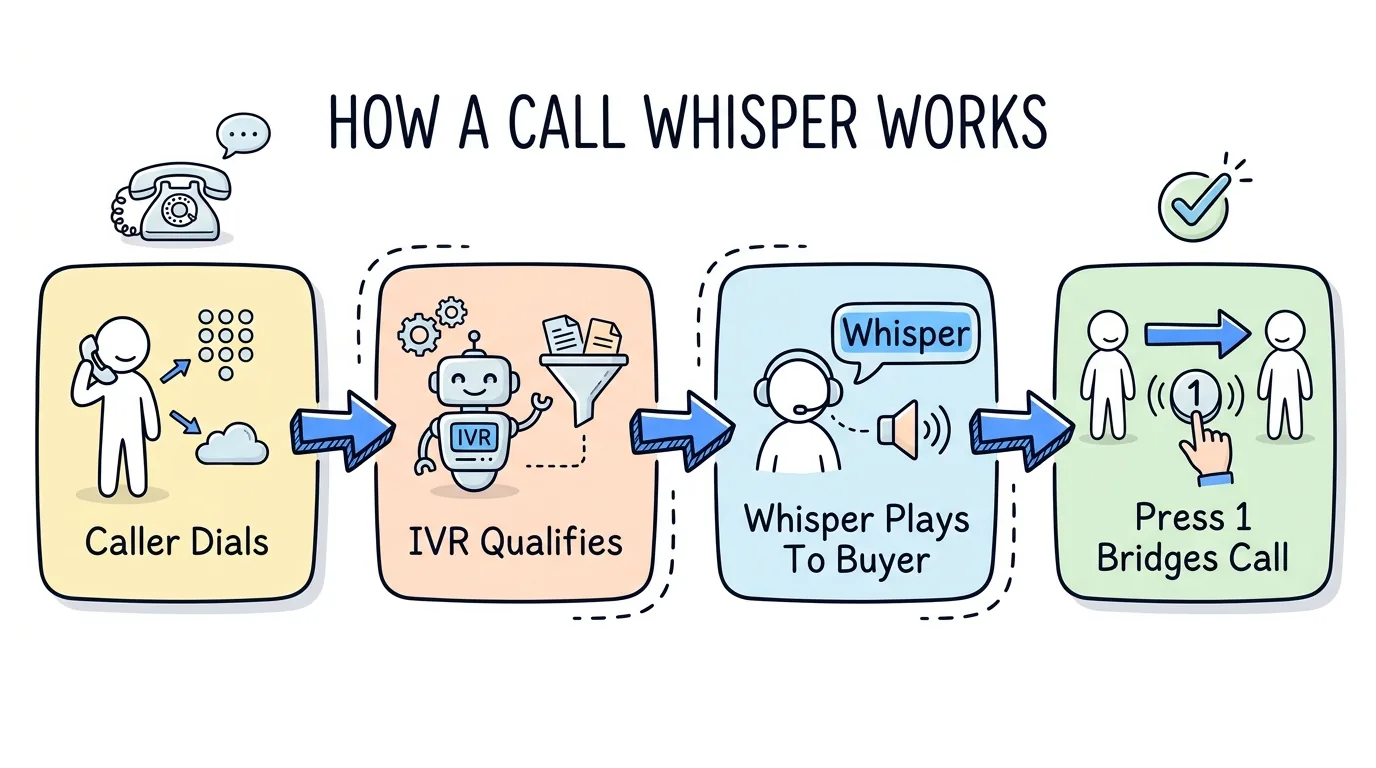
This accept gate is the underrated part. Because the buyer hears the whisper and chooses to accept, you get an explicit confirmation that the right human is ready before the billable connection happens. As Phonexa explains in its call flow documentation, whisper messages reduce abandoned and misrouted calls because the recipient is primed and consenting. This is the call equivalent of the buyer-acceptance step in ping-post lead distribution, where a buyer reviews and accepts a lead before the sale closes.
Why Pay-Per-Call Agencies and Buyers Use Call Whispers
For a pay-per-call agency, the call whisper solves a problem unique to selling live calls: one tracking number can feed many buyers, and a buyer's call center handles calls from many sources. Without a whisper, an agent answering a transferred call has no idea whether it is an auto insurance lead, a Medicare lead, or a personal injury lead, and the first three seconds get wasted. The whisper labels every call so the agent opens with the right script.
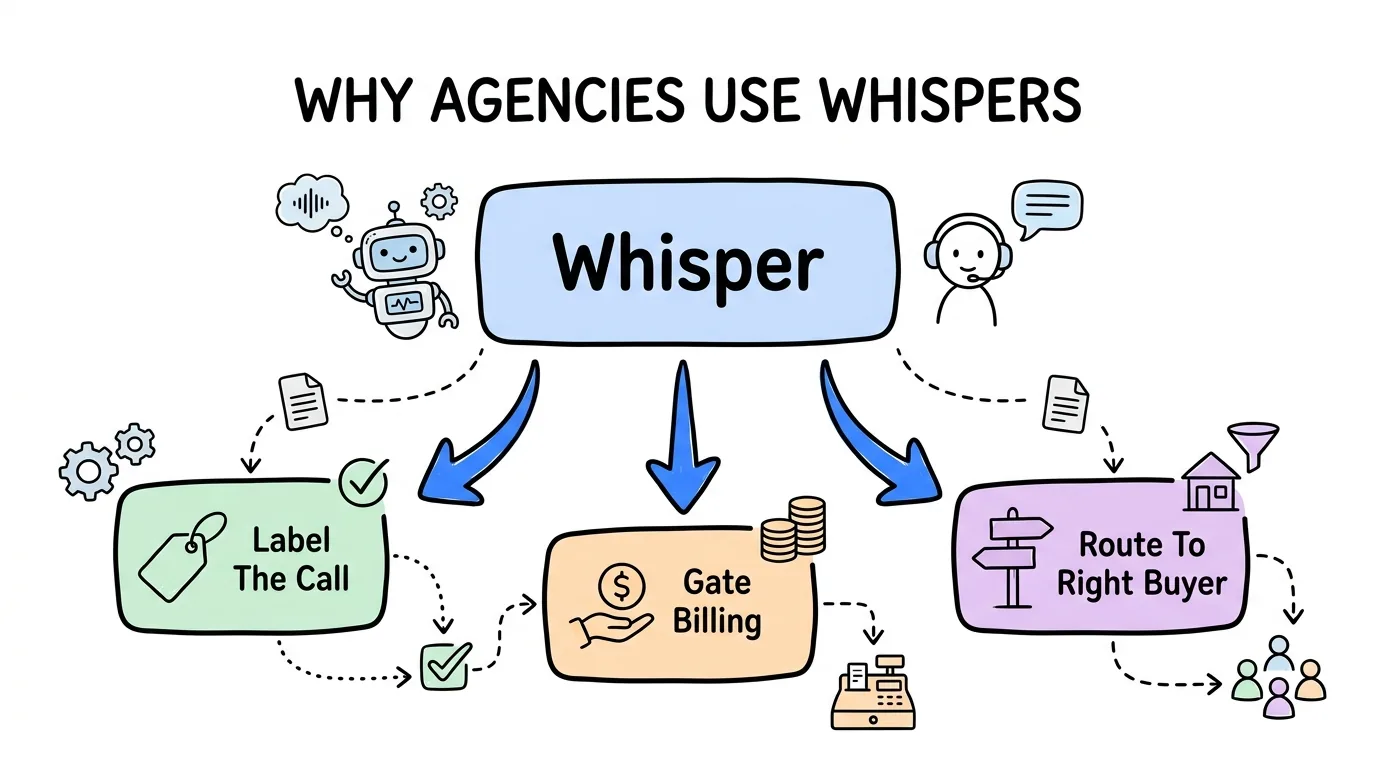
The second reason is billing integrity. Because the call whisper message makes the buyer press 1 to accept, you capture a clean accept event in the whisper message call tracking flow. Calls that the buyer declines or never answers do not bill, which protects you from chargebacks and keeps buyers renewing. As Ringba's whisper documentation notes, the accept prompt also lets agencies enforce a minimum connection before the call counts, a common term in buyer contracts.
"A whisper message is the cheapest insurance a pay-per-call agency can buy," says Rafael Hernandez, Founder and CEO of Lead Distro AI. "It costs nothing to record, and it stops the two most expensive problems in this business at once: an agent fumbling a $150 call because they didn't know the source, and a buyer disputing a call they never actually accepted. Label it and gate it, and both go away."
The third reason is routing flexibility. A whisper lets you sell the same number to multiple buyers and route each call to the right one, the same multi-buyer logic behind lead and call distribution software. The buyer's whisper can carry dynamic data, such as the caller's state or the campaign keyword, so even within one buyer's call center the call lands with the right team.
How to Set Up a Call Whisper
Setting up a call whisper takes four decisions, and most platforms make all four configurable per campaign or per buyer. Work through them in order.
Decide the trigger and scope first. A whisper can play on every call to a number, only on calls routed to a specific buyer, or only on calls that pass IVR qualification. Most agencies set a whisper per buyer so each buyer hears their own label. Next, choose static versus dynamic audio. A static whisper plays the same recording every time ("New auto insurance call, press 1"). A dynamic whisper uses text-to-speech to insert live variables like the caller's state or the source keyword. CallTrackingMetrics documents both and recommends dynamic whispers when one buyer takes calls from several campaigns.
Third, write the whisper script. Keep it under five seconds, lead with the source, and end with the accept instruction. Fourth, set the accept behavior: press-1-to-accept, auto-connect after the message, or a timeout that cascades to the next buyer if no one accepts. The cascade option ties the whisper directly to your call routing buyer waterfall so a declined whisper rolls to the next buyer automatically.
In Lead Distro AI, you configure the whisper inside the buyer's routing rule: upload or type the script, pick static or dynamic, and set press-1 acceptance. Because routing and tracking live in one platform, the whisper, the cap enforcement, and the billing event all fire from the same engine. Developers can also set whisper text per campaign through the API at app.leaddistro.ai so high-volume agencies manage whispers programmatically.
Call Whisper Script Best Practices
A good call whisper script is short, specific, and ends with a clear action. The goal is to give the agent exactly what they need to open the call well, nothing more. Compare a weak script against a strong one.
| Element | Weak whisper | Strong whisper |
|---|---|---|
| Length | "You have a new inbound call from one of our many active marketing campaigns, please be ready to assist the customer" | "Auto insurance lead, California, press 1 to accept" |
| Source label | Missing | Lead type plus geo plus campaign |
| Accept instruction | None, call auto-connects | Explicit press-1 gate |
| Greeting cue | None | Implied by the lead type |
| Billing protection | Weak, no accept event | Strong, accept event captured |
The strong version answers three questions in three seconds: what is this call, where is it from, and what do I do now. That is enough for the agent to greet the caller with "Thanks for calling about auto insurance" and to confirm acceptance so billing is clean. Avoid stuffing the whisper with disclaimers or long campaign names; if the agent needs more context, surface it on their screen, not in the audio. For agencies running marketing call tracking across many campaigns, a consistent script template per lead type keeps every buyer's experience predictable and every call labeled.
How Lead Distro AI Handles Call Whispers
Most agencies stitch whispers together across a separate call tracking tool and a separate distribution tool, which means two places to configure the script and two billing records to reconcile. Lead Distro AI runs the call whisper inside the same engine that handles routing, caps, and billing. The platform supports Round Robin, Weighted, Priority/Waterfall, and Ping-Post distribution methods, and the whisper attaches to whichever method a buyer is on.
| Capability | Standalone call tracking | Standalone distribution | Lead Distro AI |
|---|---|---|---|
| Plays whisper to buyer | Yes | Sometimes | Yes |
| Dynamic whisper variables | Yes | Limited | Yes |
| Press-1 accept gate tied to billing | Sometimes | Rarely | Yes |
| Whisper cascades to next buyer | Rarely | Sometimes | Yes |
| Calls and form leads in one portal | No | No | Yes |
| Pricing model | Usage-based per call | Platform fee | $297/mo + usage-based call tracking |
Because routing and call tracking share one platform, a declined whisper cascades through the buyer waterfall without leaving the system, and the accept event writes straight to the billing record. Call tracking on Lead Distro AI is usage-based, a per-number monthly fee plus a per-minute rate for inbound calls, layered on the flat $297-per-month subscription, so the base stays predictable while call volume scales. To see how the whisper fits into the broader attribution picture, read our guide to what call tracking is and how it works.
FAQ
What is a whisper message on a call?
A whisper message is a short recording played only to the person answering an inbound call, the agent or buyer, in the moment before they are connected to the caller. The caller never hears it. It typically announces the call source, such as the campaign or lead type, and often prompts the recipient to press 1 to accept the call. This labels the call so the agent greets the caller correctly and confirms acceptance before billing begins.
What is the difference between a call whisper and an IVR?
A call whisper plays to the call recipient only and the caller cannot hear it, while an IVR (Interactive Voice Response) plays to the caller and collects their input through a menu. The IVR happens first, on the caller side, to qualify and route the call. The whisper happens last, on the recipient side, to label the call and confirm acceptance. Pay-per-call platforms use both: the IVR qualifies the caller and the whisper preps the buyer.
How do I set up a call whisper script?
Decide the scope (which calls get a whisper), choose static or dynamic audio, write a script under five seconds that leads with the source and ends with a press-1 accept instruction, then set the accept behavior. In Lead Distro AI you configure all four inside the buyer's routing rule, and high-volume agencies can set whisper text per campaign through the API at app.leaddistro.ai. Keep the script specific to the lead type so the agent can open the call in context.
Why do pay-per-call agencies use call whispers?
Pay-per-call agencies use call whispers for three reasons: to label every transferred call so the buyer's agent greets the caller correctly, to capture a clean accept event through the press-1 prompt that protects billing and reduces disputes, and to route one tracking number to many buyers while keeping every call identified. The whisper turns an anonymous routed call into a labeled, gated, billable transfer, which keeps buyers happy and renewals high.
Does a call whisper add to call tracking costs?
A call whisper itself is a configuration feature, not a separate line item, on most platforms. The underlying call tracking is usually usage-based, charging a per-number monthly fee plus a per-minute rate for inbound calls. On Lead Distro AI, whispers are included in the routing engine and the call tracking that carries them is usage-based on top of the flat $297-per-month platform, so you pay for call volume, not for the whisper feature.
Conclusion
A call whisper is the small, one-sided message that does outsized work for pay-per-call agencies: it labels every routed call so the buyer's agent opens correctly, and it gates acceptance so billing stays clean and disputes stay rare. Built well, the whisper message call tracking flow turns one tracking number into many labeled, billable transfers, each landing with a buyer who knows what the call is and has explicitly chosen to take it. Write a tight call whisper script that names the source and ends with a press-1 accept, then attach it to your routing rule. Lead Distro AI brings the whisper, the buyer waterfall, the caps, and the billing into one platform so every call is identified and accounted for from a single buyer portal, with usage-based call tracking and a predictable $297-per-month base.
Want every buyer to know exactly which campaign a call belongs to before they say hello? Start your 7-day free trial and add a whisper message to your first buyer waterfall today.
About the Author
Founder & CEO of Lead Distro AI & Great Marketing AI
UC Berkeley graduate and former software engineer at Microsoft. Rafael built Lead Distro AI after managing over $10M in ad spend for performance marketing agencies (pay-per-lead and pay-per-call), including running campaigns for Neil Patel. He combines deep software engineering expertise with hands-on performance marketing experience to build tools that help these agencies scale profitably.
About Lead Distro AI
Lead Distro AI: AI-Powered Lead Distribution & Call Tracking That Maximizes ROI
The modern platform for pay-per-lead and pay-per-call agencies. Route, score, and deliver leads with AI-powered automation and real-time P&L tracking. Built for performance marketing agencies and lead buyers across legal, insurance, mortgage, solar, and home services verticals.
4 Distribution Methods
Waterfall, Round Robin, Weighted, Ping-Post
Ping-Post Auctions
Real-time bidding with sub-second routing
Real-Time P&L Reporting
Track revenue, costs, and profit per campaign
Call Tracking
Assign tracking numbers, record calls, and attribute conversions
AI Lead Scoring
Score every lead before routing to maximize conversion
Partner Portal
Self-serve dashboard for buyers to track leads