Lead Distro AI Partner Portal: What It Is and How to Use It
The Lead Distro AI Partner Portal lets buyers see their leads and calls, move deals through custom stages, and manage their own wallet. Here is how it works.

Rafael Hernandez
Founder & CEO
Ex-Microsoft SWE · $10M+ PPL ad spend
I hope you enjoy reading this blog post. If you want to try Lead Distro AI for free, click here.
Author: Rafael Hernandez | Founder & CEO of Lead Distro AI
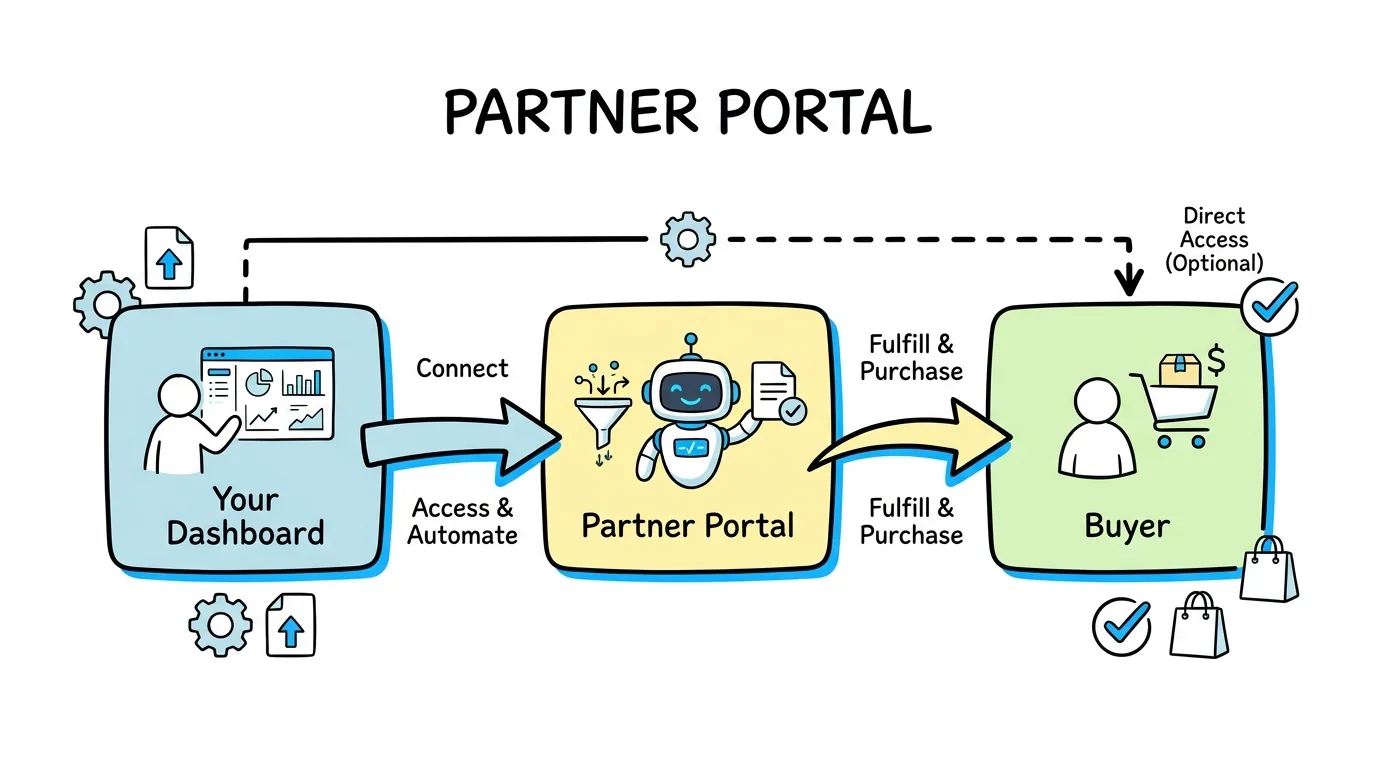
Yes, Lead Distro AI has a Partner Portal. It is the branded, self-serve login every buyer gets automatically: a place where the people you sell leads and calls to see their own delivered leads, listen to call recordings, move deals through your pipeline, add funds to their wallet, and manage their own team members, without ever touching your internal dashboard. Lead Distro AI renamed the buyer-facing login to Partner Portal on June 23, 2026, and has shipped updates to it in nearly every release since, including custom outcome stages, an editable Lead Value field, wallet auto-recharge fixes, and per-member access controls.
According to Grand View Research's partner relationship management market report, the global partner relationship management market reached $104.1 billion in 2025 and is projected to grow to $303.5 billion by 2033 at a 14.7% CAGR, and self-service partner access is a core reason for that growth. A partner portal, in the general sense Wikipedia describes for partner relationship management software, typically lets external partners log in to a vendor's system and see their own data instead of waiting on email updates, and buyers increasingly expect that same real-time, self-serve experience from a lead distribution platform. Below is exactly what the Partner Portal does today, grounded in what has actually shipped, not a roadmap wish list.
Key Takeaways
- The Lead Distro AI Partner Portal is the platform's buyer-facing login, automatically included for every buyer, no separate purchase or setup required.
- It replaced the name "buyer-facing portal" on June 23, 2026, though the login, tabs, and underlying features stayed the same.
- Buyers move leads through custom outcome stages like "Called Twice" or "Meeting Booked" from a list view or a drag-and-drop pipeline board.
- Wallet top-ups, auto-recharge, and Lead Value entry are all self-serve, so buyers manage billing and deal value without emailing your team.
- You get a fully white label partner portal, with your own logo, company name, and branded domain, so buyers never see a Lead Distro AI URL.
- It is separate from the Supplier Portal, which is the login your lead sources use to track payouts, not the one your buyers use.
What is the Partner Portal in Lead Distro AI?
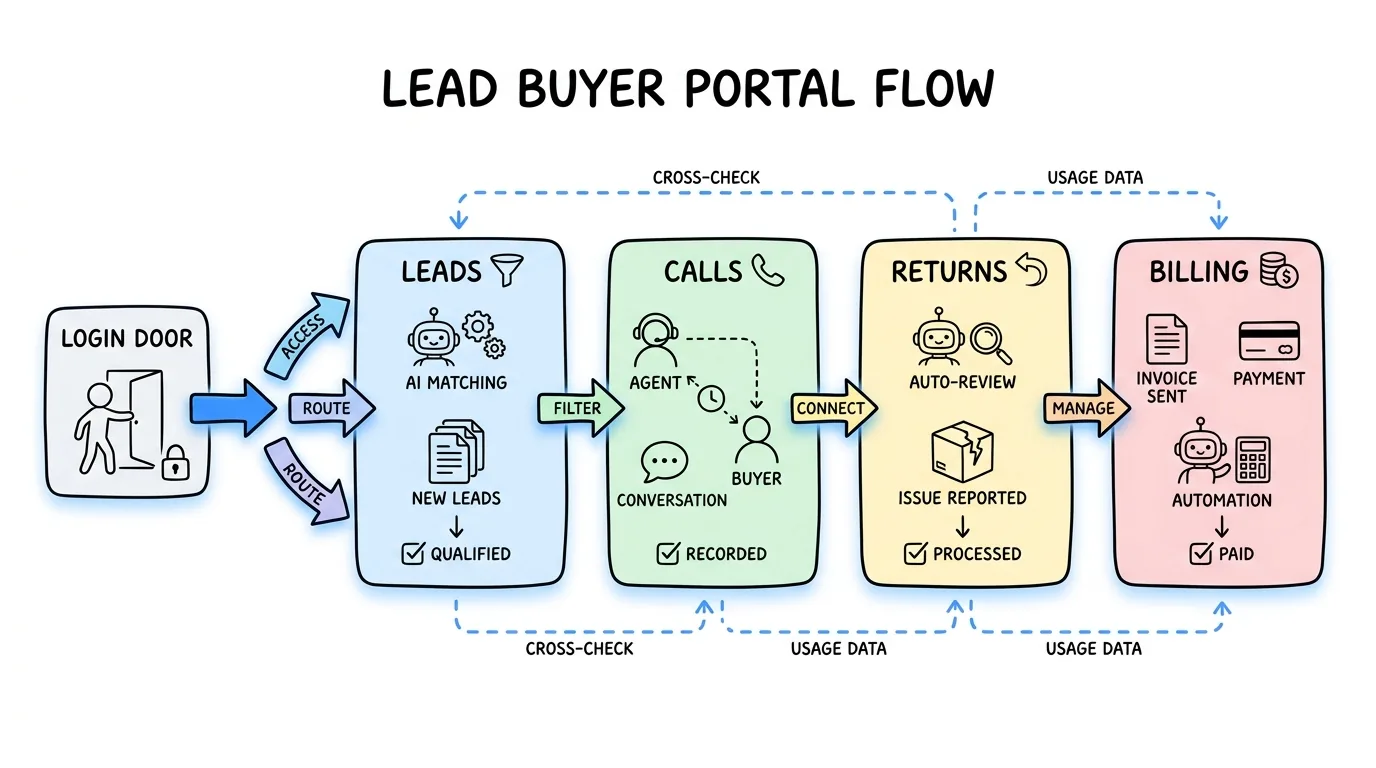
The Lead Distro AI Partner Portal is the dashboard your buyers, meaning the agencies, brokers, or advertisers who purchase leads and calls from you, log into to manage their own account. It shows a Leads tab with plain status labels like Accepted and Returned, a Calls tab with a Campaign column and CSV export, a Portal and Billing tab for wallet top-ups and invoices, and an organization menu that lists every Partner Portal a buyer has a seat in, so one login can jump between accounts. Unlike generic partner portal software built for channel resellers, which TechTarget defines as software that manages reseller and distributor relationships for a vendor, this one is purpose-built for pay-per-lead and pay-per-call delivery.
The name changed on June 23, 2026, from a generic "buyer-facing portal" to Partner Portal, according to the Lead Distro AI product changelog, though the login and every existing feature stayed identical. If you have read our earlier lead buyer portal overview, this is the same product surface under its current name, with the newer capabilities added since that piece published.
How to Use the Partner Portal
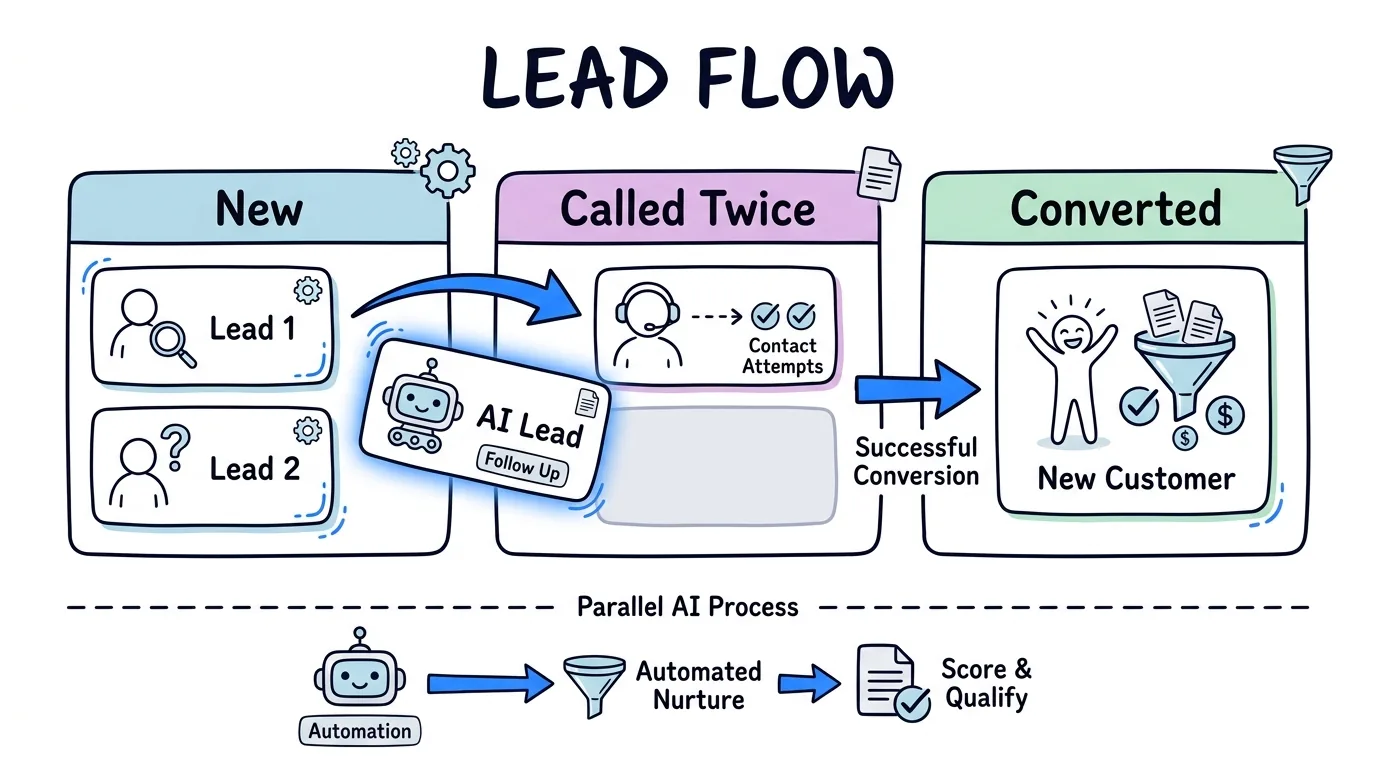
Every buyer gets a Lead Distro AI Partner Portal account the moment you add them to a campaign, so there is no separate signup for them to complete. From there, using it breaks into a few concrete steps, each tied to a feature that has actually shipped:
- Review delivered leads and calls. The buyer opens the Leads tab to see every lead routed to them with a plain-word status, or the Calls tab to see a Campaign column and filter by program when they run more than one campaign with you.
- Move deals through outcome stages. From your campaign's settings, you create custom stages like "Called Twice" or "Meeting Booked," and the buyer drags cards between them on a pipeline board or updates status from the list view. Each stage still counts as Pending, Converted, or Not Qualified for your reports and conversion billing.
- Log a Lead Value. Turn on the Lead Value field from your campaign's Fields tab, and buyers can type in what a lead is actually worth to them, right on the lead record.
- Manage their own wallet. Buyers add funds, set up auto-recharge, and see a clear error message if a top-up fails, without a support ticket. A fix shipped August 24, 2026, stopped auto-recharge top-ups from silently failing and stopped double-clicking Add Funds from charging twice.
- Add and edit their own team members. A buyer can invite colleagues to their
Partner Portalseat, and each member's edit access, password management, and removal now live in one menu on their row instead of three separate places.
You can white label every piece of this the same way you can white label your call tracking numbers: the invite email, the login link, and the branded domain all carry your logo and company name instead of ours, so a white label partner portal experience holds together end to end and a buyer never has a reason to ask what platform you are using. Walk through the full Lead Distro AI Partner Portal experience yourself in the interactive product tour before you invite your first buyer, or start a free trial and add a test buyer to see the portal exactly as they will.
When to Use the Partner Portal vs Alternatives
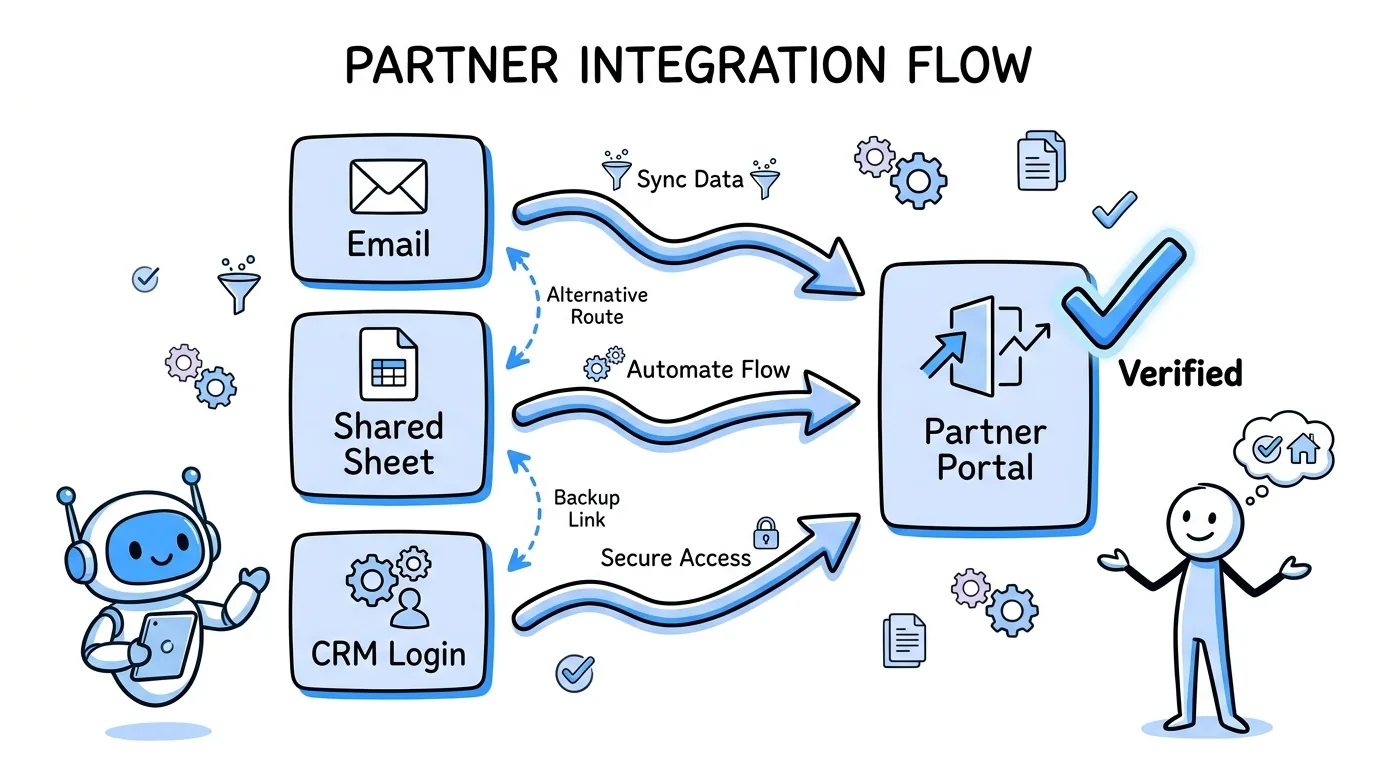
The Lead Distro AI Partner Portal is not the only way to give a buyer visibility into what you have sent them, but if you are evaluating partner portal software for a lead distribution or pay-per-call business specifically, it is the only option built for that workflow rather than adapted from generic channel-partner management. Here is how it compares to the ways agencies handle this before they switch:
| Approach | Real-time visibility | Buyer self-serve actions | Setup effort | Best for |
|---|---|---|---|---|
Partner Portal (built in) | Yes, live as leads and calls route | Outcome stages, Lead Value, wallet, team members | None, ships with every account | Pay-per-lead and pay-per-call agencies of any size |
| Daily CSV or email | No, batched | None | Manual export each day | Very low volume, one or two buyers |
| Shared Google Sheet | Partial, manual updates | Limited, easy to break formulas | Low, but fragile at scale | Small teams still testing a niche |
| Generic CRM buyer login | Yes, but not lead-gen specific | Depends on CRM configuration | High, custom build required | Agencies already deep in Salesforce or HubSpot workflows |
Choose the Partner Portal over a spreadsheet the moment a buyer starts asking "did you even send me that lead," because the portal's status history and call recordings answer the question before they ask it again. Choose it over a custom CRM build if you are not already committed to one, since the portal is included on every plan rather than requiring a developer to wire up buyer-level permissions. For a deeper feature-by-feature comparison of what a portal like this should include, read our lead buyer portal features breakdown, which covers the same seven capabilities from the buyer's side.
Pay-per-call agencies get the same portal as pay-per-lead agencies, with the Calls tab, campaign filtering, and CSV export built specifically for buyers managing call volume rather than lead rows. "The moment a buyer can self-verify a call outcome instead of calling to ask, you get your afternoon back," says Rafael Hernandez, Founder and CEO of Lead Distro AI, who built the platform after running paid lead generation for personal injury law firms.
FAQ
Does Lead Distro AI have a partner portal?
Yes. Every buyer connected to your Lead Distro AI account gets a Lead Distro AI Partner Portal login automatically, at no extra cost and no separate setup on your part. It includes a Leads tab, a Calls tab with a Campaign column and CSV export, a Portal and Billing tab for wallet management, and an organization menu for switching between accounts. The feature was renamed from "buyer-facing portal" to Partner Portal on June 23, 2026, but the login and tabs existed well before that, so buyers with older invites already have one.
What is the difference between the Partner Portal and the Supplier Portal?
The Partner Portal is for buyers, the people or agencies who purchase leads and calls from you, and centers on delivered leads and outcome tracking. The Supplier Portal is for sources, the publishers or affiliates sending you leads, and centers on payout visibility instead, showing a per-lead payout amount and daily totals when you turn that feature on. Both now show a TEST pill on test leads, so buyers and sources cannot mistake a test submission for a real, billable one. Two separate logins, scoped to two separate roles in the same workflow.
Can I white label the Partner Portal with my own branding?
Yes. A white label partner portal is the default, not an upsell. Portal invite emails, the welcome email preview you can check before sending, and the login link itself, including support for your own branded domain, all use your company name and logo instead of Lead Distro AI's. A buyer can complete their entire relationship with you, from first lead delivery to wallet top-up, inside a Partner Portal that never shows our name or URL, which protects the agency relationship you have already built with that client.
How do buyers move leads through outcome stages in the Partner Portal?
You define custom stages per campaign, such as "Called Twice" or "Meeting Booked," and each maps to Pending, Converted, or Not Qualified so your reports and billing keep working the same way. Buyers then drag lead cards between stages on a pipeline board, or update status from the plain list view if they prefer a table. The board loads each column separately with a Show More button, so a large campaign shows every lead instead of stopping at 100, and each stage change can fire an Outcome Stage Changed trigger, documented in Lead Distro AI's docs, into a webhook or Google Sheet.
Can buyers top up their own wallet from the Partner Portal?
Yes. Buyers add funds directly from the Portal and Billing tab, and can turn on auto-recharge so their balance refills before it hits zero, without emailing you for an invoice. A fix shipped August 24, 2026, resolved a bug where auto-recharge silently failed to run the top-up charge, letting balances drain even with auto-recharge switched on, and the same release fixed low balance and wallet alert emails that had stopped sending. A separate fix stopped a double click on Add Funds from charging a buyer twice, and failed top-ups now explain what went wrong instead of showing a generic error.
Is the Partner Portal included on every Lead Distro AI plan?
Yes. The Lead Distro AI Partner Portal is not a paid add-on, a usage-gated feature, or an enterprise-only tier. Every buyer you connect to a campaign gets a portal login by default, whether you are running a single pay-per-lead campaign on the Starter plan or a multi-vertical pay-per-call operation across several team members. You get a 7-day free trial with full access (credit card required) to test it yourself, and the portal ships with that trial exactly as it does on a paid plan.
Conclusion
The Lead Distro AI Partner Portal is how you stop being the middleman between a delivered lead and a buyer's next question about it. Buyers see their own leads and calls the moment they route, move deals through outcome stages you define, manage their own wallet, and never have to ask whether a lead actually arrived. It ships with every account, works the same for pay-per-lead and pay-per-call buyers, and carries your own branding end to end.
Start a free 7-day trial with full access, add a buyer, and see the Partner Portal from their side before your next campaign goes live. Credit card required.
About the Author
Founder & CEO of Lead Distro AI & Great Marketing AI
UC Berkeley graduate and former software engineer at Microsoft. Rafael built Lead Distro AI after managing over $10M in ad spend for performance marketing agencies (pay-per-lead and pay-per-call), including running campaigns for Neil Patel. He combines deep software engineering expertise with hands-on performance marketing experience to build tools that help these agencies scale profitably.
About Lead Distro AI
Lead Distro AI: AI-Powered Routing for Your Leads, Calls, and Appointments
The modern platform for pay-per-lead and pay-per-call agencies. Route, score, and deliver leads with AI-powered automation and real-time P&L tracking. Built for performance marketing agencies and lead buyers across legal, insurance, mortgage, solar, and home services verticals.
4 Distribution Methods
Waterfall, Round Robin, Weighted, Ping-Post
Ping-Post Auctions
Real-time bidding with sub-second routing
Real-Time P&L Reporting
Track revenue, costs, and profit per campaign
Call Tracking
Assign tracking numbers, record calls, and attribute conversions
Lead Scoring
Score every lead before routing to maximize conversion
Partner Portal
Self-serve dashboard for buyers to track leads