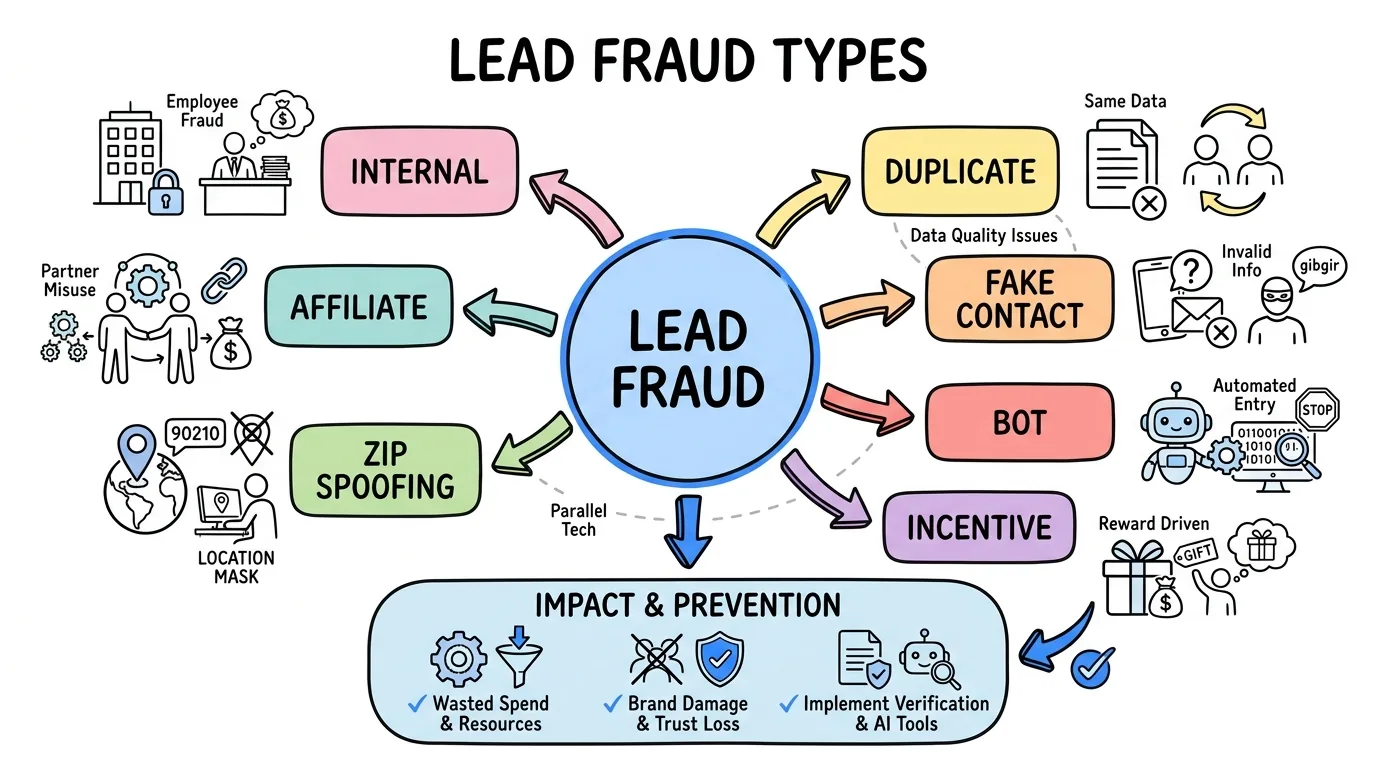
Lead Filtering: How to Block Bad Leads Before You Pay
Lead filtering uses rules to reject junk leads in real time, before they route to buyers or trigger billing. Learn the filter types, setup, and how it works.

Rafael Hernandez
Founder & CEO
Ex-Microsoft SWE · $10M+ PPL ad spend
I hope you enjoy reading this blog post. If you want to try Lead Distro AI for free, click here.
Author: Rafael Hernandez | Founder & CEO of Lead Distro AI
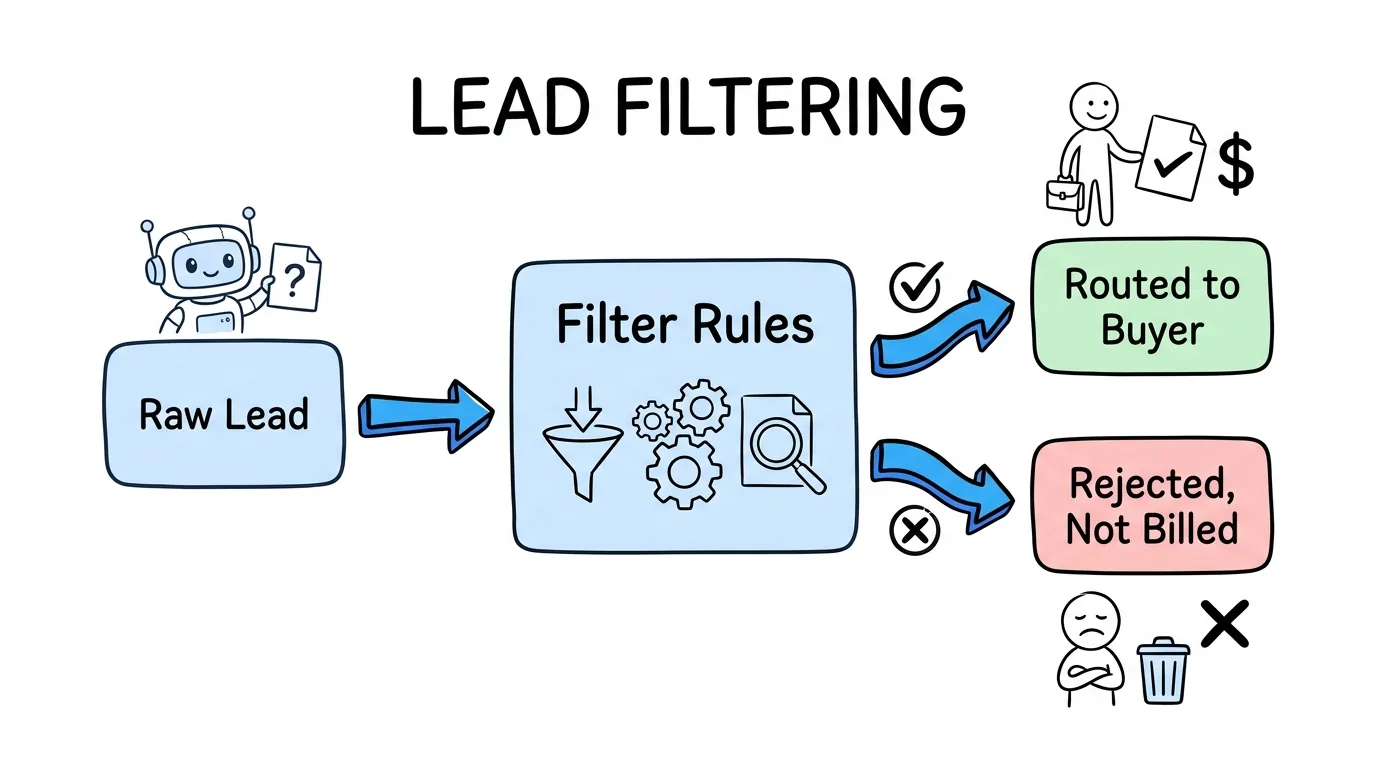
Lead filtering is the set of rules a lead distribution platform applies to every incoming lead in real time, before that lead is routed to a buyer or triggers a charge. It is the layer that sits between intake and distribution: a lead arrives from a vendor, form, or ping-post request, the platform checks it against your filter rules (source, geography, required fields, duplicates, daily caps, and contact validity), and only the leads that pass get matched to a buyer and billed. Everything that fails is rejected at the door, with a reason code, and never costs you a dollar. According to Grand View Research, the lead management software market keeps expanding because buyers are losing margin to volume they cannot use, and rules-based lead filtering is the cheapest way to plug that leak. Unlike a return policy, which claws money back after the fact, lead filtering is proactive and instant. The lead either clears every rule or it does not get delivered. For pay-per-lead and pay-per-call agencies running on thin per-lead margins, that distinction is the difference between a profitable buy and a budget that quietly bleeds.
Key Takeaways
- Lead filtering is rules-based, not AI guesswork. Filters are deterministic conditions (source, geo, field values, duplicates, caps, validation) that either pass or reject a lead the moment it arrives, so the outcome is predictable and auditable.
- Filtering happens before routing and before billing. A lead that fails any rule is rejected at intake, never matched to a buyer, and never charged, which is why filtering protects margin better than retroactive returns.
- The six core filter types are source, geography, field-level, duplicate, cap, and validation. Configuring all six closes the most common ways junk leads slip through.
- Lead filtering, lead validation, and lead acceptance criteria are related but distinct. Validation verifies a contact is real; acceptance criteria are the buyer-side standards; filtering is the engine that enforces them automatically.
- Lead Distro AI runs every filter per buyer in real time across all four distribution methods (Round Robin, Weighted, Priority/Waterfall, and Ping-Post), logs each rejection with a reason, and never bills you for a filtered lead.
What Is Lead Filtering?
Lead filtering is the automated rejection of unqualified leads at the point of delivery, based on rules you define. In a lead distribution system, every inbound lead passes through a filter stack before the platform decides where to send it. If the lead matches a reject condition, the distribution step never runs.
The key word is rules-based. A lead filtering rule is a plain condition: state must be in your service area, the phone field must be present and valid, the lead must not already exist in your database, the buyer must be under their daily cap. There is no probability score and no model deciding for you. Each rule returns pass or fail, which makes the system transparent: you can look at any rejected lead and see exactly which rule stopped it.
This is what separates filtering from lead scoring. Scoring ranks leads by likely value; filtering decides whether a lead is eligible at all. Most agencies need filtering first, because eligibility is binary and ineligible leads should never reach a buyer. For the broader picture of how leads move through a platform, see our guide to lead distribution software.
The 6 Types of Lead Filters
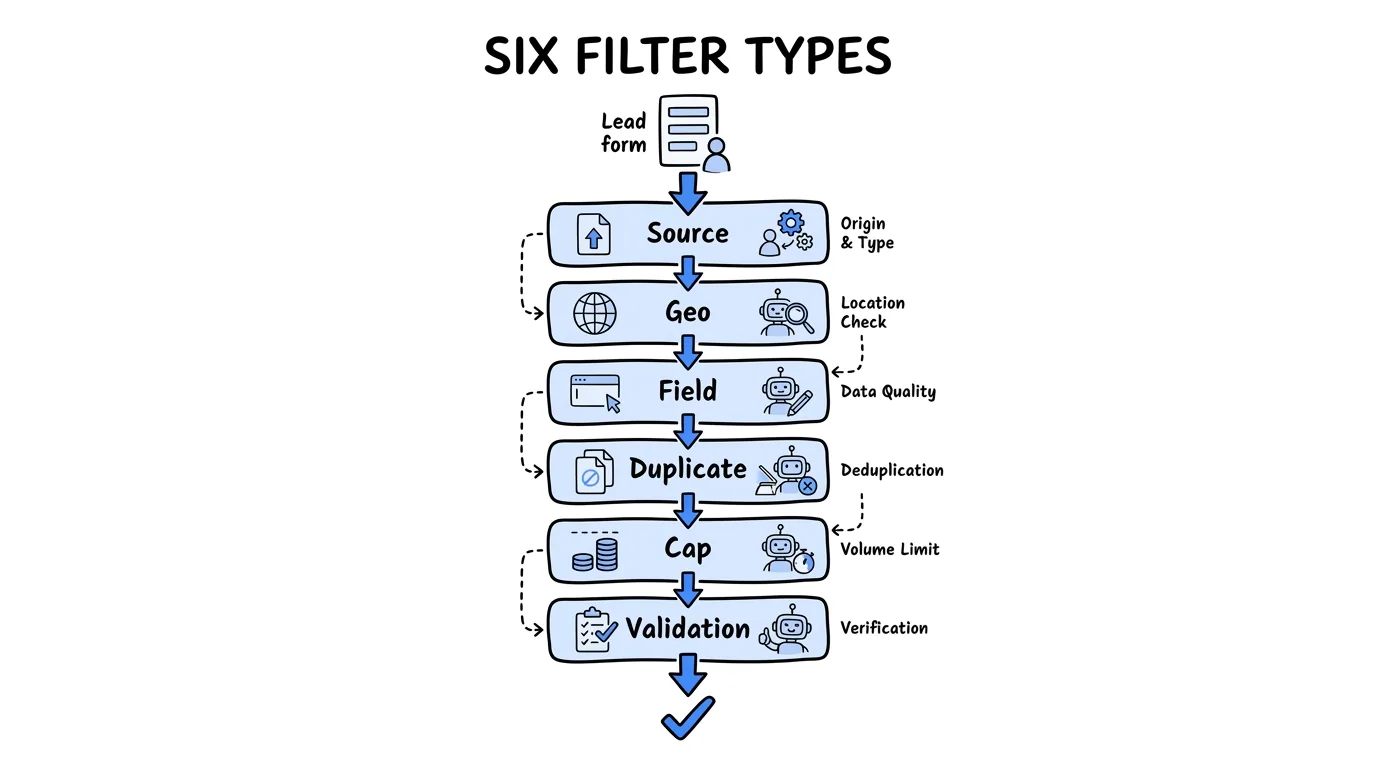
Effective lead filtering combines six filter types. Each catches a different category of bad lead, and together they form the gauntlet every lead must clear.
- Source filters accept or block leads by vendor, campaign, or sub-ID, so you can pause a single bad publisher without touching the rest of your buy.
- Geography filters reject leads outside the states or ZIP codes a buyer can actually serve.
- Field-level filters require specific values: a loan amount above a threshold, a case type that matches, an age range, or a yes on a qualifying question.
- Duplicate filters match incoming leads against your database, the heart of duplicate lead detection, so you never pay twice for the same person.
- Cap filters stop delivery once a buyer hits a daily, weekly, or monthly volume limit.
- Validation filters check that the contact data is real, which overlaps with lead validation tools that verify phone and email at intake.
The right mix depends on your vertical. A solar buyer leans on geography and homeowner field checks; a legal buyer leans on duplicate windows and TCPA consent fields.
How Lead Filtering Works in Real Time
Real-time lead filtering runs in milliseconds, which matters because speed to lead is a known revenue lever. Research published in Harvard Business Review found firms that contact a new online lead within an hour are nearly seven times more likely to have a meaningful conversation than those that wait, so the filter stack cannot become a bottleneck.
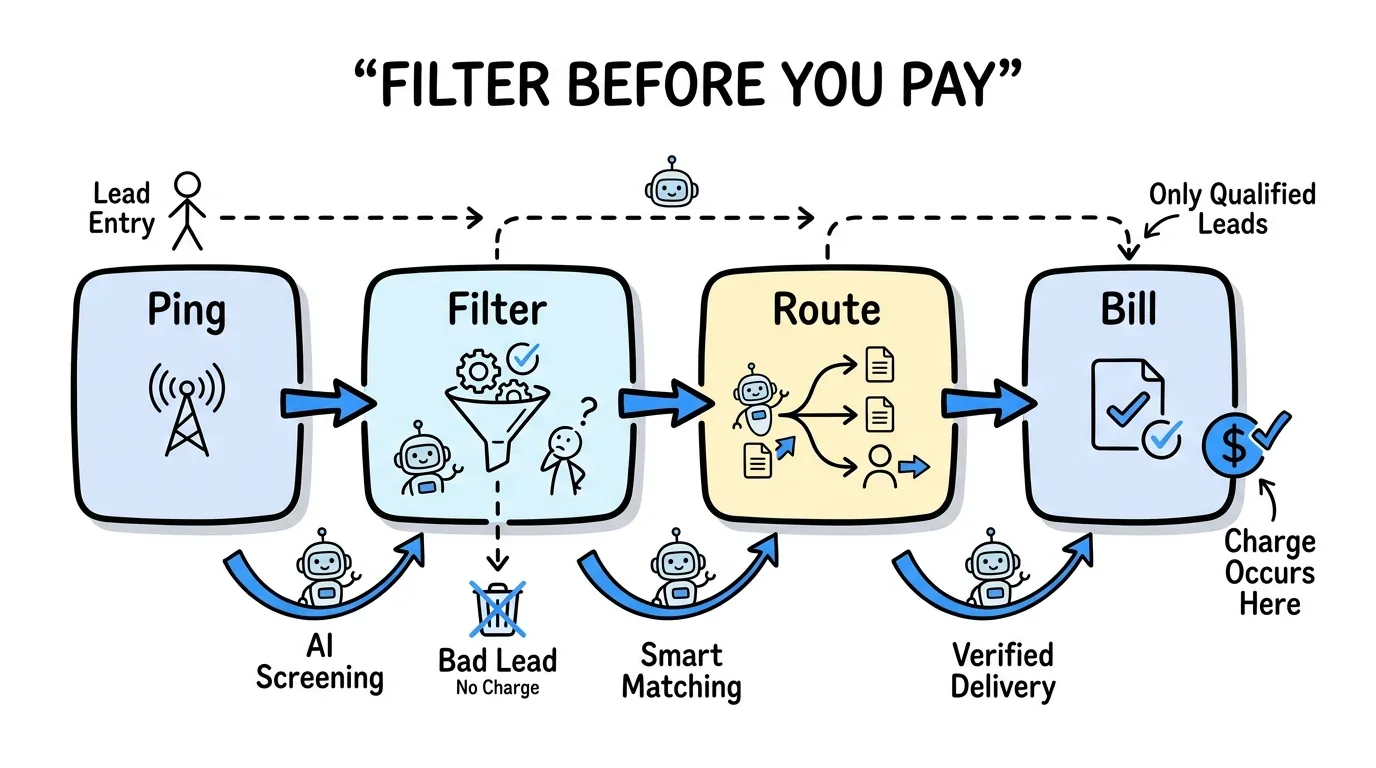
Here is the order of operations in a ping-post setup. A vendor sends a ping (a preview of the lead with limited fields). The platform runs the eligible filters it can check at ping stage, source, geography, caps, and duplicate, then returns an accept or reject. If accepted, the vendor posts the full lead, the remaining field-level and validation rules run, and only then does the platform route the lead to the winning buyer and record the charge. The dollar amount lands at the very end, after every rule has passed.
That sequence is why filtering protects budget so reliably: billing is the last step, not the first. A lead that fails at any point is logged with a reason code and dropped, so you have a clean audit trail and zero spend on rejected volume. This same discipline underpins TCPA-compliant lead distribution, where a missing consent field should block delivery, not surface as a problem later.
Lead Filtering vs Lead Validation vs Acceptance Criteria
These three terms get used interchangeably, but they are different layers of the same quality system. Getting them straight helps you configure each one correctly.
| Concept | What it is | When it runs | Output |
|---|---|---|---|
| Lead filtering | The rules engine that accepts or rejects leads | Real time, at intake | Pass or reject, before routing |
| Lead validation | Verification that contact data is real | Real time, inside the filter stack | Valid or invalid phone, email, or identity |
| Lead acceptance criteria | The buyer-side standards you define | Set once, enforced continuously | The rules the filter engine runs |
In plain terms: your lead acceptance criteria are the standards (for example, "exclusive, real-time, in-state, valid phone"). Lead filtering is the mechanism that enforces those standards on every lead. Lead validation is one specific filter inside that mechanism, the one that confirms a phone number is live and an email is deliverable. You decide the criteria, the filter engine runs them, and validation is the check that catches fake contact data. For a deeper walkthrough of setting standards, see our guide to lead acceptance criteria.
How to Set Up Lead Filters Without Over-Filtering
The biggest mistake in lead filtering is filtering so aggressively that you starve your pipeline. Every rule you add reduces volume, so each one needs to earn its place.
Start with the filters that protect against guaranteed loss: duplicate detection and geography. A duplicate is never worth paying for, and an out-of-area lead can never convert, so these reject only true waste. Add field-level and validation rules next, but watch your rejection rate as you go. If a single rule is rejecting a large share of an otherwise good vendor, the problem may be a field-mapping mismatch, not a quality problem, so confirm the vendor is passing the field in the format your lead filter software expects before you assume the leads are bad.
Set caps deliberately. A daily cap is a budget guardrail, not a quality filter, so size it to what your sales team can actually work. Review your rejection log weekly: a rule that rejects almost nothing may be redundant, and a rule that rejects almost everything may be misconfigured. Tune toward the tightest filter set that still feeds your team enough volume to hit goals.
How Lead Distro AI Handles Lead Filtering
Lead Distro AI runs all six filter types per buyer, in real time, across every distribution method. When a lead arrives by API, web form, or ping-post, the platform checks source, geography, field values, duplicate status (configurable by phone only or any field combination), buyer caps, and validation before routing. Native TrustedForm support, built through ActiveProspect, and Meta CAPI come included, so consent and conversion signals travel with the lead.
"Filtering is where agencies recover the margin they did not know they were losing," says Rafael Hernandez, Founder and CEO of Lead Distro AI. "The rule either fires or it does not, you can see exactly why every lead was rejected, and you never pay for the ones that fail. That predictability is the whole point."
Every rejected lead lands in a log with a timestamp and the specific rule it missed, and it never counts against billing. Because filtering, routing, and billing happen in one platform, you also see real-time profit and loss per source and per buyer, so a noisy vendor shows up as a high rejection rate before it shows up as a bad month. You can start your 7-day Lead Distro AI trial and configure your first buyer's filters in minutes, or see how Lead Distro AI routes leads first. Operators comparing notes on filter setup also trade playbooks in the Pay-Per-Lead community.
FAQ
What is lead filtering?
Lead filtering is the automated, rules-based rejection of unqualified leads at the moment they arrive, before a lead distribution platform routes them to a buyer or records a charge. Filters check conditions like source, geography, required fields, duplicate status, buyer caps, and contact validity. A lead that fails any rule is rejected with a reason code and is never billed. It is proactive, unlike a return policy, which only recovers money after a bad lead has already been delivered and paid for.
How is lead filtering different from lead scoring?
Lead filtering decides whether a lead is eligible at all, returning a simple pass or reject based on fixed rules. Lead scoring ranks eligible leads by their likely value or conversion probability. Filtering is binary and deterministic, so an ineligible lead never reaches a buyer. Scoring is a ranking applied to leads that have already cleared filtering. Most agencies need reliable filtering first, because no score can rescue a duplicate, an out-of-area lead, or a contact with a dead phone number.
Does lead filtering slow down delivery?
No. Real-time lead filtering runs in milliseconds and does not delay routing in any meaningful way. Speed to lead matters: Harvard Business Review research shows that contacting a lead within the first hour dramatically improves qualification rates. A well-built filter engine runs source, geography, cap, and duplicate checks at the ping stage and field-level and validation checks at the post stage, so the lead reaches the right buyer almost instantly while still being fully vetted.
What is the difference between lead filtering and lead validation?
Lead validation is one specific type of filter inside the broader lead filtering system. Validation verifies that contact data is real: that a phone number is live and an email is deliverable. Lead filtering is the full engine that runs validation alongside source, geography, field-level, duplicate, and cap rules. Validation answers "is this contact real," while filtering answers the bigger question, "does this lead meet every standard I require before I pay for it."
Can I filter leads by vendor or campaign?
Yes. Source filters let you accept or block leads by vendor, campaign, or sub-ID, so you can pause a single underperforming publisher without disrupting the rest of your buy. This is one of the most valuable filters for agencies running many sources, because it turns vendor quality into a switch you control. In Lead Distro AI, source filtering combines with the rejection log so you can see exactly which vendors fail which rules and renegotiate or cut them with evidence.
Conclusion
Lead filtering is the quiet engine behind every profitable lead buying operation. It enforces your standards on every single lead, rejects the junk before it reaches a buyer, and makes sure billing only fires on volume you can actually use. Build your filter stack from the six core types, start tight on duplicates and geography, validate contact data, and tune your rejection rate weekly so you protect margin without starving your pipeline.
The platforms agencies compare us against, including LeadProsper, Boberdoo, and LeadByte, all offer some version of filtering. Lead Distro AI runs it per buyer, in real time, with a clean audit trail and no charge on rejected leads. To put rules-based lead filtering to work across all four distribution methods in one platform, start your 7-day Lead Distro AI trial. Credit card required, and you see real-time profit and loss before you commit.
Lead Distro AI runs all six filter types per buyer at the moment of intake, before routing and before billing. Start your 7-day free trial and configure your first buyer's filters in minutes, or take the interactive product tour first.
About the Author
Founder & CEO of Lead Distro AI & Great Marketing AI
UC Berkeley graduate and former software engineer at Microsoft. Rafael built Lead Distro AI after managing over $10M in ad spend for performance marketing agencies (pay-per-lead and pay-per-call), including running campaigns for Neil Patel. He combines deep software engineering expertise with hands-on performance marketing experience to build tools that help these agencies scale profitably.
About Lead Distro AI
Lead Distro AI: AI-Powered Lead Distribution & Call Tracking That Maximizes ROI
The modern platform for pay-per-lead and pay-per-call agencies. Route, score, and deliver leads with AI-powered automation and real-time P&L tracking. Built for performance marketing agencies and lead buyers across legal, insurance, mortgage, solar, and home services verticals.
4 Distribution Methods
Waterfall, Round Robin, Weighted, Ping-Post
Ping-Post Auctions
Real-time bidding with sub-second routing
Real-Time P&L Reporting
Track revenue, costs, and profit per campaign
Call Tracking
Assign tracking numbers, record calls, and attribute conversions
Lead Scoring
Score every lead before routing to maximize conversion
Partner Portal
Self-serve dashboard for buyers to track leads